
Mcp Server Cvdlt
What is Mcp Server Cvdlt
mcp-server-cvdlt is a Python-based server implementing the Model Context Protocol (MCP) for various computer vision tasks, including object detection, segmentation, and pose estimation using deep learning models.
Use cases
Use cases include real-time object detection in surveillance systems, image segmentation for medical imaging analysis, human pose estimation in fitness applications, and automated quality inspection in manufacturing.
How to use
To use mcp-server-cvdlt, install the required dependencies using ‘uv sync’ and ‘uv pip install -r requirements.txt’. Start the server in stdio mode with ‘python server.py’ or in SSE mode with ‘python server.py sse [port]’. Ensure to download the necessary model weights into the ./checkpoints directory.
Key features
Key features include object detection using YOLOv10, image segmentation with YOLOv8, segmentation of entire images using Ultralytics SAM, human pose estimation with YOLOv8, and support for both local and network image inputs.
Where to use
mcp-server-cvdlt can be used in various fields such as robotics, autonomous vehicles, security surveillance, healthcare imaging, and any application requiring advanced image analysis.
Clients Supporting MCP
The following are the main client software that supports the Model Context Protocol. Click the link to visit the official website for more information.





Overview
What is Mcp Server Cvdlt
mcp-server-cvdlt is a Python-based server implementing the Model Context Protocol (MCP) for various computer vision tasks, including object detection, segmentation, and pose estimation using deep learning models.
Use cases
Use cases include real-time object detection in surveillance systems, image segmentation for medical imaging analysis, human pose estimation in fitness applications, and automated quality inspection in manufacturing.
How to use
To use mcp-server-cvdlt, install the required dependencies using ‘uv sync’ and ‘uv pip install -r requirements.txt’. Start the server in stdio mode with ‘python server.py’ or in SSE mode with ‘python server.py sse [port]’. Ensure to download the necessary model weights into the ./checkpoints directory.
Key features
Key features include object detection using YOLOv10, image segmentation with YOLOv8, segmentation of entire images using Ultralytics SAM, human pose estimation with YOLOv8, and support for both local and network image inputs.
Where to use
mcp-server-cvdlt can be used in various fields such as robotics, autonomous vehicles, security surveillance, healthcare imaging, and any application requiring advanced image analysis.
Clients Supporting MCP
The following are the main client software that supports the Model Context Protocol. Click the link to visit the official website for more information.
Content
MCP Server for CVDLT(Computer Vision & Deep Learning Tools)
The repo is based on Ultralytics and Model Context procotol of Python SDK
Related Links:
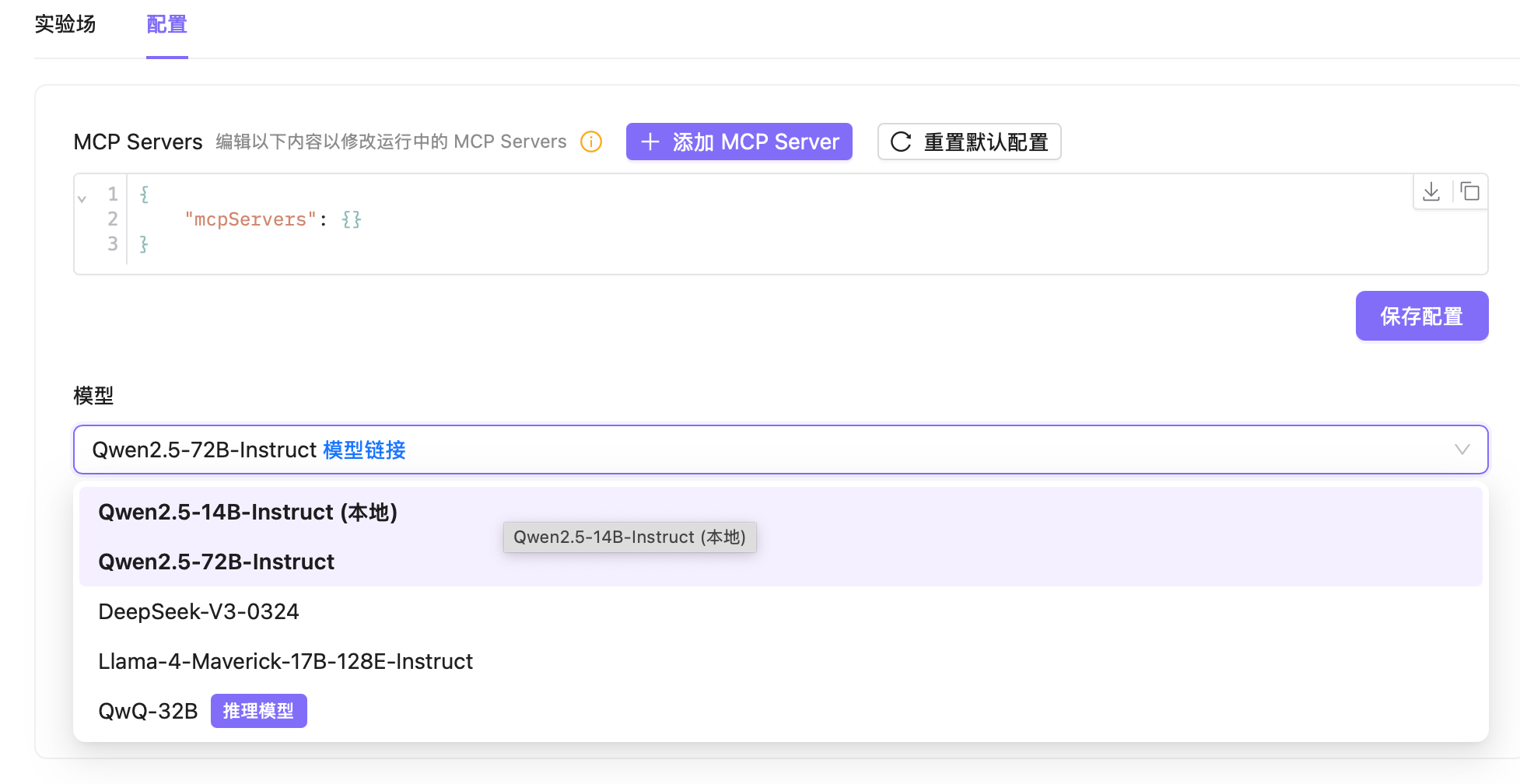
MCP Playground(client) - https://github.com/MRonaldo-gif/mcp-playground-local
Ultralytics - https://github.com/ultralytics/ultralytics
MCP of Python - https://github.com/modelcontextprotocol/python-sdk
Python server implementing Model Context Protocol (MCP) for image object detection, segmentation, and pose estimation operations.
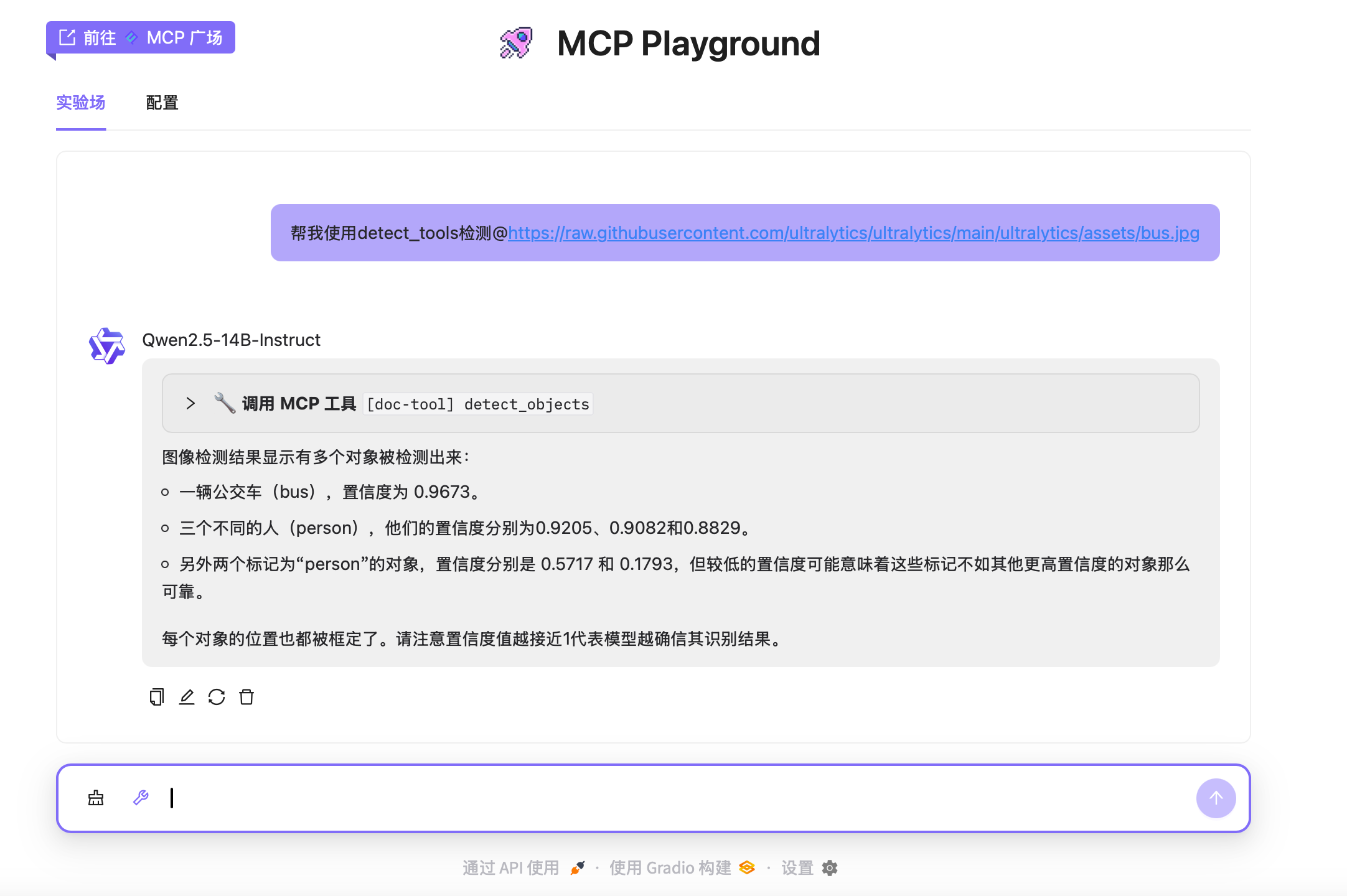
Features
- Detect objects in images using YOLOv10
- Segment objects in images using YOLOv8
- Segment entire images using Ultralytics SAM
- Estimate human poses in images using YOLOv8
- Support for local and network image inputs
- MCP tool integration for client interactions
- Stdio and SSE transport protocols
Note: The server requires valid image paths or URLs and access to the following model files: yolov10b.pt (YOLOv10 detection), yolov8n-seg.pt (YOLOv8 segmentation), yolov8n-pose.pt (YOLOv8 pose estimation), and sam_b.pt (Ultralytics SAM).
TODO
- 3D Detection
- AIGC(GAN, Diffusion)
- Denso Estimation
- Deploy DL(Deep Learning) Models
QucikStart
Install Dependencies
uv sync
//如需要清华源
uv sync --index https://pypi.tuna.tsinghua.edu.cn/simple --extra-index-url https://pypi.org/simple

uv pip install -r requirements.txt -i https://pypi.tuna.tsinghua.edu.cn/simple
Start Server
-
stdio 模式:
python server.py输出:
使用 stdio 传输启动 MCP 服务器(YOLO) -
SSE 模式:
python server.py sse [端口号]示例:
python server.py sse 8080输出:
在端口 8080 上启动 MCP 服务器(YOLO),使用 SSE 传输
Moreover, users need to download the weights into the ./checkpoints directory.
Downloads Links🔗:https://docs.ultralytics.com/models/yolov10/,https://docs.ultralytics.com/models/yolov8/,https://docs.ultralytics.com/models/sam-2/
├── checkpoints
│ ├── sam_b.pt
│ ├── yolov10b.pt
│ ├── yolov8n-pose.pt
│ └── yolov8n-seg.pt
API
Resources
image://system: Image processing operations interface
Tools
- detect_objects
- Detect objects in an image using YOLOv10
- Input:
image_url(string) - Supports local paths (
file://or relative) and network URLs (http://orhttps://) - Returns JSON array of detected objects with bounding boxes, confidence scores, and class labels
- Example output:
[{"box": [x, y, w, h], "confidence": 0.9, "class": "person"}, ...]
- segment_objects
- Segment objects in an image using YOLOv8
- Input:
image_url(string) - Supports local paths (
file://or relative) and network URLs (http://orhttps://) - Returns JSON array of segmented objects with bounding boxes, confidence scores, and class labels
- Example output:
[{"box": [x, y, w, h], "confidence": 0.85, "class": "car"}, ...]
- segment_image
- Segment entire image using Ultralytics SAM
- Input:
image_url(string) - Supports local paths (
file://or relative) and network URLs (http://orhttps://) - Returns JSON array of segmented regions with bounding boxes, areas, and confidence scores
- Example output:
[{"bbox": [x, y, w, h], "area": 2500, "confidence": 0.95}, ...]
- estimate_pose
- Estimate human poses in an image using YOLOv8
- Input:
image_url(string) - Supports local paths (
file://or relative) and network URLs (http://orhttps://) - Returns JSON array of detected poses with keypoint coordinates and confidence scores
- Example output:
[{"keypoints": [[x1, y1], [x2, y2], ...], "confidence": [0.9, 0.8, ...]}, ...]
Usage with Claude Desktop
Add this to your claude_desktop_config.json:
Note: You can provide sandboxed directories to the server by mounting them to /projects. Adding the ro flag will make the directory readonly by the server.
SSE
{
  "mcpServers": {
    "server-with-yolo": {
      "url": "http://localhost:8080/sse"
    }
  }
}
Dev Tools Supporting MCP
The following are the main code editors that support the Model Context Protocol. Click the link to visit the official website for more information.







