
Mcp Server Finder
What is Mcp Server Finder
mcp-server-finder is a FastAPI microservice that allows users to search for MCP server repositories on GitHub using natural language prompts. It helps in discovering open-source repositories that implement MCP servers for various tasks.
Use cases
Use cases for mcp-server-finder include finding MCP server implementations for web search tasks, integrating with large language models (LLMs), and retrieving information from open-source projects.
How to use
To use mcp-server-finder, first start the API server by running ‘python main.py’. Then, you can test the server using a web browser by navigating to ‘http://127.0.0.1:8000/docs’ to access the Swagger UI, or by using the terminal with a curl command to search for specific prompts.
Key features
Key features of mcp-server-finder include a user-friendly interface via Swagger UI, the ability to search using natural language prompts, and the capability to return detailed JSON responses with relevant repository information.
Where to use
mcp-server-finder can be used in software development, research, and educational settings where developers and researchers need to find MCP server implementations for various applications.
Clients Supporting MCP
The following are the main client software that supports the Model Context Protocol. Click the link to visit the official website for more information.





Overview
What is Mcp Server Finder
mcp-server-finder is a FastAPI microservice that allows users to search for MCP server repositories on GitHub using natural language prompts. It helps in discovering open-source repositories that implement MCP servers for various tasks.
Use cases
Use cases for mcp-server-finder include finding MCP server implementations for web search tasks, integrating with large language models (LLMs), and retrieving information from open-source projects.
How to use
To use mcp-server-finder, first start the API server by running ‘python main.py’. Then, you can test the server using a web browser by navigating to ‘http://127.0.0.1:8000/docs’ to access the Swagger UI, or by using the terminal with a curl command to search for specific prompts.
Key features
Key features of mcp-server-finder include a user-friendly interface via Swagger UI, the ability to search using natural language prompts, and the capability to return detailed JSON responses with relevant repository information.
Where to use
mcp-server-finder can be used in software development, research, and educational settings where developers and researchers need to find MCP server implementations for various applications.
Clients Supporting MCP
The following are the main client software that supports the Model Context Protocol. Click the link to visit the official website for more information.
Content
🔍 GitHub MCP Server Search API
A FastAPI microservice that lets you search GitHub for MCP server repositories using natural language prompts.
Use it to find open-source repositories that implement MCP servers for different tasks like web search, LLM integration, retrieval, etc.
🚀 How to Use
▶️ Step 1: Start the API Server
python main.py
You’ll see something like this over terminal:
Uvicorn running on http://127.0.0.1:8000
▶️ Step 2: Test the Server
✅ Option A: Using the Browser (Swagger UI)
Open your browser and go to:
http://127.0.0.1:8000/docs
You’ll see an interactive API page (Swagger UI)
Expand the /search endpoint
Enter your prompt (e.g., web search) and click Execute
View the JSON response below
🌀 Option B: Using the Terminal (curl)
curl "http://127.0.0.1:8000/search?prompt=web%20search"
For getting responses in better formatted manner in Powershell (🪟)
(Invoke-RestMethod "http://127.0.0.1:8000/search?prompt=web%20search") | ConvertTo-Json -Depth 5
Example Output:
{
  "results": [
    {
      "name": "tavily/tavily-search",
      "url": "https://github.com/tavily/tavily-search",
      "description": "A search API for LLMs"
    }
  ]
}
Example Tests
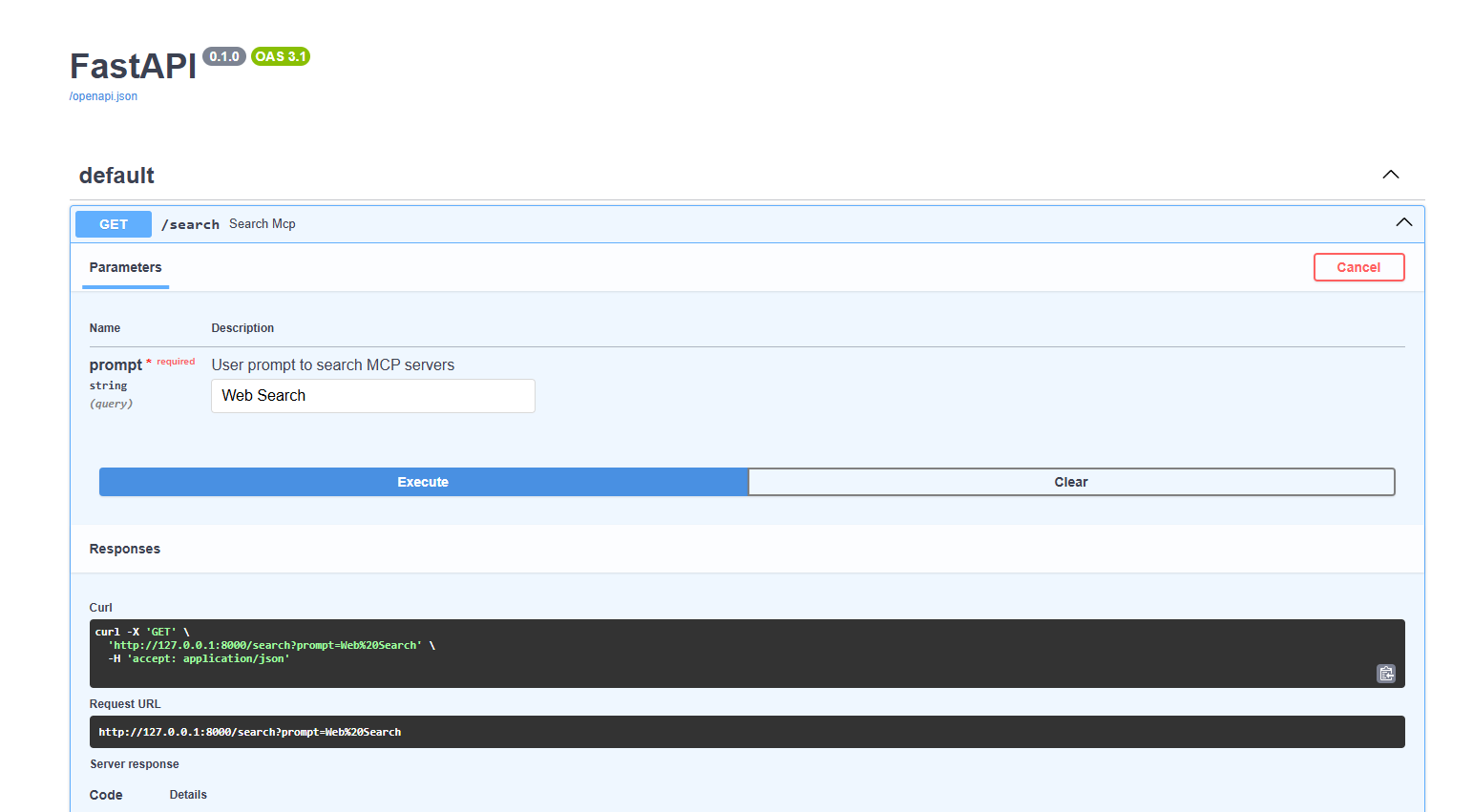
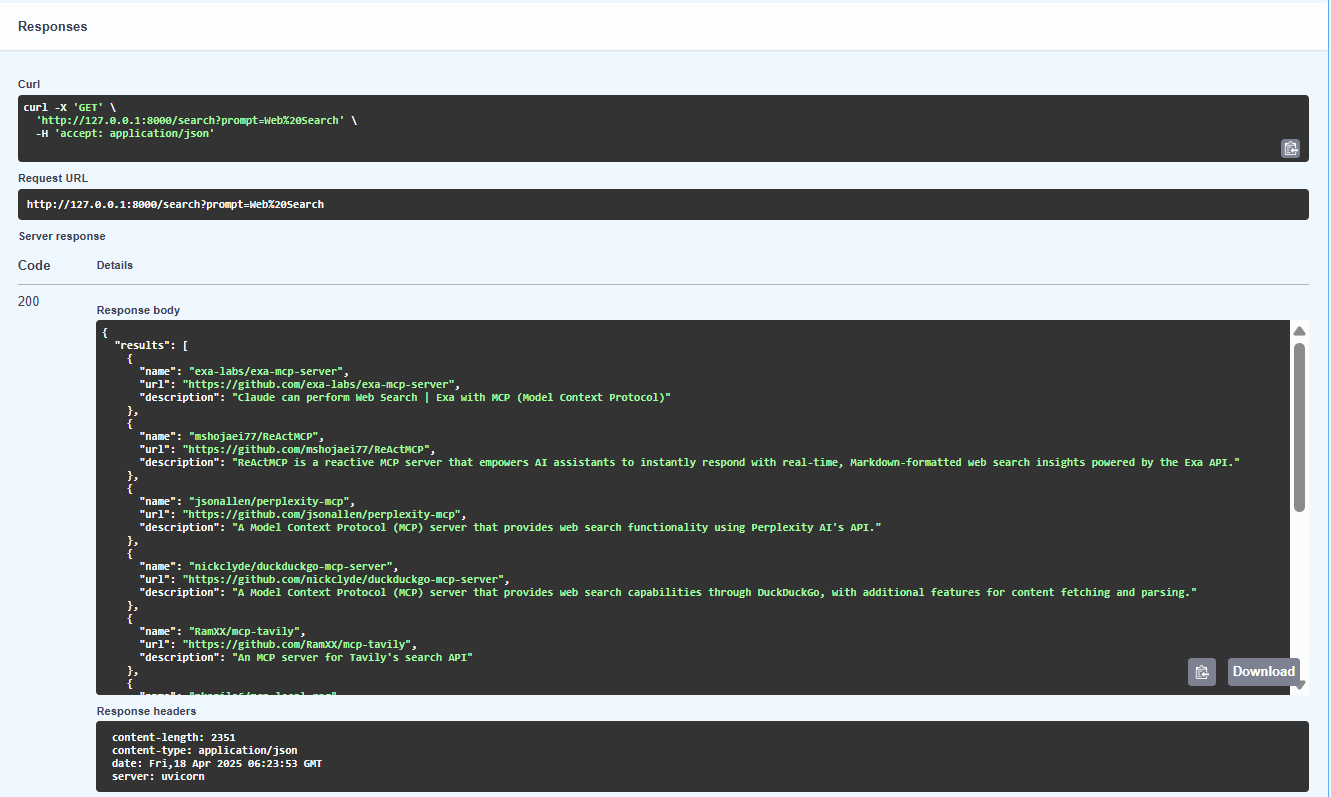
Response Received:
{
  "results": [
    {
      "name": "exa-labs/exa-mcp-server",
      "url": "https://github.com/exa-labs/exa-mcp-server",
      "description": "Claude can perform Web Search | Exa with MCP (Model Context Protocol)"
    },
    {
      "name": "mshojaei77/ReActMCP",
      "url": "https://github.com/mshojaei77/ReActMCP",
      "description": "ReActMCP is a reactive MCP server that empowers AI assistants to instantly respond with real-time, Markdown-formatted web search insights powered by the Exa API."
    },
    {
      "name": "jsonallen/perplexity-mcp",
      "url": "https://github.com/jsonallen/perplexity-mcp",
      "description": "A Model Context Protocol (MCP) server that provides web search functionality using Perplexity AI's API."
    },
    {
      "name": "nickclyde/duckduckgo-mcp-server",
      "url": "https://github.com/nickclyde/duckduckgo-mcp-server",
      "description": "A Model Context Protocol (MCP) server that provides web search capabilities through DuckDuckGo, with additional features for content fetching and parsing."
    },
    {
      "name": "RamXX/mcp-tavily",
      "url": "https://github.com/RamXX/mcp-tavily",
      "description": "An MCP server for Tavily's search API"
    },
    {
      "name": "nkapila6/mcp-local-rag",
      "url": "https://github.com/nkapila6/mcp-local-rag",
      "description": "\"primitive\" RAG-like web search model context protocol (MCP) server that runs locally. ✨ no APIs ✨"
    },
    {
      "name": "yokingma/one-search-mcp",
      "url": "https://github.com/yokingma/one-search-mcp",
      "description": "🚀 OneSearch MCP Server: Web Search & Scraper & Extract,  Support Firecrawl, SearXNG, Tavily, DuckDuckGo, Bing, etc."
    },
    {
      "name": "LinkupPlatform/python-mcp-server",
      "url": "https://github.com/LinkupPlatform/python-mcp-server",
      "description": "Linkup is a third-party extension that gives Claude access to real-time web search and premium content sources. It seamlessly integrates with Claude Desktop, enabling up-to-date information retrieval during conversations through a simple 60-second setup process."
    },
    {
      "name": "Sunwood-ai-labs/duckduckgo-web-search",
      "url": "https://github.com/Sunwood-ai-labs/duckduckgo-web-search",
      "description": "DuckDuckGo Web Search MCP Server - A simple web search implementation for Claude Desktop using DuckDuckGo API"
    },
    {
      "name": "DappierAI/dappier-mcp",
      "url": "https://github.com/DappierAI/dappier-mcp",
      "description": "Dappier MCP server connects any AI to proprietary, real-time data — including web search, news, sports, stock market data, and premium publisher content."
    }
  ]
}
Dev Tools Supporting MCP
The following are the main code editors that support the Model Context Protocol. Click the link to visit the official website for more information.







