
Mcp Server For Oracle Database
What is Mcp Server For Oracle Database
mcp-server-for-oracle-database is an experimental MCP (Model Context Protocol) server designed to execute SQL queries on Oracle Database. It allows AI applications to run SQL queries and retrieve results seamlessly.
Use cases
Use cases include executing SQL queries for data retrieval in AI applications, displaying table structures for database exploration, and integrating with MCP clients like Claude Desktop and Cursor.
How to use
To use mcp-server-for-oracle-database, clone the repository, create and activate a virtual environment, install dependencies, and set up environment variables. Finally, register the MCP server in your MCP client configuration.
Key features
Key features include executing SQL queries (SELECT only), retrieving table structures, basic security measures (query length limits, dangerous keyword checks), and formatting results for LLM consumption.
Where to use
mcp-server-for-oracle-database can be used in AI applications that require interaction with Oracle Database, particularly in environments where local execution is preferred for security reasons.
Clients Supporting MCP
The following are the main client software that supports the Model Context Protocol. Click the link to visit the official website for more information.





Overview
What is Mcp Server For Oracle Database
mcp-server-for-oracle-database is an experimental MCP (Model Context Protocol) server designed to execute SQL queries on Oracle Database. It allows AI applications to run SQL queries and retrieve results seamlessly.
Use cases
Use cases include executing SQL queries for data retrieval in AI applications, displaying table structures for database exploration, and integrating with MCP clients like Claude Desktop and Cursor.
How to use
To use mcp-server-for-oracle-database, clone the repository, create and activate a virtual environment, install dependencies, and set up environment variables. Finally, register the MCP server in your MCP client configuration.
Key features
Key features include executing SQL queries (SELECT only), retrieving table structures, basic security measures (query length limits, dangerous keyword checks), and formatting results for LLM consumption.
Where to use
mcp-server-for-oracle-database can be used in AI applications that require interaction with Oracle Database, particularly in environments where local execution is preferred for security reasons.
Clients Supporting MCP
The following are the main client software that supports the Model Context Protocol. Click the link to visit the official website for more information.
Content
MCP Server for Oracle Database(極めて実験的)
Oracle Database用のMCP(Model Context Protocol)サーバーの実験的な実装です。このサーバーは、AIアプリケーションがOracle Databaseに対してSQLクエリを実行し、その結果を取得するためのものです。MCPサーバーはローカルで実行されます。Cursor や Cline などの MCP クライアントから呼び出してシームレスなデータベース体験を提供することを目指してます。
機能
- Oracle DatabaseへのSQLクエリ実行
- テーブル構造の取得
- セキュリティ対策(クエリ長制限、危険なキーワードチェック)
- 最小限のセキュリティ対策のみ施されています。外部からアクセスできないローカルな環境でのみ使用してください。
- 結果のフォーマット機能(LLMに呼んでもらうものなので、余計なことをしているかも)
必要条件
- Python 3.11以上
- Oracle Databaseへのアクセス権限
- 必要な環境変数の設定(.envファイル)
- uv(高速なPythonパッケージマネージャー)
※テストは、Windows 11 のみで行っています。Linux/Mac の場合は、ディレクトリパスの表記などは適宜読み替えてください。
セットアップ
- リポジトリをクローン:
git clone [repository-url]
cd mcp-server-for-oracle-database
- 仮想環境を作成して有効化:
uv venv .venv
source .venv/bin/activate
.venv\Scripts\activate
- 依存パッケージをインストール:
uv pip install -r requirements.txt
- 環境変数の設定:
.envファイルを作成し、以下の情報を設定:
ORACLE_USER=your_username
ORACLE_PASSWORD=your_password
ORACLE_DSN=your_dsn
提供されるツール
execute_oracle
SQLクエリ(SELECT文のみ)を実行し、結果をフォーマットして返します。
-
パラメータ:
- query: SQLクエリ(SELECT文のみ)
- params: バインド変数
- max_length: 応答の最大文字数
- max_rows: 取得する最大行数
※LLMがパラメータの使い方を試行錯誤することが多いようです。クライアントへパラメータの使い方を上手く伝える方法があったら教えてください。
※読むのは LLM なのでフォーマットは余計かもしれません。
list_tables
データベースのテーブル一覧を表示します。
- パラメータ:
- max_rows: 取得する最大テーブル数(integer型、デフォルト: 50)
- name_pattern: テーブル名のパターン(例: ‘%EMP%’)(オプション)
- order_by: 並び順(‘TABLE_NAME’または’CREATED’、デフォルト: ‘TABLE_NAME’)
- include_system_tables: システムテーブルを含めるかどうか(デフォルト: False)
- use_all_tables: ALL_TABLESを参照するかどうか(デフォルト: False)
- owner: テーブルの所有者(use_all_tablesがTrueの場合は必須)
describe_table
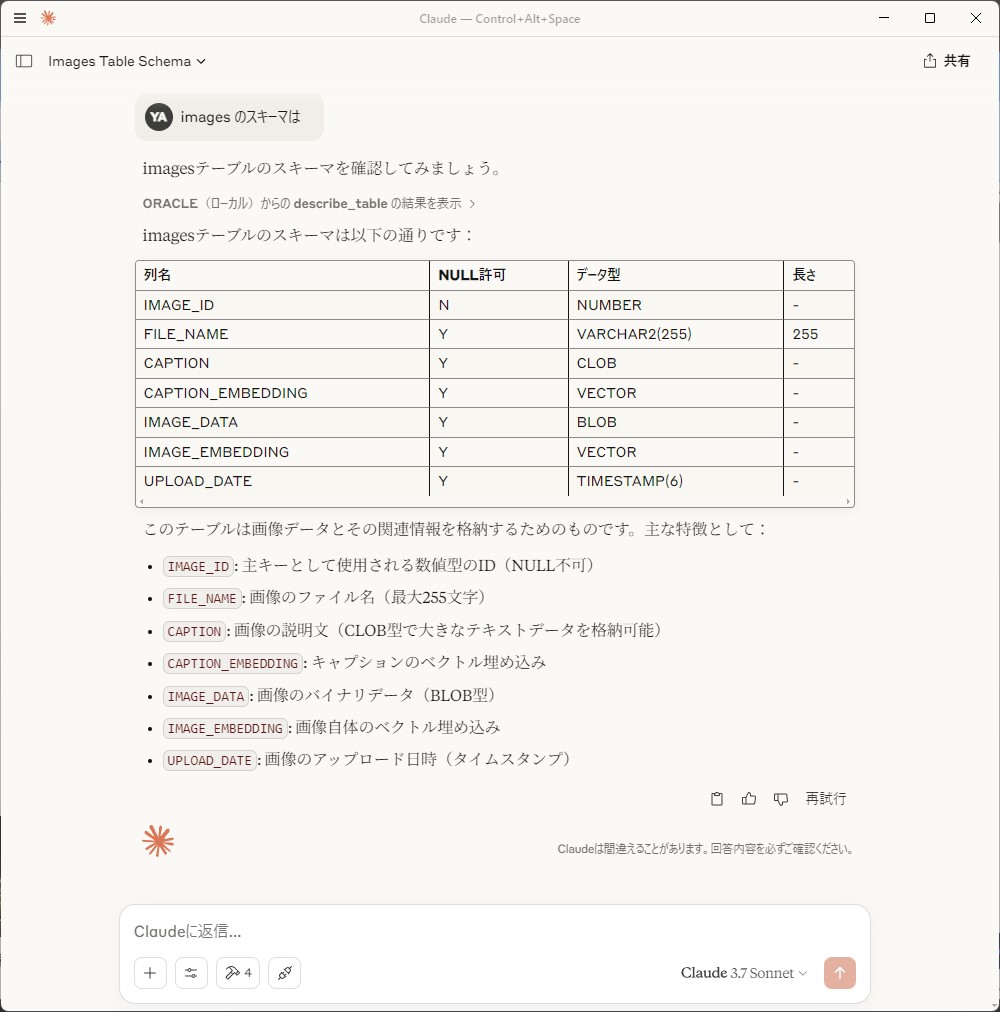
テーブルの構造を表示します。sqlplus の describe を模しています。
- パラメータ:
- table_name: テーブル名
oracle_query_assistant
execute_oracle(Oracle Databaseへのクエリ実行)をガイドするプロンプトを返します。
- パラメータ
- query_type: SQL のタイプ(現在は、"select"のみ)
使用方法
MCPクライアントへの登録:
Claude Desktop や Cursor の MCP 設定ファイルに以下を追加します。
{
  "mcpServers": {
    "ORACLE": {
      "command": "仮想環境の Python 実行ファイルへの絶対パス(...\\mcp-server-for-autonomous-database\\.venv\\Scripts\\python.exe)",
      "args": [
        "MCPサーバーの絶対パス(....\\mcp-server-for-oracle-database\\oracledb_mcp_server.py)"
      ]
    }
  }
}
※構成ファイルを変更した後は、MCPクライアントの再起動が必要です。Claude Desktop の場合、バックグラウンドで動いているプロセスも一度停止してから再起動してください。
Claude Desktop や Cursor 等の MCP クライアントでいろいろお試しください。
例1: テーブルの構造を表示
xxxx テーブルの構造をしらべて
xxxx のスキーマは
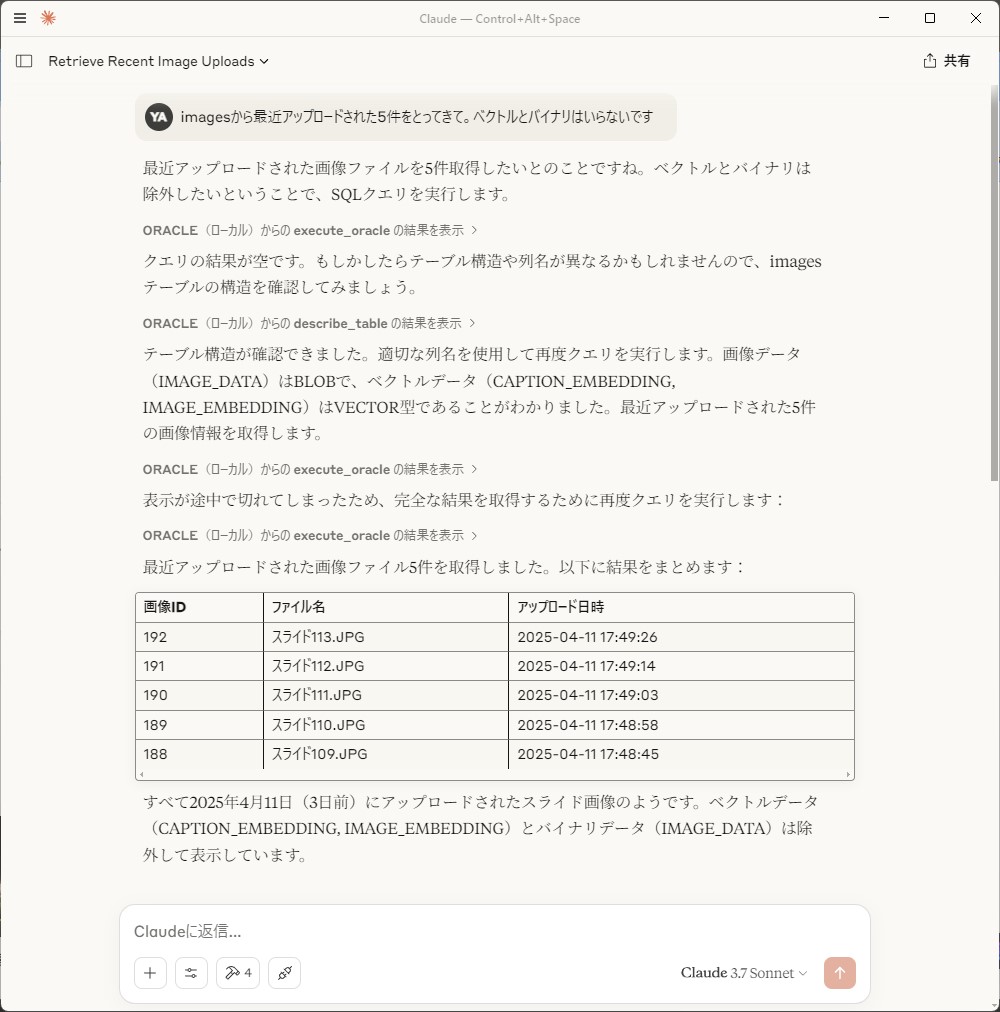
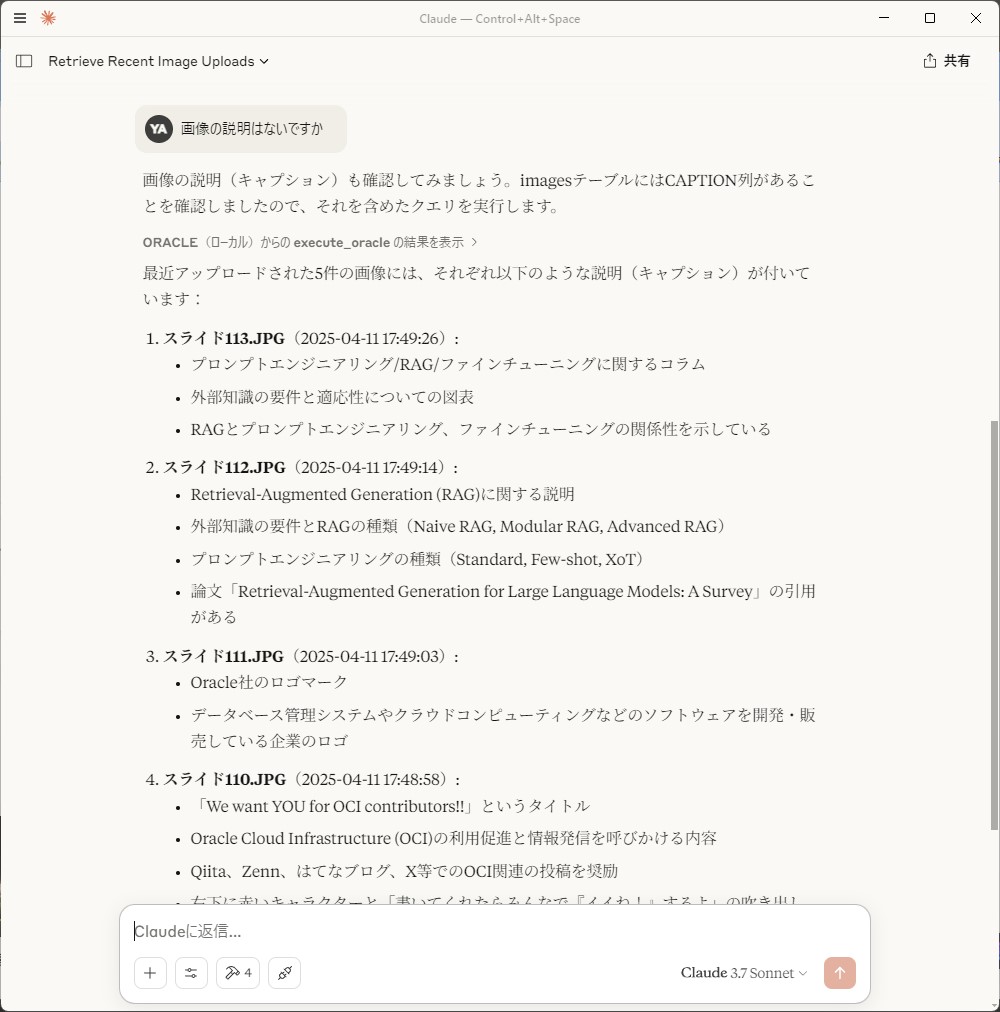
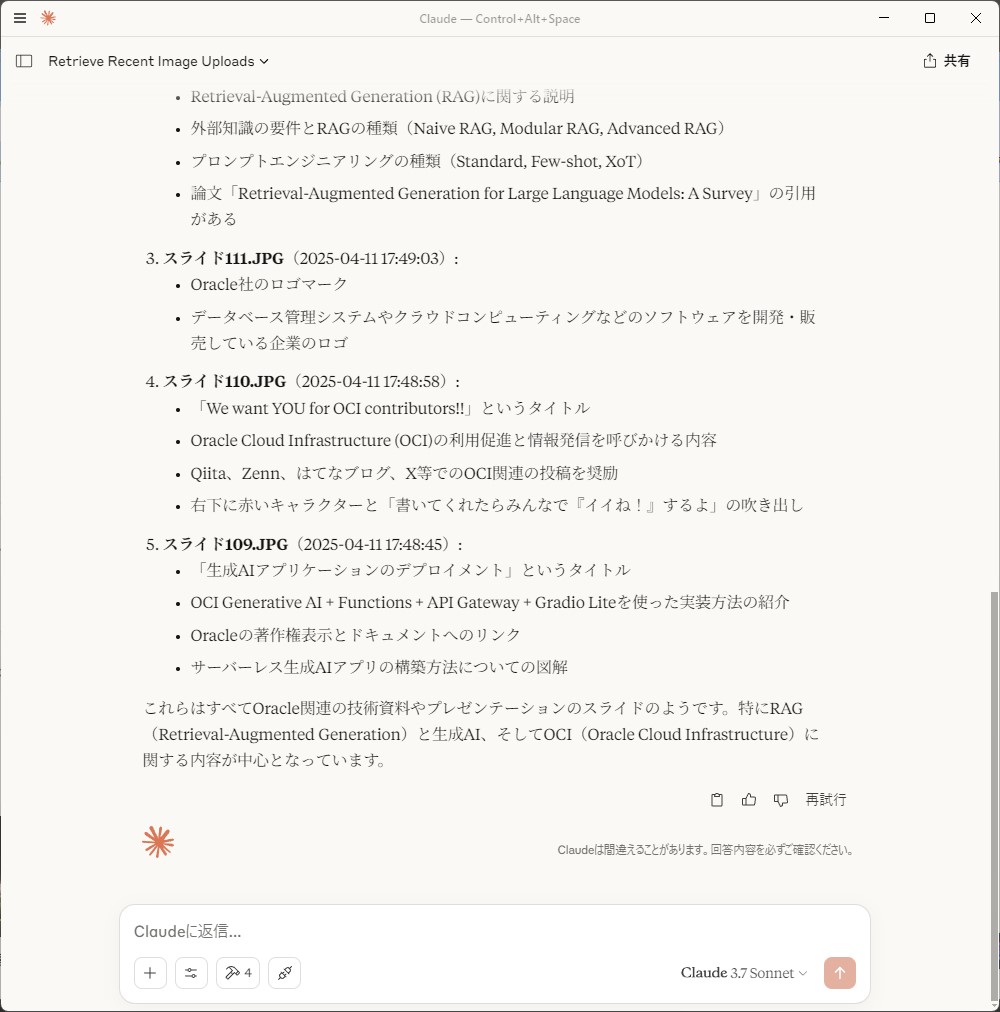
例2: テーブルのデータを取得
xxxx テーブルのデータを取得して
例3: SQL の実行
この SQL を試してみて
セキュリティ
- SELECT 文以外は受け付けません(DDL/DMLは実行できません)
- SELECT INTO と UNION ALL も受け付けません
- クエリ長の制限(デフォルト: 1MB)
- 危険なキーワードのチェック
- 入力値のサニタイズ
- 読み取り専用クエリの検証
Dev Tools Supporting MCP
The following are the main code editors that support the Model Context Protocol. Click the link to visit the official website for more information.







