
Mcp Server Github Repo
What is Mcp Server Github Repo
The mcp-server-github-repo is an MCP (Model Context Protocol) server designed to interact with GitHub repositories, allowing AI assistants to browse and read files from specified repositories.
Use cases
Use cases include enabling AI assistants to read documentation files, accessing code snippets for analysis, and facilitating collaborative coding by browsing repository structures.
How to use
To use the mcp-server-github-repo, configure the server with your GitHub Personal Access Token and repository details. Install dependencies using ‘npm install’, build the server with ‘npm run build’, and integrate it with applications like Claude Desktop by adding the server configuration to the appropriate config file.
Key features
Key features include access to any file in a GitHub repository via URI, listing repository contents, branch-specific file access, and serving file contents as plain text.
Where to use
The mcp-server-github-repo can be used in software development environments, AI applications, and any scenario where interaction with GitHub repository contents is required.
Clients Supporting MCP
The following are the main client software that supports the Model Context Protocol. Click the link to visit the official website for more information.





Overview
What is Mcp Server Github Repo
The mcp-server-github-repo is an MCP (Model Context Protocol) server designed to interact with GitHub repositories, allowing AI assistants to browse and read files from specified repositories.
Use cases
Use cases include enabling AI assistants to read documentation files, accessing code snippets for analysis, and facilitating collaborative coding by browsing repository structures.
How to use
To use the mcp-server-github-repo, configure the server with your GitHub Personal Access Token and repository details. Install dependencies using ‘npm install’, build the server with ‘npm run build’, and integrate it with applications like Claude Desktop by adding the server configuration to the appropriate config file.
Key features
Key features include access to any file in a GitHub repository via URI, listing repository contents, branch-specific file access, and serving file contents as plain text.
Where to use
The mcp-server-github-repo can be used in software development environments, AI applications, and any scenario where interaction with GitHub repository contents is required.
Clients Supporting MCP
The following are the main client software that supports the Model Context Protocol. Click the link to visit the official website for more information.
Content
MCP GitHub Repository Server
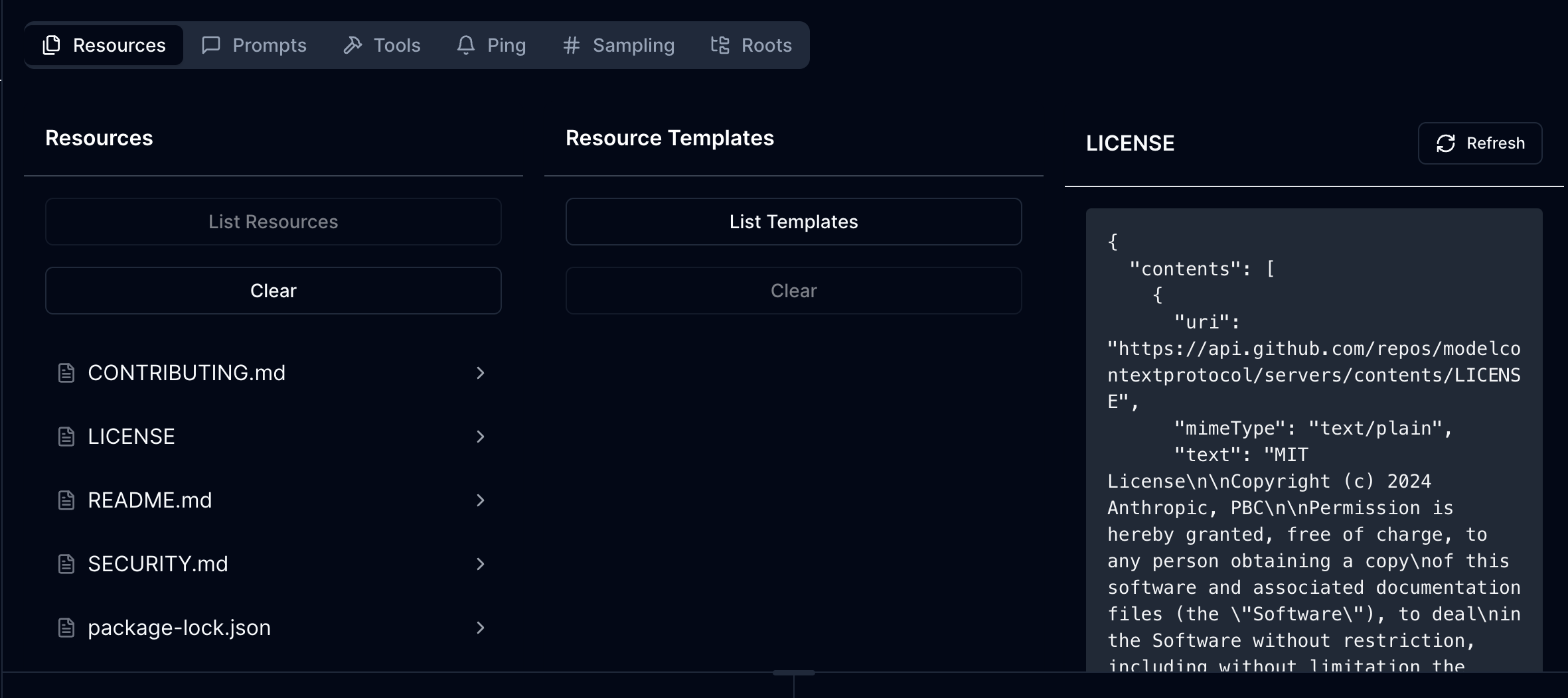
An MCP (Model Context Protocol) server that provides access to GitHub repository contents. This server allows AI assistants to browse and read files from specified GitHub repositories.
Demo
Features
Resources
- Access any file in a GitHub repository via URI
- List repository contents and navigate directories
- Support for branch-specific file access
- File contents are served as plain text
Resource URIs
- Base URL format:
https://api.github.com/repos/{owner}/{repo}/contents/{path} - Supports both files and directories
- Files are served with
text/plainMIME type - Directories are served with
application/x-directoryMIME type
Configuration
The server requires the following environment variables:
GITHUB_PERSONAL_ACCESS_TOKEN=your_github_token
GITHUB_OWNER=repository_owner
GITHUB_REPO=repository_name
GITHUB_BRANCH=branch_name  # Optional
Development
Install dependencies:
npm install
Build the server:
npm run build
For development with auto-rebuild:
npm run watch
Installation
To use with Claude Desktop, add the server configuration:
Config Location
- MacOS:
~/Library/Application Support/Claude/claude_desktop_config.json - Windows:
%APPDATA%/Claude/claude_desktop_config.json
{
  "mcpServers": {
    "mcp-server-github-repo": {
      "command": "/path/to/mcp-server-github-repo/build/index.js"
    }
  }
}
API Implementation
The server implements three main MCP endpoints:
ListResources- Lists files and directories in the repositoryReadResource- Retrieves contents of a specific file
Authentication
The server uses GitHub Personal Access Token for authentication. Make sure your token has appropriate permissions to access the repository contents.
Error Handling
The server includes error handling for:
- Missing environment variables
- GitHub API errors
- Invalid paths (e.g., trying to read a directory as a file)
- Authentication failures
Debugging
Since MCP servers communicate over stdio, debugging can be challenging. Use the MCP Inspector for debugging:
npm run inspector
This will provide a URL to access debugging tools in your browser.
Security Notes
- Keep your GitHub Personal Access Token secure
- Consider using tokens with minimal required permissions
- Be aware of repository size limitations when accessing large repositories
License
MIT
Dev Tools Supporting MCP
The following are the main code editors that support the Model Context Protocol. Click the link to visit the official website for more information.







