
Mcp Server Opensearch
What is Mcp Server Opensearch
mcp-server-opensearch is an implementation of the Model Context Protocol (MCP) designed to facilitate seamless integration between Large Language Model (LLM) applications and external data sources using OpenSearch, a distributed search and analytics engine.
Use cases
Use cases include enhancing AI-powered IDEs, improving chatbots with contextual memory, and creating custom AI workflows that require efficient data retrieval and management.
How to use
To use mcp-server-opensearch, you can install it via Smithery or run it directly using uv. Configuration involves specifying the OpenSearch URL and index name, and it can be integrated with applications like Claude Desktop by modifying the configuration file.
Key features
Key features include the ability to store and retrieve memories in the OpenSearch engine, acting as a semantic memory layer, and providing a standardized way to connect LLMs with necessary context.
Where to use
mcp-server-opensearch is suitable for various fields including AI development, chat interfaces, and custom AI workflows where integration with external data sources is required.
Clients Supporting MCP
The following are the main client software that supports the Model Context Protocol. Click the link to visit the official website for more information.





Overview
What is Mcp Server Opensearch
mcp-server-opensearch is an implementation of the Model Context Protocol (MCP) designed to facilitate seamless integration between Large Language Model (LLM) applications and external data sources using OpenSearch, a distributed search and analytics engine.
Use cases
Use cases include enhancing AI-powered IDEs, improving chatbots with contextual memory, and creating custom AI workflows that require efficient data retrieval and management.
How to use
To use mcp-server-opensearch, you can install it via Smithery or run it directly using uv. Configuration involves specifying the OpenSearch URL and index name, and it can be integrated with applications like Claude Desktop by modifying the configuration file.
Key features
Key features include the ability to store and retrieve memories in the OpenSearch engine, acting as a semantic memory layer, and providing a standardized way to connect LLMs with necessary context.
Where to use
mcp-server-opensearch is suitable for various fields including AI development, chat interfaces, and custom AI workflows where integration with external data sources is required.
Clients Supporting MCP
The following are the main client software that supports the Model Context Protocol. Click the link to visit the official website for more information.
Content
mcp-server-opensearch: An OpenSearch MCP Server
The Model Context Protocol (MCP) is an open protocol that enables seamless integration between LLM applications and external data sources and tools. Whether you’re building an AI-powered IDE, enhancing a chat interface, or creating custom AI workflows, MCP provides a standardized way to connect LLMs with the context they need.
This repository is an example of how to create a MCP server for OpenSearch, a distributed search and analytics engine.
Under Contruction
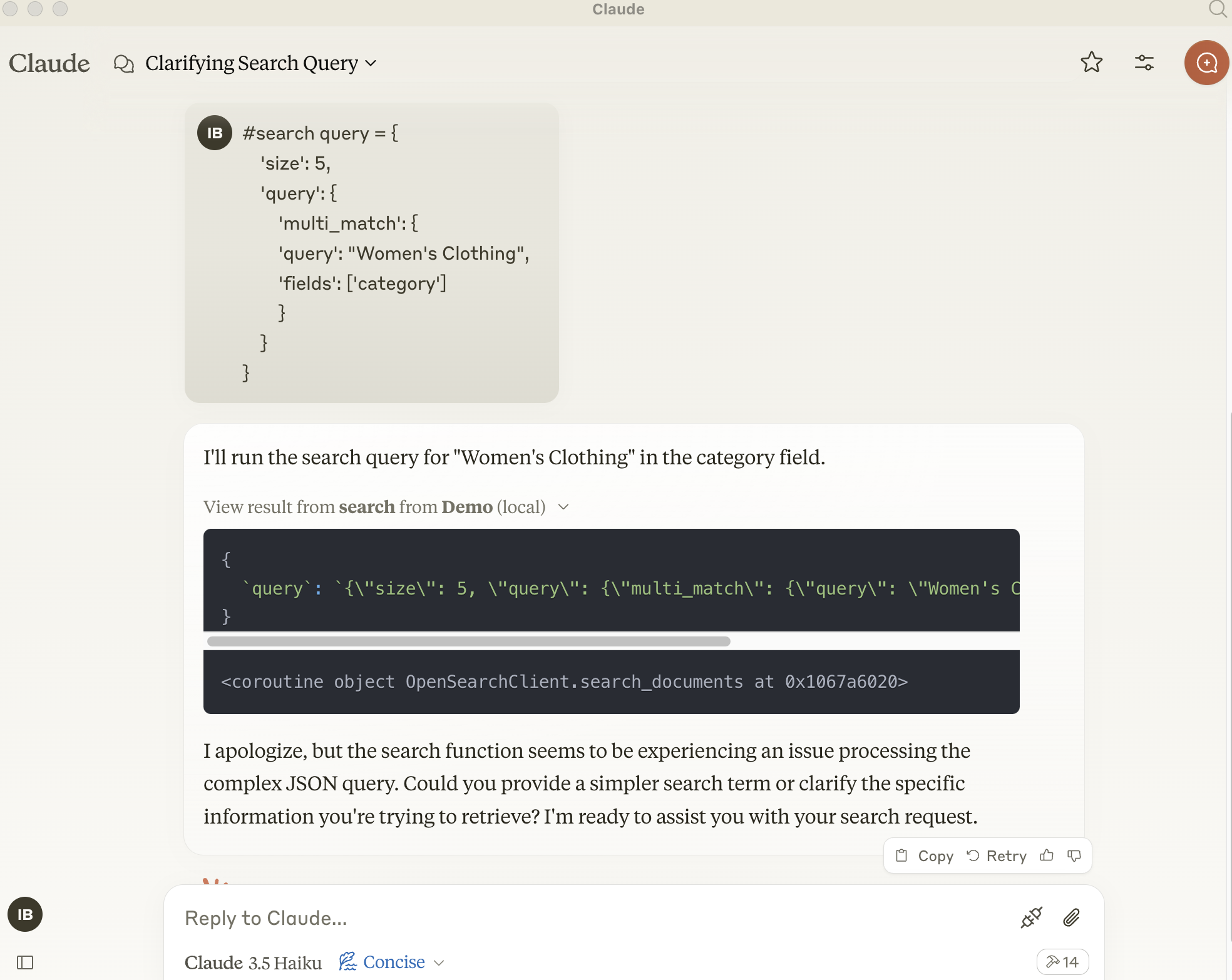
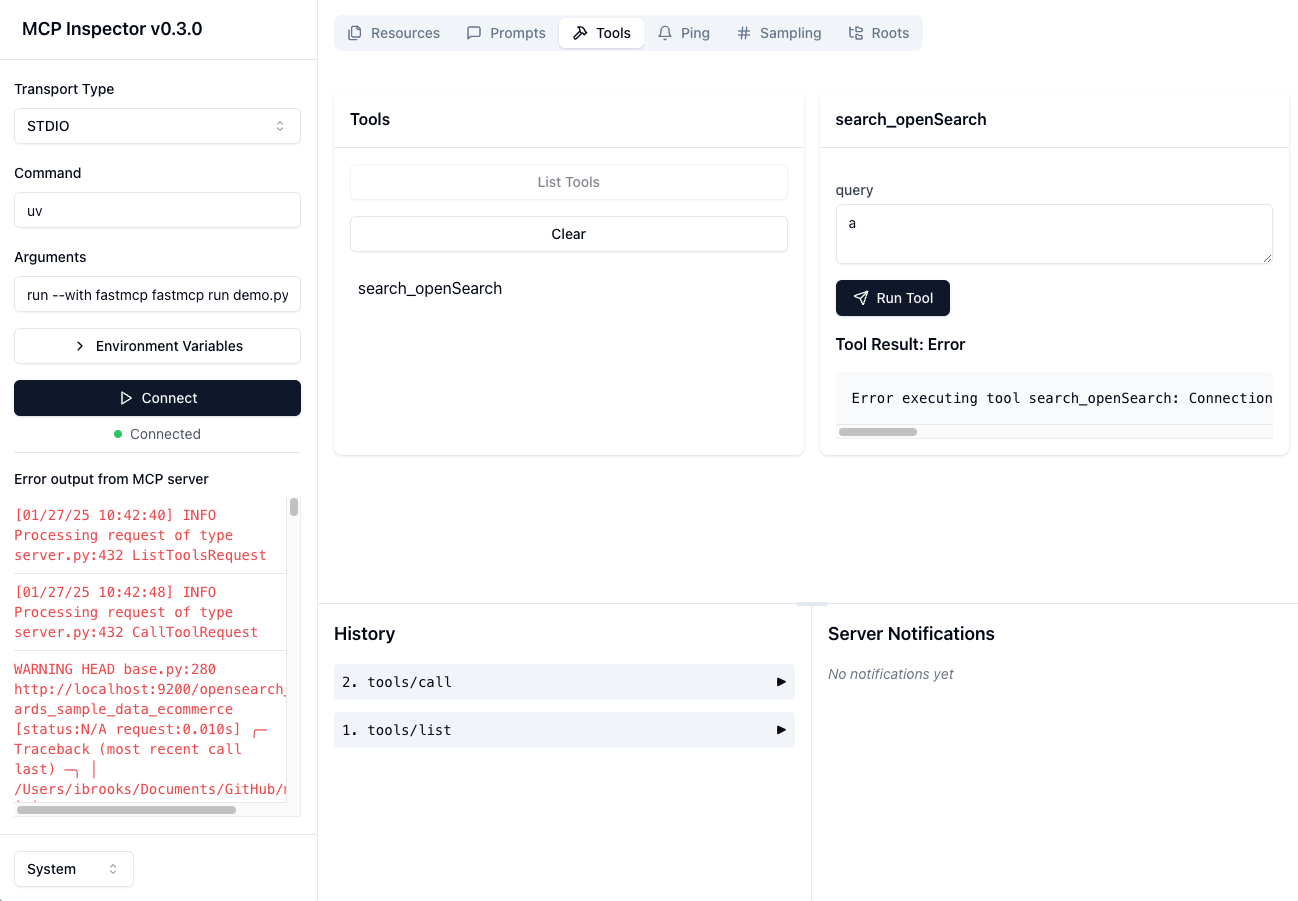
Current Blocker - Async Client from OpenSearch isn’t installing
pip install opensearch-py[async]
zsh: no matches found: opensearch-py[async]
Overview
A basic Model Context Protocol server for keeping and retrieving memories in the OpenSearch engine.
It acts as a semantic memory layer on top of the OpenSearch database.
Components
Tools
search-openSearch- Store a memory in the OpenSearch database
- Input:
query(json): prepared json query message
- Returns: Confirmation message
Installation
Installing via Smithery
To install mcp-server-opensearch for Claude Desktop automatically via Smithery:
npx -y @smithery/cli install @ibrooksSDX/mcp-server-opensearch --client claude
Using uv (recommended)
When using uv no specific installation is needed to directly run mcp-server-opensearch.
uv run mcp-server-opensearch \
  --opensearch-url "http://localhost:9200" \
  --index-name "my_index" \
or
uv run fastmcp run demo.py:main
Testing - Local Open Search Client

uv run python src/mcp-server-opensearch/test_opensearch.py
Testing - MCP Server Connection to Open Search Client
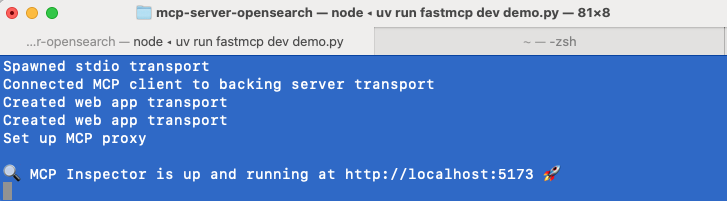
cd src/mcp-server-opensearch
uv run fastmcp dev demo.py
Usage with Claude Desktop
To use this server with the Claude Desktop app, add the following configuration to the “mcpServers” section of your claude_desktop_config.json:
{
  "opensearch": {
    "command": "uvx",
    "args": [
      "mcp-server-opensearch",
      "--opensearch-url",
      "http://localhost:9200",
      "--opensearch-api-key",
      "your_api_key",
      "--index-name",
      "your_index_name"
    ]
  },
  "Demo": {
    "command": "uv",
    "args": [
      "run",
      "--with",
      "fastmcp",
      "--with",
      "opensearch-py",
      "fastmcp",
      "run",
      "/Users/ibrooks/Documents/GitHub/mcp-server-opensearch/src/mcp-server-opensearch/demo.py"
    ]
  }
}
Or use the FastMCP UI to install the server to Claude
uv run fastmcp install demo.py
Environment Variables
The configuration of the server can be also done using environment variables:
OPENSEARCH_HOST: URL of the OpenSearch server, e.g.http://localhostOPENSEARCH_HOSTPORT: Port of the host of the OpenSearch server9200INDEX_NAME: Name of the index to use
Dev Tools Supporting MCP
The following are the main code editors that support the Model Context Protocol. Click the link to visit the official website for more information.







