
Mcp Server V2ex
What is Mcp Server V2ex
mcp-server-v2ex is a simple MCP server built with TypeScript that wraps the official V2EX API 2.0, implementing all API actions for easier interaction.
Use cases
Use cases include automating notifications for new topics, managing user profiles, and integrating V2EX discussions into other applications.
How to use
To use mcp-server-v2ex, obtain a token from https://www.v2ex.com/settings/tokens, install the package via npm using ‘npm install -g mcp-server-v2ex’, and configure it in your Claude’s JSON config with the necessary parameters.
Key features
Key features include notifications retrieval, deletion of notifications, member profile access, token management, node information retrieval, topic details, and comments for specific topics.
Where to use
mcp-server-v2ex can be used in applications that require interaction with the V2EX platform, such as community forums, social media tools, or any service that benefits from V2EX data.
Clients Supporting MCP
The following are the main client software that supports the Model Context Protocol. Click the link to visit the official website for more information.





Overview
What is Mcp Server V2ex
mcp-server-v2ex is a simple MCP server built with TypeScript that wraps the official V2EX API 2.0, implementing all API actions for easier interaction.
Use cases
Use cases include automating notifications for new topics, managing user profiles, and integrating V2EX discussions into other applications.
How to use
To use mcp-server-v2ex, obtain a token from https://www.v2ex.com/settings/tokens, install the package via npm using ‘npm install -g mcp-server-v2ex’, and configure it in your Claude’s JSON config with the necessary parameters.
Key features
Key features include notifications retrieval, deletion of notifications, member profile access, token management, node information retrieval, topic details, and comments for specific topics.
Where to use
mcp-server-v2ex can be used in applications that require interaction with the V2EX platform, such as community forums, social media tools, or any service that benefits from V2EX data.
Clients Supporting MCP
The following are the main client software that supports the Model Context Protocol. Click the link to visit the official website for more information.
Content
Mcp-server-v2ex
Description
This mcp server simply wrap the offical Api 2.0, implement all api actions.
Feature
- notifications 获取最新提醒
- delete notifications 删除指定提醒
- member profile 获取当前用户档案 即生成token的用户
- token 查看当前的token
- create new token 生成新token
- nodes 获取指定节点
- nodes topics 获取指定节点下的话题
- topic detail 获取指定话题的内容
- topic comments 获取指定话题下的回复
How to use
- 在 https://www.v2ex.com/settings/tokens 获取 token
- Install the Pakcage via npm
npm install -g mcp-server-v2ex
- 在 claude 的 config 的 json 中添加
  "v2ex":
    {"command": "%APP_DATA%\\local\\nvm\\v22.14.0\\node.exe",
     "args": ["%APP_DATA%\\Local\\nvm\\v22.14.0\\node_modules\\mcp-server-v2ex\\dist\\index.js"],
      "env": {
         "V2EX_API_KEY": "{替换自己的 token}",
          "NODE_TLS_REJECT_UNAUTHORIZED": "0" // 如运用了 surge 之类的 MitM
      }
     }
Change log
- v0.1.1 / 2025.04.02
- 新增今日热点总结
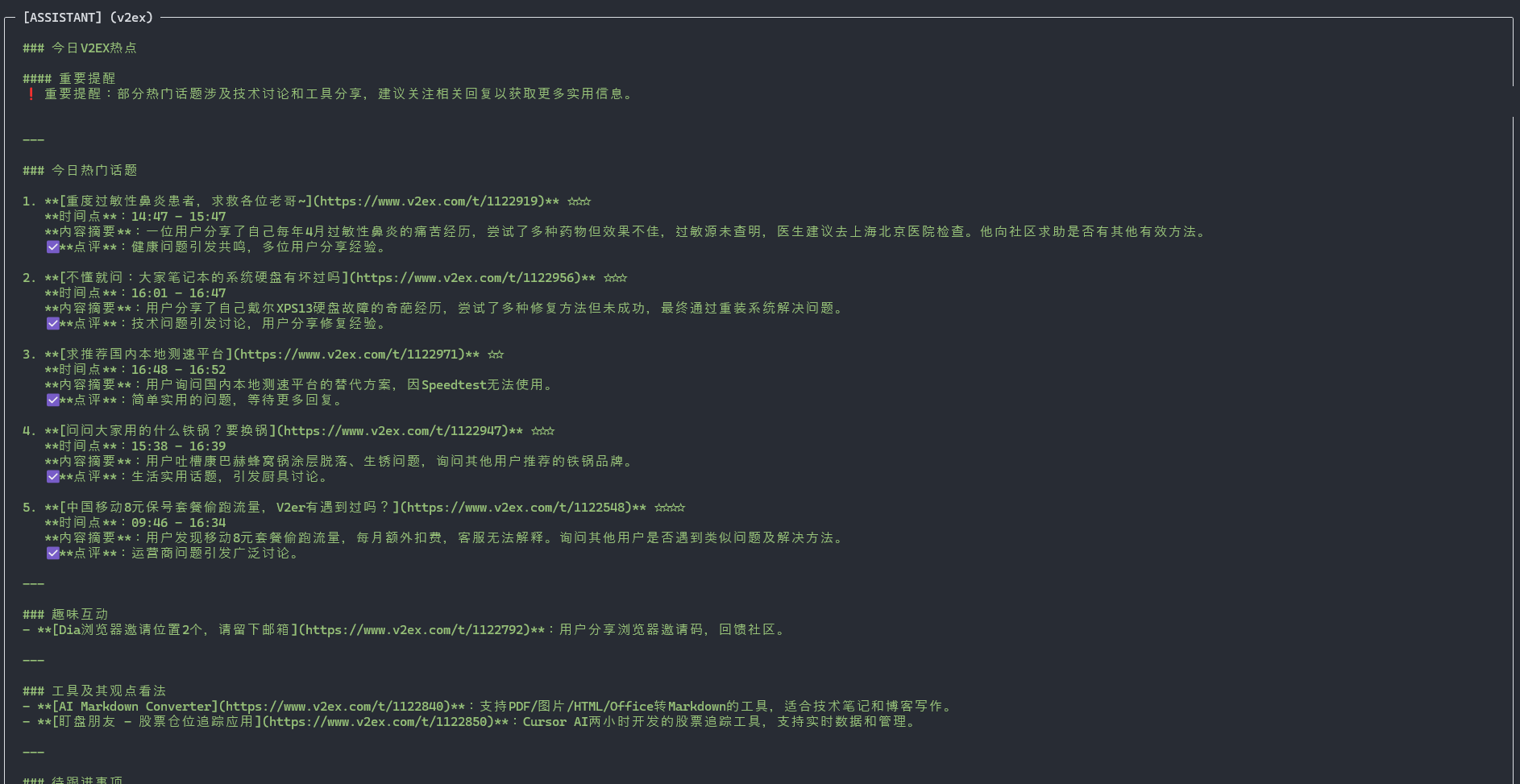
- 新增今日热点总结
- v0.1.0
- 完成基本功能实现
Plan
- Considering add daily hot topic simply via ask what hot topic in v2ex in claude desktop.
Dev Tools Supporting MCP
The following are the main code editors that support the Model Context Protocol. Click the link to visit the official website for more information.







