
Mcp Supervisor
What is Mcp Supervisor
mcp-supervisor is a repository that integrates two LangChain projects to create a supervisor-based multi-agent architecture with MCP integration, allowing for the development of AI assistants with minimal coding.
Use cases
Use cases include creating AI-driven customer service bots, personal productivity assistants, and integrating with third-party services for task automation.
How to use
To use mcp-supervisor, clone the repository and follow the LangGraph Cloud Quick Start guide for immediate deployment. You can connect your application to external services like Zapier MCP for server management and utilize the Agent Chat UI for a user-friendly interface.
Key features
Key features include a no-code approach to building AI assistants, easy integration with external services, immediate deployment to LangGraph Cloud, and comprehensive monitoring with LangSmith tracing.
Where to use
mcp-supervisor can be used in various fields such as customer support, personal assistants, and any application requiring multi-agent systems to enhance user interaction and automate tasks.
Clients Supporting MCP
The following are the main client software that supports the Model Context Protocol. Click the link to visit the official website for more information.





Overview
What is Mcp Supervisor
mcp-supervisor is a repository that integrates two LangChain projects to create a supervisor-based multi-agent architecture with MCP integration, allowing for the development of AI assistants with minimal coding.
Use cases
Use cases include creating AI-driven customer service bots, personal productivity assistants, and integrating with third-party services for task automation.
How to use
To use mcp-supervisor, clone the repository and follow the LangGraph Cloud Quick Start guide for immediate deployment. You can connect your application to external services like Zapier MCP for server management and utilize the Agent Chat UI for a user-friendly interface.
Key features
Key features include a no-code approach to building AI assistants, easy integration with external services, immediate deployment to LangGraph Cloud, and comprehensive monitoring with LangSmith tracing.
Where to use
mcp-supervisor can be used in various fields such as customer support, personal assistants, and any application requiring multi-agent systems to enhance user interaction and automate tasks.
Clients Supporting MCP
The following are the main client software that supports the Model Context Protocol. Click the link to visit the official website for more information.
Content
mcp-supervisor
This repository combines two powerful LangChain projects to create a supervisor-based multi-agent architecture with MCP integration:
A ready-to-use template for quickly building supervisor-based multi-agent architectures in LangGraph.
A repository that demonstrates how to integrate MCP servers within LangGraph applications.
Overview
This project showcases a nearly no-code approach to building AI assistants.
- Create a supervisor-based multi-agent system with just a few lines of code
- Connect to external services like Zapier MCP (no-code MCP Server management) - https://zapier.com/mcp
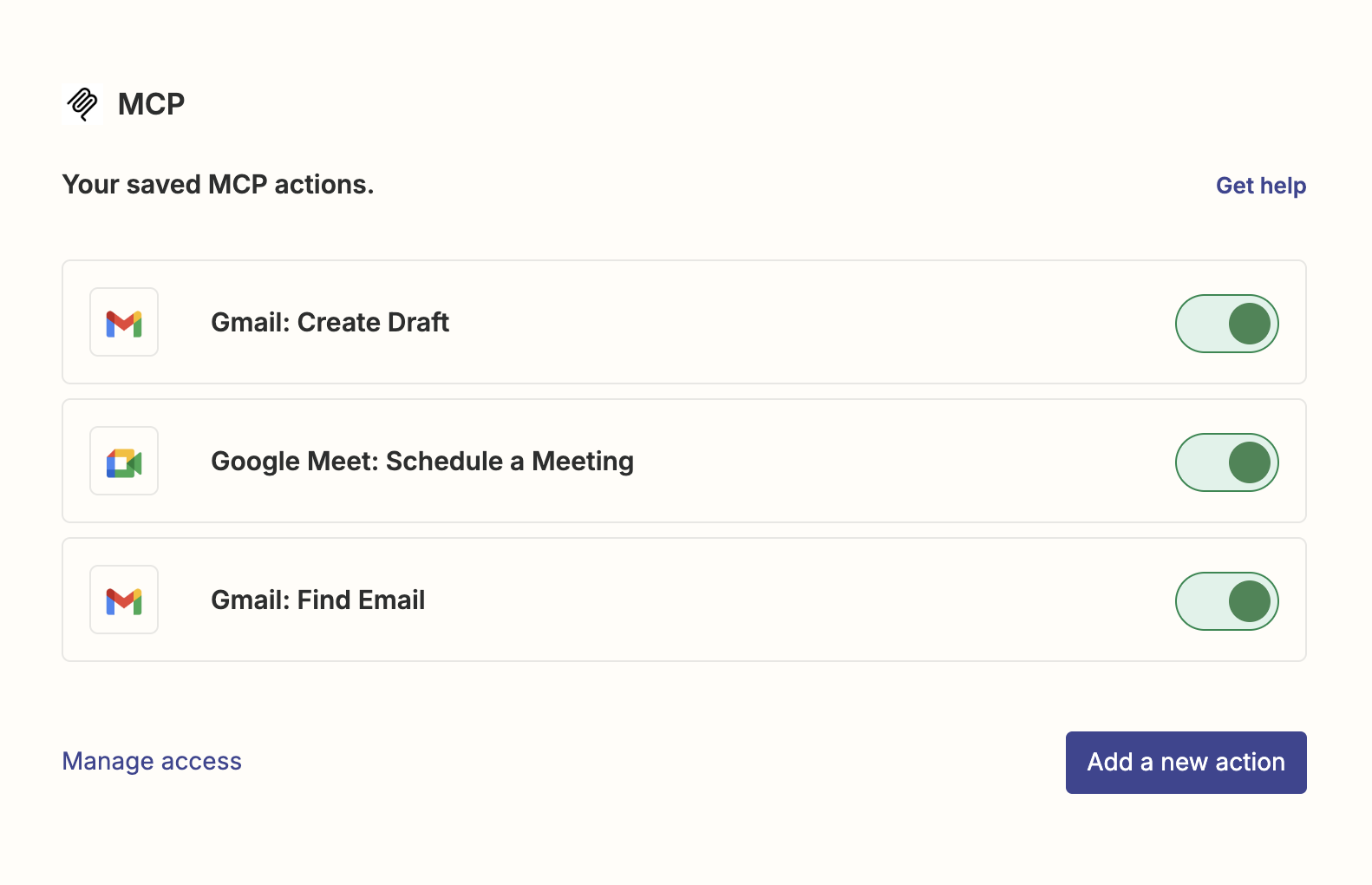
Simply include your Zapier MCP server URL in your environment variables, and all these tools become instantly available to your agents
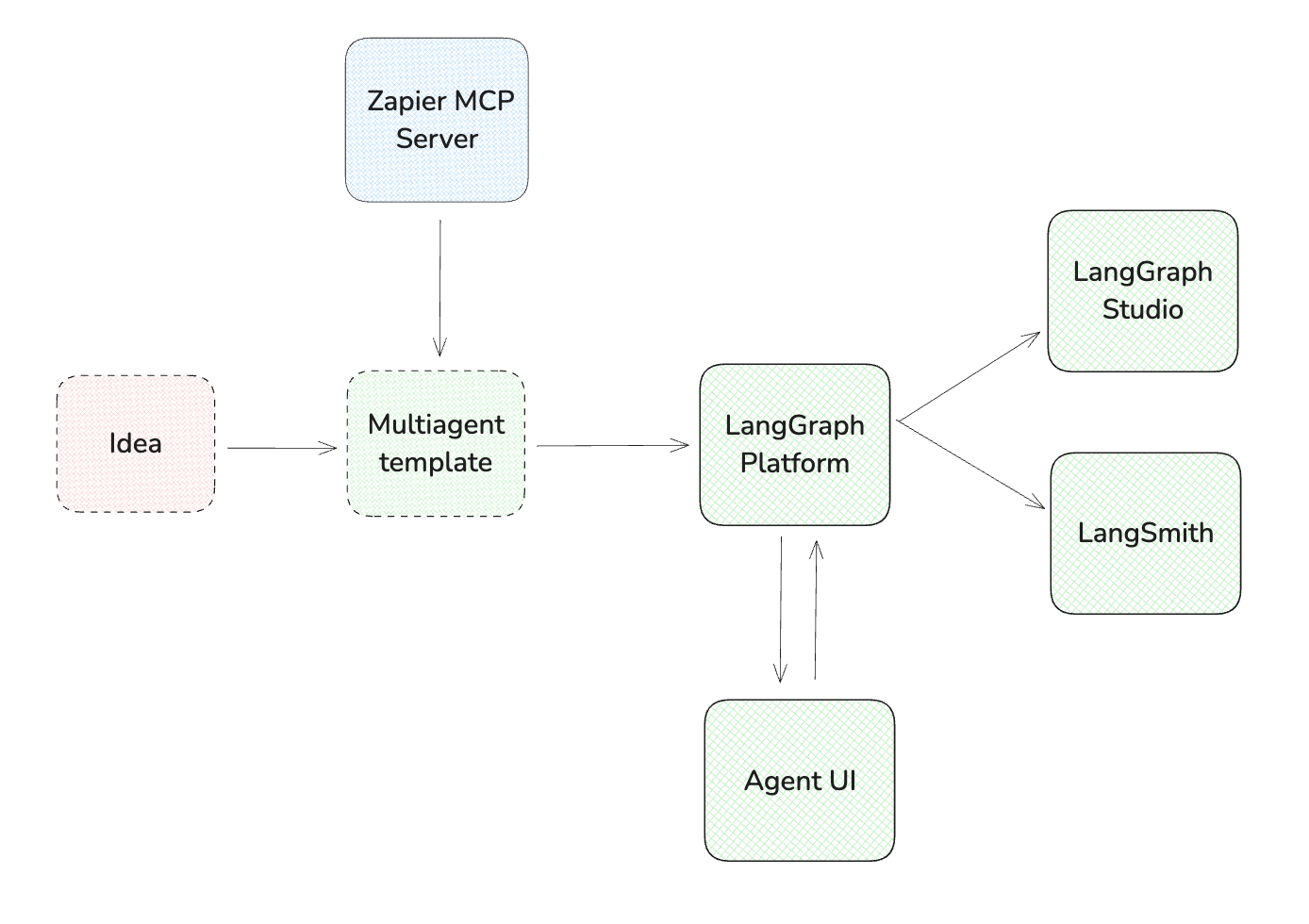
The repository is designed for immediate deployment to LangGraph Cloud using the LangGraph Cloud Quick Start guide. When deployed to LangGraph Cloud, you automatically get LangSmith tracing for comprehensive monitoring and debugging. During development, LangGraph Studio provides a no-code environment for testing and debugging your application.
For a quick and easy user interface, simply connect your application to Agent Chat UI - a pre-built, customizable UI designed specifically for LangGraph applications. This approach eliminates the need to build a frontend from scratch, allowing you to focus on your assistant’s capabilities rather than implementation details.
This project leverages the complete LangChain stack for an end-to-end AI application:
Getting Started
-
Clone this repository
git clone https://github.com/yourusername/mcp-supervisor.git cd mcp-supervisor -
Choose your LLM, agent architecture, and prompts
- Modify
graph.pyto select your preferred LLM - Customize agent prompts and roles based on your use case
- Define your tools:
- Use existing MCP servers (like Zapier)
- Create custom tools with LangChain
- Modify
-
Deploy your application
- Deploy to LangGraph Cloud (recommended) by setting your environment variables as shown in
.env.example
- Deploy to LangGraph Cloud (recommended) by setting your environment variables as shown in
-
Use your agent through Agent Chat UI
- Connect your deployed application to Agent Chat UI for a ready-to-use interface
- Interact with your multi-agent system through a user-friendly chat interface
- Test and refine your agent’s capabilities
Dev Tools Supporting MCP
The following are the main code editors that support the Model Context Protocol. Click the link to visit the official website for more information.







