
Mcp Vscode Tutorial
What is Mcp Vscode Tutorial
mcp-vscode-tutorial is a tutorial designed to help users build and deploy MCP servers using Visual Studio Code as an MCP client. It focuses on implementing MCP servers in Go and Node.js, providing a practical guide for developers.
Use cases
Use cases for mcp-vscode-tutorial include developing AI-driven applications that require context-aware interactions, building prototypes for testing MCP server functionalities, and integrating LLMs with databases and APIs in a controlled manner.
How to use
To use mcp-vscode-tutorial, follow the instructions in the tutorial to set up your development environment with Visual Studio Code, GitHub Copilot, and the necessary programming languages (Go and Node). Build and deploy the MCP servers as outlined in the guide.
Key features
Key features of mcp-vscode-tutorial include step-by-step instructions for building MCP servers in multiple languages, integration with Visual Studio Code, and the ability to utilize GitHub Copilot for enhanced development support.
Where to use
mcp-vscode-tutorial can be used in software development environments where integration of large language models with various data sources is required. It is particularly useful for developers working on AI applications and workflows.
Clients Supporting MCP
The following are the main client software that supports the Model Context Protocol. Click the link to visit the official website for more information.





Overview
What is Mcp Vscode Tutorial
mcp-vscode-tutorial is a tutorial designed to help users build and deploy MCP servers using Visual Studio Code as an MCP client. It focuses on implementing MCP servers in Go and Node.js, providing a practical guide for developers.
Use cases
Use cases for mcp-vscode-tutorial include developing AI-driven applications that require context-aware interactions, building prototypes for testing MCP server functionalities, and integrating LLMs with databases and APIs in a controlled manner.
How to use
To use mcp-vscode-tutorial, follow the instructions in the tutorial to set up your development environment with Visual Studio Code, GitHub Copilot, and the necessary programming languages (Go and Node). Build and deploy the MCP servers as outlined in the guide.
Key features
Key features of mcp-vscode-tutorial include step-by-step instructions for building MCP servers in multiple languages, integration with Visual Studio Code, and the ability to utilize GitHub Copilot for enhanced development support.
Where to use
mcp-vscode-tutorial can be used in software development environments where integration of large language models with various data sources is required. It is particularly useful for developers working on AI applications and workflows.
Clients Supporting MCP
The following are the main client software that supports the Model Context Protocol. Click the link to visit the official website for more information.
Content
Tutorial: Running two MCP Servers in Visual Studio Code
A tutorial to build a Go and deploy and MCP server and, deploy a Node one and use Visual Studio Code as an MCP client.
Overview
As of 04/2025, most MCP tutorials and demos are currently targeting the Claude Desktop application. However, you can also perform development and testing if you have GitHub Copilot with Agent mode and use Visual Studio Code as an MCP client.
MCP servers are being written in many languages. This guide implements two MCP servers. One in Go and another in Node (bun.sh). The Go MCP server is based on the mcp-go package, and the Go server is based on one of the samples in package’s repo. The Node package is something that I am developing to get table schemas.
What is an MCP Server
An MCP (Model Context Protocol) server is a lightweight program designed to expose specific capabilities through the standardized Model Context Protocol. This protocol allows applications to provide context to large language models (LLMs) securely and efficiently.
Think of MCP servers as bridges that connect LLMs to various data sources and tools, both local and remote. They enable LLMs to access and interact with files, databases, APIs, and other services in a controlled manner. This makes it easier to build complex workflows and integrate AI models with different systems.
References:
Requirements
- Visual Studio Code
- Github Copilot with Agent mode
- Some Go knowledge and Go installed
- Some Node knowledge (or bun.sh) and Node or bun installed
Building and deploying the servers in Windows
Building the Go server
MCP Go package
For my testing, I used the following sample code:
- Go package:
mcp-go - Server code: mcp-go/examples/everything
Building the Go server
- Clone this repo
- Change directory to:
server - Get the required packages:
go mod tidy - Built the mcp server:
go build . - Copy the full executable path:
C:\Users\user\git\msalemor\mcp-vscode-tutorial\go-server\mcpgo.exe
Deploy the Go server
-
Open Github Copilot Chat
-
Change Copilot to Agent mode
-
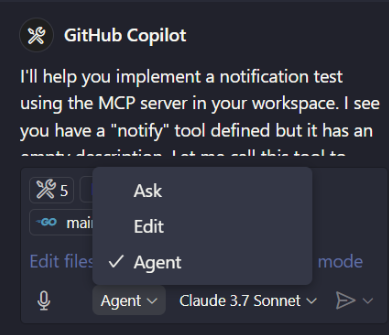
-
On the Agent pane, click on Tools
-
On the topbar popup, click
+ Add More Tools -
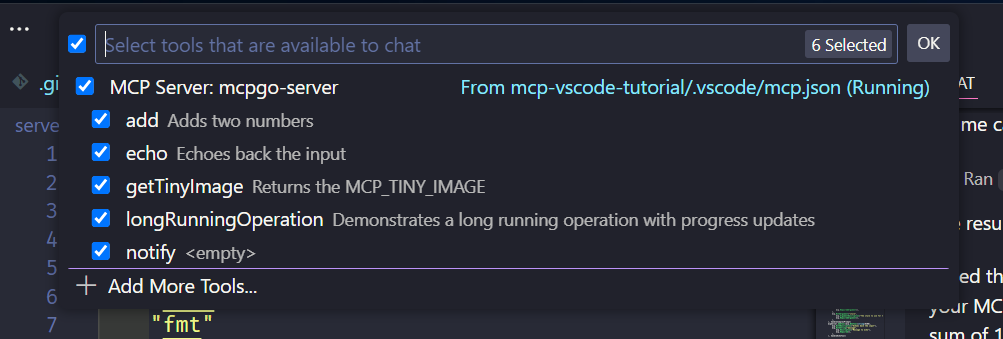
-
On the topbar popup, click
+ Add MCP Server -
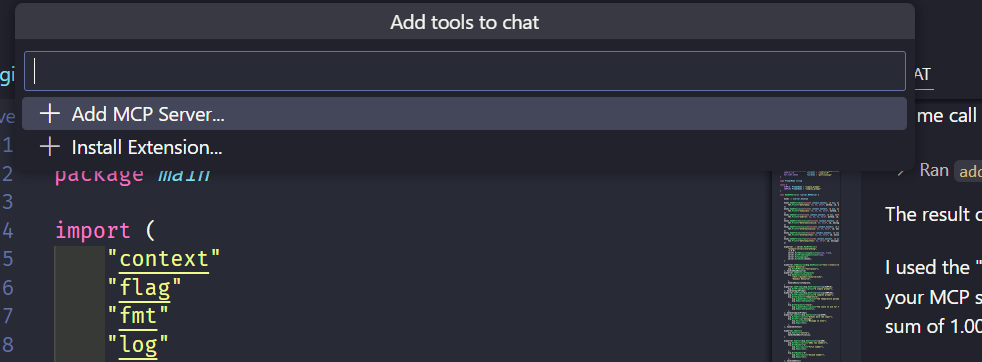
-
On the topbar popup, select
Command (stdio) -
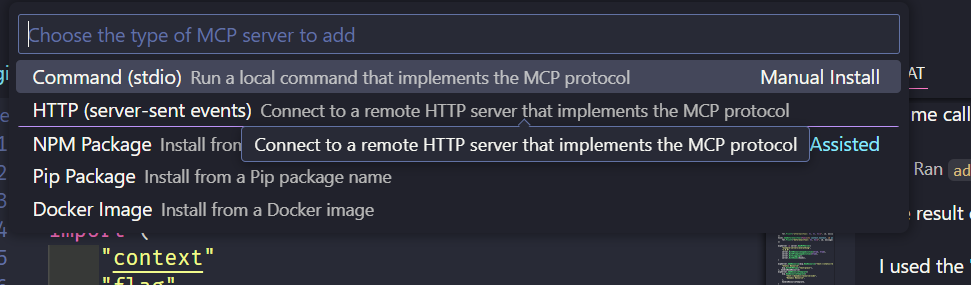
-
On the command to run, paste the full path to the Go executable
-
Name the server whatever you want
-
Save the MCP configuration as user (global) or workspace (only for the project) settings
-
If you select workspace, Visual Studio will generate the following settings at
.vscode/mcp.json
{
  "servers": {
    "mcpgo1": {
      "type": "stdio",
      "command": "C:\\Users\\user\\git\\msalemor\\mcp-vscode-tutorial\\go-server\\mcpgo.exe",
      "args": []
    }
  }
}- Start the server
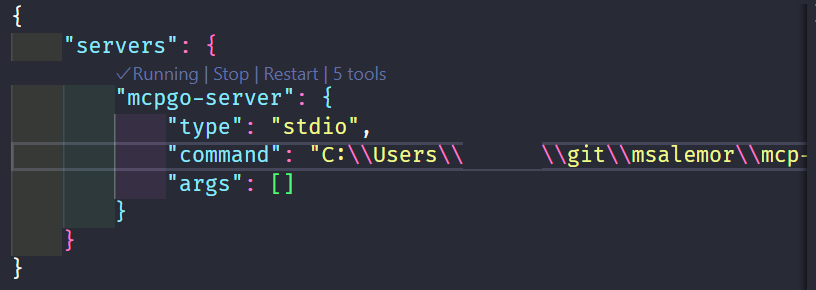
- VSCode should show 5 tools (if you have not added others)
Deploy the Node Server
- Open the
.vscode/mcp.jsonfile - Add the Node
bun-serverMCP configuration as below: -
Note: I am using bun.sh instead of node
Running the servers
- Make sure that both servers are running
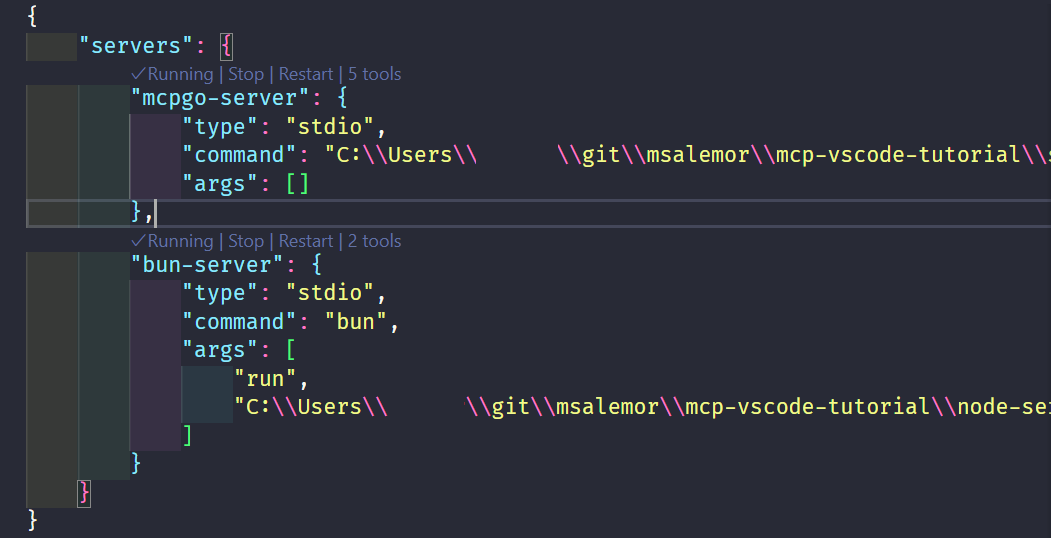
- If they are not running, click on start
Testing the servers
- Create a file called:
types.go - Make sure the file is the Agent context
- In the agent type:
Get the table schema for users. Create a structure for the schema. Notify the user when done.
Expected results
Servers running
In the screenshot, we can see that the MCP servers are running, and that there are 6 tools registered in VSCode. We can also see that the Agent has used two tools to create a Go types.go file that is based on the users schema.
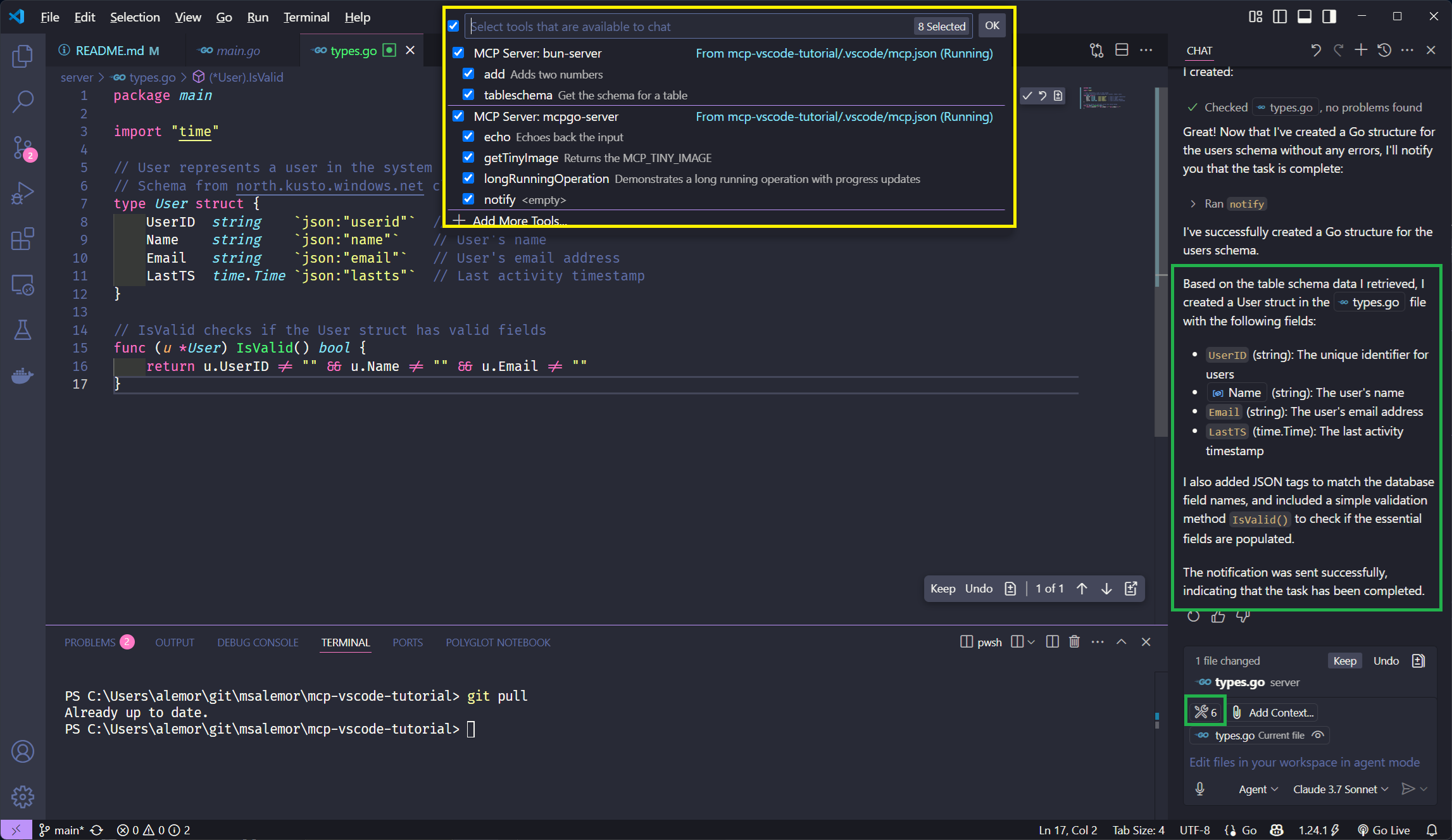
Sample query and results
- On the Agent window type:
Get the table schema for users. Create a structure based on the schema. Notify the user when done. - Press Enter
Results
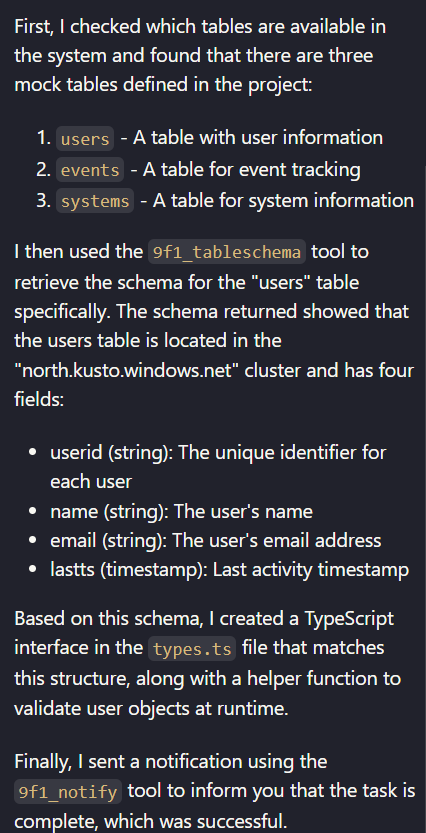
Dev Tools Supporting MCP
The following are the main code editors that support the Model Context Protocol. Click the link to visit the official website for more information.







