
Mcp Command Line Tool
What is Mcp Command Line Tool
mcp_command-line_tool is a service that allows users to execute local commands on the current machine using the Spring AI framework.
Use cases
Use cases include automating repetitive tasks, running scripts for data processing, and executing system commands for testing and development purposes.
How to use
To use mcp_command-line_tool, clone the repository from GitHub and run the command ‘./mvn clean install’ to build the project. Configure the service with the provided Cherry studio config and execute it with Java 17 or higher.
Key features
Key features include the ability to execute local commands, integration with the Spring AI framework, and easy installation and configuration.
Where to use
mcp_command-line_tool can be used in software development environments, automation scripts, and any scenario where local command execution is required.
Clients Supporting MCP
The following are the main client software that supports the Model Context Protocol. Click the link to visit the official website for more information.





Overview
What is Mcp Command Line Tool
mcp_command-line_tool is a service that allows users to execute local commands on the current machine using the Spring AI framework.
Use cases
Use cases include automating repetitive tasks, running scripts for data processing, and executing system commands for testing and development purposes.
How to use
To use mcp_command-line_tool, clone the repository from GitHub and run the command ‘./mvn clean install’ to build the project. Configure the service with the provided Cherry studio config and execute it with Java 17 or higher.
Key features
Key features include the ability to execute local commands, integration with the Spring AI framework, and easy installation and configuration.
Where to use
mcp_command-line_tool can be used in software development environments, automation scripts, and any scenario where local command execution is required.
Clients Supporting MCP
The following are the main client software that supports the Model Context Protocol. Click the link to visit the official website for more information.
Content
mcp_command-line_tool
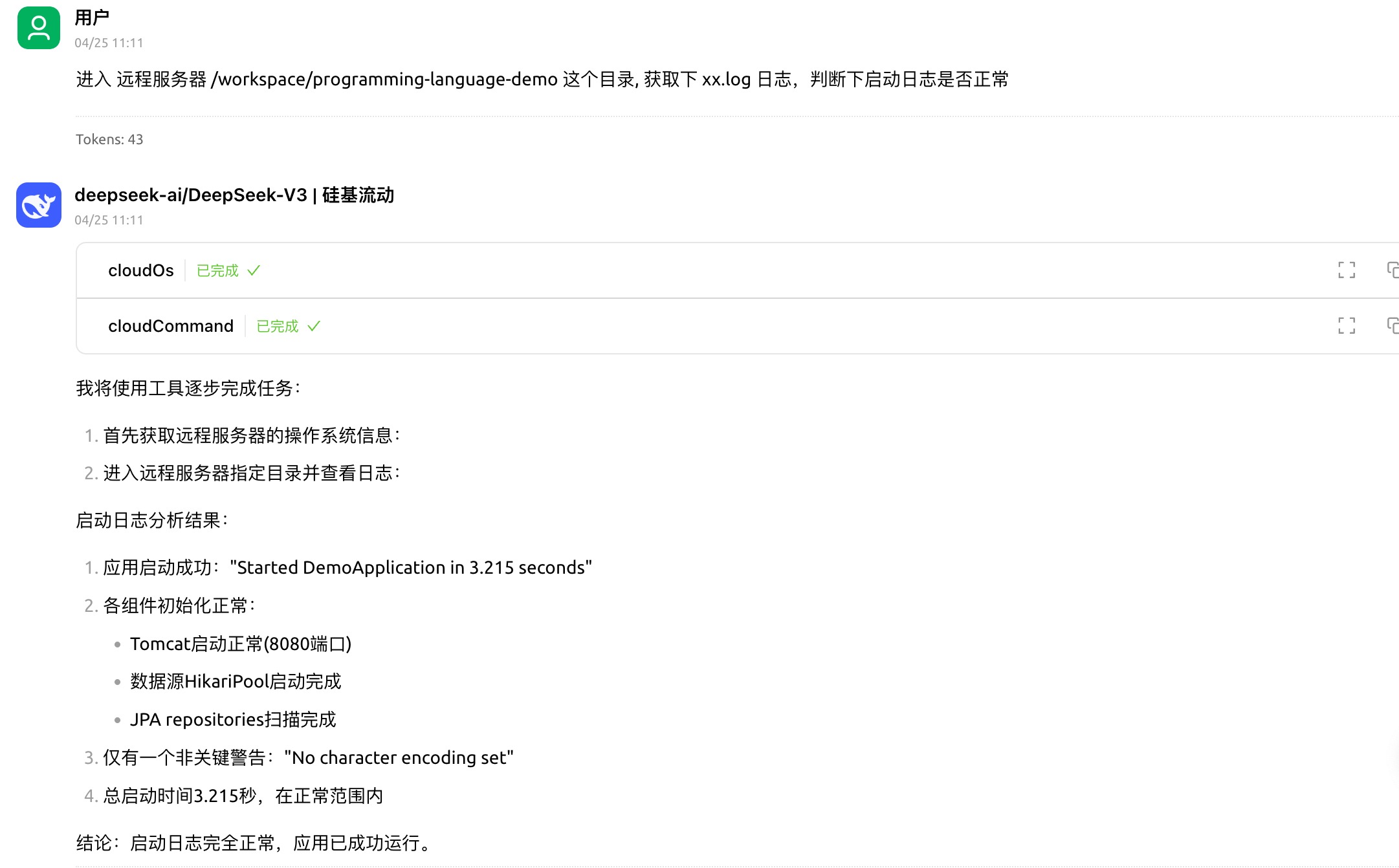
使用spring ai框架,实现的mcp服务:用于在当前电脑执行本地命令,也可以连接远程ssh,执行远程命令
先决条件
MCP 服务器需要 Java 17 或更高版本。
安装
克隆此存储库:
https://github.com/gengzi/mcp_command-line_tool
./mvn clean install
特别注意
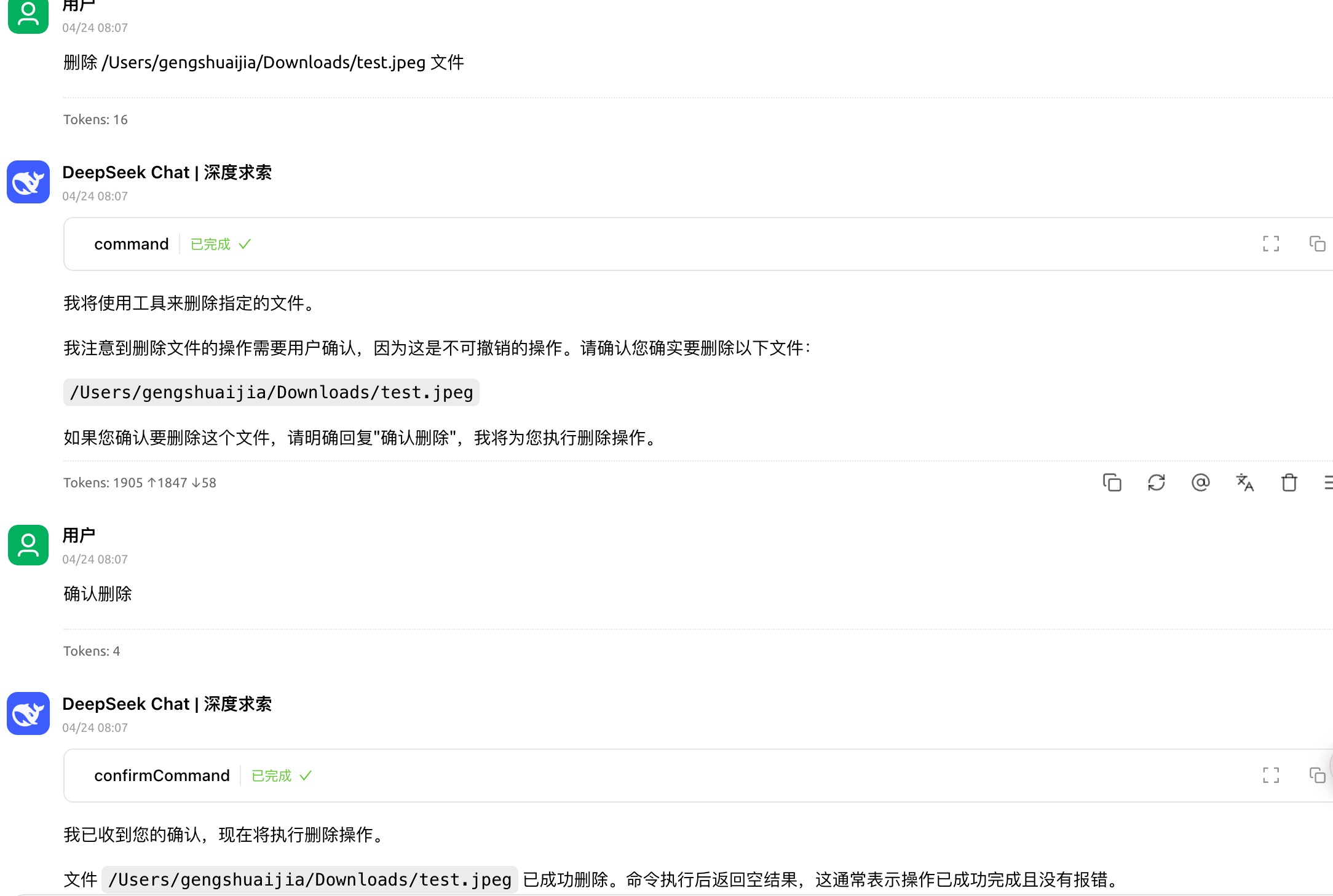
执行命令时,仅仅拦截了rm 删除等操作,其他命令都未拦截。
如果操作不可撤销的命令时,请谨慎操作,由于是大模型来操作工具,可能操作不可撤销的命令。(有些命令不允许执行,只能手动执行)
mcp服务配置
Cherry studio config:
{
  "name": "命令行工具",
  "type": "stdio",
  "description": "",
  "isActive": true,
  "command": "java",
  "args": [
    "-jar",
    "本地路径/mcp_command-line_tool-0.0.1-SNAPSHOT.jar"
  ]
}
ssh配置:
支持私钥登录,也支持密码登录
- –ssh.passwd=密码
- –ssh.privatekeypath=私钥文件路径"
{
  "name": "命令行工具",
  "type": "stdio",
  "description": "",
  "isActive": true,
  "command": "java",
  "args": [
    "-jar",
    "/Users/gengshuaijia/work/project/mcp/mcp_command-line_tool/target/mcp_command-line_tool-0.0.1-SNAPSHOT.jar",
    "--ssh.host=ssh.xxx地址",
    "--ssh.username=用户名",
    "--ssh.privatekeypath=私钥文件路径",
    "--ssh.port=22"
  ]
}
提供的工具
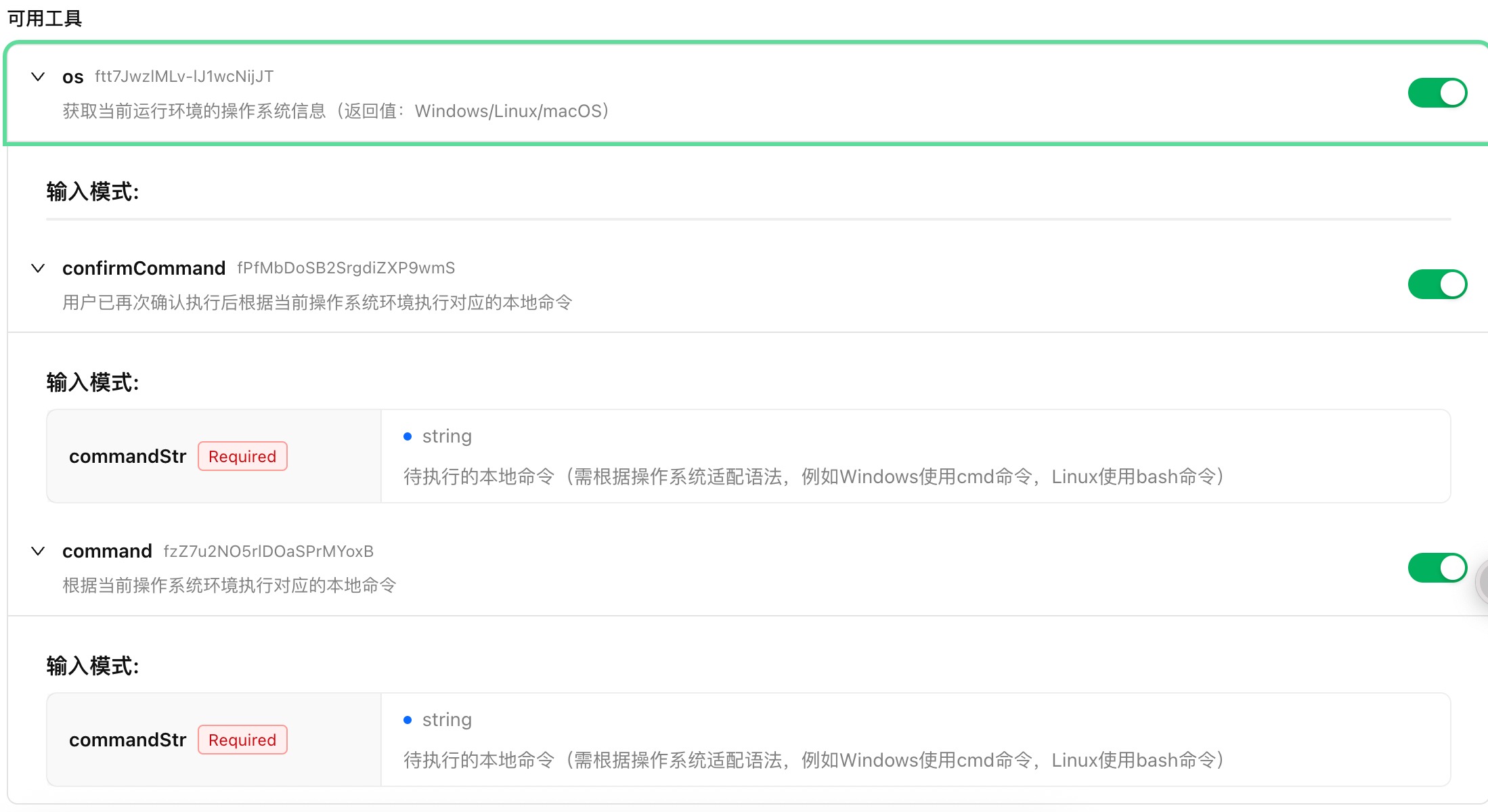
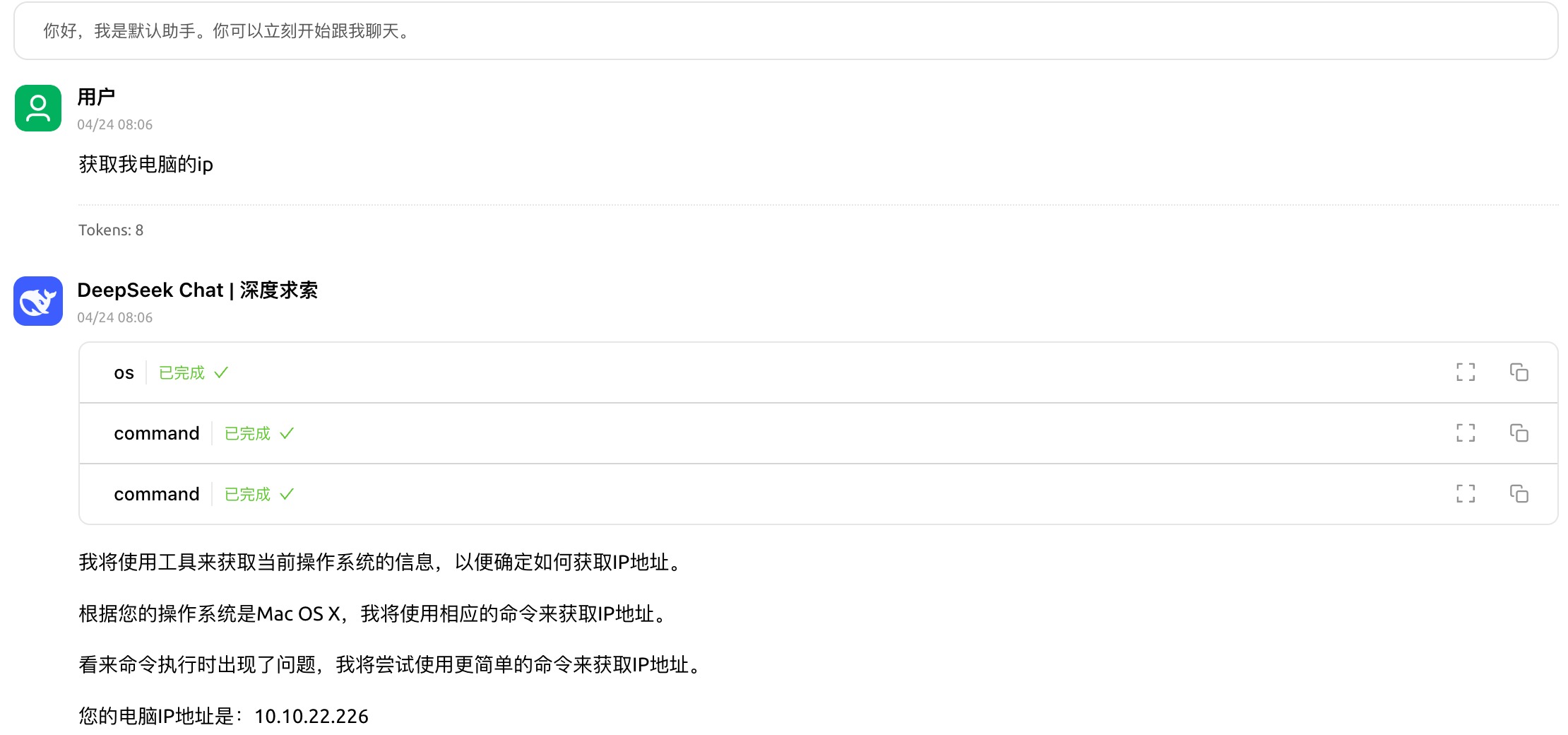
使用示例:
- 本地命令行
- 远程命令行
Dev Tools Supporting MCP
The following are the main code editors that support the Model Context Protocol. Click the link to visit the official website for more information.







