
Mcp Godot Rag
What is Mcp Godot Rag
mcp_godot_rag is an MCP server designed to provide Godot documentation to the Godot RAG model, facilitating access to comprehensive information about Godot.
Use cases
Use cases for mcp_godot_rag include providing documentation support for developers working on Godot projects, enhancing learning experiences for students, and integrating Godot documentation into AI-driven applications.
How to use
To use mcp_godot_rag, set up the server by following the initiation steps outlined in the README, including cloning Godot documentation, converting formats, chunking files, and creating a vector database. Finally, start the MCP server with the appropriate command.
Key features
Key features of mcp_godot_rag include the ability to convert and chunk documentation, create a vector database for efficient querying, and support for multiple models such as all-MiniLM-L6-v2 and bge-m3.
Where to use
mcp_godot_rag can be used in software development environments, particularly those focused on game development with Godot, as well as in educational settings for teaching Godot.
Clients Supporting MCP
The following are the main client software that supports the Model Context Protocol. Click the link to visit the official website for more information.





Overview
What is Mcp Godot Rag
mcp_godot_rag is an MCP server designed to provide Godot documentation to the Godot RAG model, facilitating access to comprehensive information about Godot.
Use cases
Use cases for mcp_godot_rag include providing documentation support for developers working on Godot projects, enhancing learning experiences for students, and integrating Godot documentation into AI-driven applications.
How to use
To use mcp_godot_rag, set up the server by following the initiation steps outlined in the README, including cloning Godot documentation, converting formats, chunking files, and creating a vector database. Finally, start the MCP server with the appropriate command.
Key features
Key features of mcp_godot_rag include the ability to convert and chunk documentation, create a vector database for efficient querying, and support for multiple models such as all-MiniLM-L6-v2 and bge-m3.
Where to use
mcp_godot_rag can be used in software development environments, particularly those focused on game development with Godot, as well as in educational settings for teaching Godot.
Clients Supporting MCP
The following are the main client software that supports the Model Context Protocol. Click the link to visit the official website for more information.
Content
A MCP server for Godot RAG
This MCP server is used to provide Godot documentation to the Godot RAG model.
Screenshot
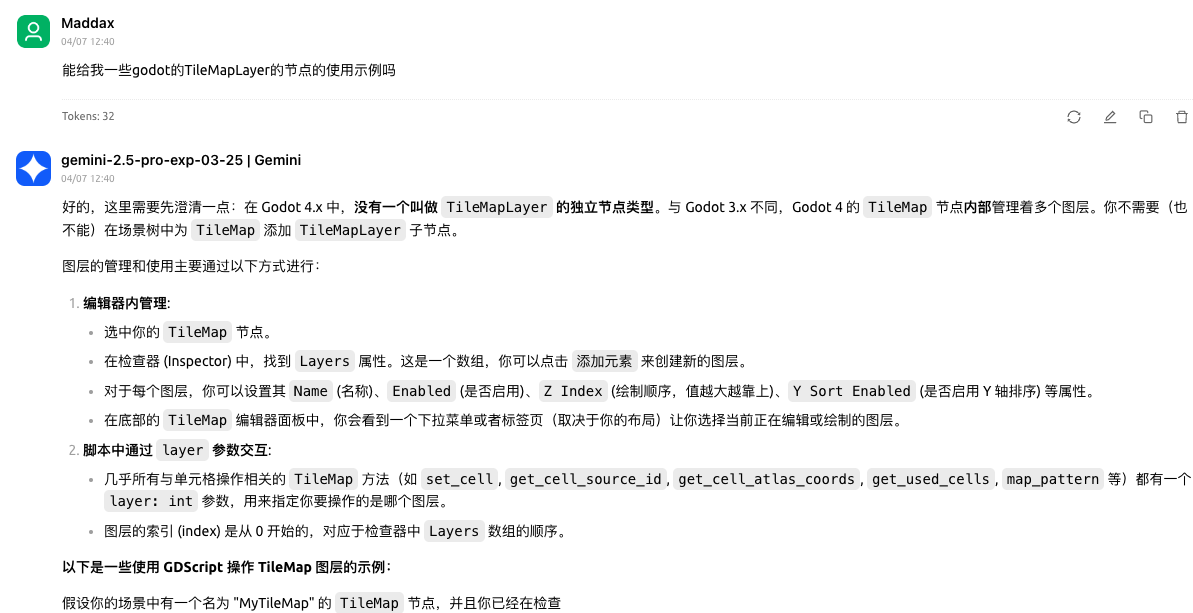
Before using
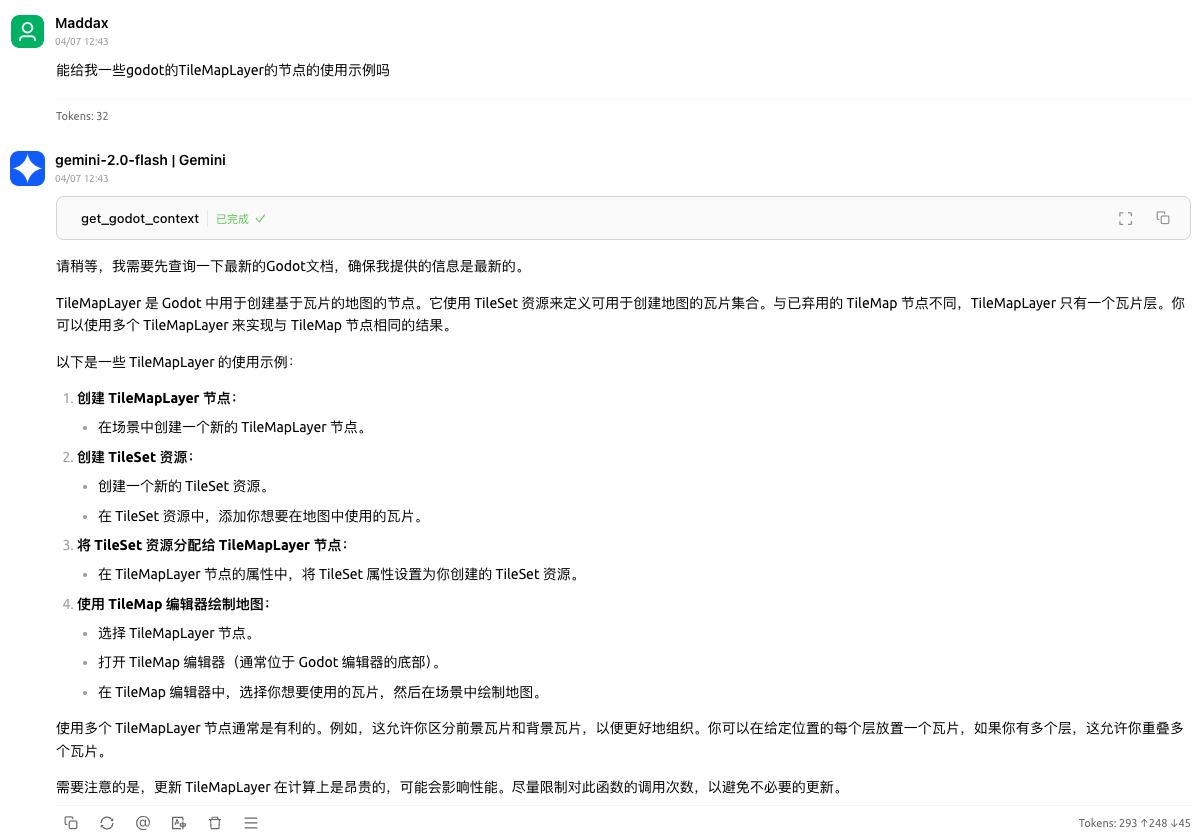
After using
MCP server config
{
  "mcpServers": {
    "godot-rag": {
      "command": "python",
      "args": [
        "<path to the server script 'main.py'>",
        "-d",
        "<path to the chroma_db on your computer>",
        "-c",
        "<name of the collection in the chroma_db>"
      ]
    }
  }
}
Setup
uv venv --python 3.12
source ./.venv/bin/activate
uv sync
cp .env.example .env.local
Initiation steps
# clone godot docs
python download_godot_docs.py
# convert rst to markdown
python convert_rst2md.py
# chunk markdown files
python chunker.py -i artifacts
# create vector database
python vectorizer.py -i artifacts/chunks/artifacts_chunks_SZ_400_O_20.jsonl
# python vectorizer_api.py -i artifacts/chunks/artifacts_chunks_SZ_400_O_20.jsonl -m BAAI/bge-m3
# start mcp server
python main.py -d artifacts/vector_stores/chroma_db -c artifacts_chunks_SZ_400_O_20_all-MiniLM-L6-v2
# python main_with_api.py -d artifacts/vector_stores/chroma_db -c artifacts_chunks_SZ_400_O_20_BAAI-bge-m3 -k <your openai api key>
Debug
npx @modelcontextprotocol/inspector \
  uv \
  --directory . \
  run \
  main.py \
  --chromadb-path artifacts/vector_stores/chroma_db \
  --collection-name artifacts_chunks_SZ_400_O_20_all-MiniLM-L6-v2
Use Another Model
Other
mcp_godot_rag is indexed and certified by MCP Review
Dev Tools Supporting MCP
The following are the main code editors that support the Model Context Protocol. Click the link to visit the official website for more information.







