
Mcpnotion
What is Mcpnotion
mcpnotion is a Notion tool designed for the Model Context Protocol, enabling users to retrieve content from Notion pages using the Notion API.
Use cases
Use cases for mcpnotion include automating content retrieval from Notion for reporting, integrating Notion data into applications, and enhancing workflow efficiency by connecting Notion with other tools.
How to use
To use mcpnotion, configure the server by editing the ‘mcpnotion.json’ file with your Notion token and other settings, build the server using ‘make’, and integrate it with Claude by adding it to the Claude configuration file.
Key features
Key features of mcpnotion include integration with the Notion API, customizable configuration through a JSON file, and the ability to retrieve and manage Notion page content seamlessly.
Where to use
mcpnotion can be used in various fields such as project management, content creation, and collaborative documentation where Notion is utilized for organizing information.
Clients Supporting MCP
The following are the main client software that supports the Model Context Protocol. Click the link to visit the official website for more information.





Overview
What is Mcpnotion
mcpnotion is a Notion tool designed for the Model Context Protocol, enabling users to retrieve content from Notion pages using the Notion API.
Use cases
Use cases for mcpnotion include automating content retrieval from Notion for reporting, integrating Notion data into applications, and enhancing workflow efficiency by connecting Notion with other tools.
How to use
To use mcpnotion, configure the server by editing the ‘mcpnotion.json’ file with your Notion token and other settings, build the server using ‘make’, and integrate it with Claude by adding it to the Claude configuration file.
Key features
Key features of mcpnotion include integration with the Notion API, customizable configuration through a JSON file, and the ability to retrieve and manage Notion page content seamlessly.
Where to use
mcpnotion can be used in various fields such as project management, content creation, and collaborative documentation where Notion is utilized for organizing information.
Clients Supporting MCP
The following are the main client software that supports the Model Context Protocol. Click the link to visit the official website for more information.
Content
gomcp-tool-notion
Notion tool for the Model Context Protocol
This is a sample MCP server that uses the Notion API to retrieve the content of a Notion page.
The Model Context Protocol SDK being used is the MCP Go SDK.
A description of the go MCP SDK can be found here.
Instructions
configuration file
The configuration file is a JSON file that defines the server information, logging, prompts, and tools.
copy the mcpnotion.json.sample file to mcpnotion.json and edit the values:
- set
logging.fileto the path where you want to store the log file - set
prompts.fileto the path to theprompts.yamlfile. There is a sample file at the top of this repository. - set
tools.configuration.notionTokento your Notion token
build the server
Get all the dependencies:
go mod tidy
Build the server:
make
This will create the mcpnotion binary in the bin directory.
integrate with Claude
You need to add your server to the Claude configuration file.
You can easily access this file from the Settings menu in Claude:
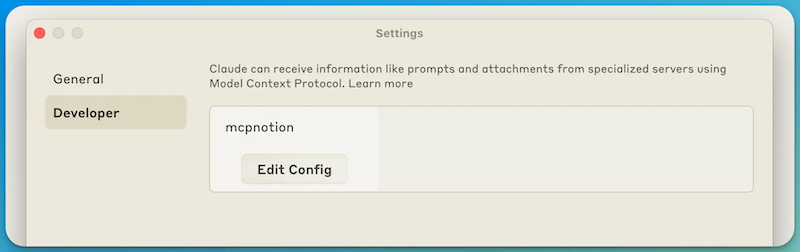
Add tour server in the mcpServers section (replace <absolute path> with the actual path to your files):
{
  "mcpServers": {
    "mcpnotion": {
      "command": "<absolute path>/mcpnotion",
      "args": [
        "--configFile",
        "<absolute path>/mcpnotion.json"
      ]
    }
  }
}
You MUST restart Claude after adding the server.
Once Claude has restarted, you can check that the server is running by checking the log file you specified in the configuration file.
You can also check in the Claude UI that the server is running by clicking on the icon there:
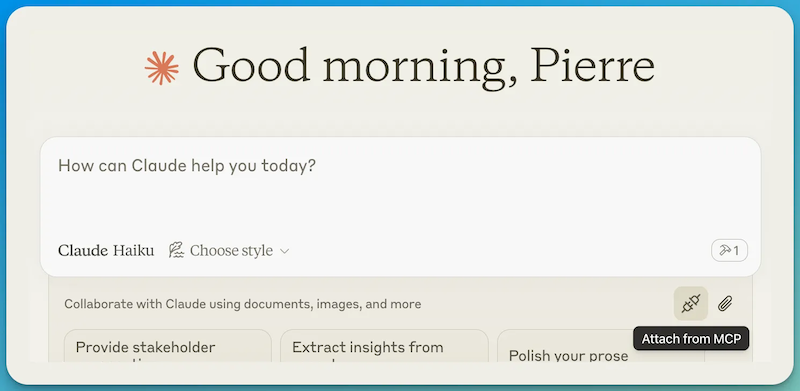
Your server should appear in the list of Installed MCP Servers:
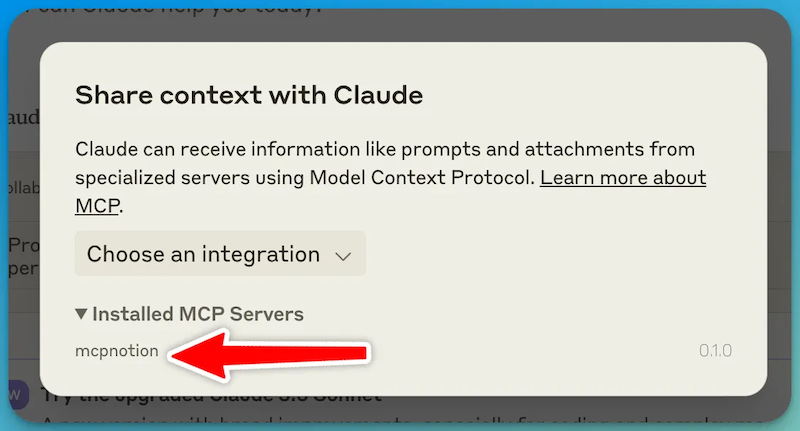
You can prompt Claude to use your server by mentioning it in your prompt.
For example, you can ask:
Can you summarise the content of the Notion page with the pageId xxxxxxxx?
When Claude is abut to call your function, it will ask you for authorization:
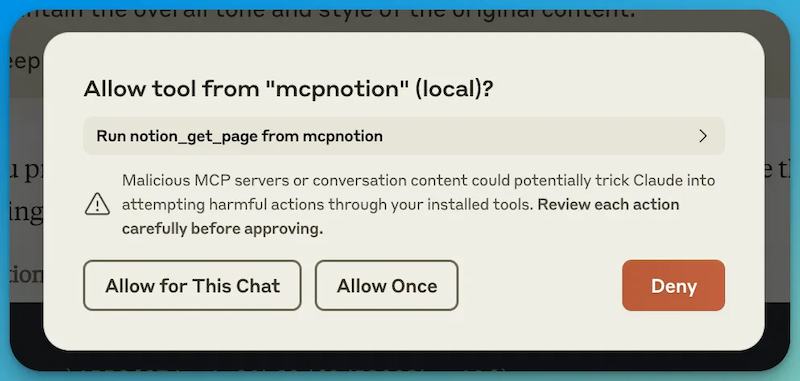
After you grant authorization, Claude will show the parameters of the call and the response from your server in the chat.
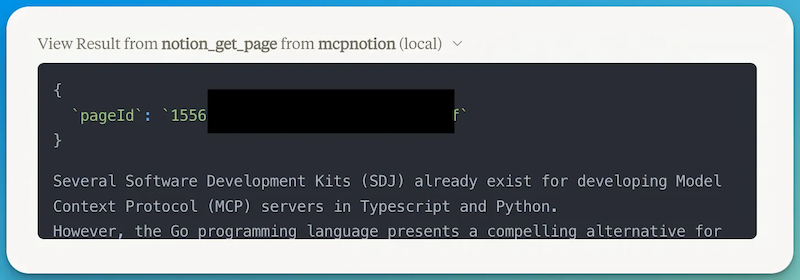
prompts access
If you want to access the prompts you have defines in your yaml file, you can access them from Claude:
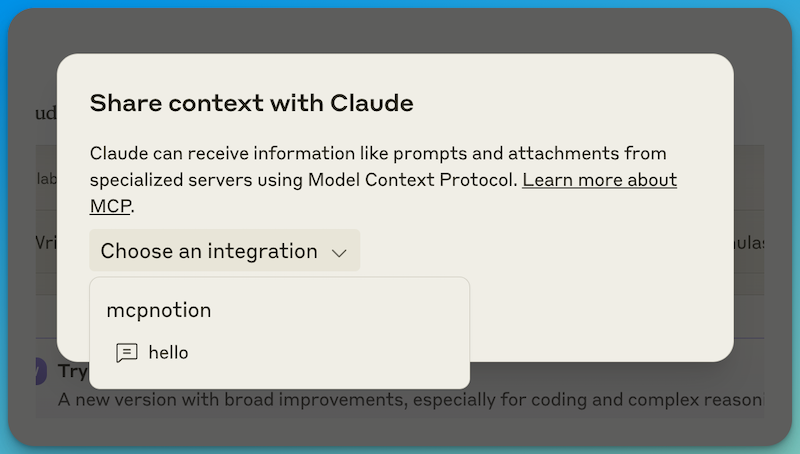
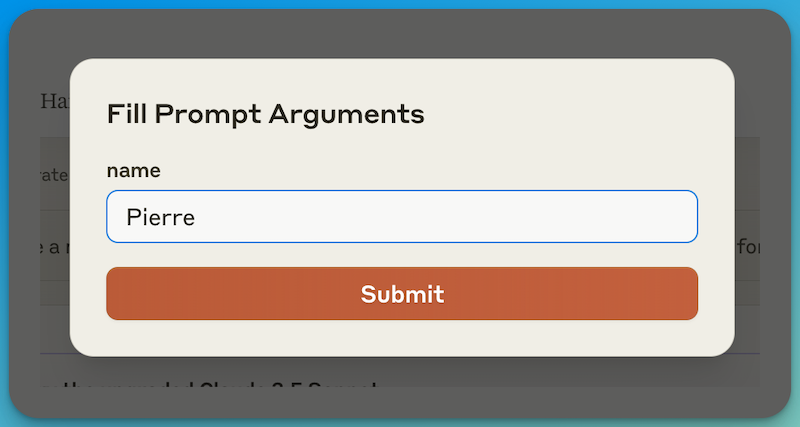
You will then have a form to fill in the arguments for the prompt.
Note
If you also work on the MCP Go SDK itself, you can add this line to the go.mod file to use your local version of the SDK:
replace github.com/llmcontext/gomcp v0.2.0 => ../gomcp
Dev Tools Supporting MCP
The following are the main code editors that support the Model Context Protocol. Click the link to visit the official website for more information.







