
Mcpoc
What is Mcpoc
mcpoc is a Proof of Concept (PoC) MCP server designed for automated conversion of binary files to assembly and C code, utilizing an AI-based decompiler.
Use cases
Use cases for mcpoc include reversing source code for analysis, debugging binary applications, and educational purposes for teaching code decompilation techniques.
How to use
To use mcpoc, clone the repository from GitHub, move it to a temporary directory, install necessary dependencies, and follow the setup instructions to interact with the MCP server using the provided commands.
Key features
Key features of mcpoc include automated binary analysis, integration with AI tools for code decompilation, and a debugging interface accessible via a web browser.
Where to use
mcpoc can be used in software development, reverse engineering, and educational environments where understanding binary code is essential.
Clients Supporting MCP
The following are the main client software that supports the Model Context Protocol. Click the link to visit the official website for more information.





Overview
What is Mcpoc
mcpoc is a Proof of Concept (PoC) MCP server designed for automated conversion of binary files to assembly and C code, utilizing an AI-based decompiler.
Use cases
Use cases for mcpoc include reversing source code for analysis, debugging binary applications, and educational purposes for teaching code decompilation techniques.
How to use
To use mcpoc, clone the repository from GitHub, move it to a temporary directory, install necessary dependencies, and follow the setup instructions to interact with the MCP server using the provided commands.
Key features
Key features of mcpoc include automated binary analysis, integration with AI tools for code decompilation, and a debugging interface accessible via a web browser.
Where to use
mcpoc can be used in software development, reverse engineering, and educational environments where understanding binary code is essential.
Clients Supporting MCP
The following are the main client software that supports the Model Context Protocol. Click the link to visit the official website for more information.
Content
mcpoc MCP server
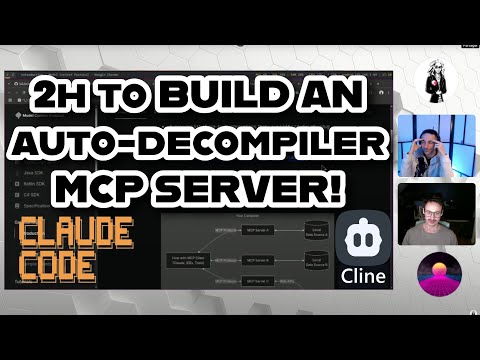
Below are our dirty notes for a quick PoC creating a MCP server for automated binary to assembly to C code.
Blasting our AuTo DeCoMpIlEr Ai BaZeD! 😎
If you want to know how to use this badly documented PoC!
Setup & Test
git clone https://github.com/laluka/mcpoc
sudo mv mcpoc /tmp/mcpoc && cd /tmp/mcpoc
mise install
gcc challenge.c -o /tmp/challenge
npm install -g @anthropic-ai/claude-code
claude code # Setup
claude mcp add # Follow instructions, mcp cmd is "uv --directory /home/lalu/mcpoc/mcpoc run mcpoc"
claude code # Interact with your mcp!
# Prompt: Reverse the source code of /tmp/challenge
Debug
Upon launching, the Inspector will display a URL that you can access in your browser to begin debugging.
npx @modelcontextprotocol/inspector uv --directory /home/lalu/mcpoc/mcpoc run mcpoc
Links used during the livestream
- https://github.com/evalstate/fast-agent
- https://claude.ai/download
- https://apidog.com/blog/cline-mcp-servers/
- https://medium.com/@cstroliadavis/building-mcp-servers-536969d27809
- https://github.com/modelcontextprotocol/create-python-server
- https://github.com/modelcontextprotocol/inspector
- https://modelcontextprotocol.io/clients
- https://docs.anthropic.com/en/docs/agents-and-tools/claude-code/overview
- https://docs.anthropic.com/en/docs/agents-and-tools/mcp?q=mcp
- https://medium.com/@cstroliadavis/building-mcp-servers-536969d27809
- https://modelcontextprotocol.io/introduction
- https://www.librechat.ai/
- https://github.com/cline/cline
- https://doomerhunter.fr/
Dev Tools Supporting MCP
The following are the main code editors that support the Model Context Protocol. Click the link to visit the official website for more information.







