
Membase Mcp
What is Membase Mcp
Membase-mcp is a Model Context Protocol (MCP) server that facilitates secure interactions with the Membase decentralized memory layer, enabling AI agents to store and retrieve historical information and interaction records.
Use cases
Use cases for membase-mcp include AI chatbots that need to maintain conversation history, decentralized applications that require secure data storage, and systems that track user interactions over time.
How to use
To use membase-mcp, clone the repository from GitHub, navigate to the project directory, and run the server using the command ‘uv run src/membase_mcp/server.py’. Ensure to set the necessary environment variables for your account and conversation ID.
Key features
Key features of membase-mcp include the ability to get and switch conversation IDs, save messages, and retrieve recent messages from conversations, all while ensuring data continuity and traceability.
Where to use
Membase-mcp can be used in fields such as artificial intelligence, decentralized applications, and any system requiring persistent memory storage for agents or users.
Clients Supporting MCP
The following are the main client software that supports the Model Context Protocol. Click the link to visit the official website for more information.





Overview
What is Membase Mcp
Membase-mcp is a Model Context Protocol (MCP) server that facilitates secure interactions with the Membase decentralized memory layer, enabling AI agents to store and retrieve historical information and interaction records.
Use cases
Use cases for membase-mcp include AI chatbots that need to maintain conversation history, decentralized applications that require secure data storage, and systems that track user interactions over time.
How to use
To use membase-mcp, clone the repository from GitHub, navigate to the project directory, and run the server using the command ‘uv run src/membase_mcp/server.py’. Ensure to set the necessary environment variables for your account and conversation ID.
Key features
Key features of membase-mcp include the ability to get and switch conversation IDs, save messages, and retrieve recent messages from conversations, all while ensuring data continuity and traceability.
Where to use
Membase-mcp can be used in fields such as artificial intelligence, decentralized applications, and any system requiring persistent memory storage for agents or users.
Clients Supporting MCP
The following are the main client software that supports the Model Context Protocol. Click the link to visit the official website for more information.
Content
membase mcp server
Description
Membase is the first decentralized memory layer for AI agents, powered by Unibase. It provides secure, persistent storage for conversation history, interaction records, and knowledge — ensuring agent continuity, personalization, and traceability.
The Membase-MCP Server enables seamless integration with the Membase protocol, allowing agents to upload and retrieve memory from the Unibase DA network for decentralized, verifiable storage.
Functions
Messages or memoiries can be visit at: https://testnet.hub.membase.io/
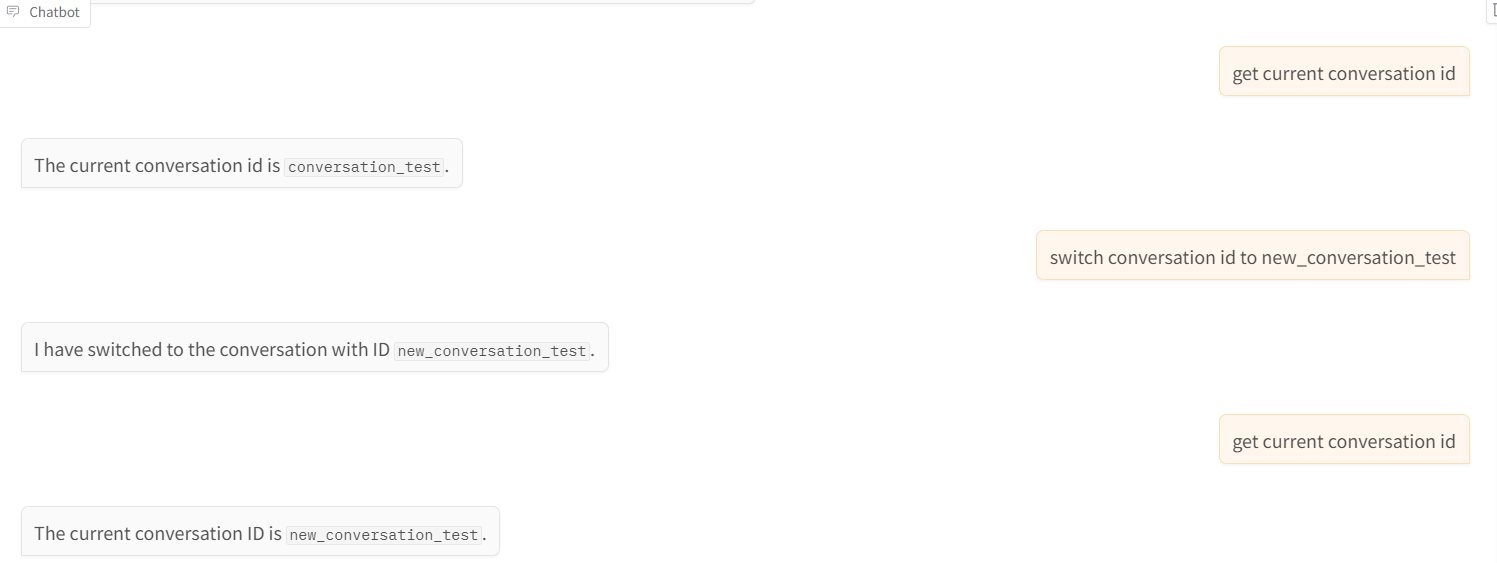
- get_conversation_id: Get the current conversation id.
- switch_conversation: Switch to a different conversation.
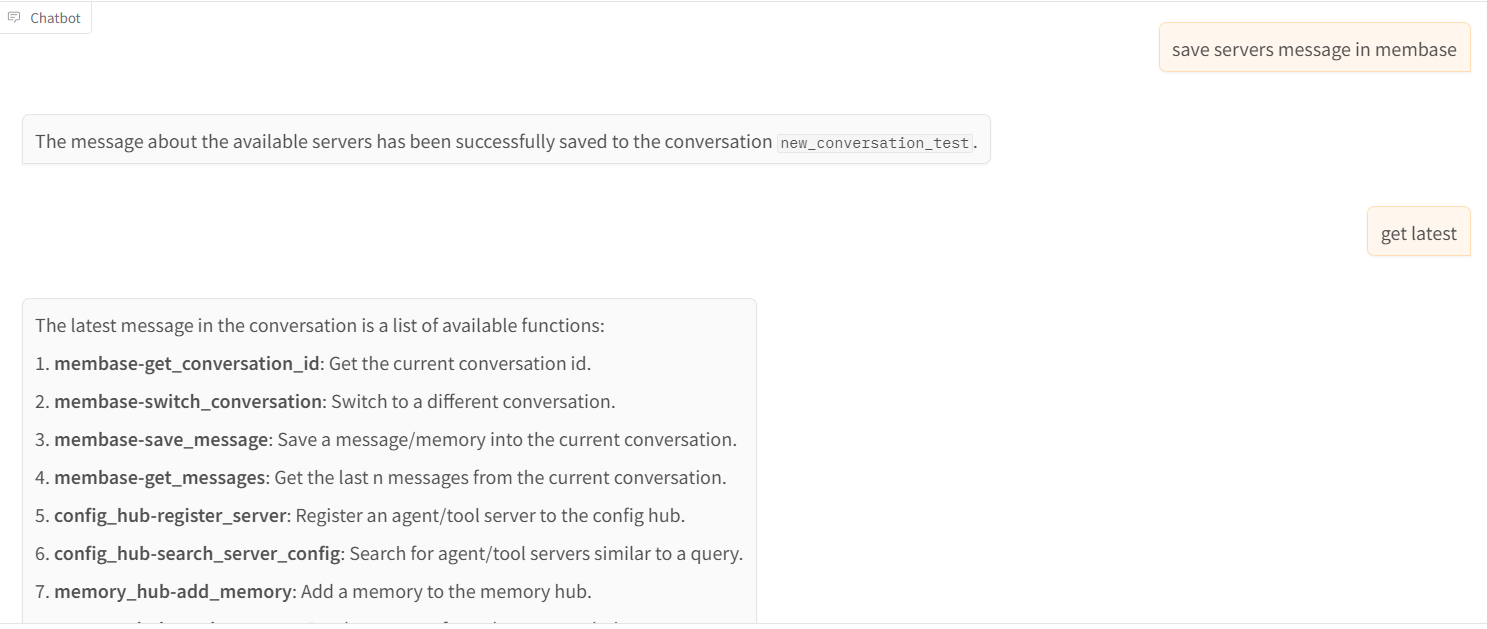
- save_message: Save a message/memory into the current conversation.
- get_messages: Get the last n messages from the current conversation.
Installation
git clone https://github.com/unibaseio/membase-mcp.git
cd membase-mcp
uv run src/membase_mcp/server.py
Environment variables
- MEMBASE_ACCOUNT: your account to upload
- MEMBASE_CONVERSATION_ID: your conversation id, should be unique, will preload its history
- MEMBASE_ID: your instance id
Configuration on Claude/Windsurf/Cursor/Cline
{
  "mcpServers": {
    "membase": {
      "command": "uv",
      "args": [
        "--directory",
        "path/to/membase-mcp",
        "run",
        "src/membase_mcp/server.py"
      ],
      "env": {
        "MEMBASE_ACCOUNT": "your account, 0x...",
        "MEMBASE_CONVERSATION_ID": "your conversation id, should be unique",
        "MEMBASE_ID": "your sub account, any string"
      }
    }
  }
}
Usage
call functions in llm chat
- get conversation id and switch conversation
- save message and get messages
Dev Tools Supporting MCP
The following are the main code editors that support the Model Context Protocol. Click the link to visit the official website for more information.







