
Memory Bank Loader Mcp
What is Memory Bank Loader Mcp
memory-bank-loader-mcp is an MCP server designed to retrieve all files from the memory-bank directory simultaneously. Its primary goal is to minimize the frequency of AI tool invocations, thereby saving time and costs associated with loading the memory-bank.
Use cases
Use cases include providing project context to AI tools, consolidating information from multiple files for analysis, and streamlining the process of loading data into AI systems.
How to use
To use memory-bank-loader-mcp, you can set it up via NPX or build it using npm. For NPX, run the command: npx memory-bank-loader-mcp@latest. If building, use npm run build and execute the server with the command: node /full/path/to/memory-bank-loader-mcp/build/index.js.
Key features
Key features include recursive reading of all files in the specified directory, prioritization of root-level and specific files, and sorting of other files alphabetically by their relative paths. It is optimized for providing clear and structured context to AI models.
Where to use
memory-bank-loader-mcp can be used in various fields where AI models require structured and organized data input, such as project management, data analysis, and software development.
Clients Supporting MCP
The following are the main client software that supports the Model Context Protocol. Click the link to visit the official website for more information.





Overview
What is Memory Bank Loader Mcp
memory-bank-loader-mcp is an MCP server designed to retrieve all files from the memory-bank directory simultaneously. Its primary goal is to minimize the frequency of AI tool invocations, thereby saving time and costs associated with loading the memory-bank.
Use cases
Use cases include providing project context to AI tools, consolidating information from multiple files for analysis, and streamlining the process of loading data into AI systems.
How to use
To use memory-bank-loader-mcp, you can set it up via NPX or build it using npm. For NPX, run the command: npx memory-bank-loader-mcp@latest. If building, use npm run build and execute the server with the command: node /full/path/to/memory-bank-loader-mcp/build/index.js.
Key features
Key features include recursive reading of all files in the specified directory, prioritization of root-level and specific files, and sorting of other files alphabetically by their relative paths. It is optimized for providing clear and structured context to AI models.
Where to use
memory-bank-loader-mcp can be used in various fields where AI models require structured and organized data input, such as project management, data analysis, and software development.
Clients Supporting MCP
The following are the main client software that supports the Model Context Protocol. Click the link to visit the official website for more information.
Content
memory-bank-loader-mcp
This is an MCP server for retrieving all files in the memory-bank directory at once.
Its purpose is to reduce AI tool invocation frequency when loading memory-bank, saving both time and money.
Features
- Recursively reads all files within the specified directory (e.g., a ‘memory-bank’ directory).
- Sorts files with a specific priority order:
- Root-level files come first.
- Specific priority files (
projectbrief.md, etc.) within the root are ordered first. - All other files (non-priority root and all subdirectory files) are sorted alphabetically by relative path.
- Optimized for providing clear and structured context to AI models.
Tools
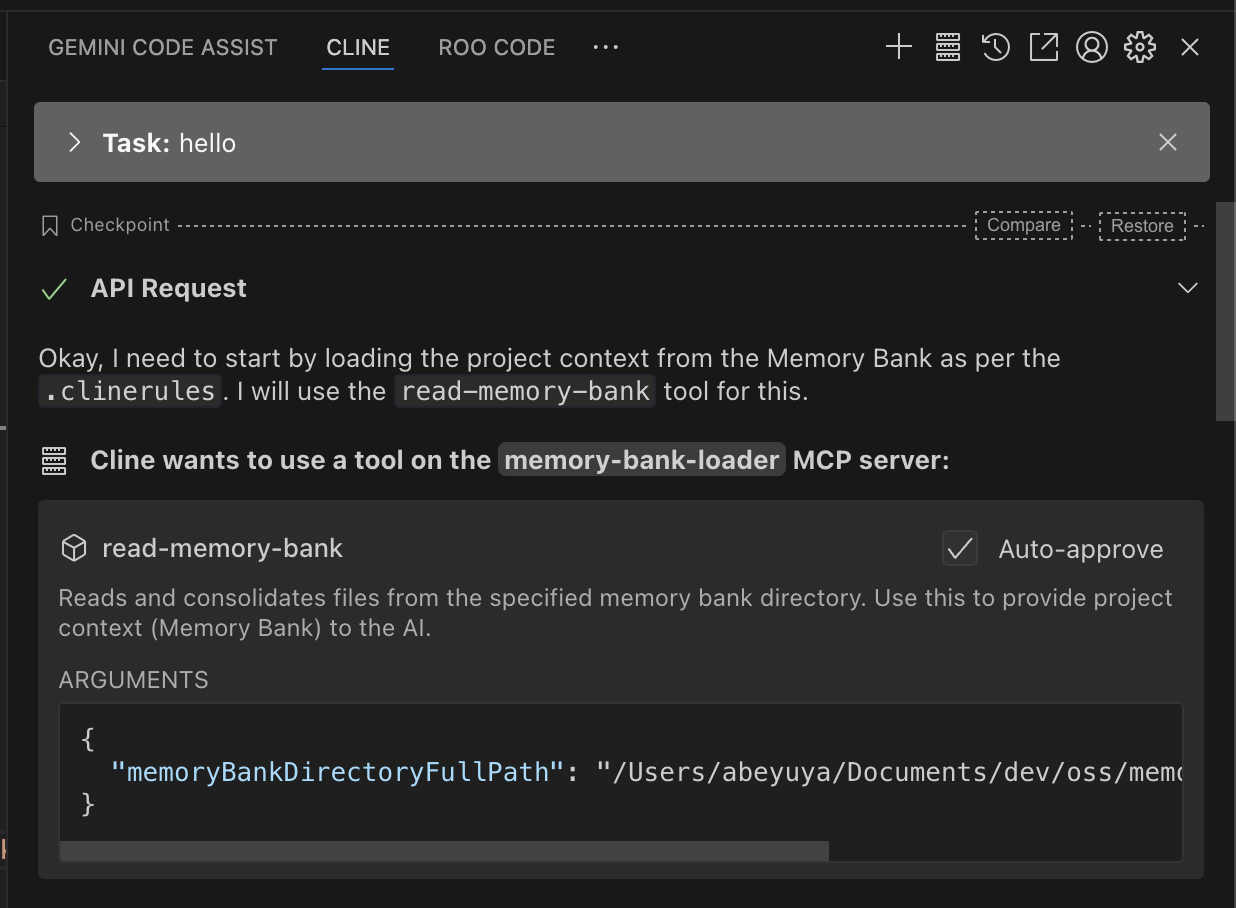
read-memory-bank- Read and consolidates files from the specified memory bank directory. Use this to provide project context (Memory Bank) to the AI.
- Input:
memoryBankDirectoryFullPath(string, required): The full, absolute path to the directory containing the memory bank files.
- Returns:
- Read file list.
Setup
NPX
Build
$ npm run build
{
  "mcpServers": {
    "memory-bank-loader": {
      "command": "node",
      "args": [
        "/full/path/to/memory-bank-loader-mcp/build/index.js"
      ]
    }
  }
}
License
MIT
Dev Tools Supporting MCP
The following are the main code editors that support the Model Context Protocol. Click the link to visit the official website for more information.







