
Midi Mcp Server
What is Midi Mcp Server
MIDI MCP Server is a Model Context Protocol (MCP) server that allows AI models to generate MIDI files from text-based music data, facilitating programmatic musical composition through a standardized interface.
Use cases
Use cases for MIDI MCP Server include generating original compositions for video games, creating backing tracks for live performances, developing music education software, and enabling automated music generation for artists.
How to use
To use MIDI MCP Server, install the necessary packages with ‘npm install’ and build the project using ‘npm run build’. Then, configure your MCP client (e.g., Cline) to include the server in its configuration by specifying the command and arguments to run the server.
Key features
Key features include the ability to generate MIDI files from structured JSON music data, support for multiple tracks and instruments, customizable tempo and time signature, and the option to save MIDI files to specified locations.
Where to use
MIDI MCP Server can be used in various fields such as music composition, AI-driven music generation, educational tools for teaching music theory, and software development for music applications.
Clients Supporting MCP
The following are the main client software that supports the Model Context Protocol. Click the link to visit the official website for more information.





Overview
What is Midi Mcp Server
MIDI MCP Server is a Model Context Protocol (MCP) server that allows AI models to generate MIDI files from text-based music data, facilitating programmatic musical composition through a standardized interface.
Use cases
Use cases for MIDI MCP Server include generating original compositions for video games, creating backing tracks for live performances, developing music education software, and enabling automated music generation for artists.
How to use
To use MIDI MCP Server, install the necessary packages with ‘npm install’ and build the project using ‘npm run build’. Then, configure your MCP client (e.g., Cline) to include the server in its configuration by specifying the command and arguments to run the server.
Key features
Key features include the ability to generate MIDI files from structured JSON music data, support for multiple tracks and instruments, customizable tempo and time signature, and the option to save MIDI files to specified locations.
Where to use
MIDI MCP Server can be used in various fields such as music composition, AI-driven music generation, educational tools for teaching music theory, and software development for music applications.
Clients Supporting MCP
The following are the main client software that supports the Model Context Protocol. Click the link to visit the official website for more information.
Content


MIDI MCP Server
Overview
MIDI MCP Server is a Model Context Protocol (MCP) server that enables AI models to generate MIDI files from text-based music data. This tool allows for programmatic creation of musical compositions through a standardized interface.
Installation
npm install
npm run build
Usage with MCP Clients (e.g., Cline)
After building the project, simply add the server to your MCP client configuration:
Replace /path/to/ with the actual path to your project directory.
Features
- Generate MIDI files from structured JSON music data
- Support for multiple tracks and instruments
- Customizable tempo, time signature, and note properties
- Save MIDI files to specified locations
Tool: create_midi
The server provides a tool called create_midi that generates MIDI files from structured music data.
Input Parameters
title: String - The title of the compositioncomposition: String - A JSON string representing the music dataoutput_path: String - Path where the MIDI file will be saved
Composition Format
The composition should follow this structure:
Properties
bpm: Tempo in beats per minutetimeSignature: Time signature (e.g.,{numerator: 4, denominator: 4}for 4/4 time)tracks: Array of instrument tracksname: Track nameinstrument: MIDI program number (0-127)notes: Array of note objectspitch: MIDI note number (0-127)startTime: Start time in beatsduration: Note duration in beatsvelocity: Note velocity/volume (0-127)
Example
const composition = {
  "bpm": 120,
  "timeSignature": { "numerator": 4, "denominator": 4 },
  "tracks": [
    {
      "name": "Piano",
      "instrument": 0,
      "notes": [
        { "pitch": 60, "startTime": 0, "duration": 1, "velocity": 100 },
        { "pitch": 64, "startTime": 1, "duration": 1, "velocity": 100 },
        { "pitch": 67, "startTime": 2, "duration": 1, "velocity": 100 }
      ]
    }
  ]
};
Dependencies
- @modelcontextprotocol/sdk: MCP server implementation
- midi-writer-js: Library for creating MIDI files
Demo
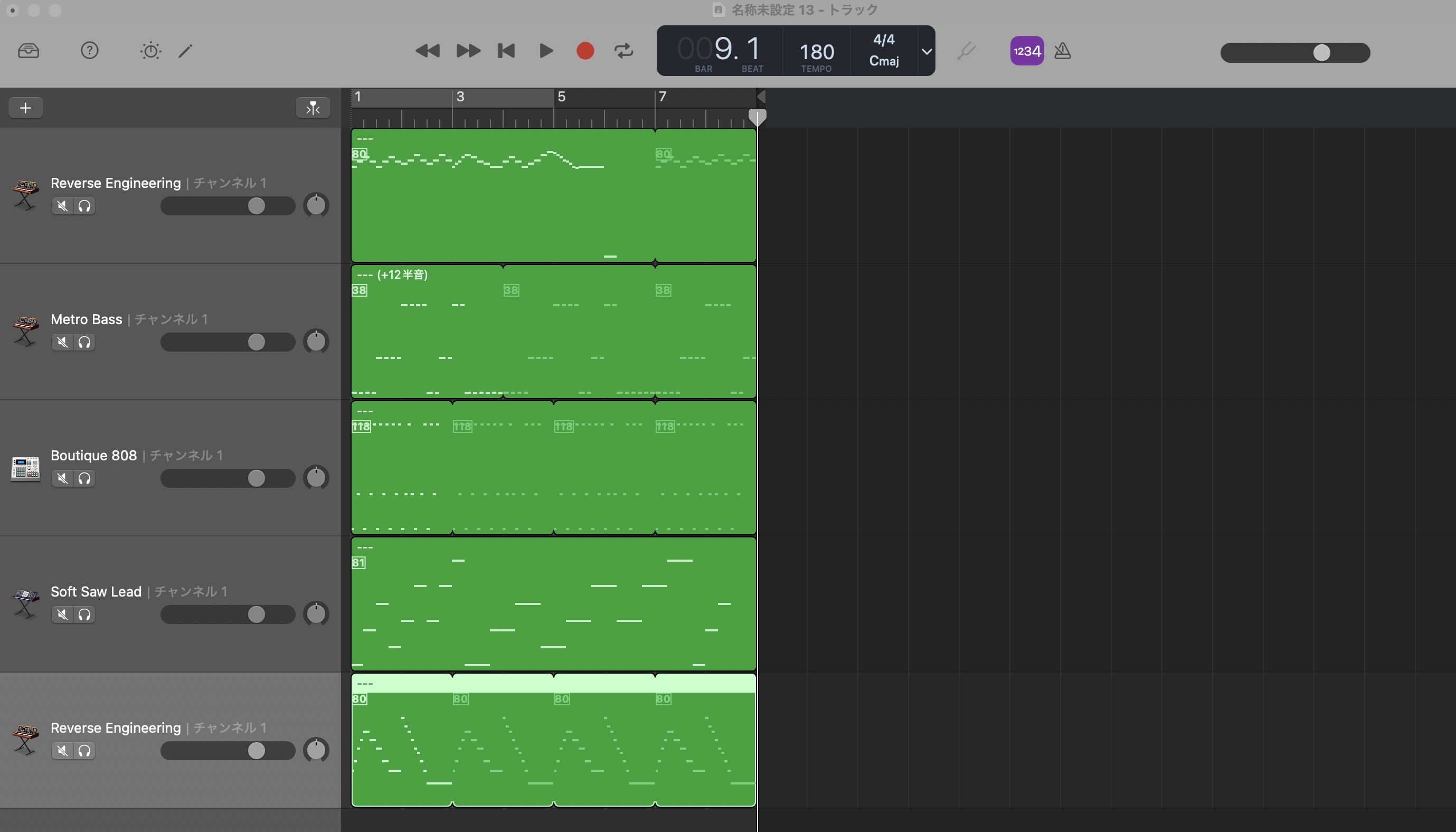
For example, the prompt below, which is a request to create a minor scale 8-bar choral piece, can be processed by the server:
8小節の合唱曲を作って。
若干マイナー調で、メロディックな音階を作ってほしい
https://github.com/user-attachments/assets/e20ebef0-fdbf-4e72-910d-41b94183f9d9
Note on Local Execution
This MCP server runs locally and communicates via standard input/output (stdio). No network configuration is required as the MCP client will automatically start the server process and establish communication.
Dev Tools Supporting MCP
The following are the main code editors that support the Model Context Protocol. Click the link to visit the official website for more information.







