
Modal Mcp Toolbox
What is Modal Mcp Toolbox
modal-mcp-toolbox is a collection of Model Context Protocol (MCP) tools designed to enhance the capabilities of large language models (LLMs) running on Modal.
Use cases
Use cases include executing Python scripts safely, generating images for creative projects, and extending the functionality of applications like the Claude Desktop App and Goose.
How to use
To use modal-mcp-toolbox, you need a Modal account and a configured modal CLI. Install the toolbox according to the client you are using, such as the Claude Desktop App or Goose, by adding the appropriate configuration in the settings.
Key features
Key features include running Python code in a sandboxed environment and generating images using the FLUX model.
Where to use
modal-mcp-toolbox can be used in various fields that require advanced LLM capabilities, including software development, creative content generation, and data analysis.
Clients Supporting MCP
The following are the main client software that supports the Model Context Protocol. Click the link to visit the official website for more information.





Overview
What is Modal Mcp Toolbox
modal-mcp-toolbox is a collection of Model Context Protocol (MCP) tools designed to enhance the capabilities of large language models (LLMs) running on Modal.
Use cases
Use cases include executing Python scripts safely, generating images for creative projects, and extending the functionality of applications like the Claude Desktop App and Goose.
How to use
To use modal-mcp-toolbox, you need a Modal account and a configured modal CLI. Install the toolbox according to the client you are using, such as the Claude Desktop App or Goose, by adding the appropriate configuration in the settings.
Key features
Key features include running Python code in a sandboxed environment and generating images using the FLUX model.
Where to use
modal-mcp-toolbox can be used in various fields that require advanced LLM capabilities, including software development, creative content generation, and data analysis.
Clients Supporting MCP
The following are the main client software that supports the Model Context Protocol. Click the link to visit the official website for more information.
Content
Modal MCP Toolbox 🛠️
A collection of Model Context Protocol (MCP) tools that run on Modal.
This let’s you extend the capabilities of your LLM in tools such as Goose or the Claude Desktop App.
Tools
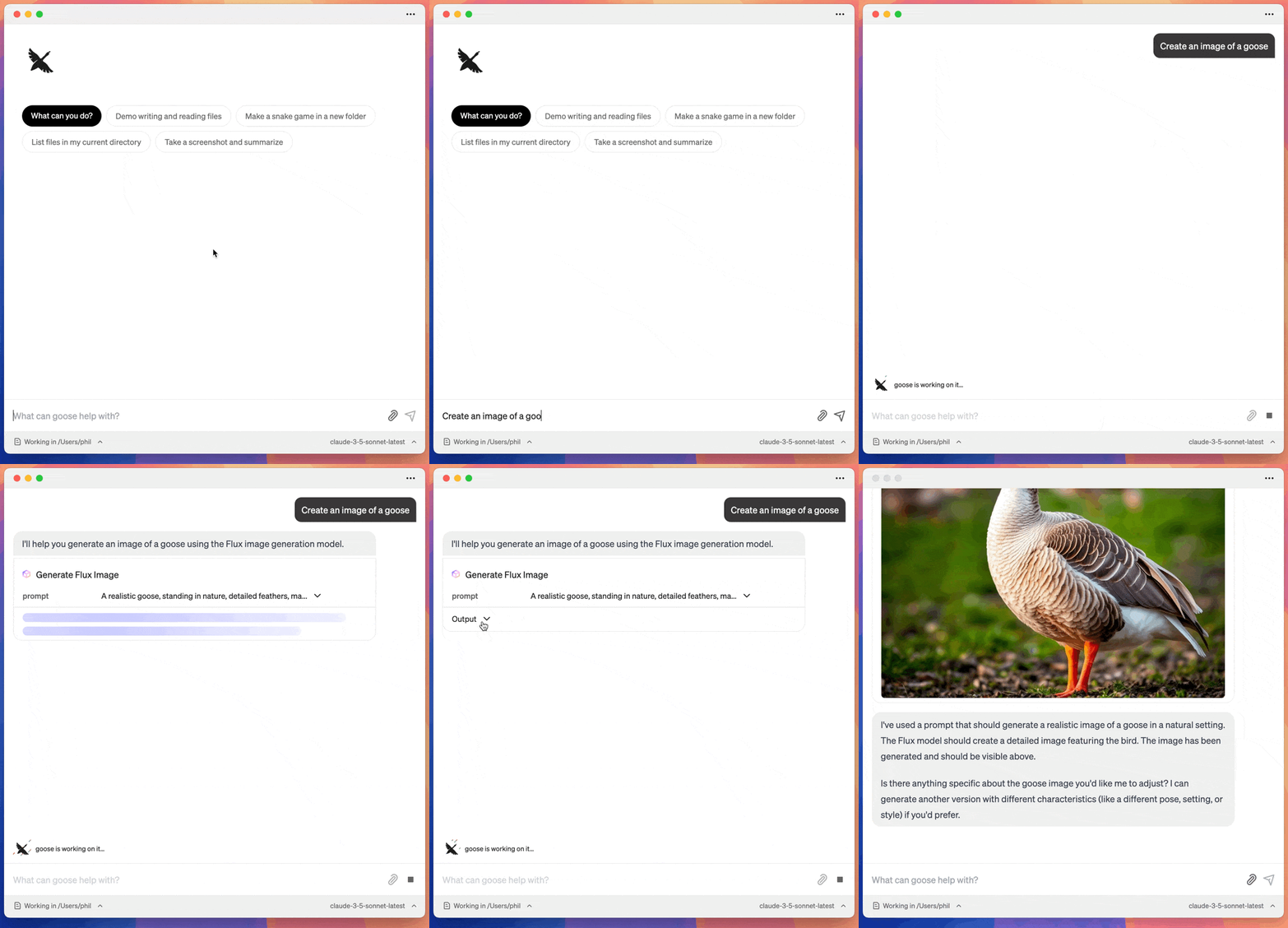
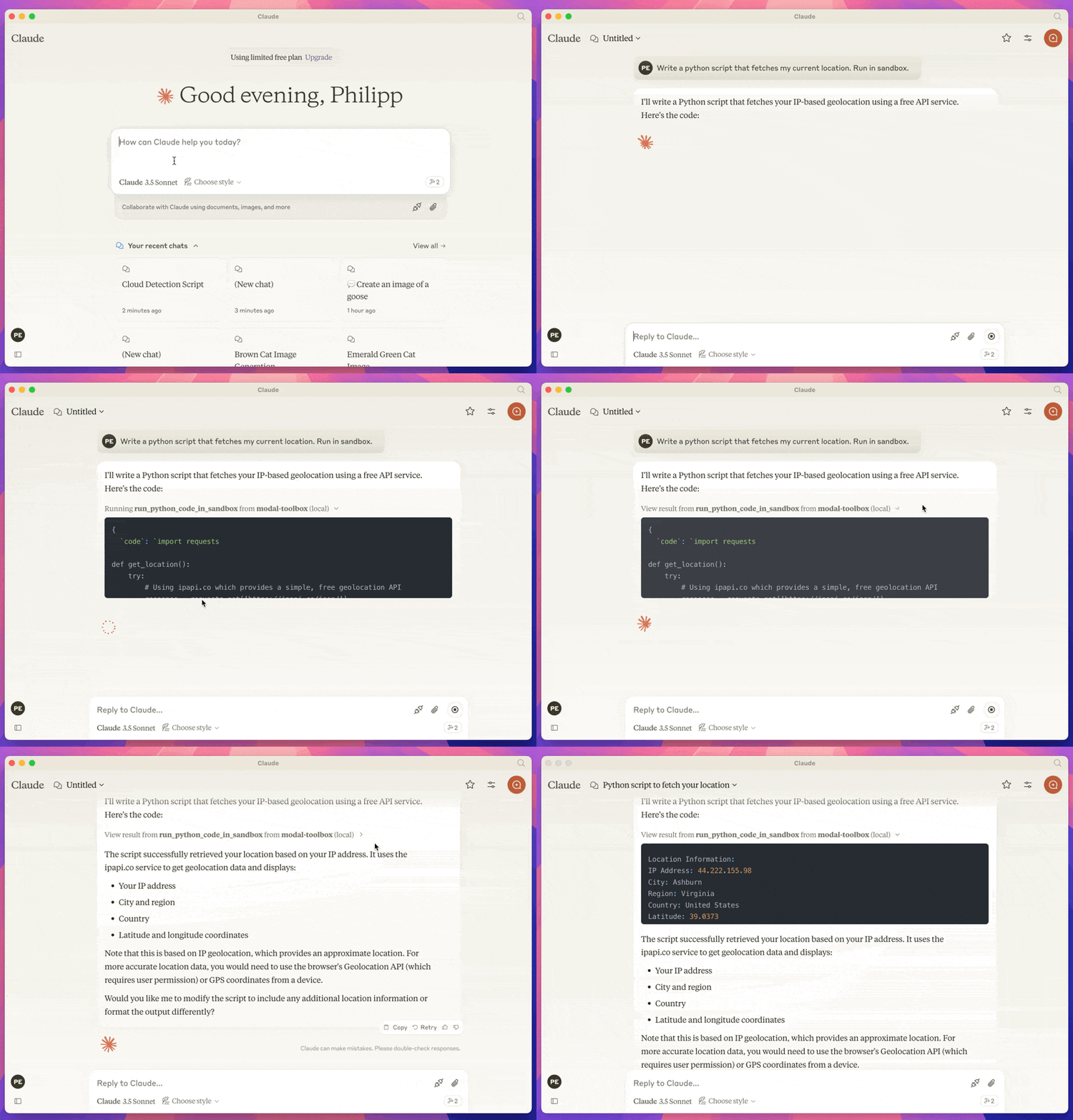
run_python_code_in_sandbox: Let’s you run python code in a sandboxed environment.generate_flux_image: Generate an image using the FLUX model.
Demo
Flux Image Generation
Python Code Execution
Prerequisites
- A modal account and a configured modal CLI.
- UV
- A client that supports MCP. Such as the Claude Desktop App or Goose
This runs against your modal account, so you will need to have a modal account and be logged in.
Installation
Installation depends on the client that uses the MCP. Here is instructions for Claude and Goose.
Claude
Got to Settings > Developer in the Claude Desktop App. And click on Edit Config.
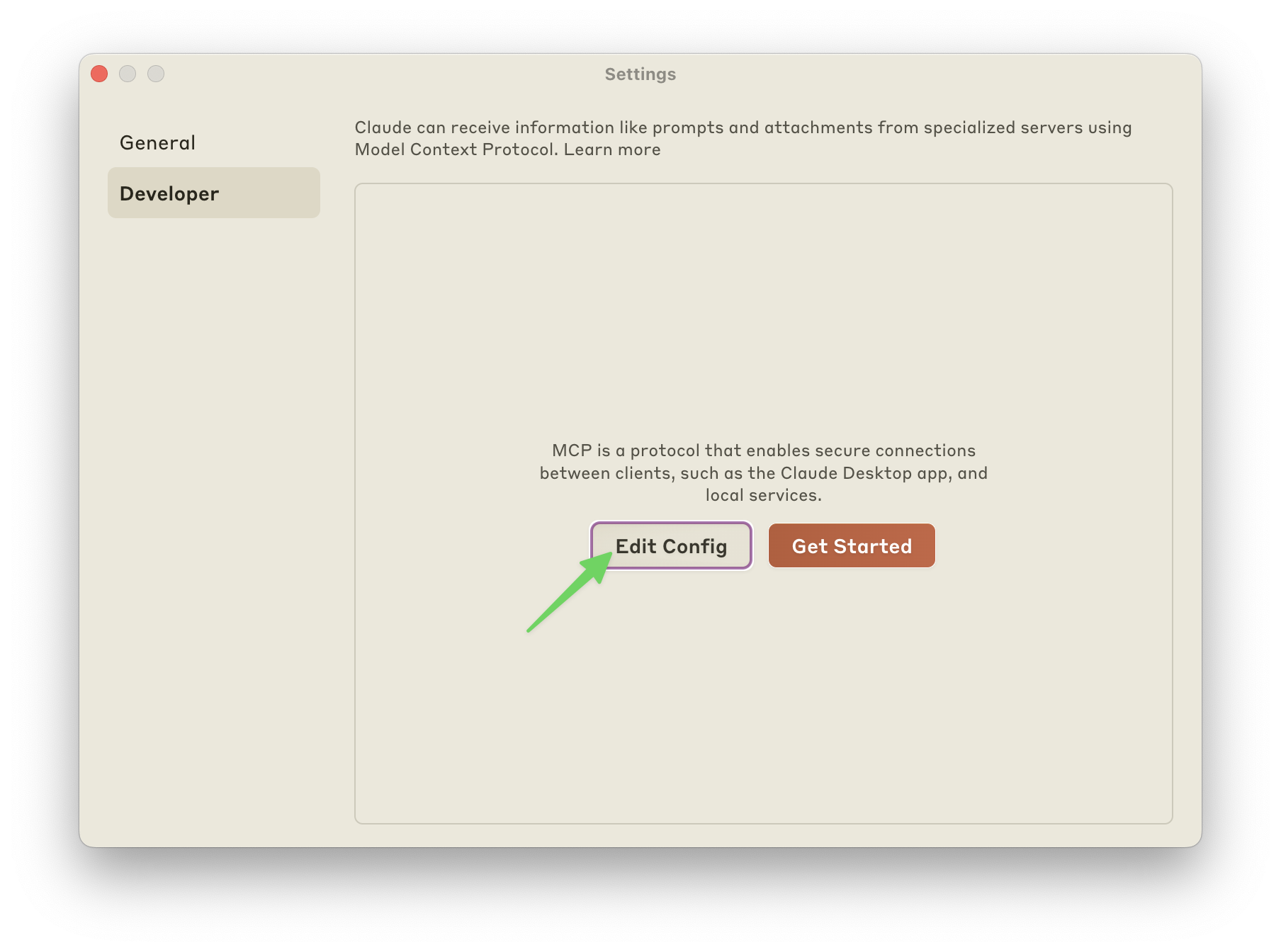
Add the config for the mcp server. My config looks like this:
{
  "mcpServers": {
    "modal-toolbox": {
      "command": "uvx",
      "args": [
        "modal-mcp-toolbox"
      ]
    }
  }
}
Goose
Go to Settings and Click on Add.
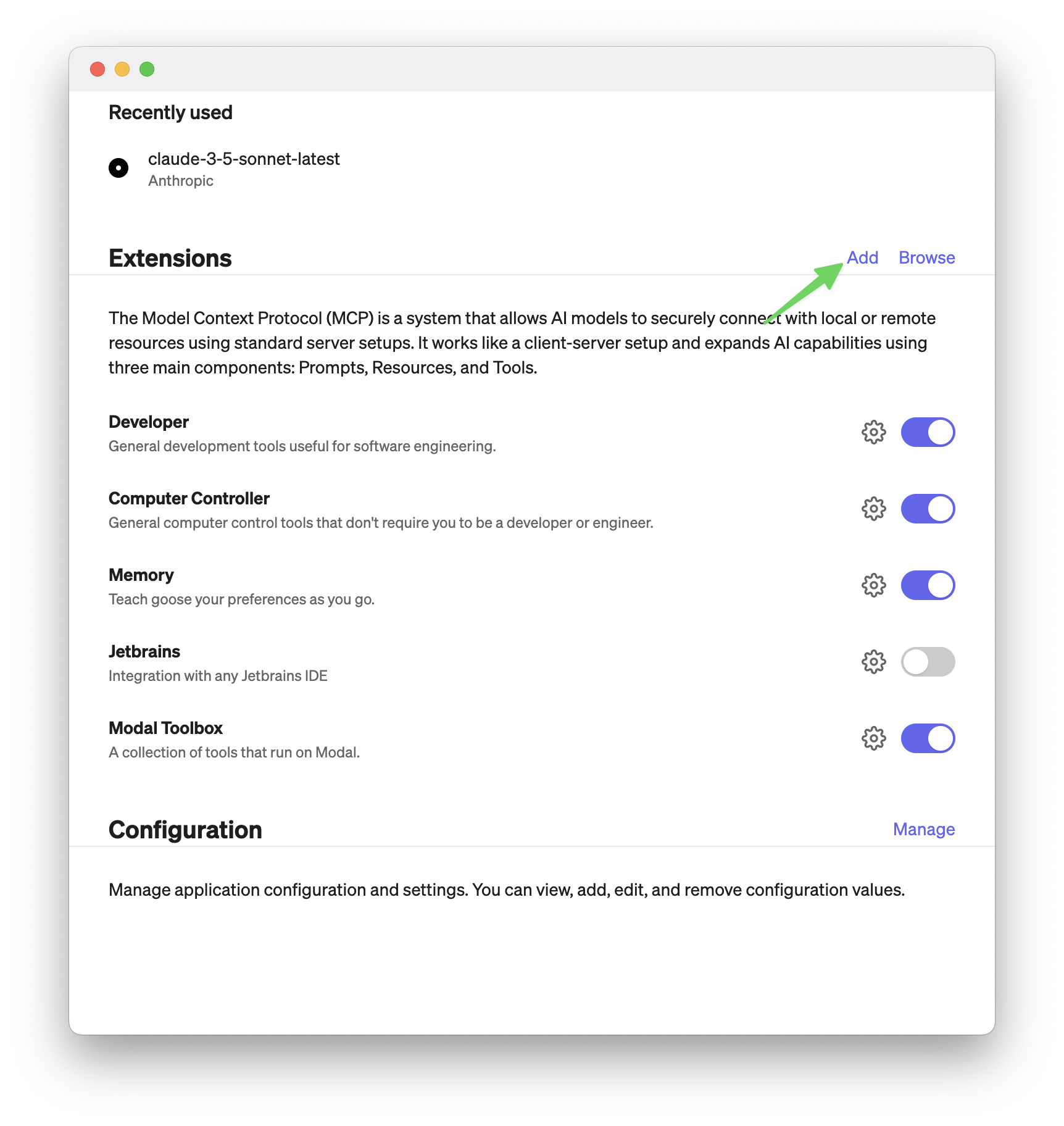
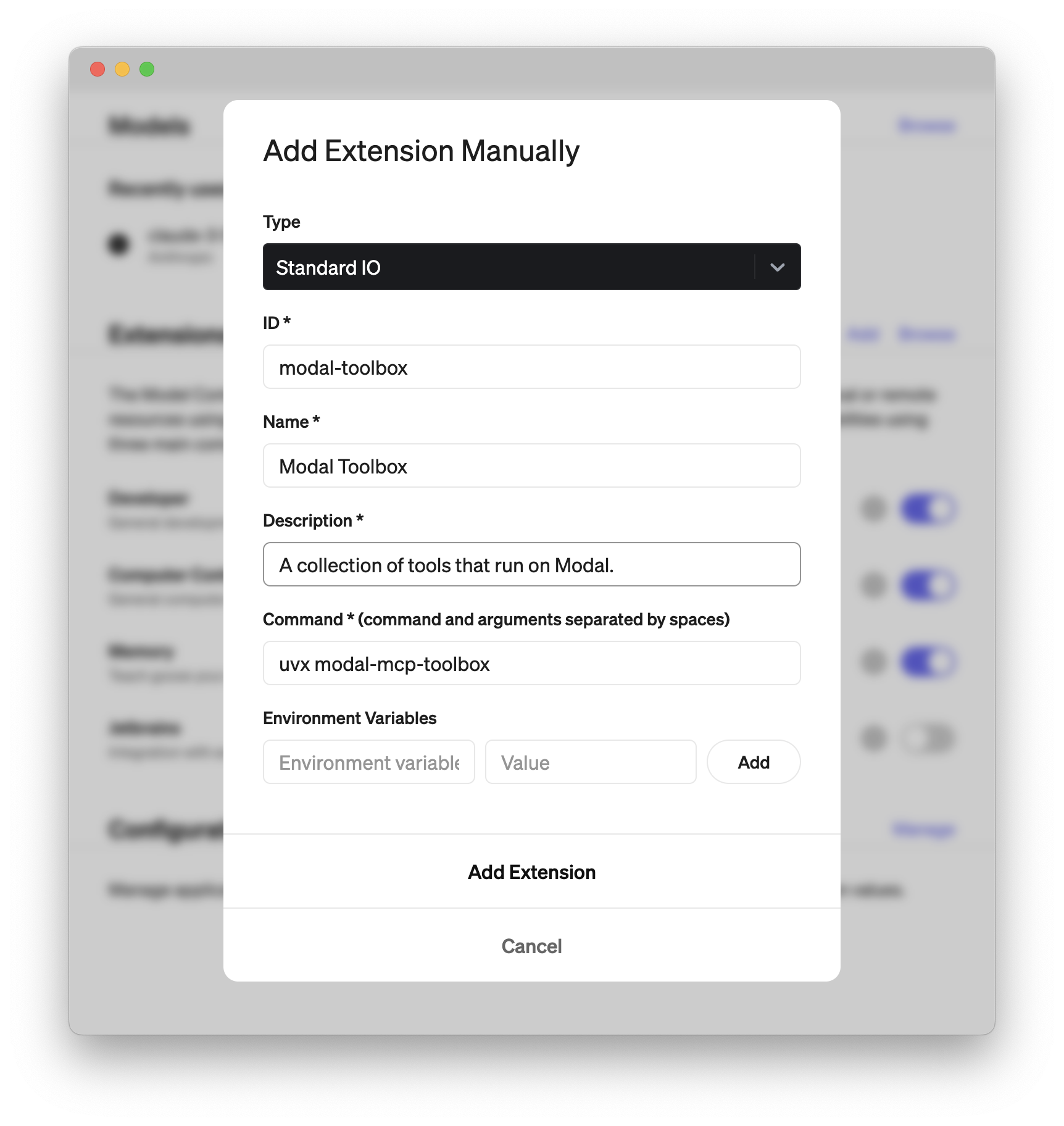
Then add an extension like in the screenshot below.
The important part is to set command to:
uvx modal-mcp-toolbox
The rest you can fill in as you like.
Installing via Smithery (not working currently)
To install Modal MCP Toolbox for Claude Desktop automatically via Smithery:
npx -y @smithery/cli install @philipp-eisen/modal-mcp-toolbox --client claude
Dev Tools Supporting MCP
The following are the main code editors that support the Model Context Protocol. Click the link to visit the official website for more information.







