
Modelica Simulation Mcp Server
What is Modelica Simulation Mcp Server
modelica_simulation_mcp_server is a public MCP server designed to run Modelica simulations. It serves as a Model Context Protocol server that allows large language models (LLMs) to retrieve and process tasks related to Modelica models.
Use cases
Use cases include simulating mechanical systems, control systems, and other dynamic models where Modelica is applicable. It can also be utilized for educational purposes in teaching system dynamics and simulation techniques.
How to use
To use modelica_simulation_mcp_server, clone the repository from GitHub, navigate to the directory, create and activate a virtual environment, and install the necessary dependencies using the ‘uv’ tool. After setup, you can run Modelica simulations by providing the source code through the ‘modelica_simulate’ tool.
Key features
Key features include the ability to run Modelica model simulations via source code, support for various tools like ‘modelica_simulate’, and easy installation and configuration using the ‘uv’ tool.
Where to use
modelica_simulation_mcp_server can be used in fields such as engineering, system modeling, and simulation, particularly in scenarios that require complex simulations of dynamic systems.
Clients Supporting MCP
The following are the main client software that supports the Model Context Protocol. Click the link to visit the official website for more information.





Overview
What is Modelica Simulation Mcp Server
modelica_simulation_mcp_server is a public MCP server designed to run Modelica simulations. It serves as a Model Context Protocol server that allows large language models (LLMs) to retrieve and process tasks related to Modelica models.
Use cases
Use cases include simulating mechanical systems, control systems, and other dynamic models where Modelica is applicable. It can also be utilized for educational purposes in teaching system dynamics and simulation techniques.
How to use
To use modelica_simulation_mcp_server, clone the repository from GitHub, navigate to the directory, create and activate a virtual environment, and install the necessary dependencies using the ‘uv’ tool. After setup, you can run Modelica simulations by providing the source code through the ‘modelica_simulate’ tool.
Key features
Key features include the ability to run Modelica model simulations via source code, support for various tools like ‘modelica_simulate’, and easy installation and configuration using the ‘uv’ tool.
Where to use
modelica_simulation_mcp_server can be used in fields such as engineering, system modeling, and simulation, particularly in scenarios that require complex simulations of dynamic systems.
Clients Supporting MCP
The following are the main client software that supports the Model Context Protocol. Click the link to visit the official website for more information.
Content
Modelica MCP Server
A lightweight Model Context Protocol server for simulating Modelica models
Enabling LLMs to process Modelica-related tasks seamlessly



What is this?
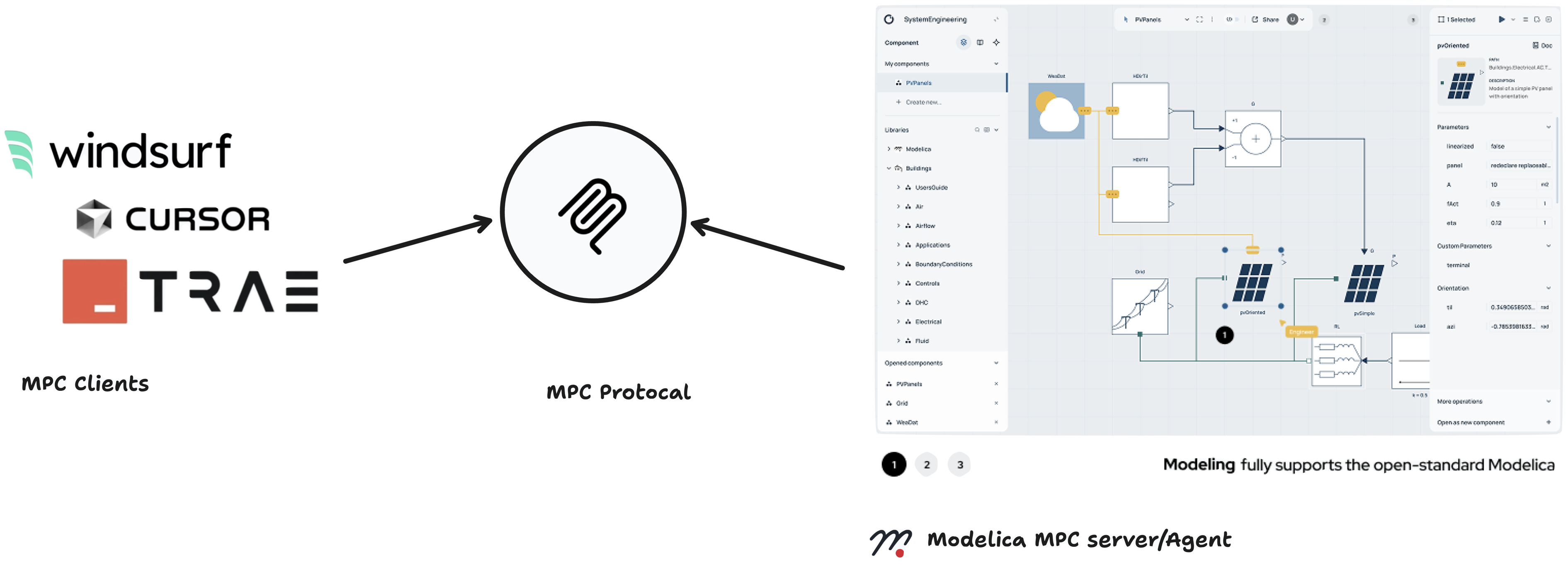
The Modelica MCP server transforms ODE—a new Modelica IDE into an engineering AI agent, seamlessly bridging Large Language Models with advanced simulation capabilities. It enables AI to autonomously generate, visualize, and simulate complex engineering models through natural language interactions.
Key Capabilities:
- 🤖 AI-Driven Model Generation: Automatically create complete Modelica models from natural language descriptions
- 🎨 Intelligent Diagram Creation: Generate interactive visual diagrams with proper component placement and connections in Modelica IDE
- 🔄 Autonomous Simulation: End-to-end simulation workflow from concept to results
Key Features
| Feature | Description |
|---|---|
| 🤖 AI Model Generation | Automatically create complete Modelica models from natural language descriptions |
| 🎨 Intelligent Diagramming | Generate visual diagrams with smart component placement, automatic routing, and professional annotations through ODE integration |
| 🏗️ Full IDE Access | Complete Modelica development environment via ODE with syntax highlighting, error checking, and debugging |
| 📊 Advanced Visualization | Real-time plotting, 3D visualization, interactive charts, and customizable result analysis dashboards |
| ⚡ Seamless Integration | One-click setup with popular AI clients like Cursor, and custom LLM applications |
| 🛡️ Enterprise Security | Token-based authentication with secure cloud execution and data protection |
| 🔄 Autonomous Workflows | End-to-end automation from natural language input to simulation results and engineering insights |
Available Tools
modelica_simulate()
Purpose: Execute complete Modelica simulation workflows with MCP clients
modelica_get_diagram_url()
Purpose: Generate interactive model diagrams in ODE
Installation
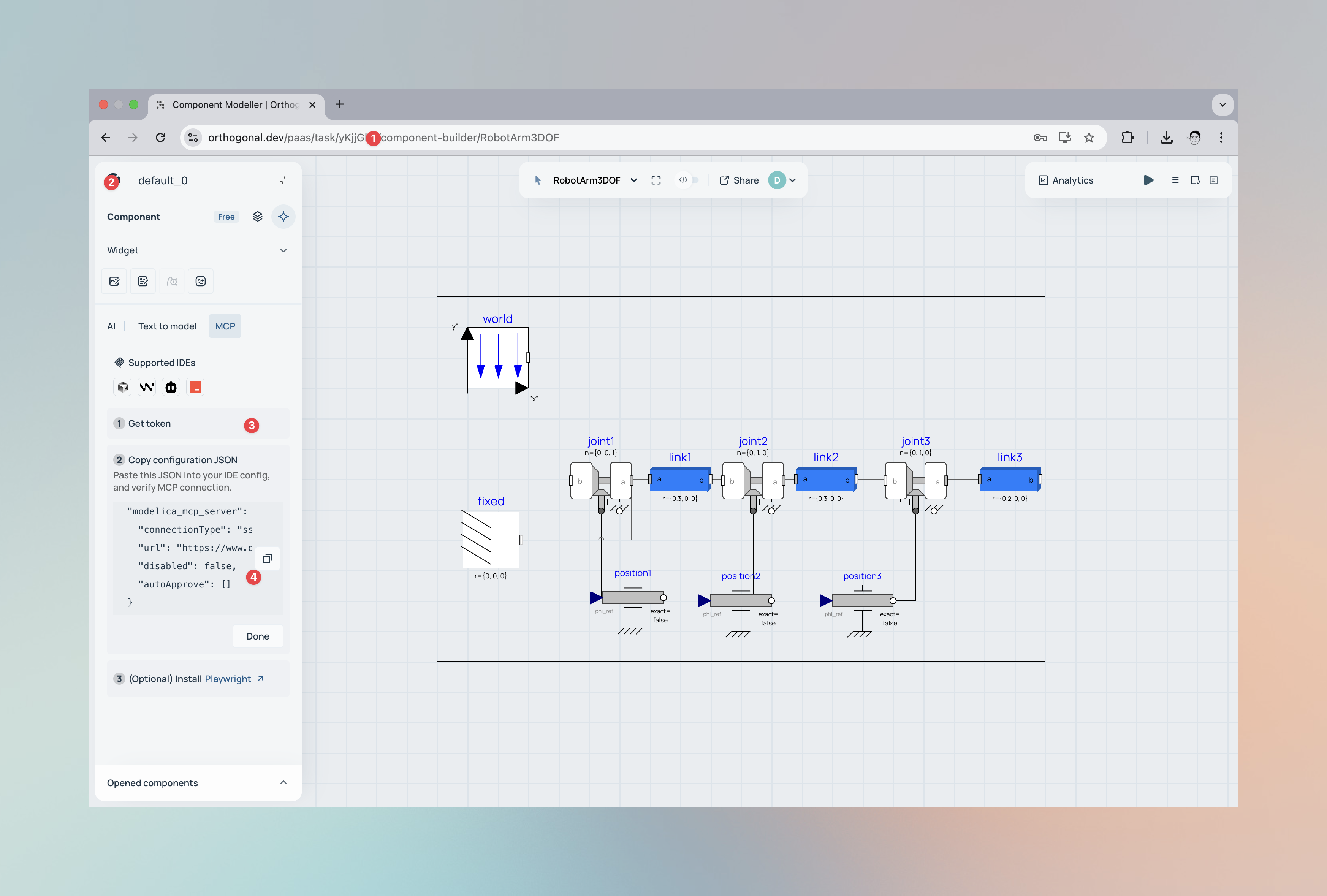
- Create User Account → Visit www.orthogonal.dev
- Login to your account
- Get token
- MCP Client Configuration
Show case
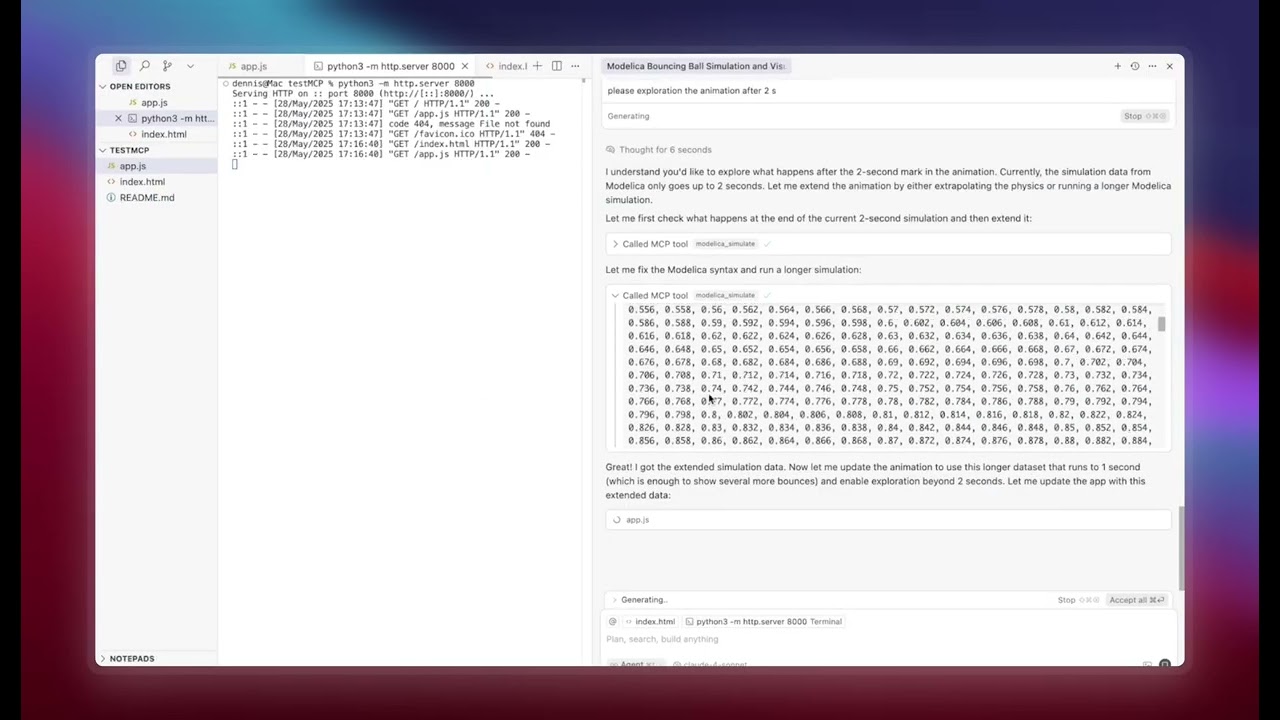
This demonstration showcases creating a bouncing ball model with realistic physics including gravitational acceleration, ground collision detection, and coefficient of restitution using just a text prompt in Cursor. The Modelica MCP Server automatically generates the differential equations, runs the simulation, and extracts position and velocity data over time. The simulation results are then fed into a custom Three.js visualization that renders an animated 3D scene with the bouncing ball, ground plane, and real-time trajectory tracking.
Resources & Links
| Resource | Description |
|---|---|
| Model Context Protocol | Official MCP documentation and specifications |
| Orthogonal Platform | Advanced Modelica simulation platform |
| Modelica Language | Official Modelica language resources |
Author Information
orthogonal supersystems GmbH
www.orthogonal.dev
Dev Tools Supporting MCP
The following are the main code editors that support the Model Context Protocol. Click the link to visit the official website for more information.







