
Mongo Mcp Go
What is Mongo Mcp Go
mongo-mcp-go is a Model Context Protocol (MCP) server that facilitates the connection between Large Language Models (LLMs) and MongoDB using the mcp-go library. It allows users to perform CRUD operations on MongoDB databases through natural language queries.
Use cases
Use cases for mongo-mcp-go include building chatbots that can query databases, creating applications that require user-friendly database interactions, and enabling non-technical users to perform data operations through natural language.
How to use
To use mongo-mcp-go, first configure the server by copying the ‘config.yml.example’ to ‘config.yml’ and modifying the settings as needed. Then, start the server by running ‘go run main.go’. You can interact with the server using natural language commands to perform database operations.
Key features
Key features of mongo-mcp-go include support for MongoDB actions such as querying collections, documents, and indexes, as well as Server-Sent Events (SSE) support for real-time data updates.
Where to use
mongo-mcp-go can be used in various fields such as data analysis, application development, and any scenario where natural language processing is required to interact with a MongoDB database.
Clients Supporting MCP
The following are the main client software that supports the Model Context Protocol. Click the link to visit the official website for more information.





Overview
What is Mongo Mcp Go
mongo-mcp-go is a Model Context Protocol (MCP) server that facilitates the connection between Large Language Models (LLMs) and MongoDB using the mcp-go library. It allows users to perform CRUD operations on MongoDB databases through natural language queries.
Use cases
Use cases for mongo-mcp-go include building chatbots that can query databases, creating applications that require user-friendly database interactions, and enabling non-technical users to perform data operations through natural language.
How to use
To use mongo-mcp-go, first configure the server by copying the ‘config.yml.example’ to ‘config.yml’ and modifying the settings as needed. Then, start the server by running ‘go run main.go’. You can interact with the server using natural language commands to perform database operations.
Key features
Key features of mongo-mcp-go include support for MongoDB actions such as querying collections, documents, and indexes, as well as Server-Sent Events (SSE) support for real-time data updates.
Where to use
mongo-mcp-go can be used in various fields such as data analysis, application development, and any scenario where natural language processing is required to interact with a MongoDB database.
Clients Supporting MCP
The following are the main client software that supports the Model Context Protocol. Click the link to visit the official website for more information.
Content
MongoDB MCP Server
A Model Context Protocol (MCP) server that enables LLMs to connect MongoDB using mcp-go. The server acts as a bridge between the LLM and the MongoDB database, allowing you to perform CRUD operations using natural language.
Features
- MongoDB action: Query Collection, Document and Index
- SSE Support: Run MCP Server using Server-Sent Events (SSE)
Available Tools
Query Tools
- find: Query documents with filtering and projection
- Count: Count documents in a collection
- listCollections: List available collections
- insertOne: Insert a single document
- updateOne: Update a single document
- deleteOne: Delete a single document
Index Tools
- createIndex: Create a new index
- dropIndex: Remove an index
- indexes: List indexes for a collection
Configuration
copy the
config.yml.examplefile toconfig.ymland modify it according to your needs.
The server configuration is managed through the config.yml file. Below is an example configuration:
mongo:
  host: mongodb
  port: 27017
  user: admin
  password: 123456
  database: db

mcp:
  name: mongo-mcp-server
  version: 1.0.0
  base_url: localhost:8081
  address: ":8081"
  sse: true
-
MongoDB Configuration:
host: MongoDB server host.port: MongoDB server port.user: MongoDB username.password: MongoDB password.database: Target MongoDB database.
-
MCP Server Configuration:
name: Name of the MCP server.version: Version of the MCP server.base_url: Base URL for the server.address: Address and port for the server to listen on.sse: Enable or disable SSE support, default istrue.
Usage
Start the MCP Server: Run the server using the following command:
go run main.go
Use in DeepChat
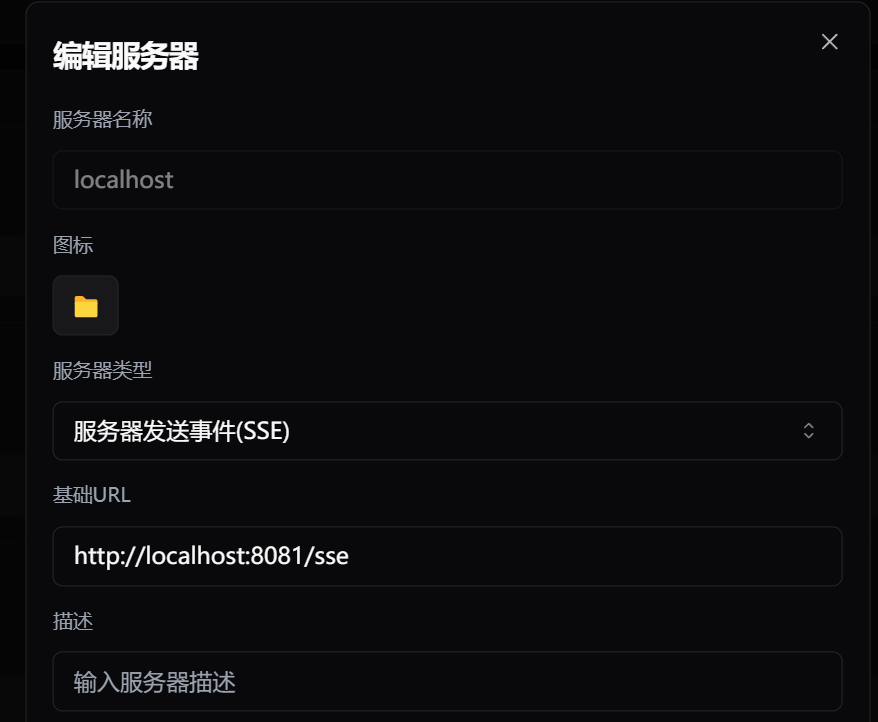
Example
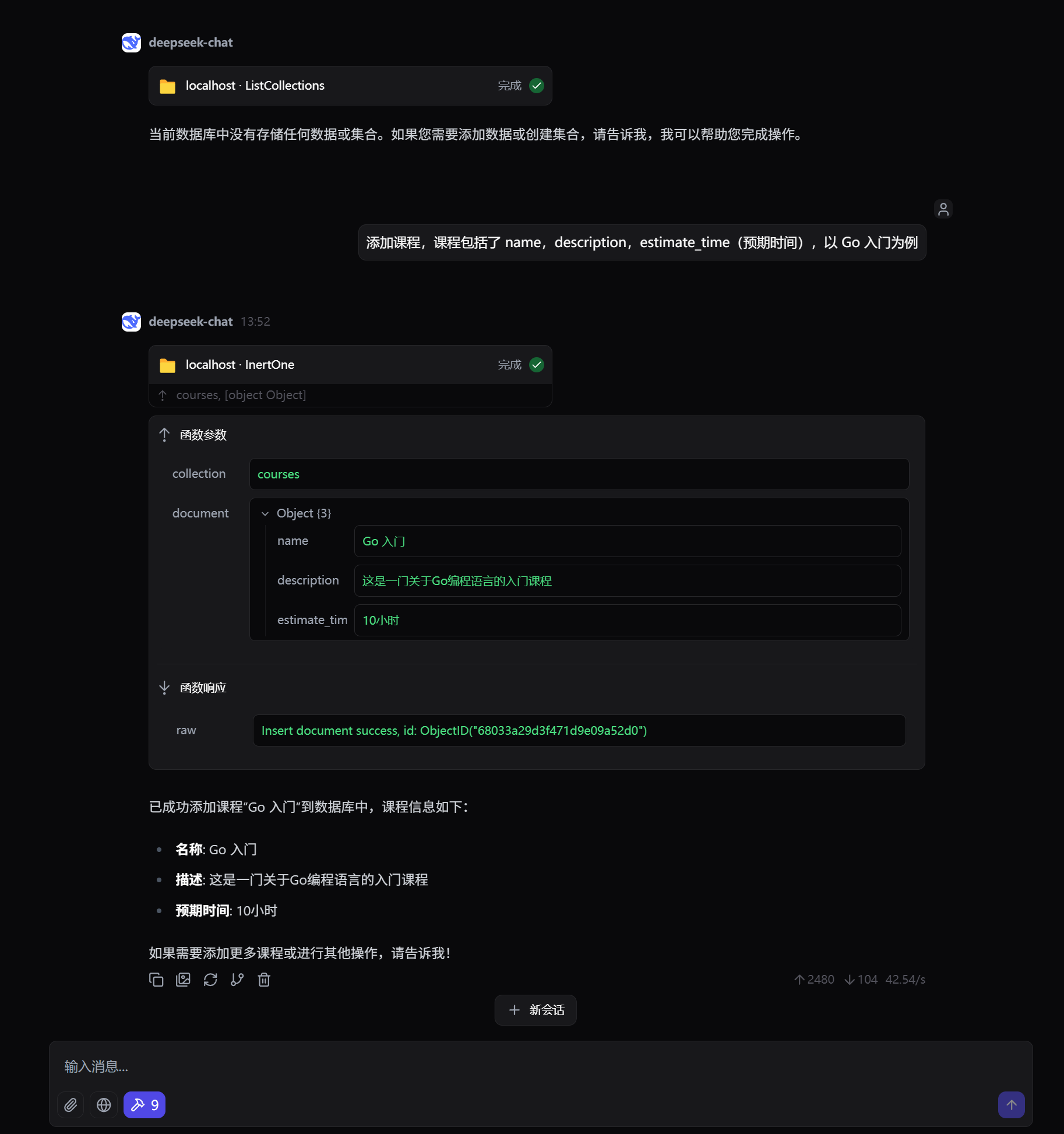
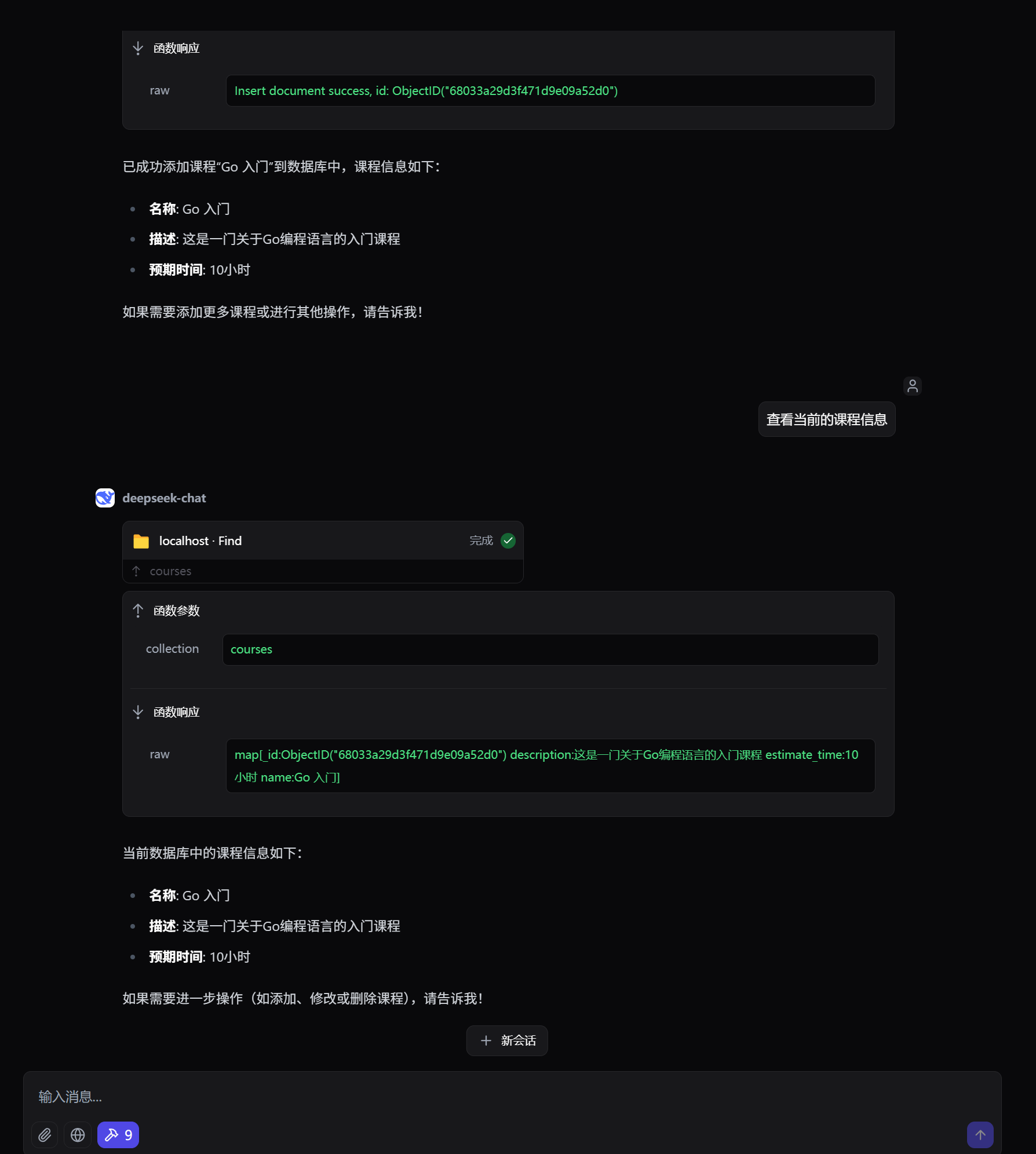
References
Dev Tools Supporting MCP
The following are the main code editors that support the Model Context Protocol. Click the link to visit the official website for more information.







