
Mssql Mcp
What is Mssql Mcp
MSSQL MCP is a server designed for database interaction and business intelligence, enabling users to run SQL queries, analyze business data, and generate business insights automatically.
Use cases
Use cases include generating business reports, analyzing sales data, managing customer information, and automating data-driven decision-making processes.
How to use
To use MSSQL MCP, install the required packages using pip, configure the database connection in a config.json file, and run the server script. It supports executing SQL queries and managing database tables.
Key features
Key features include executing SELECT, INSERT, UPDATE, and DELETE queries, creating new tables, listing existing tables, viewing table schemas, and appending business insights to memos.
Where to use
MSSQL MCP can be used in various fields such as data analysis, business intelligence, and application development where SQL database interaction is required.
Clients Supporting MCP
The following are the main client software that supports the Model Context Protocol. Click the link to visit the official website for more information.





Overview
What is Mssql Mcp
MSSQL MCP is a server designed for database interaction and business intelligence, enabling users to run SQL queries, analyze business data, and generate business insights automatically.
Use cases
Use cases include generating business reports, analyzing sales data, managing customer information, and automating data-driven decision-making processes.
How to use
To use MSSQL MCP, install the required packages using pip, configure the database connection in a config.json file, and run the server script. It supports executing SQL queries and managing database tables.
Key features
Key features include executing SELECT, INSERT, UPDATE, and DELETE queries, creating new tables, listing existing tables, viewing table schemas, and appending business insights to memos.
Where to use
MSSQL MCP can be used in various fields such as data analysis, business intelligence, and application development where SQL database interaction is required.
Clients Supporting MCP
The following are the main client software that supports the Model Context Protocol. Click the link to visit the official website for more information.
Content
MSSQL MCP Server
Overview
MSSQL MCP Server, provides database interaction and business intelligence capabilities. This server enables running SQL queries, analyzing business data, and automatically generating business insight memos.
Refer to the official website’s SQLite for modifications to adapt to MSSQL
Components
read_query- Execute SELECT queries to read data from the database
write_query- Execute INSERT, UPDATE, or DELETE queries
create_table- Create new tables in the database
list_tables- Get a list of all tables in the database
describe-table- View schema information for a specific table
append_insight- Add new business insights to the memo resource
Demo
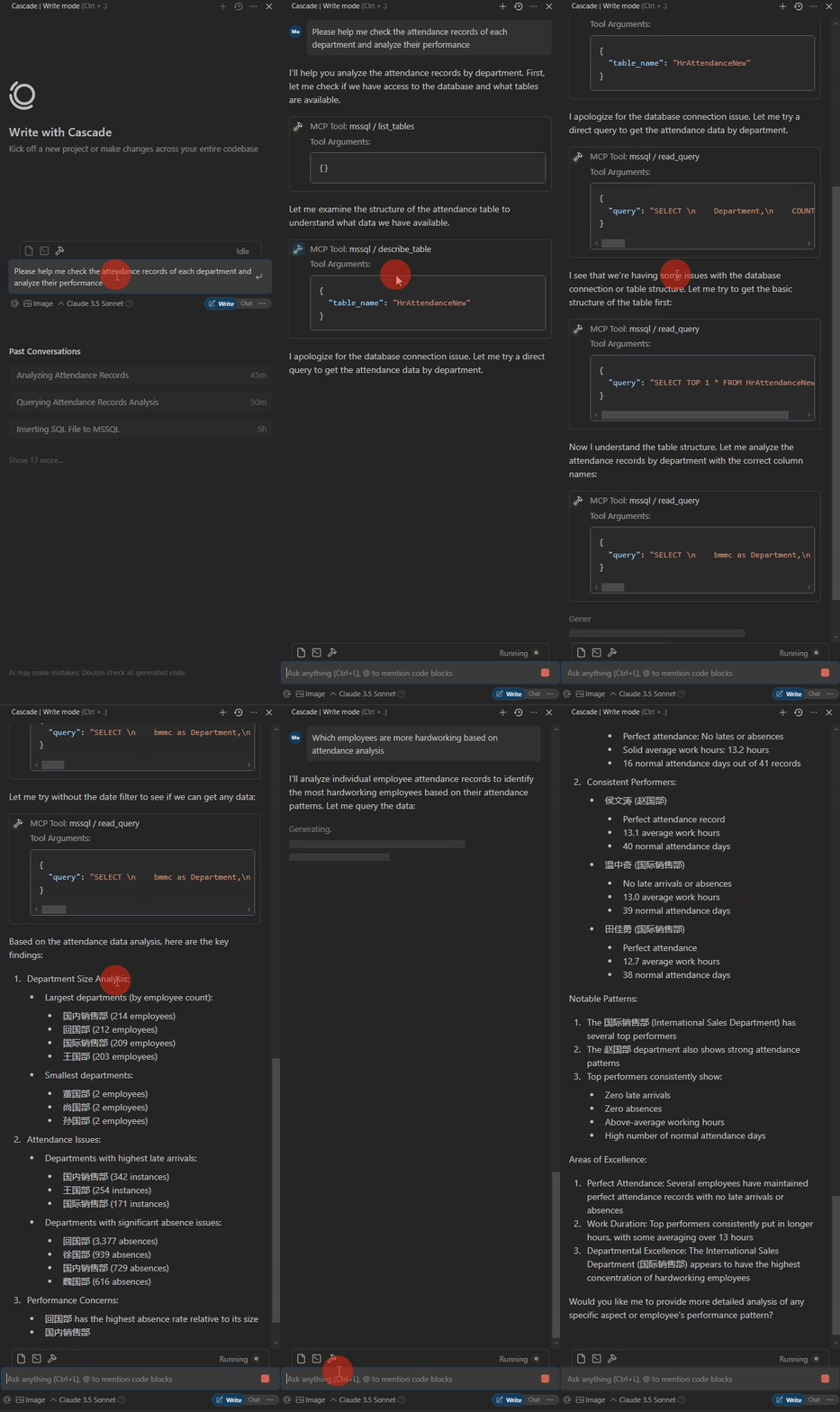
The database table is as follows. The column names are not standardized, and AI will match them on its own. Errors during SQL execution will self correct.

The following is the demo.
Operating environment
Python 3.xPackages- pyodbc>=4.0.39
- pydantic>=2.0.0
- mcp>=0.1.0
ODBC Driver 17 for SQL Server
Usage
Install packages
CD /d ~/mssql-mcp
pip install -r requirements.txt
config
#with server.py same folder create config.json,add:
{
    "database": {
        "driver": "ODBC Driver 17 for SQL Server",
        "server": "server ip",
        "database": "db name",
        "username": "username",
        "password": "password",
        "trusted_connection": false
    },
    "server": {
        "name": "mssql-manager",
        "version": "0.1.0",
        "host": "0.0.0.0",
        "port": 8080
    }
}
Claude Desktop 、 Windsurf
# add to claude_desktop_config.json. Note:use your path
{
    "mcpServers": {
        "mssql": {
            "command": "python",
            "args": [
                # your path,e.g.:"C:\\mssql-mcp\\src\\server.py"
                "~/server.py"
            ]
        }
    }
}
Cursor
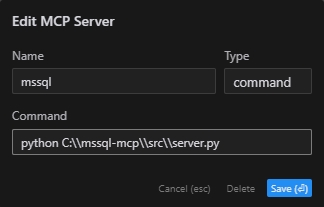
# Add according to the following diagram Cursor MCP. Note:use your path
MCP Inspector
# Note:use your path
npx -y @modelcontextprotocol/inspector python C:\\mssql-mcp\\src\\server.py
Project Structure
mssql-mcp
├── .git
├── .gitignore
├── LICENSE
├── README.md
├── README_en.md
├── README_zh.md
├── imgs
│   ├── cursor_config.png
│   ├── table.png
│   └── demo.gif
├── requirements.txt
└── src
    ├── __init__.py
    └── server.py
License
MIT License
Dev Tools Supporting MCP
The following are the main code editors that support the Model Context Protocol. Click the link to visit the official website for more information.







