
Myssl Mcp Server Python
What is Myssl Mcp Server Python
MySSL MCP Server is a site inspection tool developed by TrustAsia that facilitates the inspection of site security certificates. It integrates with LLM models to analyze and process inspection results.
Use cases
Use cases include inspecting websites for security vulnerabilities, analyzing SSL certificates, and integrating inspection results with LLM models for further processing.
How to use
To use MySSL MCP Server, install Cline on your VSCode, configure the server using a provided JSON configuration file, and run the inspection by asking Cline to inspect a site.
Key features
Key features include fast scanning capabilities and integration with LLM models for enhanced analysis.
Where to use
MySSL MCP Server is suitable for cybersecurity professionals, web developers, and organizations that require site security inspections and certificate validations.
Clients Supporting MCP
The following are the main client software that supports the Model Context Protocol. Click the link to visit the official website for more information.





Overview
What is Myssl Mcp Server Python
MySSL MCP Server is a site inspection tool developed by TrustAsia that facilitates the inspection of site security certificates. It integrates with LLM models to analyze and process inspection results.
Use cases
Use cases include inspecting websites for security vulnerabilities, analyzing SSL certificates, and integrating inspection results with LLM models for further processing.
How to use
To use MySSL MCP Server, install Cline on your VSCode, configure the server using a provided JSON configuration file, and run the inspection by asking Cline to inspect a site.
Key features
Key features include fast scanning capabilities and integration with LLM models for enhanced analysis.
Where to use
MySSL MCP Server is suitable for cybersecurity professionals, web developers, and organizations that require site security inspections and certificate validations.
Clients Supporting MCP
The following are the main client software that supports the Model Context Protocol. Click the link to visit the official website for more information.
Content
MySSL MCP Server
What is MySSL MCP Server?
MySSL is a site inspection tool developed by TrustAsia (official website: MySSL), which supports a series of inspections for site security certificates. With MySSL MCP, it is possible to integrate with LLM models. The MySSL MCP inspection tool can inspect sites and provide inspection results for further analysis and processing by LLM models.
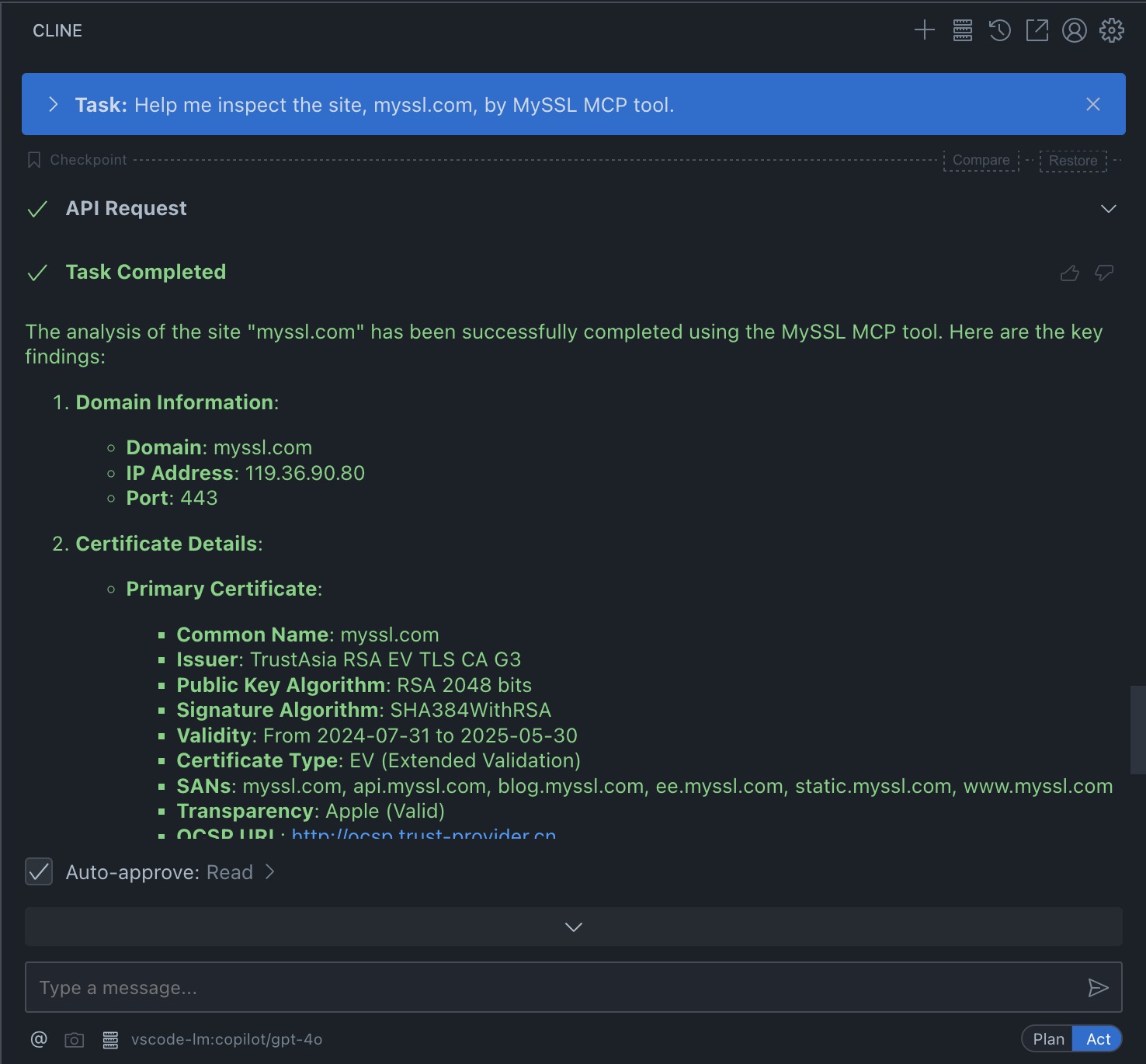
Below is a demonstration of configuring MySSL MCP and performing site inspection using Cline.
Demonstration with Cline
-
Install Cline
Follow the official documentation to install Cline on your VSCode. -
Configure MySSL MCP
Use the provided JSON configuration file and replace the placeholders ({{PATH_TO_UV}}and{{PATH_TO_SRC}}) with the appropriate paths on your system.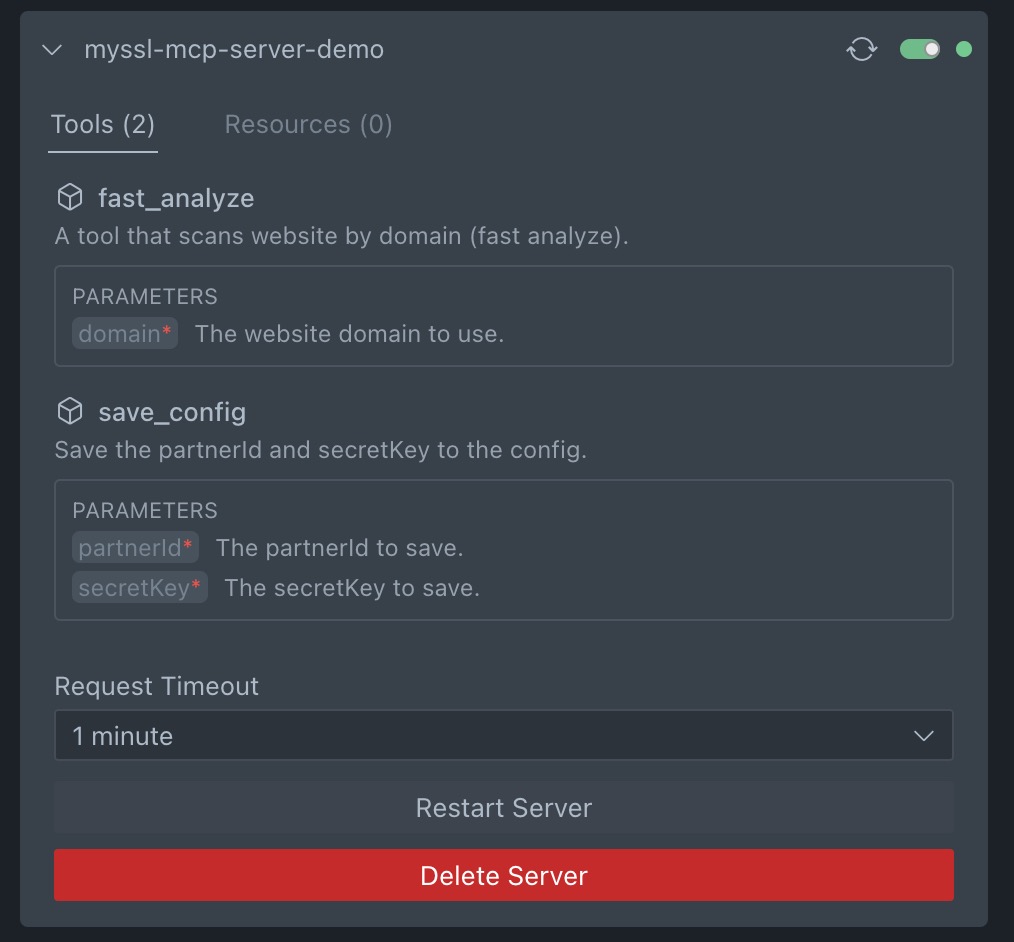
-
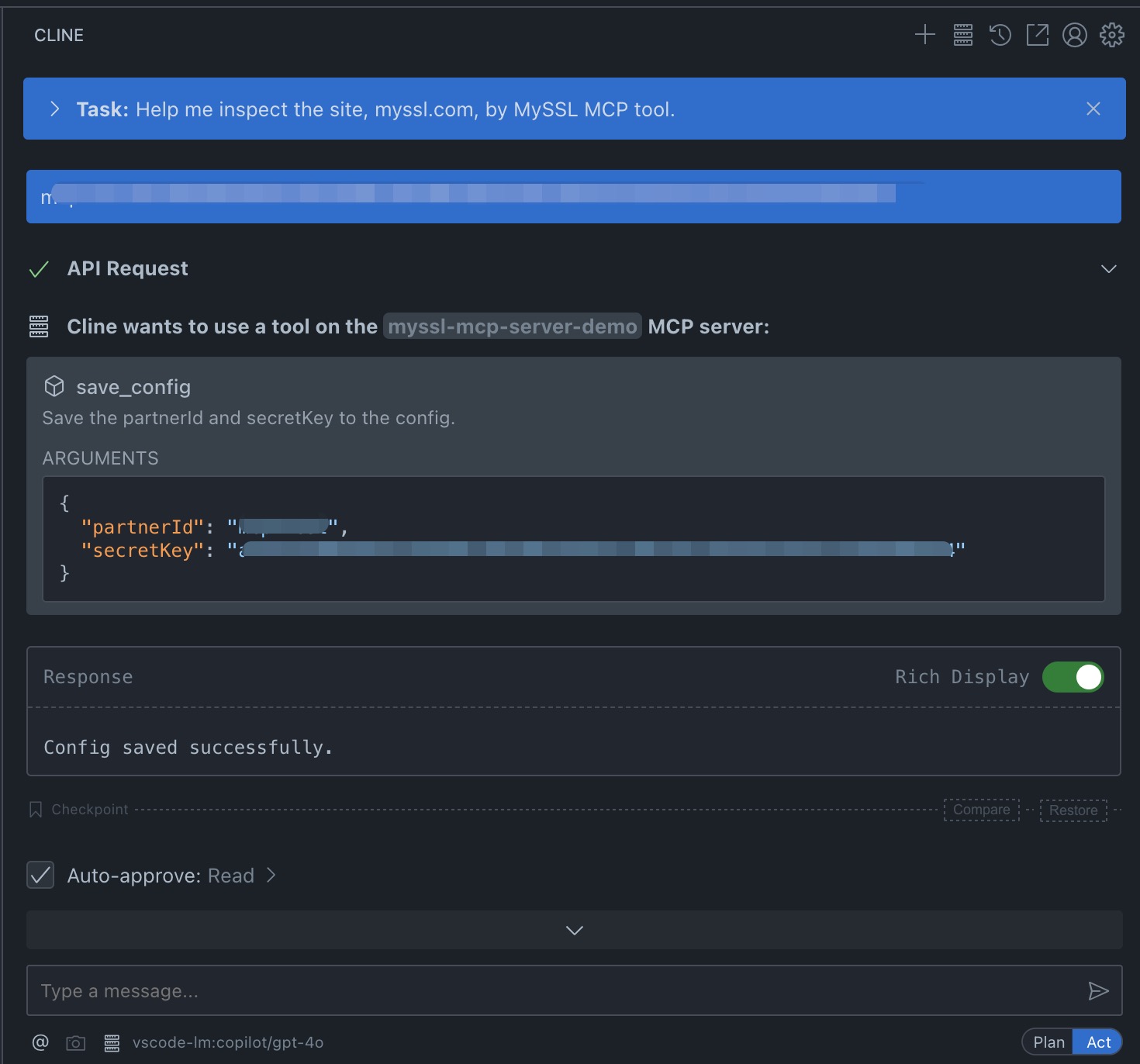
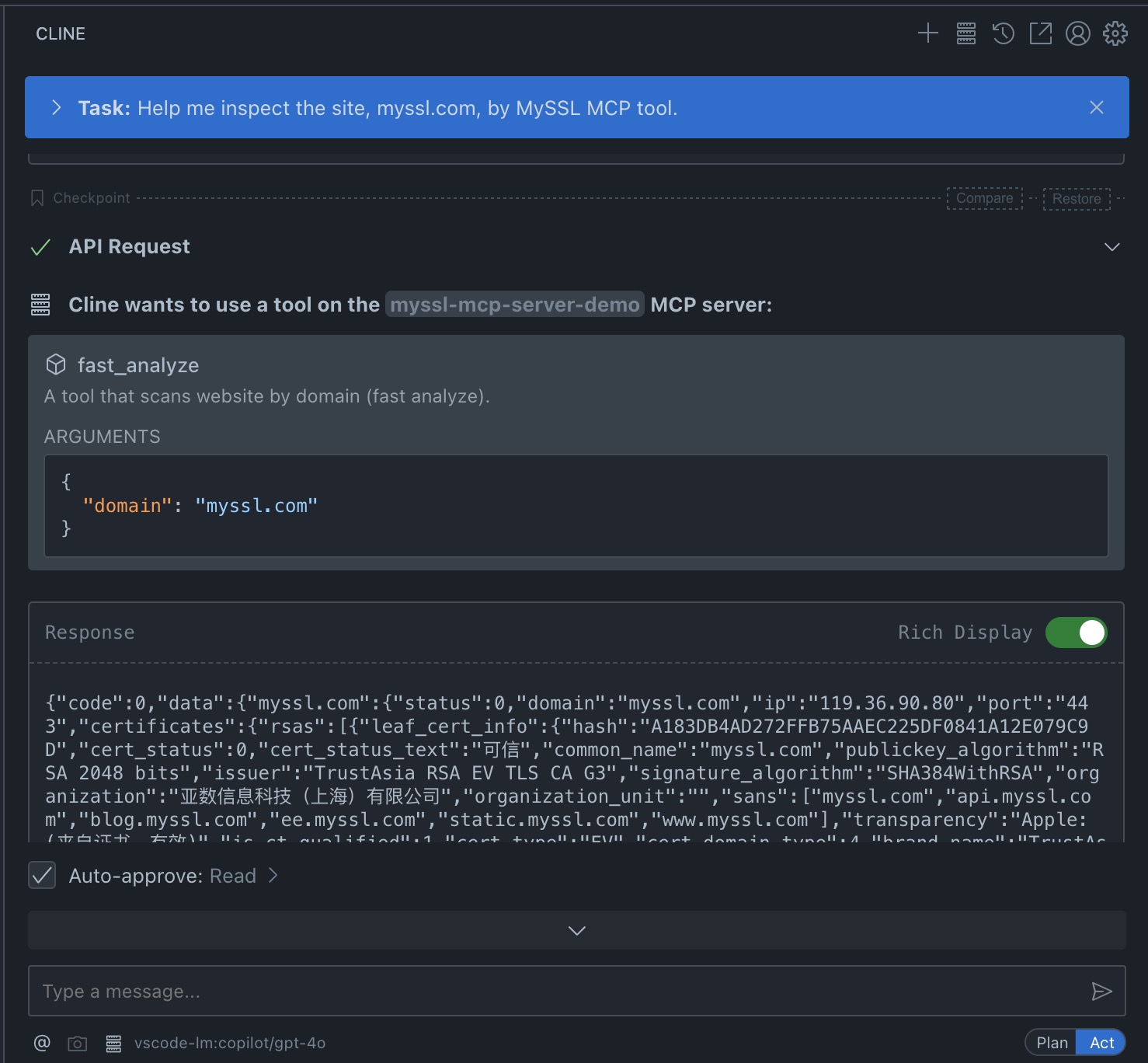
Run the Inspection and View Results
Ask Cline to inspect a site (it may request configuration information).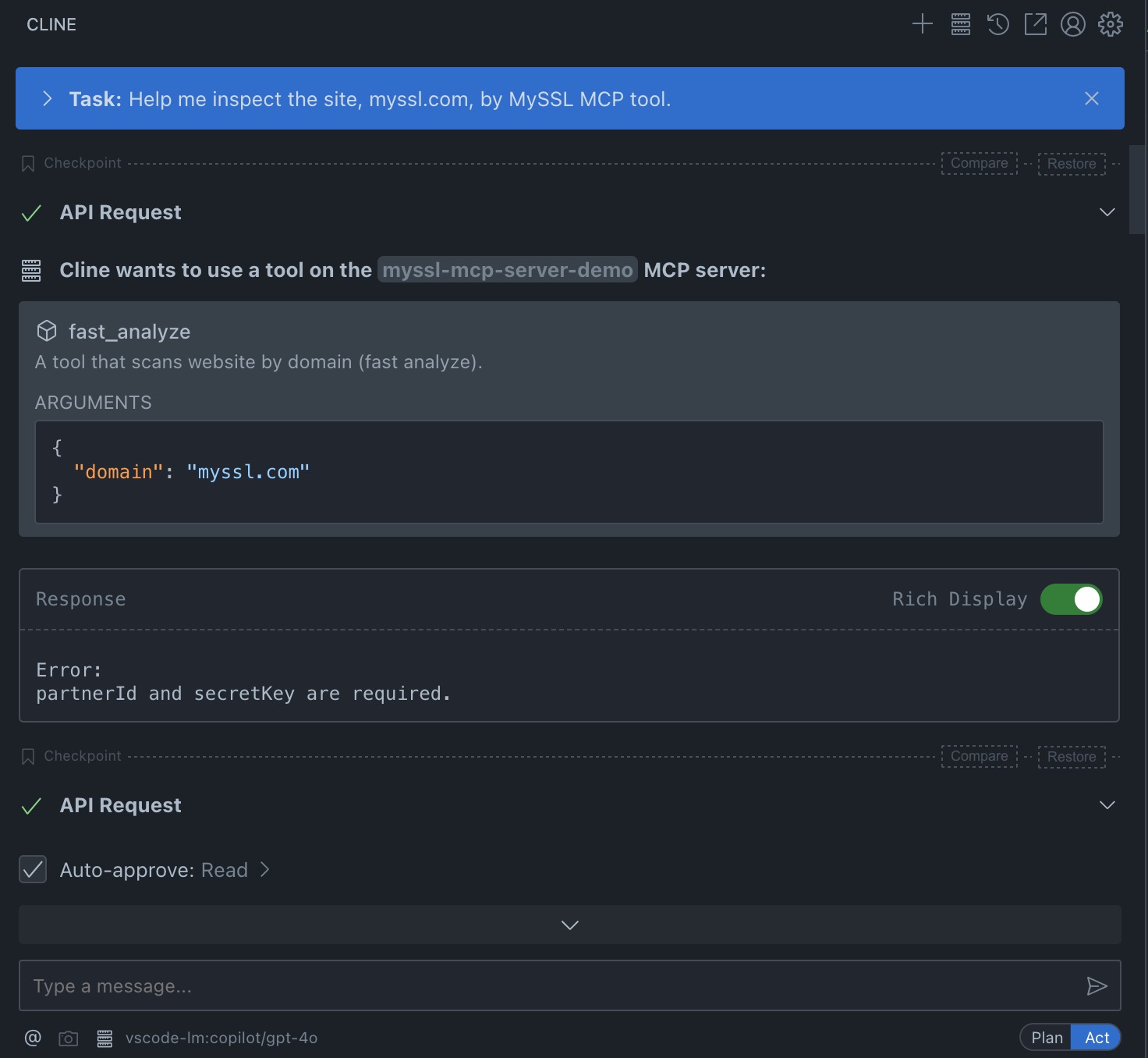
Supportted features
- fast scan
Installation
Prerequisites
- Python 3.12+
- Anthropic Claude Desktop app (or Cursor, or Cline)
- UV (Python package manager), install with curl -LsSf https://astral.sh/uv/install.sh | sh
Steps
- Clone repository
git clone https://github.com/trustasia-com/myssl-mcp-server-python.git
- Configure MCP server and run
Copy the below json with the appropriate {{PATH}} values:
{
  "mcpServers": {
    "myssl-mcp-server": {
      "command": "{{PATH_TO_UV}}", // Run `which uv` and place the output here
      "args": [
        "--directory",
        "{{PATH_TO_SRC}}/myssl-mcp-server-python/myssl-mcp-server",
        "run",
        "server.py"
      ]
    }
  }
}
Dev Tools Supporting MCP
The following are the main code editors that support the Model Context Protocol. Click the link to visit the official website for more information.







