
Nba Stats Predictor Mcp
What is Nba Stats Predictor Mcp
nba-stats-predictor-mcp is an MCP server designed for the NBA stats predictor application, which generates forecasts of player performance using real-time data analysis and advanced statistical modeling.
Use cases
Use cases for nba-stats-predictor-mcp include generating performance forecasts for players before games, analyzing player statistics for scouting purposes, and providing insights for fantasy basketball leagues.
How to use
To use nba-stats-predictor-mcp, clone the repository, set up a virtual environment, install dependencies, download necessary data, train the prediction model, and start the FastAPI server. Finally, run the MCP server with the provided commands.
Key features
Key features of nba-stats-predictor-mcp include real-time data analysis, advanced statistical modeling for accurate player performance forecasts, and integration with FastAPI for efficient API management.
Where to use
nba-stats-predictor-mcp can be used in sports analytics, particularly in basketball, for predicting player performance and assisting coaches, analysts, and fans in making informed decisions.
Clients Supporting MCP
The following are the main client software that supports the Model Context Protocol. Click the link to visit the official website for more information.





Overview
What is Nba Stats Predictor Mcp
nba-stats-predictor-mcp is an MCP server designed for the NBA stats predictor application, which generates forecasts of player performance using real-time data analysis and advanced statistical modeling.
Use cases
Use cases for nba-stats-predictor-mcp include generating performance forecasts for players before games, analyzing player statistics for scouting purposes, and providing insights for fantasy basketball leagues.
How to use
To use nba-stats-predictor-mcp, clone the repository, set up a virtual environment, install dependencies, download necessary data, train the prediction model, and start the FastAPI server. Finally, run the MCP server with the provided commands.
Key features
Key features of nba-stats-predictor-mcp include real-time data analysis, advanced statistical modeling for accurate player performance forecasts, and integration with FastAPI for efficient API management.
Where to use
nba-stats-predictor-mcp can be used in sports analytics, particularly in basketball, for predicting player performance and assisting coaches, analysts, and fans in making informed decisions.
Clients Supporting MCP
The following are the main client software that supports the Model Context Protocol. Click the link to visit the official website for more information.
Content
MCP Server for NBA Stats Predictor Application
An MCP-powered tool for the NBA stats predictor app that generates player performance forecasts using real-time data analysis and advanced statistical modeling.
Installation
Prerequisites
- Python 3.8+
- pip
- Claude Desktop
Step-by-Step Setup
-
Clone this repository onto your local device
-
Navigate to the project directory:
cd nba-stats-predictor-application -
Create a virtual environment:
python3 -m venv venv -
Activate the virtual environment:
source venv/bin/activate -
Install dependencies:
pip install -r requirements.txt -
Download the necessary data:
python3 data_pipeline/download_data.py -
Train the prediction model:
python3 models/train_model.py -
Start the FastAPI server:
uvicorn api.fastapi_server:app --reload -
Open a new terminal
-
Return to the project directory
-
Install UV package manager:
curl -LsSf https://astral.sh/uv/install.sh | sh -
Restart the terminal in this directory
-
Run the MCP server:
uv run mcp_main.py -
Open another new terminal
-
Configure Claude Desktop:
code ~/Library/Application\ Support/Claude/claude_desktop_config.jsonNote: If the file doesn’t exist, create it.
-
Add the following configuration to
claude_desktop_config.json:{ "mcpServers": { "NBA-stats-predictor": { "command": "/PATH/TO/PROJECT/DIRECTORY/.venv/bin/uv", "args": [ "--directory", "/PATH/TO/PROJECT/DIRECTORY/", "run", "mcp_main.py" ] } } }Remember to replace
/PATH/TO/PROJECT/DIRECTORY/with the actual path to your project. -
You should now be able to use this MCP tool on Claude Desktop.
Usage
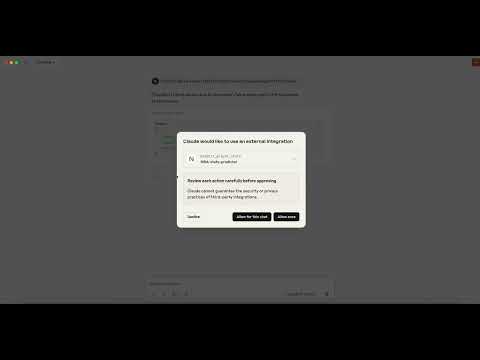
Once configured, you can use the NBA stats predictor tool in Claude Desktop to get predictions for player performance in upcoming games.
Troubleshooting
- Make sure all paths in the configuration are correct
- Ensure the virtual environment is activated before running commands
- Check that all dependencies are properly installed
- Verify that the FastAPI server is running before using the MCP tool
Dev Tools Supporting MCP
The following are the main code editors that support the Model Context Protocol. Click the link to visit the official website for more information.







