
Openstack Mcp Server
What is Openstack Mcp Server
openstack-mcp-server is a lightweight and extensible service that allows AI assistants to securely execute OpenStack CLI commands using the Model Context Protocol (MCP). It is designed to work seamlessly with the Claude Desktop application for direct interaction with OpenStack resources.
Use cases
Use cases for openstack-mcp-server include automating cloud resource management through AI assistants, providing a user-friendly interface for executing OpenStack commands, and enhancing operational efficiency in cloud environments.
How to use
To use openstack-mcp-server, ensure you have Java 21, Maven 3.8+, and OpenStack CLI installed. Configure the application by updating the ‘application.yml’ file with your OpenStack credentials. Package the application as a JAR file using ‘mvn clean package’ and integrate it with Claude Desktop by updating the ‘claude-desktop.json’ file with the path to your JAR.
Key features
Key features of openstack-mcp-server include secure execution of OpenStack CLI commands, integration with AI assistants, extensibility for additional functionalities, and lightweight architecture for efficient performance.
Where to use
openstack-mcp-server can be used in cloud computing environments where OpenStack is deployed, particularly in organizations that utilize AI assistants for managing cloud resources and automating tasks.
Clients Supporting MCP
The following are the main client software that supports the Model Context Protocol. Click the link to visit the official website for more information.





Overview
What is Openstack Mcp Server
openstack-mcp-server is a lightweight and extensible service that allows AI assistants to securely execute OpenStack CLI commands using the Model Context Protocol (MCP). It is designed to work seamlessly with the Claude Desktop application for direct interaction with OpenStack resources.
Use cases
Use cases for openstack-mcp-server include automating cloud resource management through AI assistants, providing a user-friendly interface for executing OpenStack commands, and enhancing operational efficiency in cloud environments.
How to use
To use openstack-mcp-server, ensure you have Java 21, Maven 3.8+, and OpenStack CLI installed. Configure the application by updating the ‘application.yml’ file with your OpenStack credentials. Package the application as a JAR file using ‘mvn clean package’ and integrate it with Claude Desktop by updating the ‘claude-desktop.json’ file with the path to your JAR.
Key features
Key features of openstack-mcp-server include secure execution of OpenStack CLI commands, integration with AI assistants, extensibility for additional functionalities, and lightweight architecture for efficient performance.
Where to use
openstack-mcp-server can be used in cloud computing environments where OpenStack is deployed, particularly in organizations that utilize AI assistants for managing cloud resources and automating tasks.
Clients Supporting MCP
The following are the main client software that supports the Model Context Protocol. Click the link to visit the official website for more information.
Content
OpenStack MCP Server
Overview
A lightweight and extensible service that enables AI assistants to securely execute OpenStack CLI commands via the Model Context Protocol (MCP).
This project is designed to work with the Claude Desktop application, allowing you to interact with OpenStack resources directly from the AI assistant.
Project Requirements
- Java 21
- Maven 3.8+
- Spring Boot 3.4.4
- Spring AI 1.0.0-M6
- OpenStack CLI installed on your machine
Getting Started
Prerequisites
Before you begin, ensure you have the following installed:
- Java 21
- Maven 3.8+
- OpenStack CLI
Configuration
- OpenStack Configuration: Update the
application.ymlfile with your OpenStack credentials.authUrl: Your OpenStack authentication URL.regionName: Your OpenStack region name.applicationCredentialId: Your OpenStack application credential ID.applicationCredentialSecret: Your OpenStack application credential secret.
spring:
  main:
    web-application-type: none
    banner-mode: off
  ai:
    mcp:
      server:
        name: openstack-mcp-server
        version: 0.0.1

logging:
  pattern:
    console:

openstack:
  authType: v3applicationcredential
  authUrl: <your_auth_url>
  identityApiVersion: 3
  regionName: <your_region_name>
  interface: public
  applicationCredentialId: "<your_application_credential_id>"
  applicationCredentialSecret: "<your_application_credential_secret>"

server:
  port: 8080
Packaging
To package the application as a JAR file, run the following command:
mvn clean package
Integration with Claude Desktop
To integrate the OpenStack MCP server with Claude Desktop, you need to configure the claude-desktop.json file. This file contains the necessary configuration for the integration.
Please update <path_to_your_jar> with the actual path to your JAR file.
{
  "mcpServers": {
    "openstack-mcp-server": {
      "command": "java",
      "args": [
        "-jar",
        "<path_to_your_jar>/openstack-mcp-server-0.0.1.jar",
        "--port",
        "8080",
        "--host",
        "localhost"
      ]
    }
  }
}
Testing
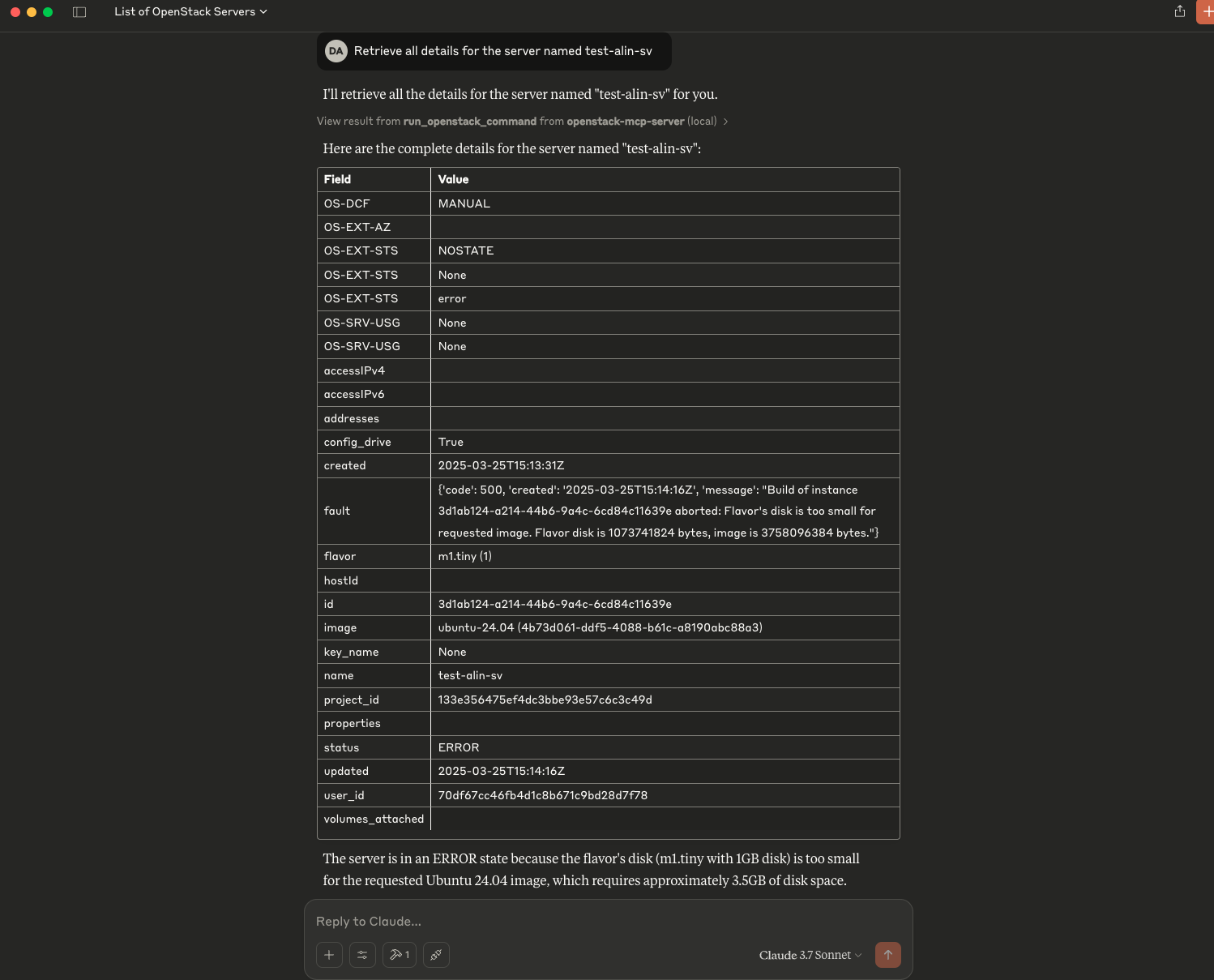
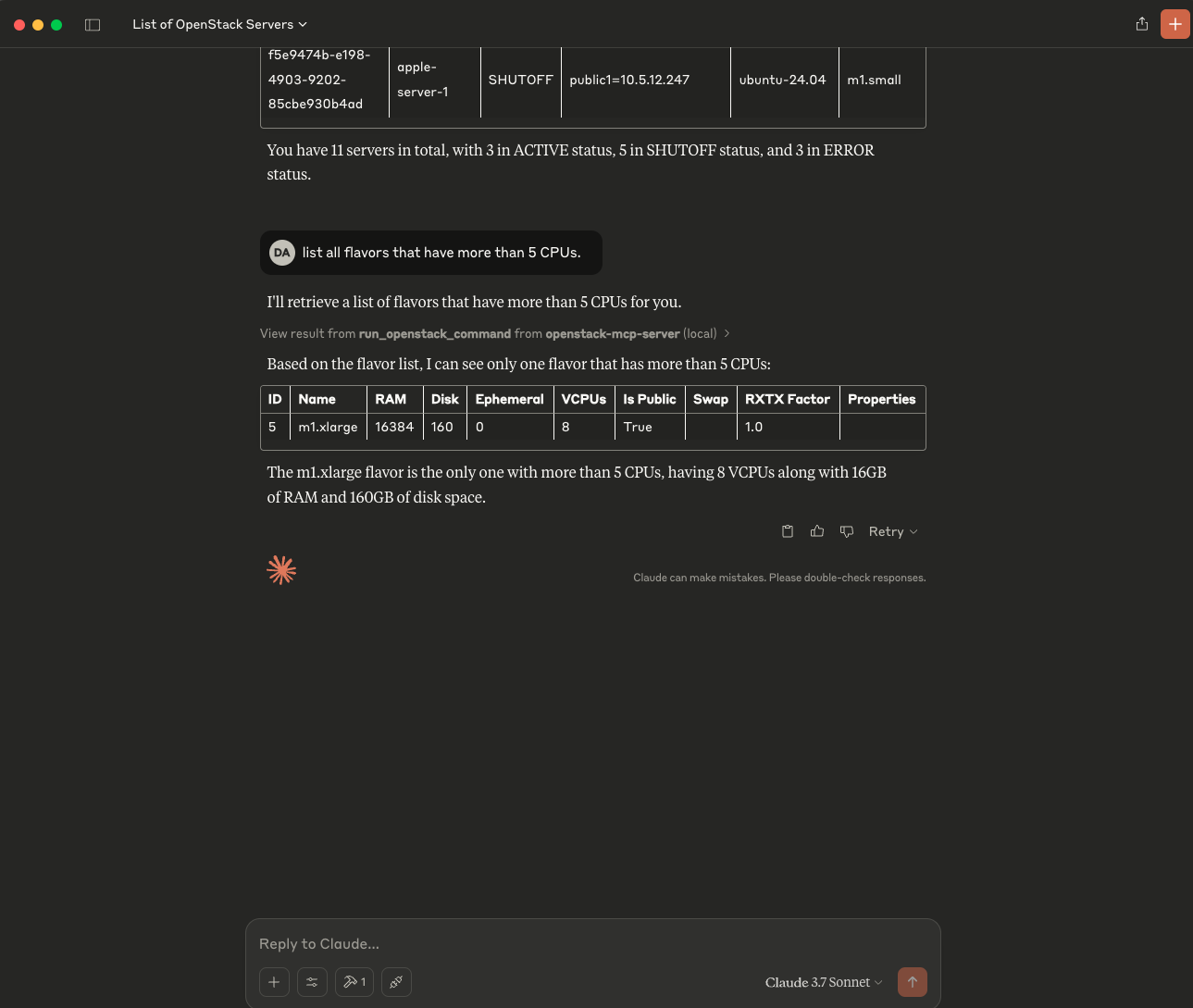
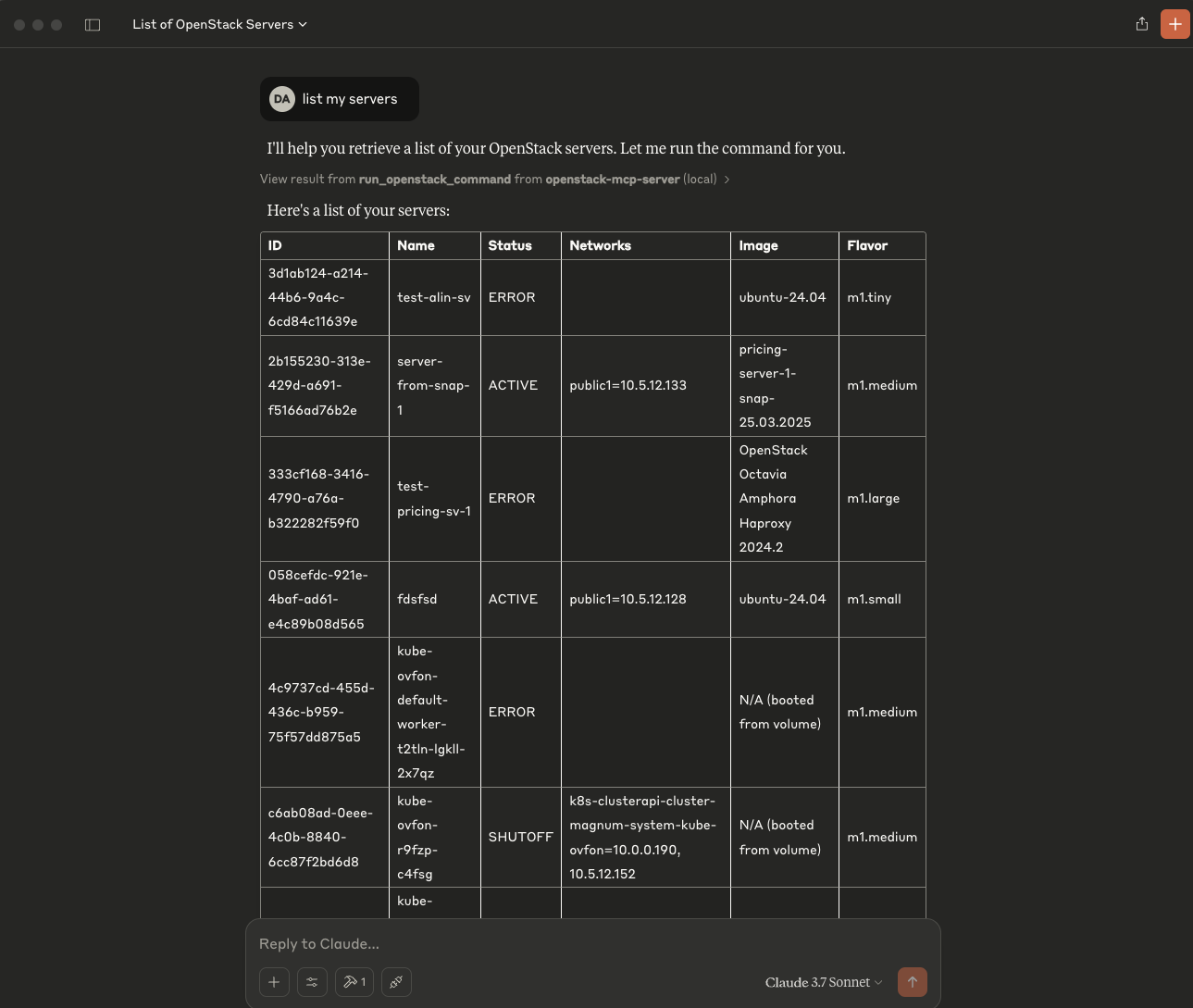
To test the integration, prompt to Claude Desktop to list your servers, or projects:
List my serversList my projectsList my images
Dev Tools Supporting MCP
The following are the main code editors that support the Model Context Protocol. Click the link to visit the official website for more information.







