
Ops Agent
What is Ops Agent
OPS Agent is a tool designed to help analyze and debug live operations (ops) issues, providing insights and solutions for operational challenges.
Use cases
Use cases for OPS Agent include troubleshooting live operational issues, analyzing data from AWS services, monitoring application performance, and providing insights for decision-making in operational contexts.
How to use
To use OPS Agent, set up the environment by installing Docker, Docker Compose, and optionally the AWS CLI. Download and start the Ollama service, then run ‘docker-compose up --build’ to initialize all services. Access the UI at http://localhost:3000 to execute queries.
Key features
Key features of OPS Agent include local emulation of AWS services with LocalStack, search and analytics capabilities with OpenSearch, a user-friendly interface via OpenSearch Dashboards, and a React-based frontend application for easy interaction.
Where to use
OPS Agent is applicable in various fields such as cloud operations, software development, and data analytics, particularly in environments requiring real-time monitoring and debugging of operational issues.
Clients Supporting MCP
The following are the main client software that supports the Model Context Protocol. Click the link to visit the official website for more information.





Overview
What is Ops Agent
OPS Agent is a tool designed to help analyze and debug live operations (ops) issues, providing insights and solutions for operational challenges.
Use cases
Use cases for OPS Agent include troubleshooting live operational issues, analyzing data from AWS services, monitoring application performance, and providing insights for decision-making in operational contexts.
How to use
To use OPS Agent, set up the environment by installing Docker, Docker Compose, and optionally the AWS CLI. Download and start the Ollama service, then run ‘docker-compose up --build’ to initialize all services. Access the UI at http://localhost:3000 to execute queries.
Key features
Key features of OPS Agent include local emulation of AWS services with LocalStack, search and analytics capabilities with OpenSearch, a user-friendly interface via OpenSearch Dashboards, and a React-based frontend application for easy interaction.
Where to use
OPS Agent is applicable in various fields such as cloud operations, software development, and data analytics, particularly in environments requiring real-time monitoring and debugging of operational issues.
Clients Supporting MCP
The following are the main client software that supports the Model Context Protocol. Click the link to visit the official website for more information.
Content
OPS Agent
OPS Agent will help you to analyze and debug ops (live operations) issues.
Services
- LocalStack: Emulates AWS services locally
- SQS queues and DLQs defined in
dlqs.json
- SQS queues and DLQs defined in
- OpenSearch: Search and analytics engine
- OpenSearch Dashboards: UI for interacting with OpenSearch
- mcp-server-sse: Server-Sent Events implementation for MCP communication
- mcp-api-server: API server for handling requests
- ops-ui: React-based frontend application
Getting Started
Prerequisites
- Docker and Docker Compose
- AWS CLI (optional for manual testing)
- Ollama - for local LLM processing
Setting Up Ollama
- Download and install Ollama from ollama.ai
- Start the Ollama service
- Pull the required model:
ollama pull qwen3:8b
Running the Environment
- Build and start all services with a single command:
docker-compose up --build
This command will:
- Build all required Docker images
- Start the containers
- Initialize SQS queues and populate them with sample data via the migration service
- Load sample logs into OpenSearch
- Set up all necessary infrastructure for the OPS Agent to work
- Check if services are running:
docker-compose ps
- Access the UI at http://localhost:3000 and execute queries
Accessing Services
- LocalStack AWS services: http://localhost:4566
- OpenSearch: http://localhost:9200
- OpenSearch Dashboards: http://localhost:5601
- Ops UI: http://localhost:3000
- MCP API Server: http://localhost:3002
- MCP SSE Server: http://localhost:3001
Working with the Agent
OPS Agent provides two operational modes to analyze and solve problems:
Agent Without Thinking Mode
In the standard mode, the agent processes your queries and returns the final results without showing the internal reasoning process:
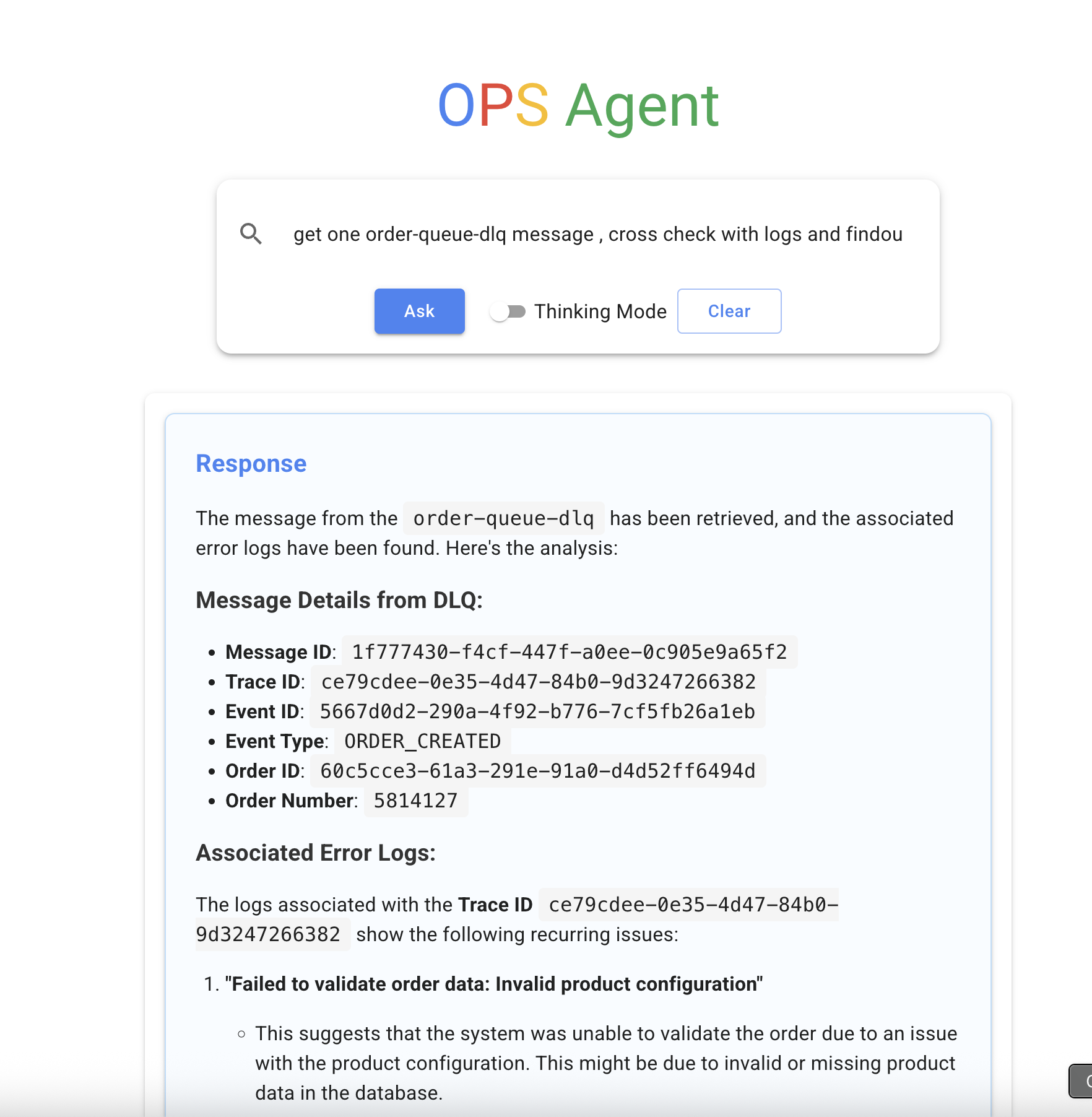
This mode is optimized for quick answers and a cleaner interface.
Agent With Thinking Mode
When the thinking mode is enabled, OPS Agent shows its complete reasoning process, displaying each step of its analysis:
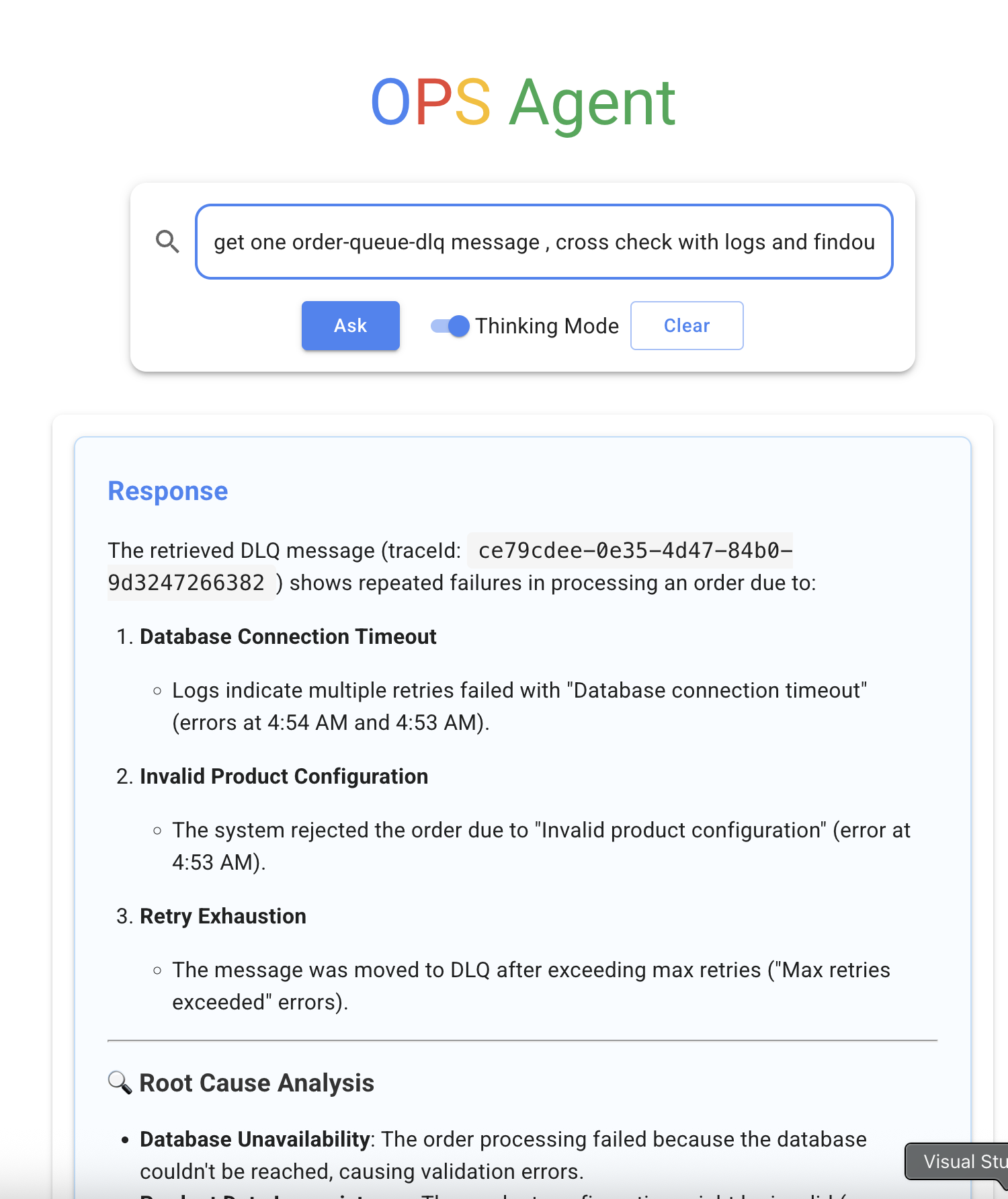
The thinking mode reveals:
- Internal thought processes
- Tools being used
- Step-by-step reasoning
- Intermediate results
Agent Thinking Process
The agent uses a structured approach to solve problems:
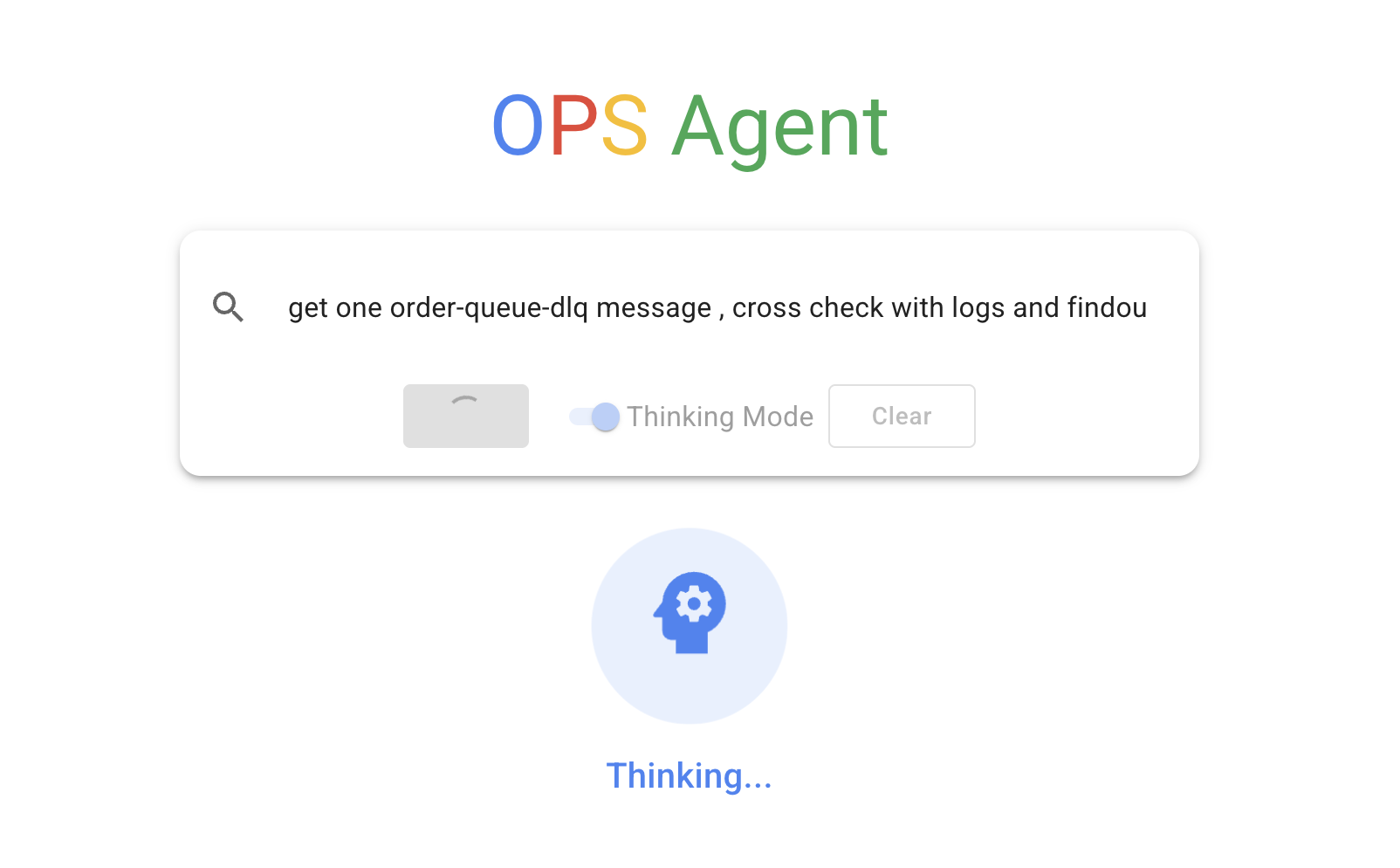
This includes:
- Parsing and understanding your query
- Planning the steps to address the issue
- Selecting and using appropriate tools
- Analyzing data from multiple sources
- Formulating a response based on collected information
Agent Internal Process with Tools
The agent leverages various tools to gather and process information:
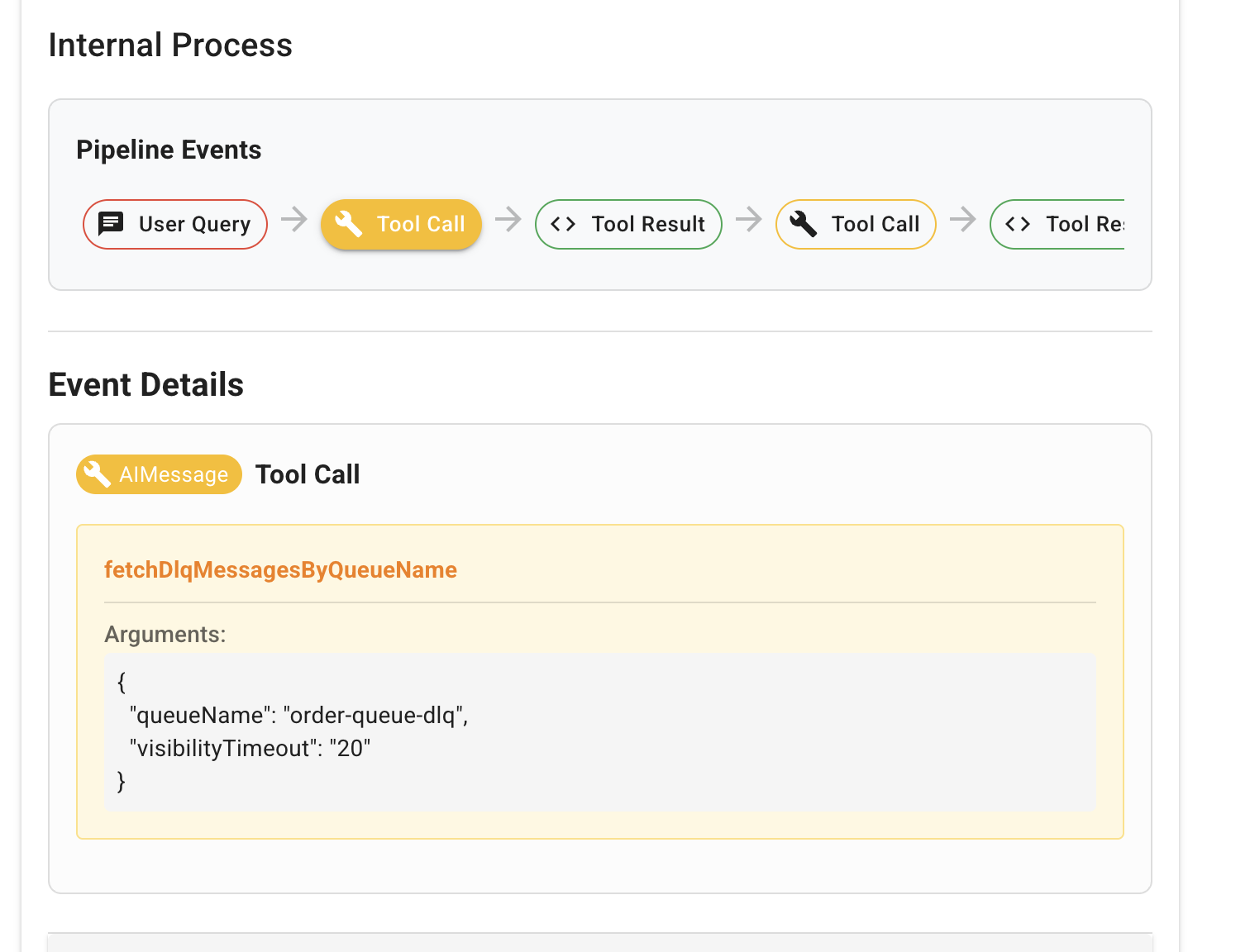
These tools include:
- Log retrieval and analysis
- Queue inspection
- Trace correlation
- Pattern recognition
- Data summarization
Working with SQS Queues
The following queues and Dead Letter Queues (DLQs) are automatically created from dlqs.json:
- order-queue → order-queue-dlq
- order-cancellation-queue → order-cancellation-queue-dlq
Testing SQS Locally
# List queues
aws --endpoint-url=http://localhost:4566 sqs list-queues

# Send a message to a queue
aws --endpoint-url=http://localhost:4566 sqs send-message \
  --queue-url http://localhost:4566/000000000000/order-queue \
  --message-body '{"orderId": "123456", "status": "created"}'

# Receive messages from a queue
aws --endpoint-url=http://localhost:4566 sqs receive-message \
  --queue-url http://localhost:4566/000000000000/order-queue
Working with OpenSearch
Sample logs have been preloaded into the OpenSearch instance. You can access them via the OpenSearch API or using OpenSearch Dashboards.
Sample Query
# Search all logs
curl -X GET "http://localhost:9200/cwl-logs/_search" -H 'Content-Type: application/json' -d '{
  "query": {
    "match_all": {}
  }
}'

# Search for error logs
curl -X GET "http://localhost:9200/cwl-logs/_search" -H 'Content-Type: application/json' -d '{
  "query": {
    "match": {
      "level": "ERROR"
    }
  }
}'
Using the Ops UI
The Ops UI provides a user-friendly interface for interacting with all services:
- Access the UI at http://localhost:3000
- Use the interface to:
- Monitor SQS queues and DLQs
- Search logs in OpenSearch
- Perform operations through the MCP API
- Toggle between standard and thinking modes
Troubleshooting
If you encounter connectivity issues with SQS services:
- Ensure the initialization script has been run to create the queues
- Check LocalStack logs with
docker logs ops_agent-localstack-1 - Verify the queue URLs are correctly formatted
If Ollama isn’t connecting:
- Ensure Ollama is running on your host machine
- Check that the qwen3:8b model has been pulled
- Verify that host.docker.internal is accessible from containers
Shutting Down
To stop all services:
docker-compose down
To remove all data (including volumes):
docker-compose down -v
Dev Tools Supporting MCP
The following are the main code editors that support the Model Context Protocol. Click the link to visit the official website for more information.







