
Playlist Mcp
What is Playlist Mcp
playlist-mcp is an experimental MCP server designed to provide access to the transcripts of YouTube playlists.
Use cases
Use cases include generating transcripts for video analysis, creating study materials from video content, and enhancing accessibility for hearing-impaired users.
How to use
To use playlist-mcp, clone the repository, install the necessary Python dependencies, and run the server with a specified YouTube playlist URL.
Key features
Key features include the ability to preload transcripts from a specific YouTube playlist and the option to customize the URL for different playlists.
Where to use
playlist-mcp can be used in educational settings, content creation, and research where access to video transcripts is beneficial.
Clients Supporting MCP
The following are the main client software that supports the Model Context Protocol. Click the link to visit the official website for more information.





Overview
What is Playlist Mcp
playlist-mcp is an experimental MCP server designed to provide access to the transcripts of YouTube playlists.
Use cases
Use cases include generating transcripts for video analysis, creating study materials from video content, and enhancing accessibility for hearing-impaired users.
How to use
To use playlist-mcp, clone the repository, install the necessary Python dependencies, and run the server with a specified YouTube playlist URL.
Key features
Key features include the ability to preload transcripts from a specific YouTube playlist and the option to customize the URL for different playlists.
Where to use
playlist-mcp can be used in educational settings, content creation, and research where access to video transcripts is beneficial.
Clients Supporting MCP
The following are the main client software that supports the Model Context Protocol. Click the link to visit the official website for more information.
Content
Playlist-MCP
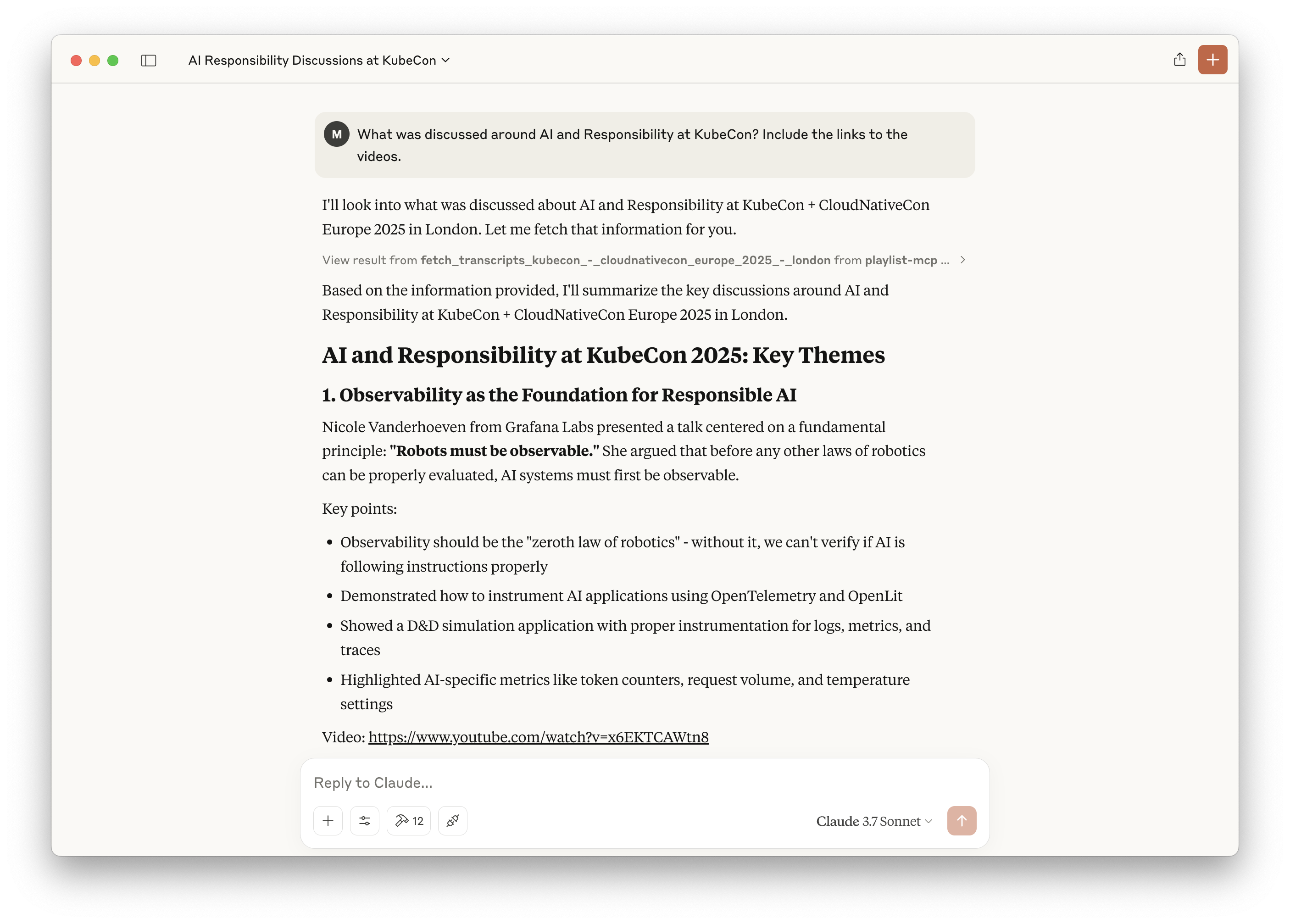
This is an experimental MCP server, which makes the transcripts of a Youtube Playlist available.
It currently is preloaded with the KubeCon London 2025 transcripts. But you can change this by changing the URL.
Install
# Clone this repo
git clone [email protected]:luebken/playlist-mcp.git; cd playlist-mcp

# Install python dependencies
uv venv
source .venv/bin/activate
uv pip install -e .

# Fill the transcript cache and vector db.
uv run server.py https://www.youtube.com/playlist?list=PLj6h78yzYM2MP0QhYFK8HOb8UqgbIkLMc
Setup for Claude Desktop
# Configure for Claude > Settings > Developer > Edit Config
# /Users/YOUR_USERNAME/Library/Application Support/Claude/claude_desktop_config.json
{
  "mcpServers": {
      "playlist-mcp": {
          "command": "uv",
          "args": [
              "--directory",
              "/PATH/TO/PARENT/playlist-mcp/",
              "run",
              "server.py",
              "https://www.youtube.com/playlist?list=PLj6h78yzYM2MP0QhYFK8HOb8UqgbIkLMc"
          ]
      }
  }
}
Dev Tools Supporting MCP
The following are the main code editors that support the Model Context Protocol. Click the link to visit the official website for more information.







