
Polars Docs Mcp
What is Polars Docs Mcp
polars-docs-mcp is a FastMCP tool designed to search and retrieve Polars API documentation efficiently.
Use cases
Use cases include searching for specific Polars API components, retrieving API signatures for documentation purposes, and integrating with applications that require seamless access to Polars documentation.
How to use
To use polars-docs-mcp, configure the Claude Desktop with the provided JSON settings, ensuring Python 3.11 or higher is installed. Run the tool using the specified command.
Key features
Key features include automatic discovery of Polars public components, search functionality by component or query string, structured JSON output with API signatures and descriptions, and integration with MCP for LLM-powered workflows.
Where to use
polars-docs-mcp can be used in software development environments where Polars is utilized, particularly in data analysis and manipulation tasks.
Clients Supporting MCP
The following are the main client software that supports the Model Context Protocol. Click the link to visit the official website for more information.





Overview
What is Polars Docs Mcp
polars-docs-mcp is a FastMCP tool designed to search and retrieve Polars API documentation efficiently.
Use cases
Use cases include searching for specific Polars API components, retrieving API signatures for documentation purposes, and integrating with applications that require seamless access to Polars documentation.
How to use
To use polars-docs-mcp, configure the Claude Desktop with the provided JSON settings, ensuring Python 3.11 or higher is installed. Run the tool using the specified command.
Key features
Key features include automatic discovery of Polars public components, search functionality by component or query string, structured JSON output with API signatures and descriptions, and integration with MCP for LLM-powered workflows.
Where to use
polars-docs-mcp can be used in software development environments where Polars is utilized, particularly in data analysis and manipulation tasks.
Clients Supporting MCP
The following are the main client software that supports the Model Context Protocol. Click the link to visit the official website for more information.
Content
Polars Docs MCP
A FastMCP tool to search and retrieve Polars API documentation with support for multiple transport methods.
Features
- Automatically discover Polars public components (classes, functions, submodules).
- Search Polars API by component or query string.
- Get current Polars version and package information.
- Returns structured JSON with API signatures and descriptions.
- Support for multiple transport methods: STDIO, Streamable HTTP, and SSE.
- Integrates with
mcpfor seamless LLM-powered workflows.
By leveraging Python’s built‑in introspection to reflectively discover every public class, function, and submodule in Polars at runtime, I eliminate the cost, fragility, and maintenance burden of web‑scraping or managing an external documentation database. This approach guarantees 100% up‑to‑date accuracy with every library release, requires no complex text cleaning or embedding pipelines, and avoids the heavy infrastructure overhead of semantic search—making it both simpler and far more efficient for real‑time API lookup.
Usage
1. Claude Desktop Config (Recommended)
{
  "mcpServers": {
    "polarsapifinder": {
      "command": "uv",
      "args": [
        "--directory",
        "/PATH/TO/polars-docs-mcp",
        "run",
        "polarsdocsfinder.py"
      ]
    }
  }
}
2. Manual Execution with Transport Options
STDIO (Default - Best for Claude Desktop)
python polarsdocsfinder.py
# or explicitly:
python polarsdocsfinder.py --transport stdio
Streamable HTTP (Best for Web Deployments)
python polarsdocsfinder.py --transport streamable-http
# With custom settings:
python polarsdocsfinder.py --transport streamable-http --host 0.0.0.0 --port 8080 --path /api/mcp
SSE (For Legacy Client Compatibility)
python polarsdocsfinder.py --transport sse
# With custom settings:
python polarsdocsfinder.py --transport sse --host 0.0.0.0 --port 9000
Command Line Arguments
--transport: Choose transport method (stdio,streamable-http,sse) - Default:stdio--host: Host address for HTTP/SSE transports - Default:127.0.0.1--port: Port number for HTTP/SSE transports - Default:8111--path: URL path for streamable-http transport - Default:/mcp
3. Visual Testing of MCP Server
npx @modelcontextprotocol/inspector uv run polarsdocsfinder.py
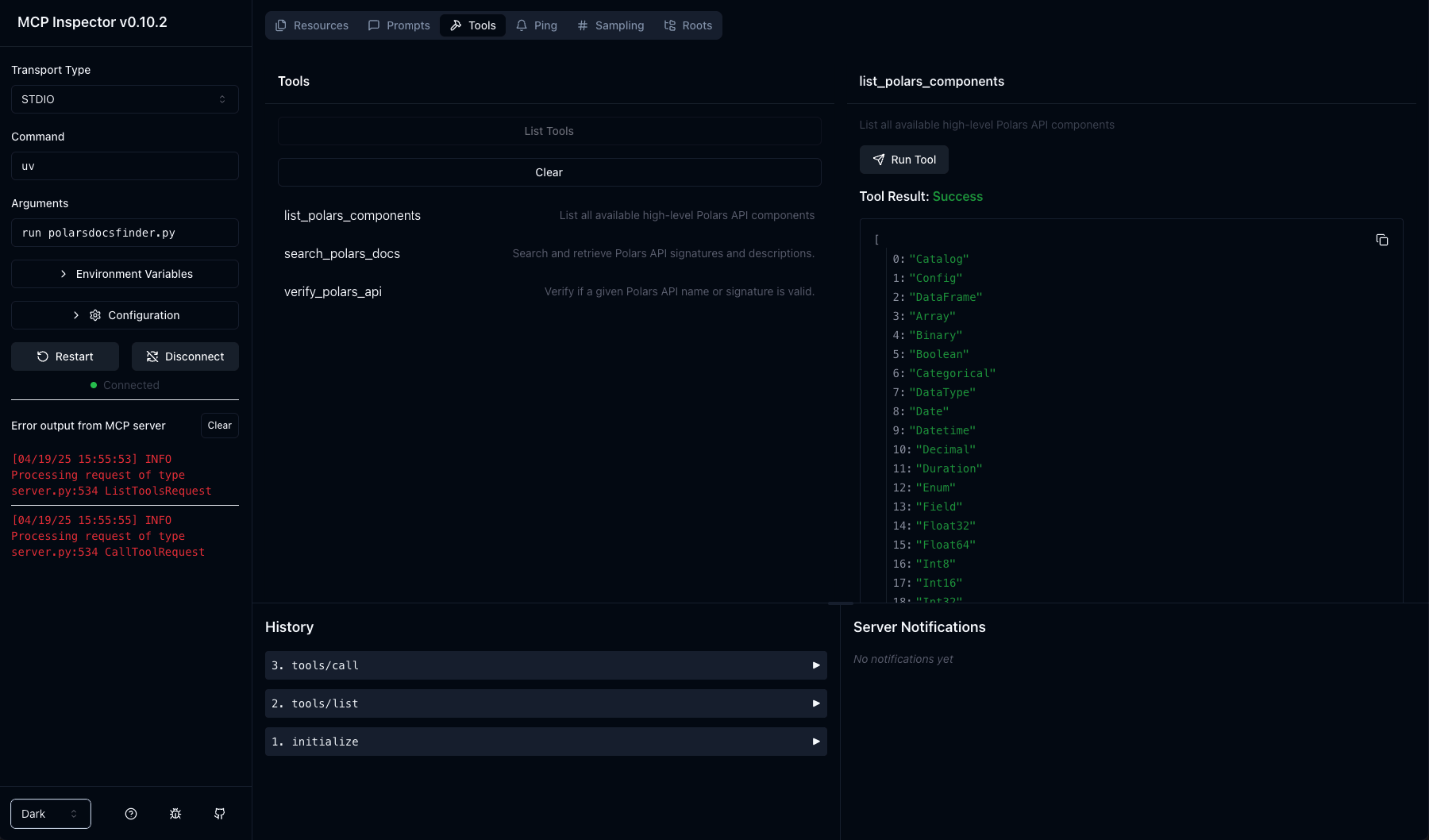
Requires Python 3.11+.
Tool Endpoints
get_polars_version(): Get current Polars version and package information.list_polars_components(): List all high-level Polars API components.search_polars_docs(api_refs: list[str] | None, query: str | None, max_results: int = 1000): Search and retrieve API signatures.verify_polars_api(api_ref: str): Verify if a Polars API reference is valid.list_all_modern_data_stacks(): List modern data stacks compatible with Polars.
Transport Methods
STDIO (Default)
- Best for: Claude Desktop, local tools, command-line scripts
- Usage: Direct integration with Claude Desktop configuration
- Communication: Standard input/output streams
Streamable HTTP
- Best for: Web deployments, REST API integration, browser-based clients
- Usage: Run as HTTP service, connect via HTTP requests
- Communication: HTTP POST requests to the specified endpoint
SSE (Server-Sent Events)
- Best for: Compatibility with existing SSE clients, real-time streaming
- Usage: Legacy system integration
- Communication: Server-sent events over HTTP
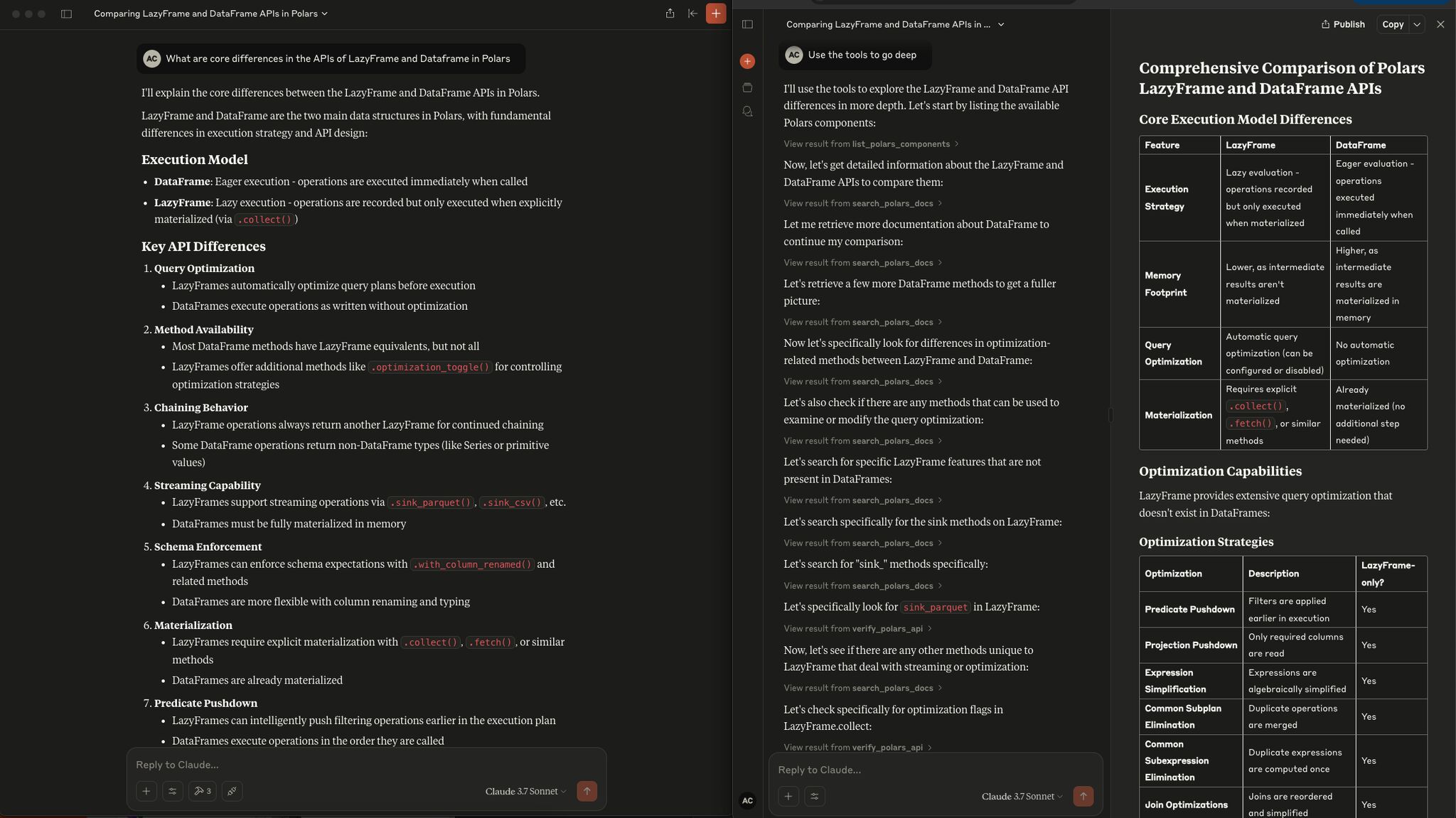
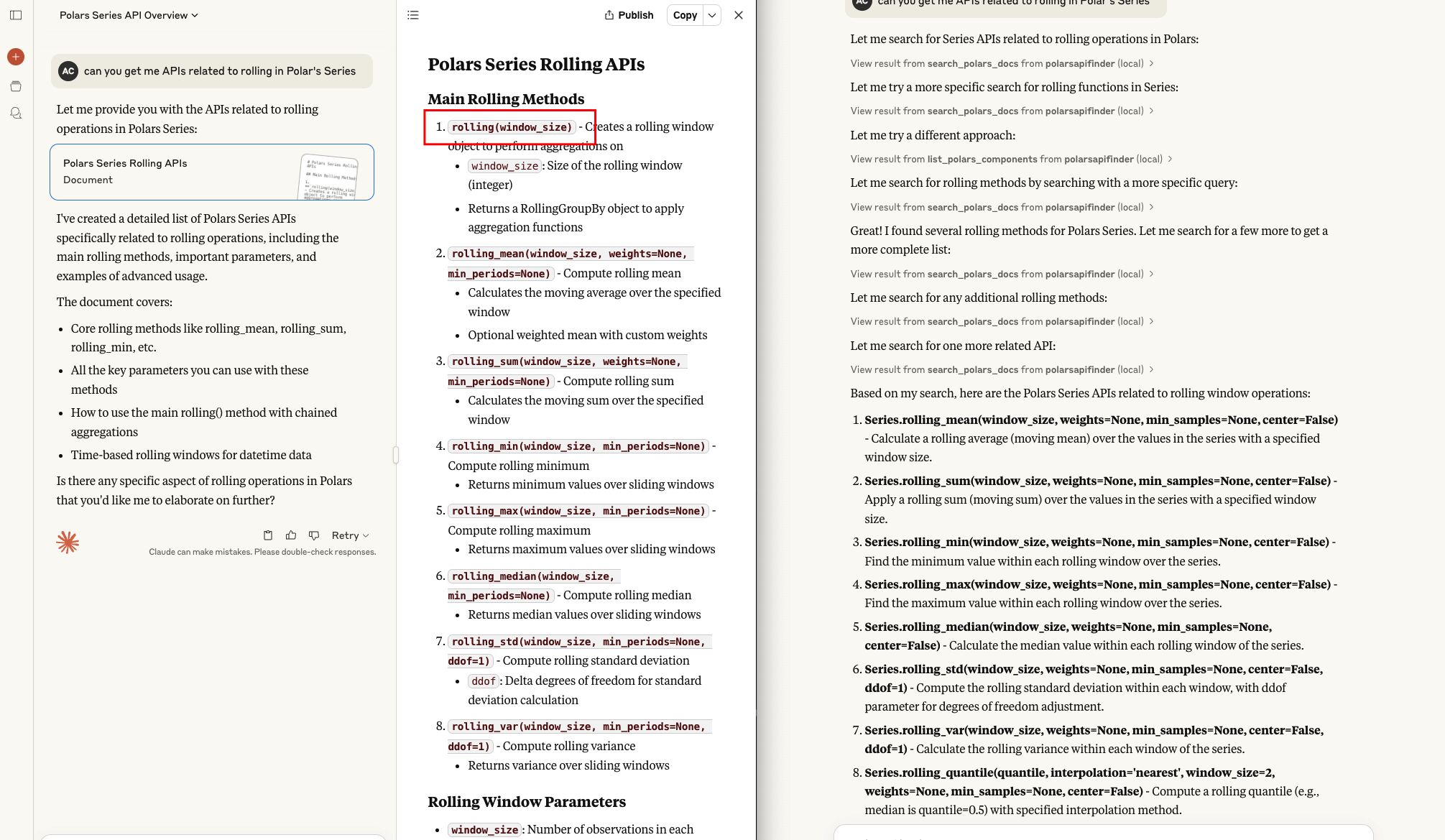
Examples Snapshots
Testing HTTP Transport
If running with HTTP transport, you can test the server:
# Start server
python polarsdocsfinder.py --transport streamable-http --port 8111

# Test with curl
curl -X POST http://127.0.0.1:8111/mcp \
  -H "Content-Type: application/json" \
  -d '{"method": "tools/list"}'
License
This project is licensed under the MIT License. See the LICENSE file for details.
Contact
Created by ABC. Report issues or request features at https://github.com/HotTechStack/polars-docs-mcp/issues.
Dev Tools Supporting MCP
The following are the main code editors that support the Model Context Protocol. Click the link to visit the official website for more information.







