
Prometheus Mcp
What is Prometheus Mcp
Prometheus MCP is a server designed to connect Large Language Models (LLMs) with the Prometheus HTTP API, serving as a proof-of-concept implementation.
Use cases
Use cases for Prometheus MCP include enhancing AI applications with real-time data monitoring, integrating LLMs into existing Prometheus-based infrastructures, and developing AI-driven insights from monitored data.
How to use
To use Prometheus MCP, clone the repository, update the .env file, and run the server using the command: ‘uv --directory “/directory/to/prometheus-mcp” run server.py’. Ensure you have installed the necessary prerequisites, including ‘uv’.
Key features
Key features of Prometheus MCP include seamless integration with LLMs, support for the Prometheus HTTP API, and a straightforward setup process using ‘uv’.
Where to use
Prometheus MCP can be used in fields that require interaction between LLMs and monitoring systems, such as data analysis, machine learning applications, and AI-driven analytics.
Clients Supporting MCP
The following are the main client software that supports the Model Context Protocol. Click the link to visit the official website for more information.





Overview
What is Prometheus Mcp
Prometheus MCP is a server designed to connect Large Language Models (LLMs) with the Prometheus HTTP API, serving as a proof-of-concept implementation.
Use cases
Use cases for Prometheus MCP include enhancing AI applications with real-time data monitoring, integrating LLMs into existing Prometheus-based infrastructures, and developing AI-driven insights from monitored data.
How to use
To use Prometheus MCP, clone the repository, update the .env file, and run the server using the command: ‘uv --directory “/directory/to/prometheus-mcp” run server.py’. Ensure you have installed the necessary prerequisites, including ‘uv’.
Key features
Key features of Prometheus MCP include seamless integration with LLMs, support for the Prometheus HTTP API, and a straightforward setup process using ‘uv’.
Where to use
Prometheus MCP can be used in fields that require interaction between LLMs and monitoring systems, such as data analysis, machine learning applications, and AI-driven analytics.
Clients Supporting MCP
The following are the main client software that supports the Model Context Protocol. Click the link to visit the official website for more information.
Content
Prometheus MCP
Proof-of-concept Prometheus MCP server.
Prerequisites
Install uv: https://docs.astral.sh/uv/getting-started/installation/
Using uv, you can also install python.
How to run
Clone this repo.
Update the .env file
uv add "mcp[cli]" pillow google-auth matplotlib requests python-dotenv
Integrating with Claude
You can run the server with
uv --directory "/directory/to/prometheus-mcp" run server.py
So you may add this MCP server to your Claude MCP server configuration
{
  "mcpServers": {
      "Prometheus MCP": {
          "command": "/path/to/uv",
          "args": [
              "--directory",
              "/directory/to/prometheus-mcp",
              "run",
              "server.py"
          ]
      }
  }
}
See MCP Quickstart
for more details for Claude specific instructions.
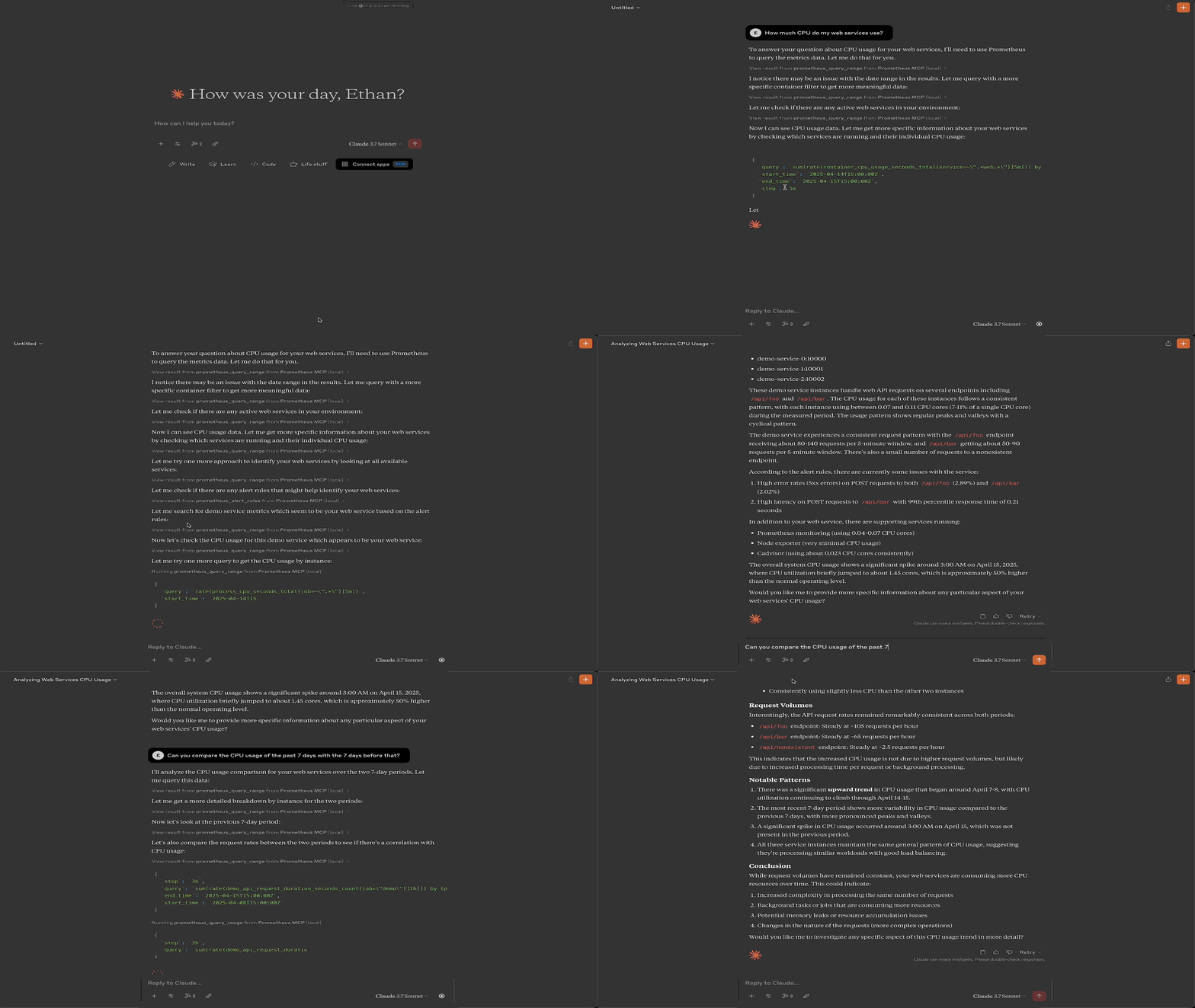
Demo
Dev Tools Supporting MCP
The following are the main code editors that support the Model Context Protocol. Click the link to visit the official website for more information.







