
Querypie Mcp Server
What is Querypie Mcp Server
querypie-mcp-server is a management server for QueryPie that allows administrators to manage their QueryPie instances effectively.
Use cases
Use cases include managing data queries in business intelligence applications, integrating with data visualization tools, and providing real-time data access for analytics.
How to use
To use querypie-mcp-server, prepare your QueryPie API key and URL, then run the server using Docker or install it on Linux/macOS. You can specify transport options and ports as needed.
Key features
Key features include support for both standard input and Server-Sent Events (SSE) transport, easy installation via Docker or script, and integration capabilities with desktop applications like Claude and Cursor.
Where to use
querypie-mcp-server is used in data management and analytics environments where QueryPie is deployed, particularly in organizations that require efficient data querying and reporting.
Clients Supporting MCP
The following are the main client software that supports the Model Context Protocol. Click the link to visit the official website for more information.





Overview
What is Querypie Mcp Server
querypie-mcp-server is a management server for QueryPie that allows administrators to manage their QueryPie instances effectively.
Use cases
Use cases include managing data queries in business intelligence applications, integrating with data visualization tools, and providing real-time data access for analytics.
How to use
To use querypie-mcp-server, prepare your QueryPie API key and URL, then run the server using Docker or install it on Linux/macOS. You can specify transport options and ports as needed.
Key features
Key features include support for both standard input and Server-Sent Events (SSE) transport, easy installation via Docker or script, and integration capabilities with desktop applications like Claude and Cursor.
Where to use
querypie-mcp-server is used in data management and analytics environments where QueryPie is deployed, particularly in organizations that require efficient data querying and reporting.
Clients Supporting MCP
The following are the main client software that supports the Model Context Protocol. Click the link to visit the official website for more information.
Content
QueryPie MCP
The MCP server for QueryPie for administrators to manage it.
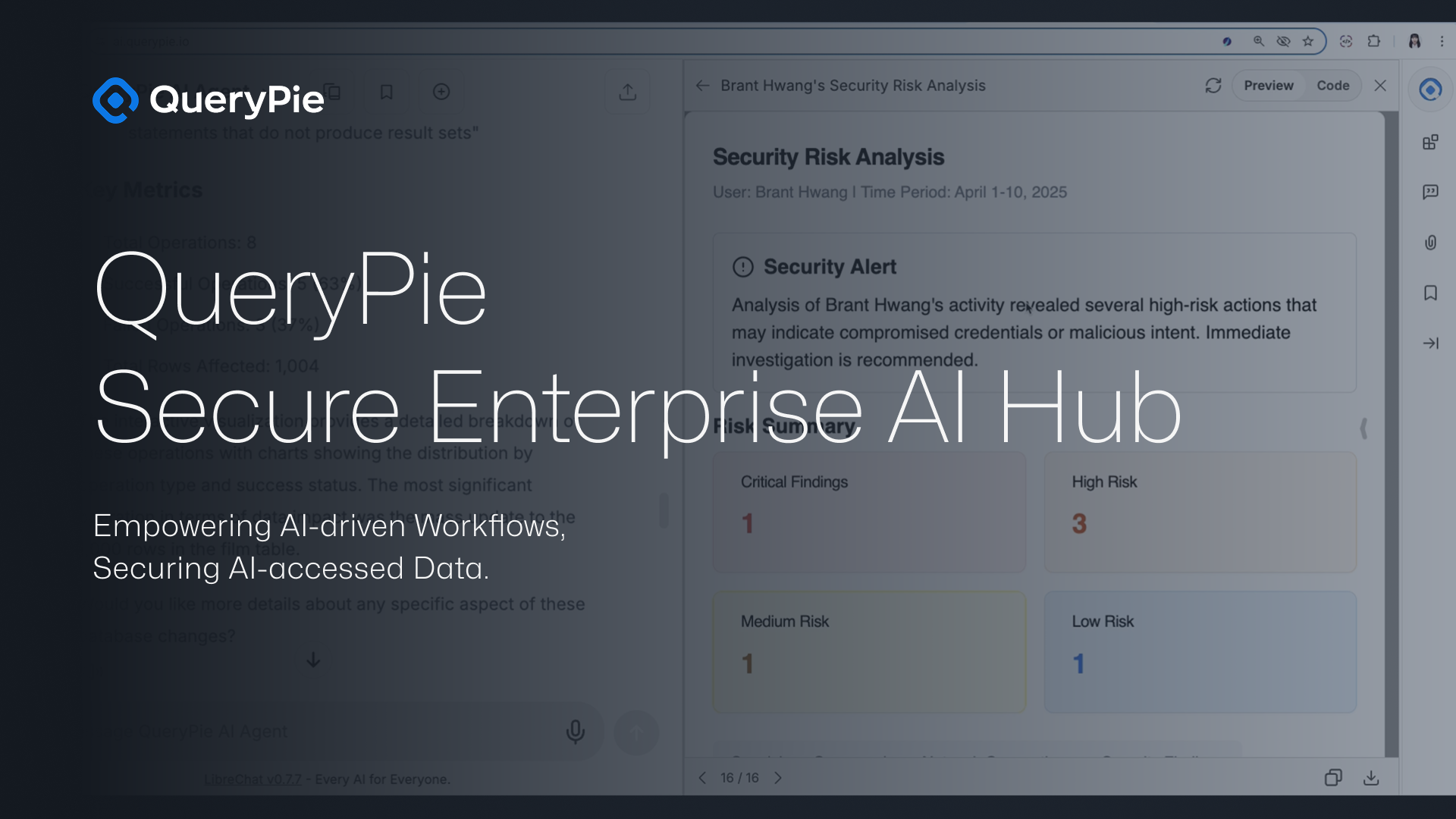
Key Usage Demo
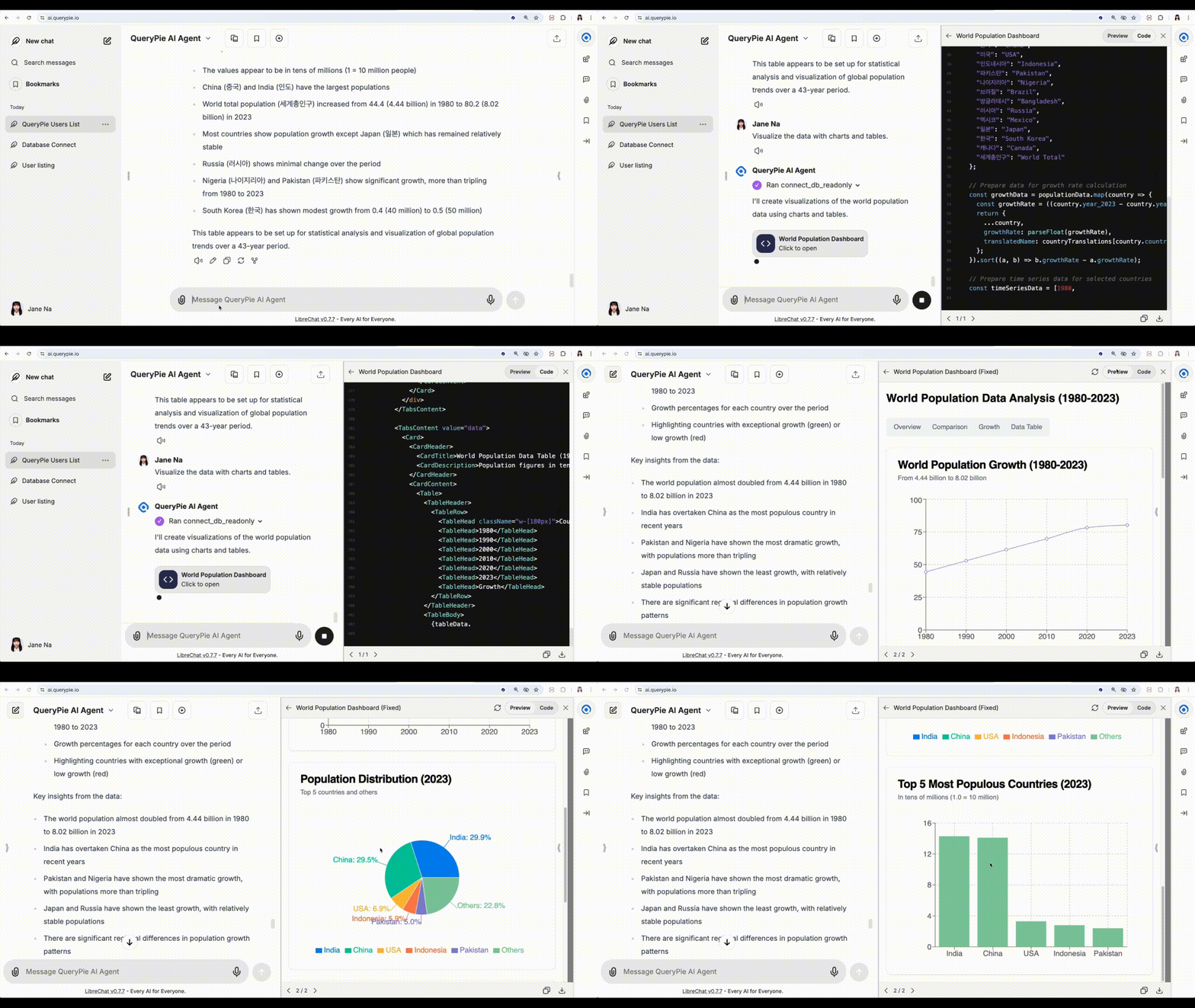
📊 Dashboard with Instant Charts
Visualize your data instantly by turning query results into live charts and dashboards—without writing a single line of code.
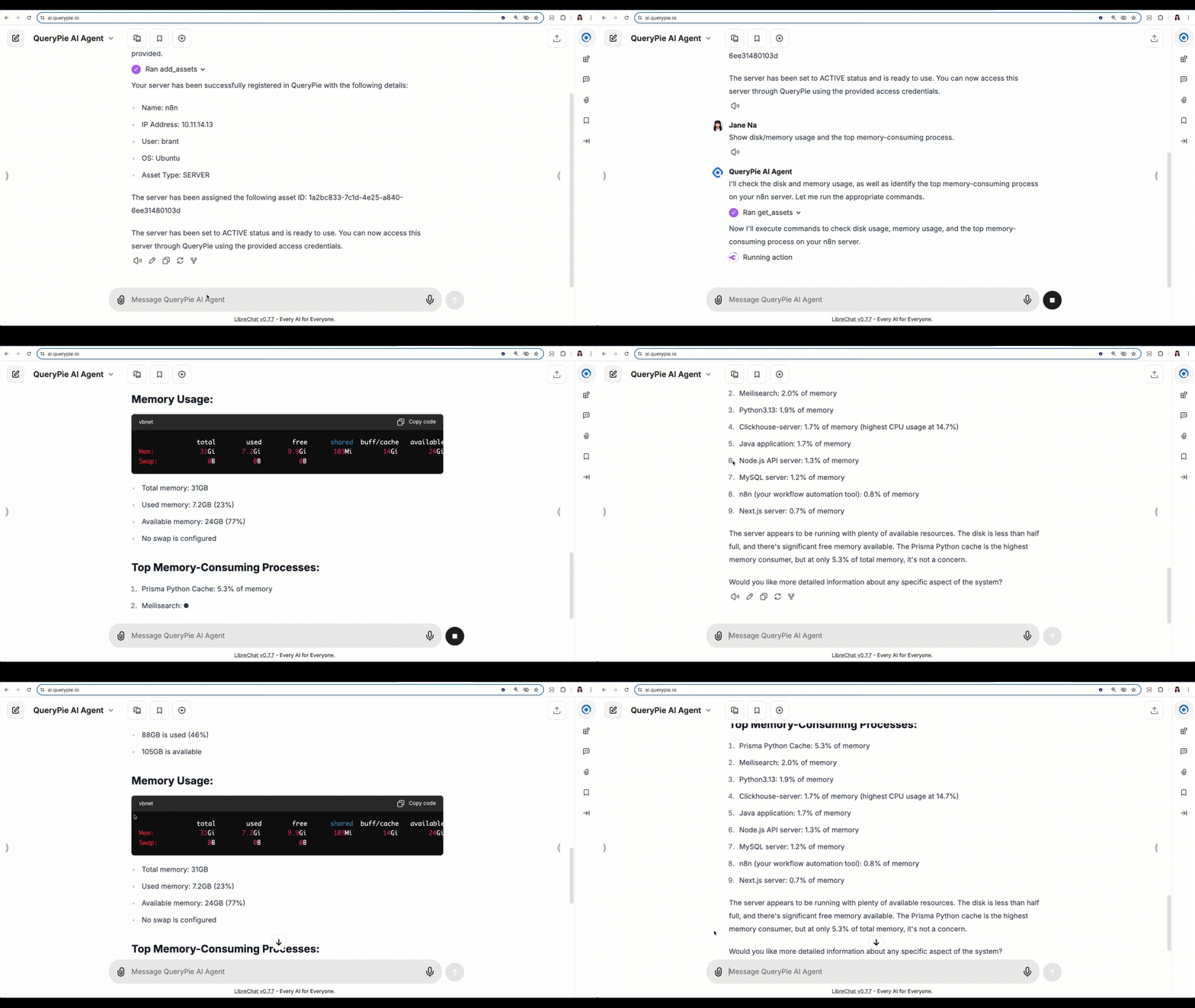
💽 Monitor Disk & Memory Usage
Track server resource usage like disk space and memory in real time, and identify the most resource-intensive processes at a glance.
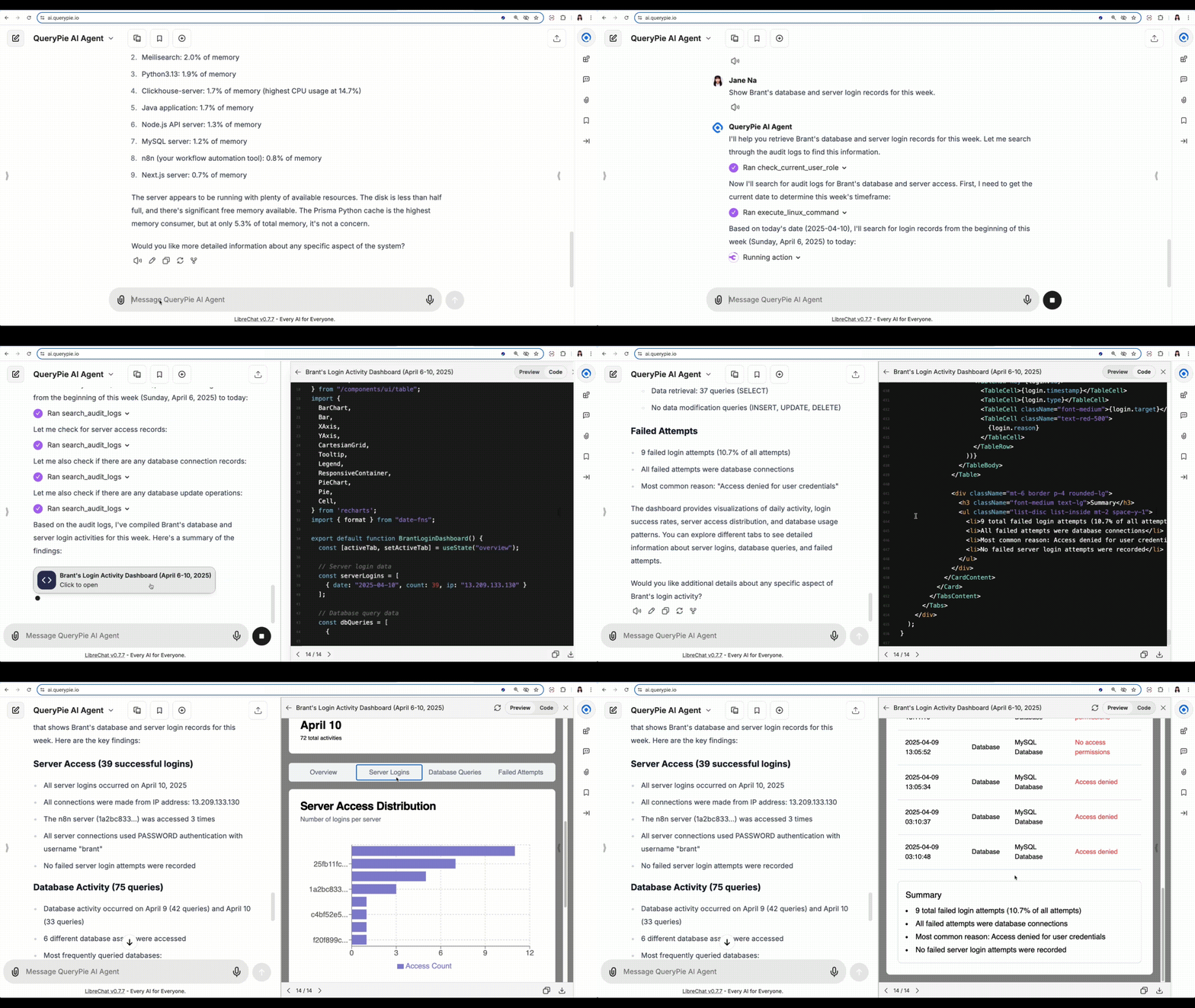
🕵️♂️ Detect Suspicious Behavior
Review access logs and detect abnormal user behavior, such as risky SQL commands or unauthorized server activity.
✨ And That’s Just the Beginning…
There’s so much more you can do—register assets, manage access, automate audits, and more.
It all depends on how you use QueryPie. Start exploring and make it yours.
Installation
Prepare your QueryPie API key and URL.
You can find the API key on General > System > API Token in the QueryPie web console.
Docker
# Stdio example
export QUERYPIE_API_KEY=your_token
export QUERYPIE_URL=https://your_querypie_url

docker run --rm \
    -e "QUERYPIE_API_KEY=${QUERYPIE_API_KEY}" \
    ghcr.io/querypie/querypie-mcp-server "${QUERYPIE_URL}"
# SSE example
export QUERYPIE_API_KEY=your_token
export QUERYPIE_URL=https://your_querypie_url

docker run --rm \
    -e "QUERYPIE_API_KEY=${QUERYPIE_API_KEY}" \
    ghcr.io/querypie/querypie-mcp-server "${QUERYPIE_URL}" \
    --transport sse \
    --port 8000
Linux/macOS
# Install the querypie-mcp-server binary to ~/.local/bin
curl -L https://github.com/querypie/querypie-mcp-server/releases/latest/download/install.sh | sh
# Stdio example
export QUERYPIE_API_KEY=your_token
querypie-mcp-server https://your_querypie_url
# SSE example
export QUERYPIE_API_KEY=your_token
querypie-mcp-server https://your_querypie_url \
    --transport sse \
    --port 8000
Claude Desktop
Add this into your claude_desktop_config.json (either at ~/Library/Application Support/Claude on macOS or C:\Users\NAME\AppData\Roaming\Claude on Windows):
{
  "mcpServers": {
    "querypie": {
      "command": "docker",
      "args": [
        "run",
        "--rm",
        "-e",
        "QUERYPIE_API_KEY=${QUERYPIE_API_KEY}",
        "-it",
        "ghcr.io/querypie/querypie-mcp-server",
        "https://your_querypie_url"
      ],
      "env": {
        "QUERYPIE_API_KEY": "your_token"
      }
    }
  }
}
Cursor
Add this into your ~/cursor/mcp.json
{
  "mcpServers": {
    "querypie": {
      "command": "docker",
      "type": "stdio",
      "args": [
        "run",
        "--rm",
        "-e",
        "QUERYPIE_API_KEY=${QUERYPIE_API_KEY}",
        "-it",
        "ghcr.io/querypie/querypie-mcp-server",
        "https://your_querypie_url"
      ],
      "env": {
        "QUERYPIE_API_KEY": "your_token"
      }
    }
  }
}
Dev Tools Supporting MCP
The following are the main code editors that support the Model Context Protocol. Click the link to visit the official website for more information.







