
Reaper Mcp Server
What is Reaper Mcp Server
Reaper MCP Server is a simple server designed to connect Reaper projects with MCP clients like Claude Desktop, allowing users to ask questions about their projects.
Use cases
Use cases include querying project details, retrieving specific information about audio tracks, and analyzing project structures for better workflow management.
How to use
To use Reaper MCP Server, install the necessary dependencies, configure Claude Desktop with the provided sample config, launch Claude Desktop, and then ask questions about your specific Reaper project.
Key features
Key features include tools to find Reaper projects in a specified directory and to parse those projects into JSON format for easy querying.
Where to use
undefined
Clients Supporting MCP
The following are the main client software that supports the Model Context Protocol. Click the link to visit the official website for more information.





Overview
What is Reaper Mcp Server
Reaper MCP Server is a simple server designed to connect Reaper projects with MCP clients like Claude Desktop, allowing users to ask questions about their projects.
Use cases
Use cases include querying project details, retrieving specific information about audio tracks, and analyzing project structures for better workflow management.
How to use
To use Reaper MCP Server, install the necessary dependencies, configure Claude Desktop with the provided sample config, launch Claude Desktop, and then ask questions about your specific Reaper project.
Key features
Key features include tools to find Reaper projects in a specified directory and to parse those projects into JSON format for easy querying.
Where to use
undefined
Clients Supporting MCP
The following are the main client software that supports the Model Context Protocol. Click the link to visit the official website for more information.
Content
Reaper MCP Server
This is a simple MCP server that connects a Reaper project to an MCP client like Claude Desktop and enables you to ask questions about the project.
Tools
find_reaper_projects: Finds all Reaper projects in the directory you specified in the config.parse_reaper_project: Parses a Reaper project and returns a JSON object.
These tools work in tandem. When you ask Claude a question about a specific Reaper project, it will use the find_reaper_projects tool to find the project, then use the parse_reaper_project tool to parse the project and answer your question. To see all data that is parsed from the project, check out the src/domains/reaper_dataclasses.py file.
Setup
-
Install Dependencies
uv venv source .venv/bin/activate uv pip install . -
Configure Claude Desktop
- Follow the instructions to configure Claude Desktop for use with a custom MCP server
- Find the sample config in
setup/claude_desktop_config.json - Update the following paths in the config:
- Your
uvinstallation path - Your Reaper project directory
- This server’s directory
- Your
-
Launch and Configure
- Open Claude Desktop
- Look for the hammer icon in the bottom right of your chat box
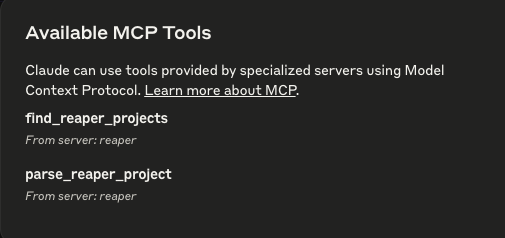
- Click the hammer icon to verify you see two Reaper tools available:
find_reaper_projectsparse_reaper_project
-
Ask Away!
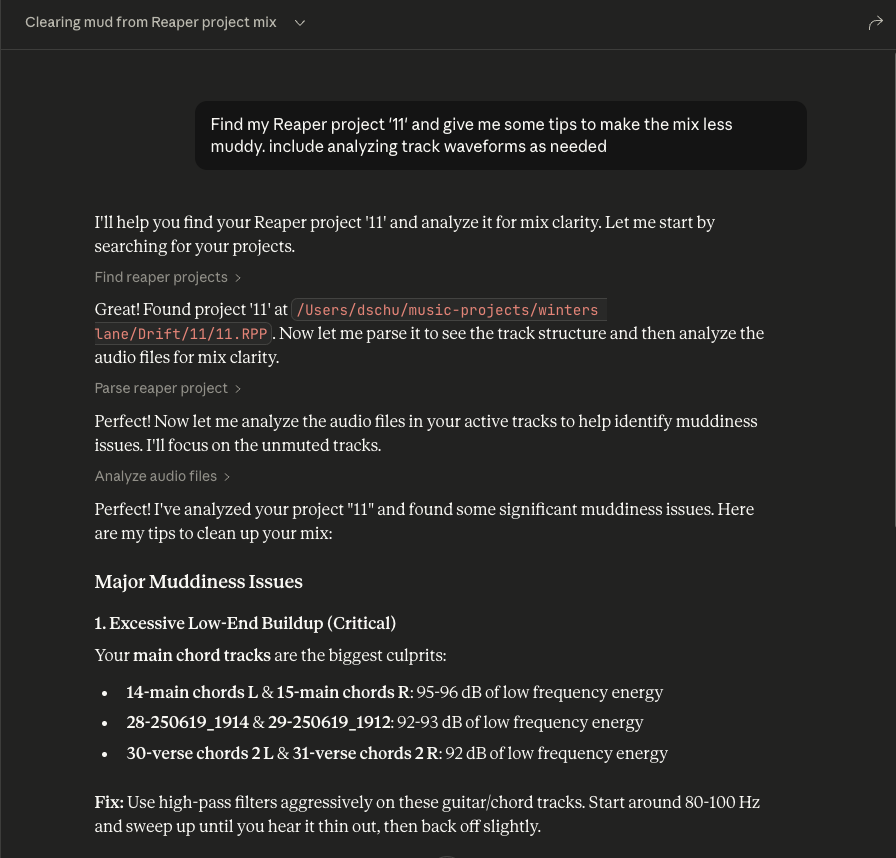
- Ask questions about your Reaper project
- Always include the name of the specific Reaper project you’re asking about
- You can expand the tool boxes to see the raw project data being passed to Claude
Dev Tools Supporting MCP
The following are the main code editors that support the Model Context Protocol. Click the link to visit the official website for more information.







