
Reddit Sub Ai Analysis
What is Reddit Sub Ai Analysis
reddit-sub-ai-analysis is a Mastra AI Agent designed to fetch and analyze posts from specific subreddits, providing insights into user sentiment and needs.
Use cases
Use cases include analyzing gamer sentiment for product launches, monitoring brand perception, and gathering user feedback on new features or products.
How to use
To use reddit-sub-ai-analysis, configure the necessary API keys, install the required packages, and run the agent locally. You can interact with the agent via a defined workflow or directly through queries.
Key features
Key features include real-time insights into user sentiment, cost-effective market research alternatives, data-driven product development, and ongoing product monitoring.
Where to use
reddit-sub-ai-analysis can be used in market research, product development, and sentiment analysis across various industries, particularly in tech and consumer goods.
Clients Supporting MCP
The following are the main client software that supports the Model Context Protocol. Click the link to visit the official website for more information.





Overview
What is Reddit Sub Ai Analysis
reddit-sub-ai-analysis is a Mastra AI Agent designed to fetch and analyze posts from specific subreddits, providing insights into user sentiment and needs.
Use cases
Use cases include analyzing gamer sentiment for product launches, monitoring brand perception, and gathering user feedback on new features or products.
How to use
To use reddit-sub-ai-analysis, configure the necessary API keys, install the required packages, and run the agent locally. You can interact with the agent via a defined workflow or directly through queries.
Key features
Key features include real-time insights into user sentiment, cost-effective market research alternatives, data-driven product development, and ongoing product monitoring.
Where to use
reddit-sub-ai-analysis can be used in market research, product development, and sentiment analysis across various industries, particularly in tech and consumer goods.
Clients Supporting MCP
The following are the main client software that supports the Model Context Protocol. Click the link to visit the official website for more information.
Content

Reddit Agent
Fetch posts from a Reddit sub and analyze them with AI.
Why?
Scenario: Market Research for a New Product Launch
Context: Imagine a company, “TechInnovate,” is developing a new noise-canceling headphone designed specifically for gamers. They want to understand the current sentiment and needs of their target audience (gamers) before launching the product. Rather than relying on assumptions or expensive surveys, they decide to leverage the vast, real-time data available on Reddit.
Technical Details
- Language: NodeJS
- APIs: RapidAPI-Reddit
- Data Source: Reddit
Benefits
- Provides real-time insights into user sentiment and needs.
- Offers a cost-effective alternative to traditional market research.
- Allows for data driven product development.
- Can be used for ongoing product monitoring.
Usage
- Configuration: Add check env.example for needed API keys. e.g RapidAPI and OpenAI/Google. Also configure prompts as queries you need to be passed to the agent. Configure/Change Agent instructions to your own liking.
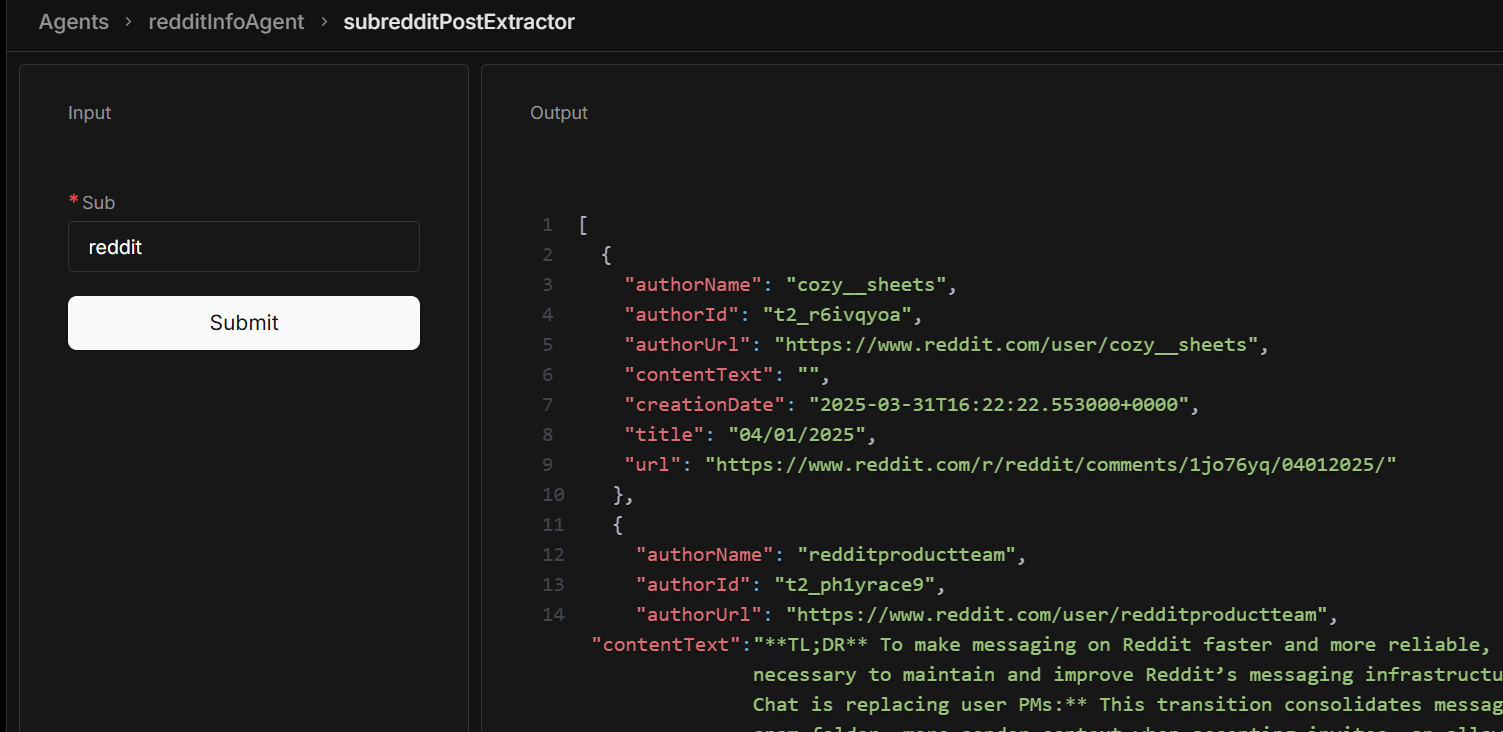
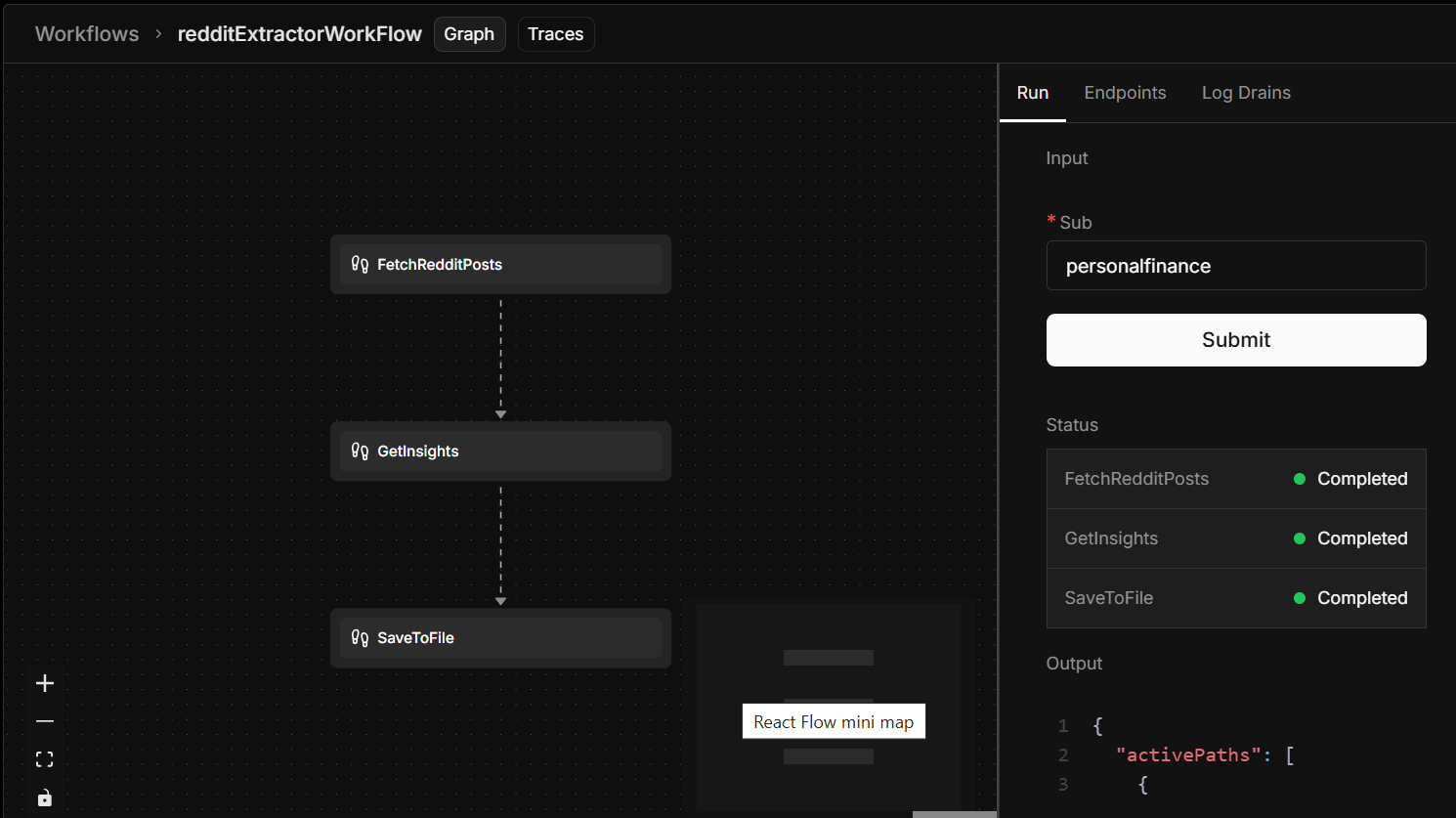
- Execution: Pull repo and install packages e.g bun install then run bunx/npx mastra dev. Navigate to localhost:4111 and either use the defined workflow or just ask the bot. The Agent is configured to use an MCP server to save your data to spreadsheets. You will need to authenticate this.
- Output: The agent will either save your data on spreadsheets, a local file (under the .mastra folder). Output can also be viewed through the terminal
Output Data Example.
Upcoming features
- [ ] Agent Memory - agent remembers past conversations
- [x] Agent workflows - agent does A, then B, then C with conditional logic
- [x] Save to local file
- [ ] Agent RAG capabilities
- [x] Save data to Google Spreadsheet
- [ ] Agents send email when its done
- [ ] Agent autonomy. Agent works at a set schedule without needing user input
Dev Tools Supporting MCP
The following are the main code editors that support the Model Context Protocol. Click the link to visit the official website for more information.







