
Redmine Mcp
What is Redmine Mcp
Redmine MCP is a tool that allows users to log their daily work hours automatically. It utilizes an AI Agent to generate summaries based on the work done, enabling users to focus on their tasks without worrying about manual logging.
Use cases
Use cases for Redmine MCP include daily time tracking for software development tasks, project management reporting, and productivity analysis for teams looking to optimize their workflows.
How to use
To use Redmine MCP, you need to copy your API access key from your Redmine account page and the project ID from your project home page. Then, create a ‘.vscode/mcp.json’ file in your project root with the necessary configuration. You can also set the MCP server globally in your settings. Finally, start the MCP server and ask your agent to log your work hours.
Key features
Key features of Redmine MCP include automated time logging, AI-generated summaries of work done, and the ability to configure the server for individual projects or globally across projects.
Where to use
Redmine MCP is suitable for software development teams, project managers, and any professionals who need to track their work hours efficiently without manual input.
Clients Supporting MCP
The following are the main client software that supports the Model Context Protocol. Click the link to visit the official website for more information.





Overview
What is Redmine Mcp
Redmine MCP is a tool that allows users to log their daily work hours automatically. It utilizes an AI Agent to generate summaries based on the work done, enabling users to focus on their tasks without worrying about manual logging.
Use cases
Use cases for Redmine MCP include daily time tracking for software development tasks, project management reporting, and productivity analysis for teams looking to optimize their workflows.
How to use
To use Redmine MCP, you need to copy your API access key from your Redmine account page and the project ID from your project home page. Then, create a ‘.vscode/mcp.json’ file in your project root with the necessary configuration. You can also set the MCP server globally in your settings. Finally, start the MCP server and ask your agent to log your work hours.
Key features
Key features of Redmine MCP include automated time logging, AI-generated summaries of work done, and the ability to configure the server for individual projects or globally across projects.
Where to use
Redmine MCP is suitable for software development teams, project managers, and any professionals who need to track their work hours efficiently without manual input.
Clients Supporting MCP
The following are the main client software that supports the Model Context Protocol. Click the link to visit the official website for more information.
Content
Redmine MCP
Use this REDMINE MCP to log your time daily with summary all generated by AI Agent based on what work you have done.
You focus on your work, let your agent do the logging for you.
-
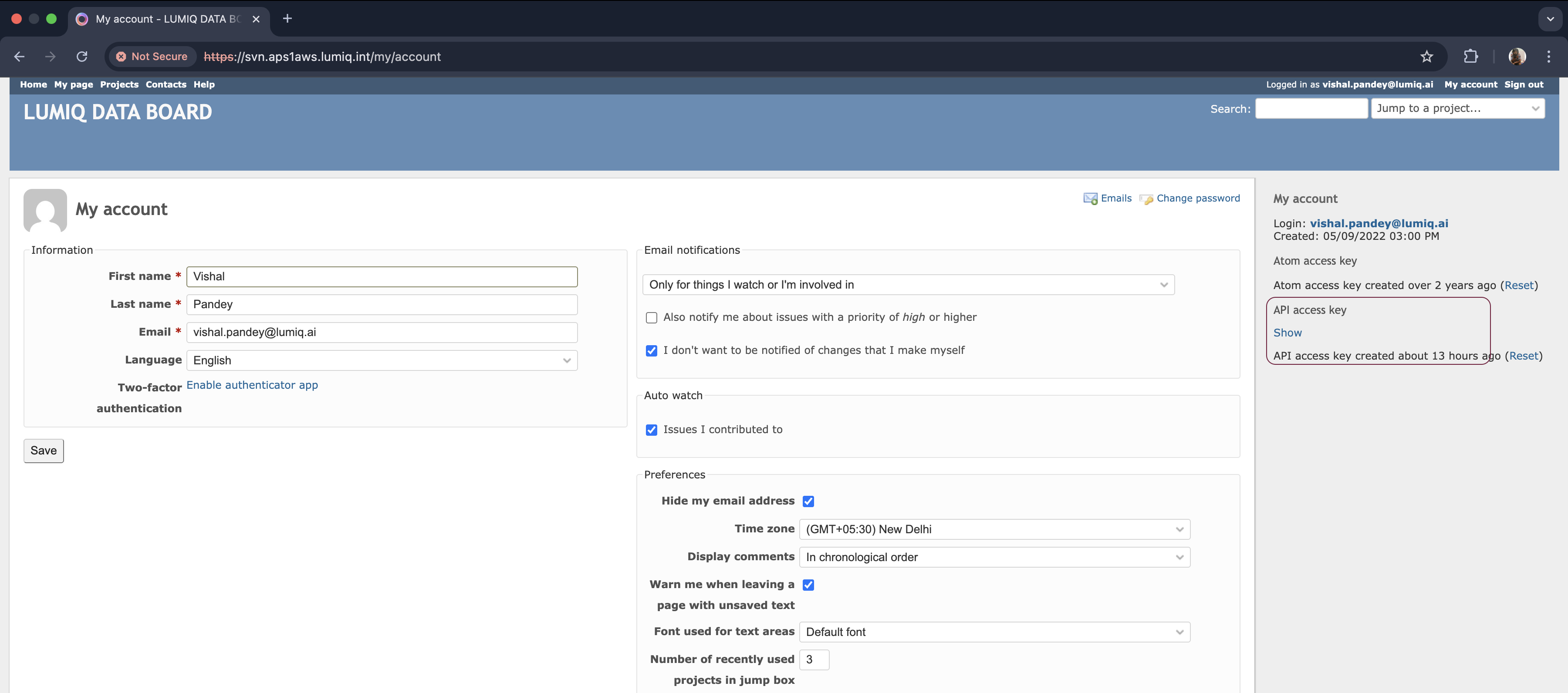
Go to your redmine account page and from the right side bar copy your API access key
-
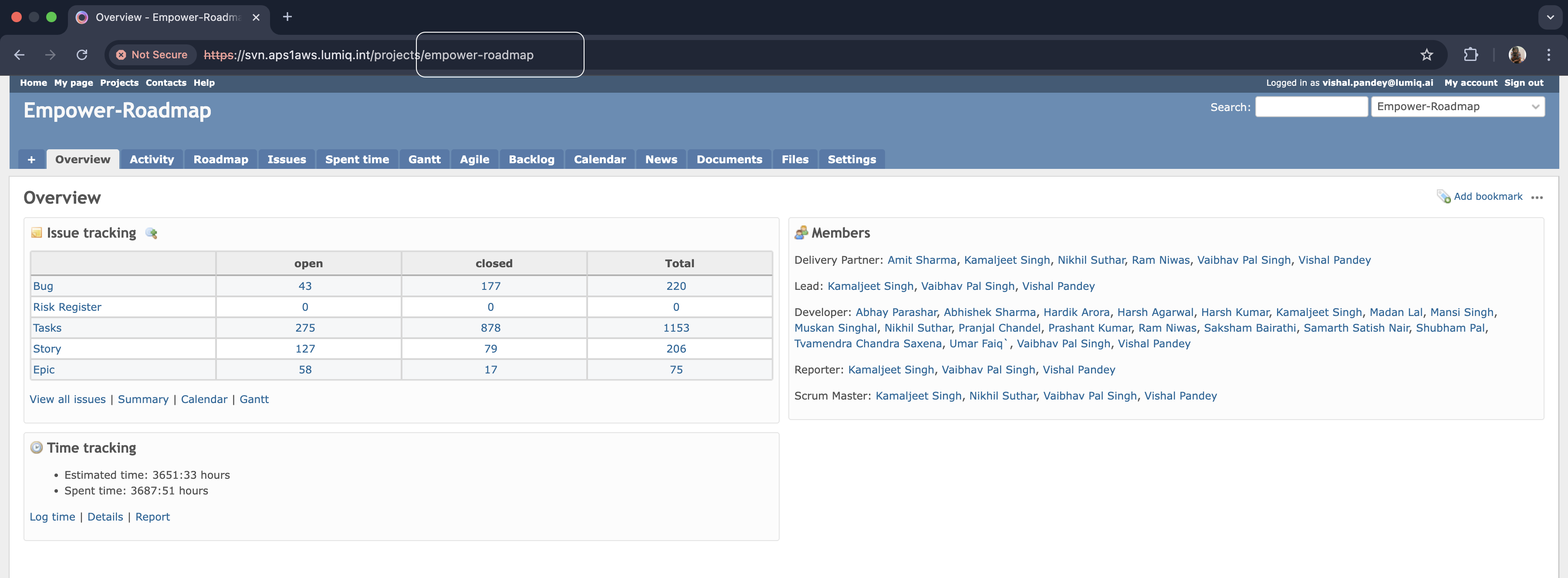
Go to your project home page and from url copy the project id. e.g., empower-roadmap
-
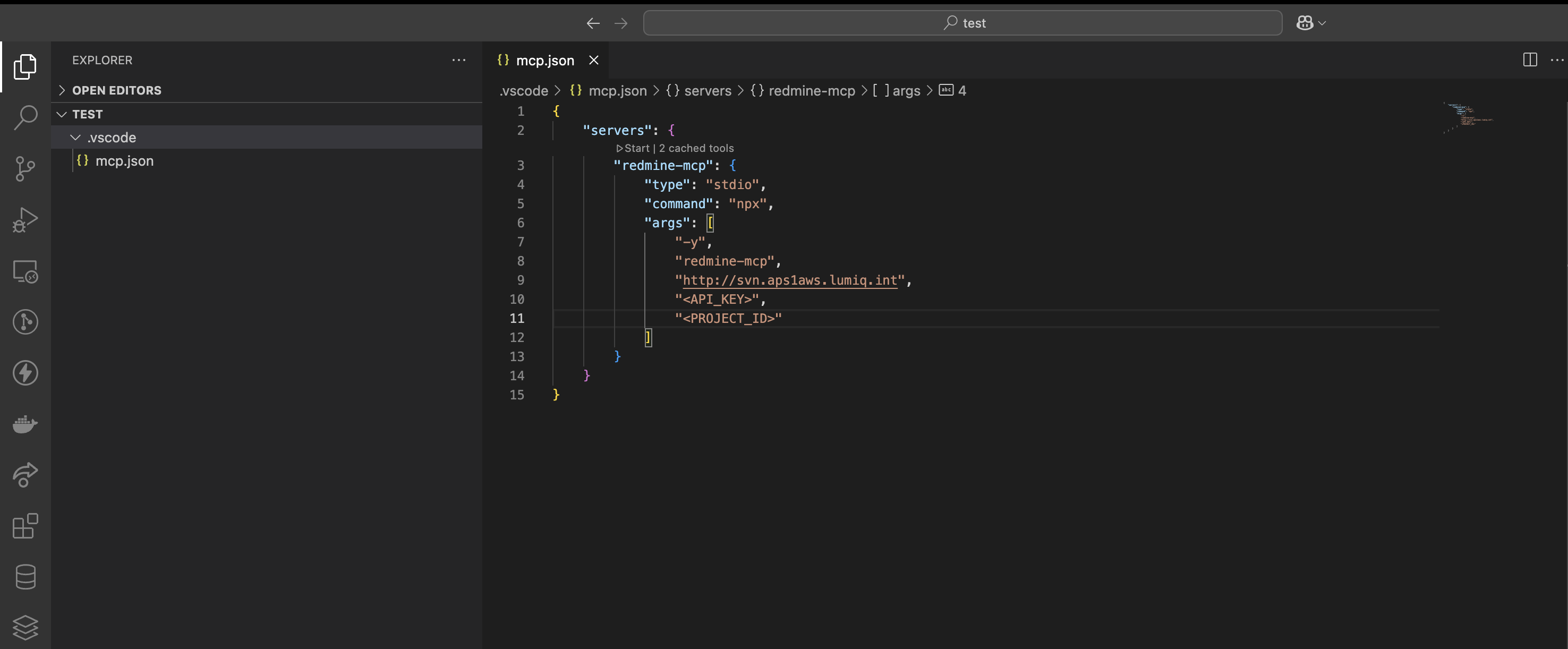
Create a
.vscode/mcp.jsonfile in your project root with the following content:
-
You can also set the mcp server globally, go to settings and search for MCP and configure this MCP server there, if you wish to use this accross the projects.
-
Start the mcp server using the start button above the mcp server name redmine-mcp.
-
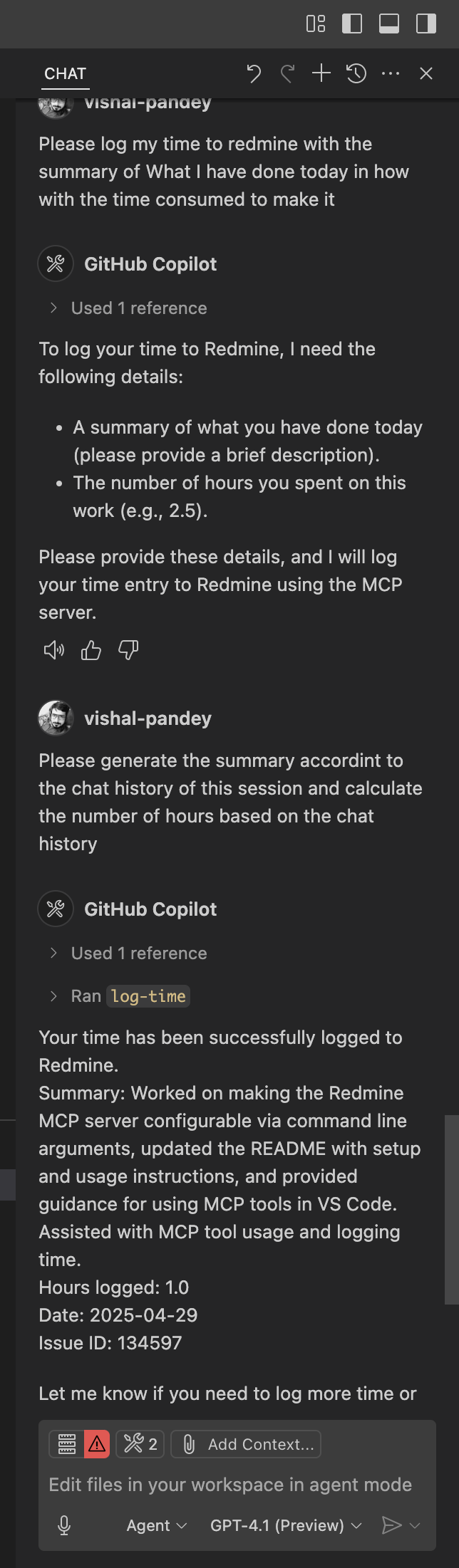
Now ask your agent to log your time for the day with the summary of what you have done in how much time.
example :
No need to come up with the description of what you have done, how much time you worked on. All will be taken care by AI Agent now.
Dev Tools Supporting MCP
The following are the main code editors that support the Model Context Protocol. Click the link to visit the official website for more information.







