
Remote Mcp Apim Appservice Dotnet
What is Remote Mcp Apim Appservice Dotnet
remote-mcp-apim-appservice-dotnet is an experimental project that utilizes Azure API Management as an AI Gateway for MCP Servers, enabling the integration and interaction with Microsoft Graph API through a secure authorization flow.
Use cases
Use cases include building applications that require secure access to Microsoft Graph data, managing user profiles, and integrating various services through Azure API Management.
How to use
To use remote-mcp-apim-appservice-dotnet, run the command ‘azd up’ to provision the necessary Azure resources, including the API management service and web app. Then, install and run MCP Inspector to connect to the API Management SSE endpoint and utilize the tools provided.
Key features
Key features include secure authorization using the latest MCP Authorization specification, integration with Microsoft Graph API, and the ability to run tools like MCP Inspector for user profile retrieval.
Where to use
remote-mcp-apim-appservice-dotnet can be used in various fields such as application development, API management, and data integration, particularly where Microsoft Graph API interactions are required.
Clients Supporting MCP
The following are the main client software that supports the Model Context Protocol. Click the link to visit the official website for more information.





Overview
What is Remote Mcp Apim Appservice Dotnet
remote-mcp-apim-appservice-dotnet is an experimental project that utilizes Azure API Management as an AI Gateway for MCP Servers, enabling the integration and interaction with Microsoft Graph API through a secure authorization flow.
Use cases
Use cases include building applications that require secure access to Microsoft Graph data, managing user profiles, and integrating various services through Azure API Management.
How to use
To use remote-mcp-apim-appservice-dotnet, run the command ‘azd up’ to provision the necessary Azure resources, including the API management service and web app. Then, install and run MCP Inspector to connect to the API Management SSE endpoint and utilize the tools provided.
Key features
Key features include secure authorization using the latest MCP Authorization specification, integration with Microsoft Graph API, and the ability to run tools like MCP Inspector for user profile retrieval.
Where to use
remote-mcp-apim-appservice-dotnet can be used in various fields such as application development, API management, and data integration, particularly where Microsoft Graph API interactions are required.
Clients Supporting MCP
The following are the main client software that supports the Model Context Protocol. Click the link to visit the official website for more information.
Content
Secure Remote Microsoft Graph MCP Servers using Azure API Management (Experimental)
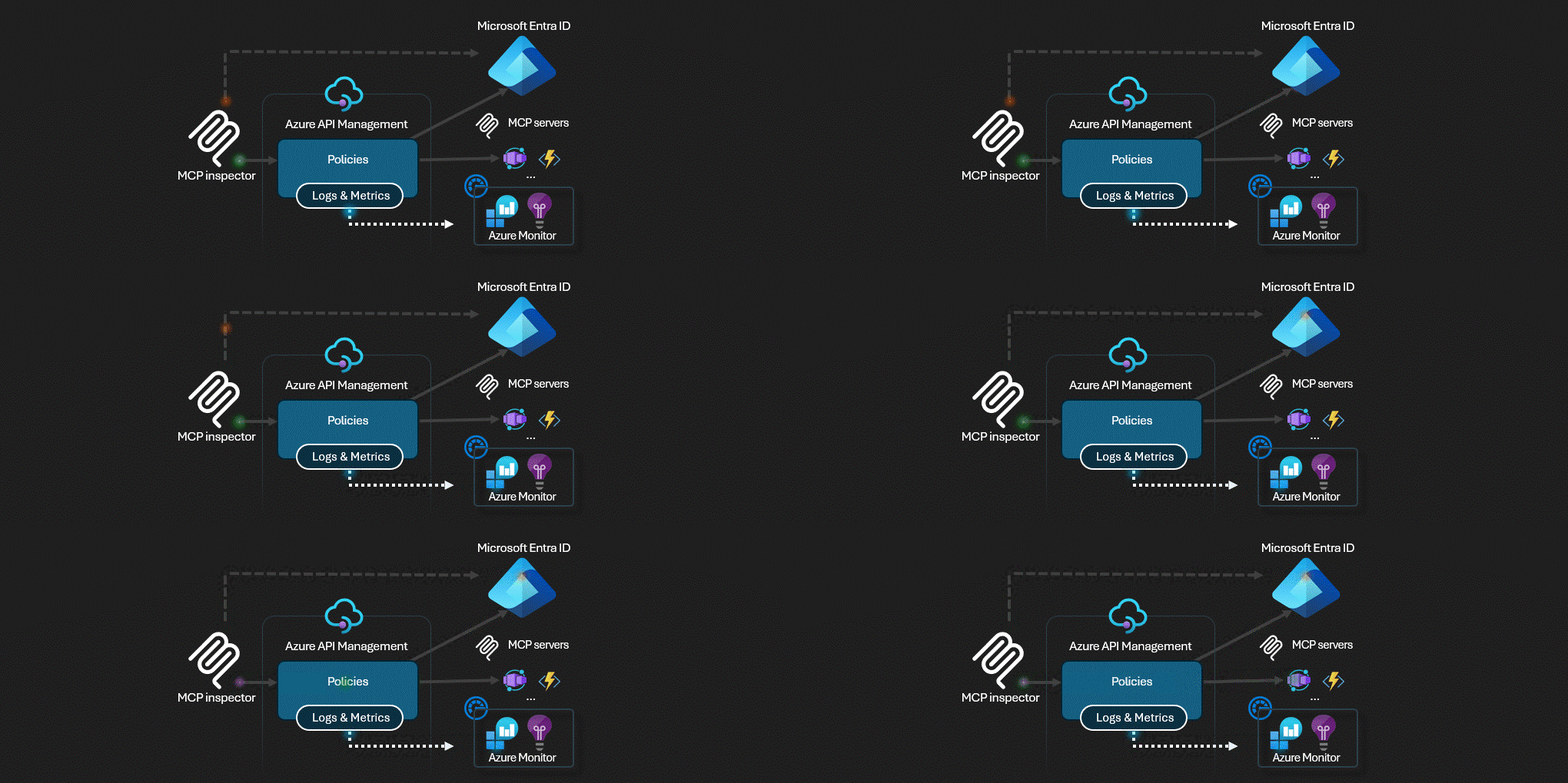
Azure API Management acts as the AI Gateway for MCP servers.
This sample implements the latest MCP Authorization specification. Then calls Microsoft Graph API in MCP tool.
This is a sequence diagram to understand the flow.
Deploy Remote MCP Server to Azure
Run this azd command to provision the api management service, web app(with code) and all other required Azure resources
```shell
azd up
```
MCP Inspector
-
In a new terminal window, install and run MCP Inspector
npx @modelcontextprotocol/inspector -
CTRL click to load the MCP Inspector web app from the URL displayed by the app (e.g. http://127.0.0.1:6274/#resources)
-
Set the transport type to
Streamable HTTP -
Set the URL to your running API Management Streamable HTTP endpoint displayed after
azd upand Connect
-
List Tools.
-
Click the
ShowUserProfiletool and Run Tool. The tool will return your user profile.
VS Code
- Install latest VS Code Insider
- Open Command Palette and trigger
MCP: Add Servercommand - Select
HTTPas MCP server type - Set the URL to your running API Management Streamable HTTP endpoint displayed after
azd upand Connect - Wait a while, VS Code Insider will ask you to login
- Open GitHub Copilot and ask “Who am I?” in agent mode. GitHub Copilot will return your user profile obtained from this MCP server.
Dev Tools Supporting MCP
The following are the main code editors that support the Model Context Protocol. Click the link to visit the official website for more information.







