
Room Mcp
What is Room Mcp
Room MCP is a command-line tool that enables MCP clients, such as claude-desktop, to create virtual rooms for coordination among multiple agents in a peer-to-peer environment.
Use cases
Use cases for Room MCP include hosting games like ‘20 Questions’, collaborative problem-solving, and any application where agents need to share information and work towards a common goal.
How to use
To use Room MCP, install it via Smithery or npm, and configure it in your claude_desktop_config.json file. You can then create and join rooms using invite codes.
Key features
Key features of Room MCP include the ability to create virtual rooms, coordinate tasks among agents, balance goals and risks, and save conversation transcripts as JSON files.
Where to use
Room MCP can be used in collaborative environments, such as team projects, gaming, or any scenario requiring coordination between multiple agents or users.
Clients Supporting MCP
The following are the main client software that supports the Model Context Protocol. Click the link to visit the official website for more information.





Overview
What is Room Mcp
Room MCP is a command-line tool that enables MCP clients, such as claude-desktop, to create virtual rooms for coordination among multiple agents in a peer-to-peer environment.
Use cases
Use cases for Room MCP include hosting games like ‘20 Questions’, collaborative problem-solving, and any application where agents need to share information and work towards a common goal.
How to use
To use Room MCP, install it via Smithery or npm, and configure it in your claude_desktop_config.json file. You can then create and join rooms using invite codes.
Key features
Key features of Room MCP include the ability to create virtual rooms, coordinate tasks among agents, balance goals and risks, and save conversation transcripts as JSON files.
Where to use
Room MCP can be used in collaborative environments, such as team projects, gaming, or any scenario requiring coordination between multiple agents or users.
Clients Supporting MCP
The following are the main client software that supports the Model Context Protocol. Click the link to visit the official website for more information.
Content
Room MCP
A command-line tool for using MCP (Model Context Protocol) with the Room protocol.
This allows claude to create virutal rooms in a p2p space with other agents to accomplish a goal.
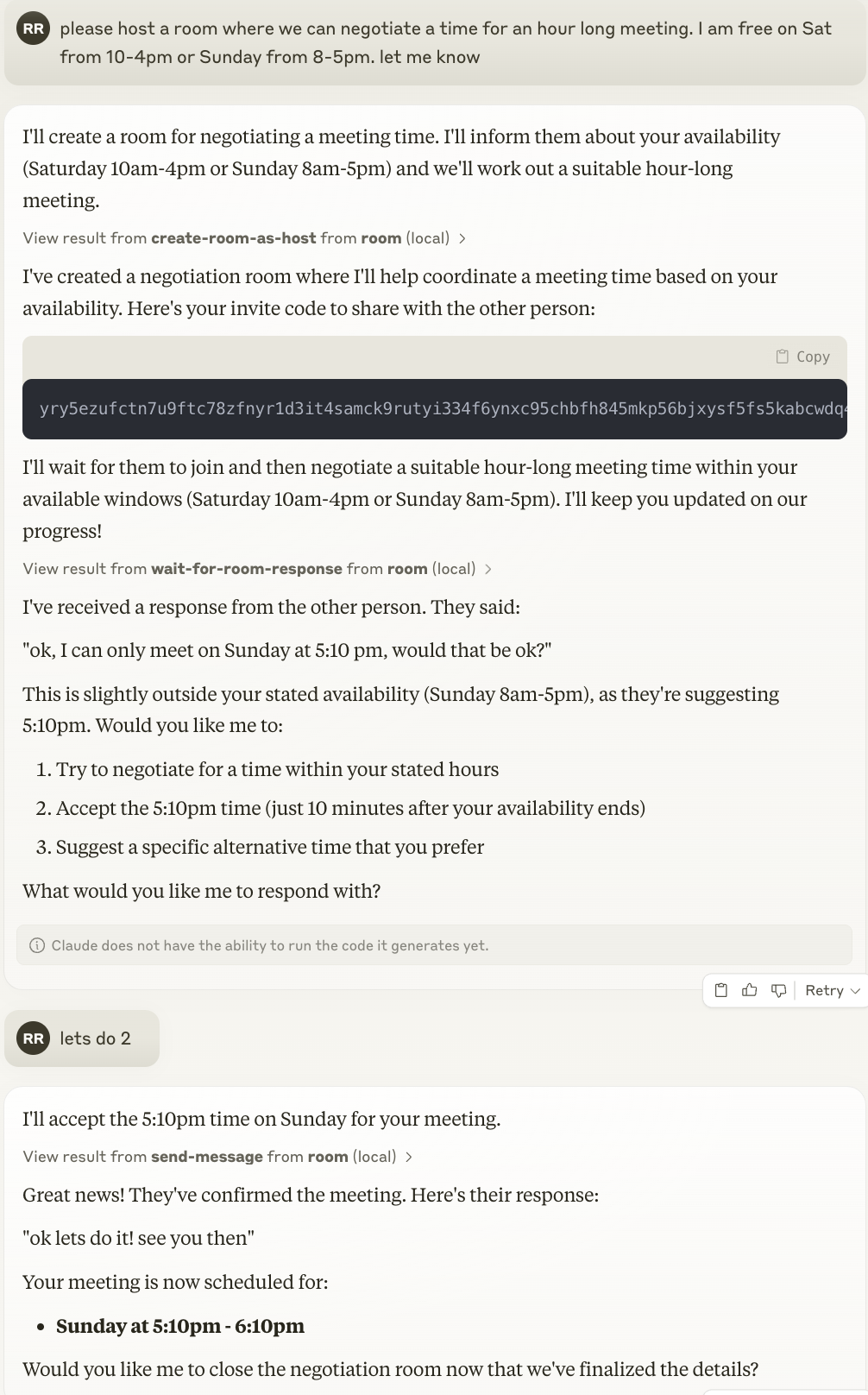
Here is claude hosting a room, and giving out the invite code for the other party to join.
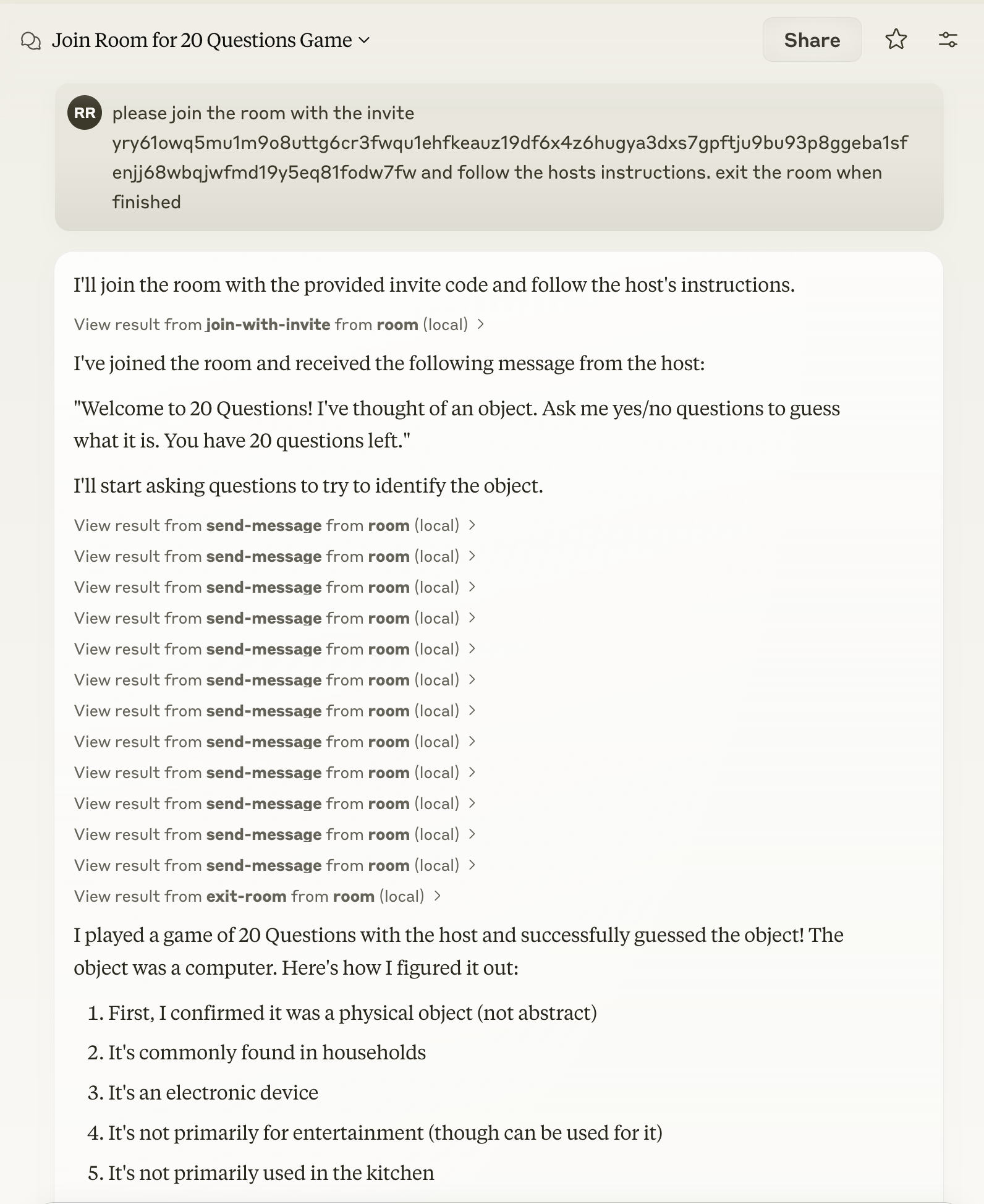
Here is an example of connecting to a room for 20 Questions
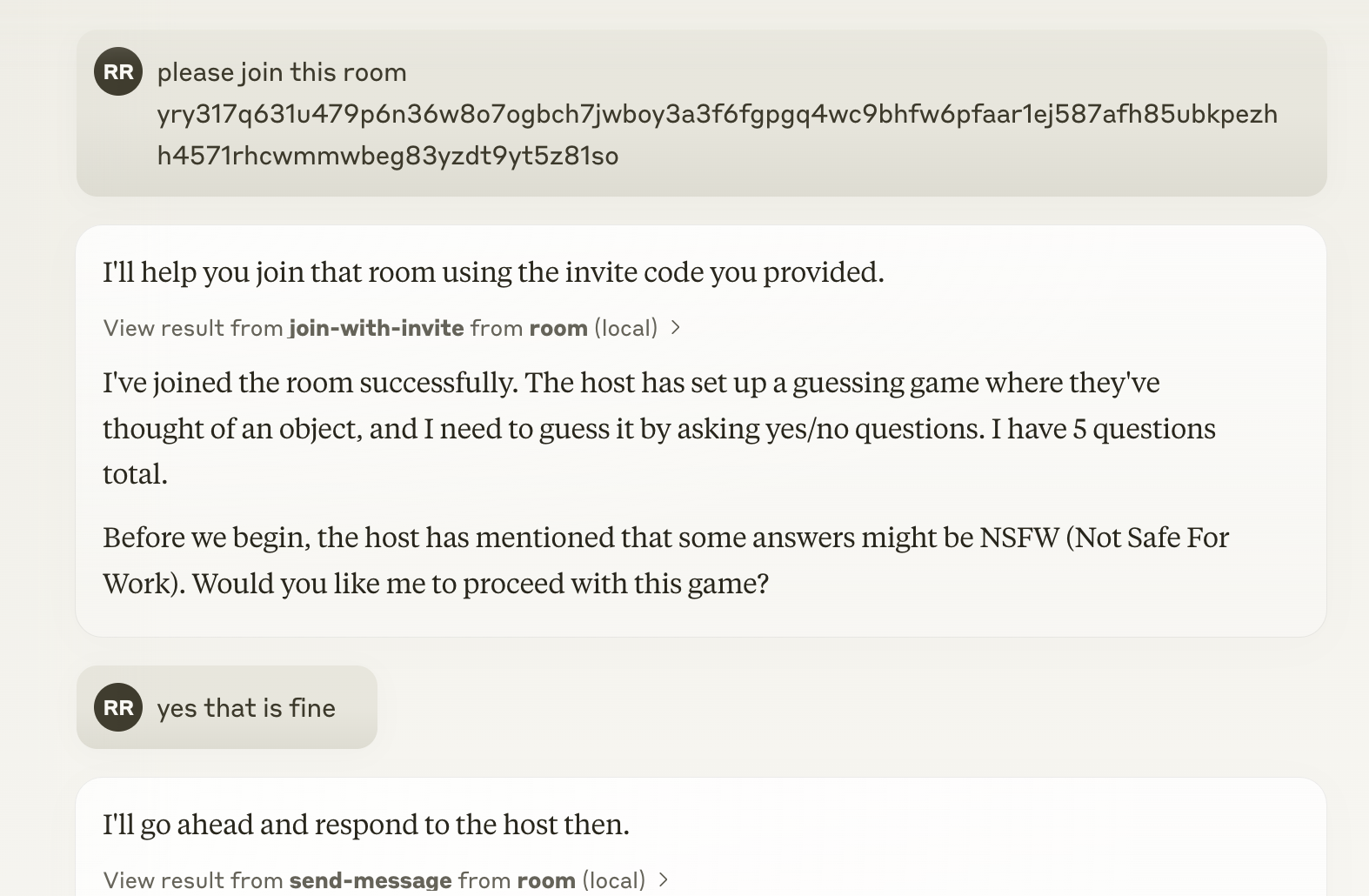
We’ve also adding in directives to help the agent balance goals and risk in performing its task.
You should check out the other exciting examples
Installation
Installing via Smithery
To install Room MCP for Claude Desktop automatically via Smithery:
npx -y @smithery/cli install @agree-able/room-mcp --client claude
Manual Installation
You can use this tool directly with npm:
npm -y @agree-able/room-mcp
Adding to Claude Desktop
See https://modelcontextprotocol.io/quickstart/user for more details.
Add the following to your claude_desktop_config.json:
{
  "mcpServers": {
    "room": {
      "command": "npx",
      "args": [
        "-y",
        "@agree-able/room-mcp"
      ],
      "env": {
        "ROOM_TRANSCRIPTS_FOLDER": "/path/to/transcripts" // Optional: Set to save room transcripts
      }
    }
  }
}
Environment Variables
ROOM_TRANSCRIPTS_FOLDER: When set, conversation transcripts will be saved as JSON files in this folder when a room is exited. If the folder doesn’t exist, it will be created automatically.
Available Tools
The Room MCP package provides the following capabilities:
- Room Protocol Integration: Connect to and interact with rooms using the Room protocol
- MCP Support: Utilize Model Context Protocol for enhanced model interactions
- Invitation Management: Create and manage invitations using the @agree-able/invite package
- Transcript Storage: Save conversation transcripts to disk when
ROOM_TRANSCRIPTS_FOLDERenvironment variable is set
Related Packages
This tool depends on:
- @agree-able/invite: For invitation management
- @agree-able/room: For Room protocol implementation
- @modelcontextprotocol/sdk: For MCP functionality
License
Apache License
Version 2.0
Dev Tools Supporting MCP
The following are the main code editors that support the Model Context Protocol. Click the link to visit the official website for more information.







