
Sane Local Mcp
What is Sane Local Mcp
Sane Local MCP is a command-line interface (CLI) tool designed to wrap any Node.js based STD/IO local Model Context Protocol (MCP) server in a lightweight Docker container, enhancing monitoring and security.
Use cases
Use cases for Sane Local MCP include running local development servers securely, testing third-party MCP servers in a controlled environment, and mitigating risks associated with STDIO execution.
How to use
To use Sane Local MCP, you can run an NPM-based MCP server using the command: npx @openint/mcp-cli npx modelcontextprotocol/server-sequential-thinking. You can also pass environment variables with the -e flag.
Key features
Key features of Sane Local MCP include improved security through isolation in Docker containers, ease of use with CLI commands, and the ability to run various Node.js based MCP servers seamlessly.
Where to use
Sane Local MCP can be used in software development environments, particularly when working with local MCP servers that require enhanced security measures against vulnerabilities.
Clients Supporting MCP
The following are the main client software that supports the Model Context Protocol. Click the link to visit the official website for more information.





Overview
What is Sane Local Mcp
Sane Local MCP is a command-line interface (CLI) tool designed to wrap any Node.js based STD/IO local Model Context Protocol (MCP) server in a lightweight Docker container, enhancing monitoring and security.
Use cases
Use cases for Sane Local MCP include running local development servers securely, testing third-party MCP servers in a controlled environment, and mitigating risks associated with STDIO execution.
How to use
To use Sane Local MCP, you can run an NPM-based MCP server using the command: npx @openint/mcp-cli npx modelcontextprotocol/server-sequential-thinking. You can also pass environment variables with the -e flag.
Key features
Key features of Sane Local MCP include improved security through isolation in Docker containers, ease of use with CLI commands, and the ability to run various Node.js based MCP servers seamlessly.
Where to use
Sane Local MCP can be used in software development environments, particularly when working with local MCP servers that require enhanced security measures against vulnerabilities.
Clients Supporting MCP
The following are the main client software that supports the Model Context Protocol. Click the link to visit the official website for more information.
Content
Sane Local MCP (+ FREE startup idea!)
CLI to wrap any nodejs based STD/IO local Model Context Protocol (MCP) server in a thin docker container for improved monitoring and security
TLDR;
- Local MCP isn’t safe, but it doesn’t need to be this way
- We introduce a preview CLI that helps fix it (Sane Local MCP)
It helped up inform our research at OpenInt into MCP and the security challenges it poses. Here’s our blog post about it: https://blog.openint.dev/sane-local-mcp/
🛑 The Problem with Local STDIO MCP Servers
Local MCP servers using STDIO are inherently risky.
They operate with the same privileges as the host process, which means a malicious or misconfigured server can access sensitive files, execute arbitrary code, or exfiltrate data without proper isolation.
This lack of sandboxing poses significant security concerns, especially when integrating third-party MCP servers.
The Damn Vulnerable MCP project published yesterday does a great job of detailing some of the vulnerabilities with it.
And NO, I don’t happen to think that the solution of moving everything to cloud remote servers fixes everything (as is convenient for SaaS vendors that sell you hosted MCP servers).
✅ The Solution: Sane Local MCP (Alpha Preview ⚠️)
To address these security challenges, we’ve developed Sane Local MCP, a CLI tool that wraps any MCP server—whether from NPM into a Docker container.
This approach ensures that each server runs in an isolated environment, mitigating the risks associated with direct STDIO execution.
Usage Examples:
- Run an NPM-based MCP server
npx @openint/mcp-cli npx modelcontextprotocol/server-sequential-thinking
You can pass environment variables using the -e flag:
npx @openint/mcp-cli -e API_KEY=your_api_key npx @modelcontextprotocol/server-example
🧪 How to Use in Claude
To integrate with Claude Desktop, modify the claude_desktop_config.json file:
{
  "mcpServers": {
    "filesystem": {
      "command": "npx",
      "args": ["@openint/mcp-cli", "npx", "modelcontextprotocol/server-sequential-thinking"]
    }
  }
}
This configuration ensures that the MCP server runs within a Docker container, providing a secure environment for Claude to interact with your local filesystem.
🧪 How to Use in Cursor (with environment variables example)
For Cursor IDE, add the following to your MCP configuration:
{
  "mcpServers": {
    "sanity": {
      "command": "npx",
      "args": ["@openint/mcp-cli", "npx", "modelcontextprotocol/server-sequential-thinking"],
      "env": {
        "SANITY_PROJECT_ID": "your_project_id",
        "SANITY_DATASET": "production",
        "SANITY_API_TOKEN": "your_sanity_api_token"
      }
    }
  }
}
Easy to monitor and manage
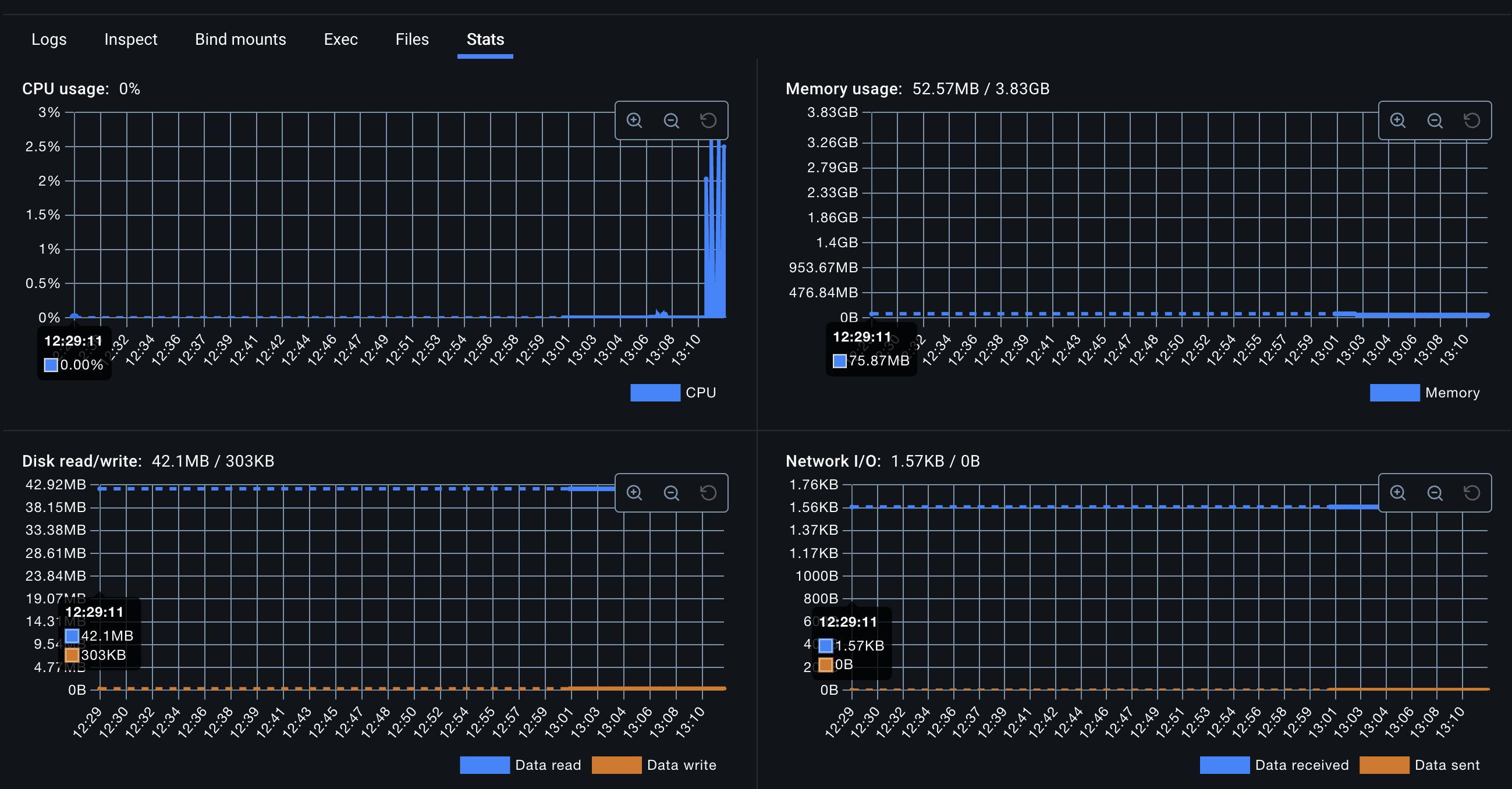
This enables you to monitor each of your running MCP servers within the Docker Desktop UI and get centralized logging and diagnostics on it.
How to improve this (Free startup ideas!):
➡️ Support more than just NodeJS, perhaps with a different container image per CLI
➡️ On Linux, explore unikernels or Firecracker VM
➡️ On Mac containerize using the native container APIs
➡️ Have this work for also remote servers, perhaps create a single remote server proxy that works passthrough for remote and same API for STDIO based servers
➡️ Same CLI to work for running in the dev machine and also in the cloud for kubernetes with remote config
Architecture
This workspace uses a client-server model where the CLI tool acts as the client and the Docker container running the proxy script acts as the server.
- User/CLI: The user initiates a command via
npx @openint/mcp-cli <cmd...>. The@openint/mcp-clipackage parses the command and arguments. - Docker Invocation: The CLI constructs and executes a
docker run -i --rm openint/openint-mcp:latest <cmd...>command, passing the user’s command and arguments to the Docker daemon. - Container Startup: Docker pulls (if needed) and starts the
openint/openint-mcp:latestcontainer. - Entrypoint Execution: The container’s entrypoint (
node /app/node_modules/@openint/mcp-proxy/dist/index.js) is executed. The<cmd...>from thedocker runcommand are passed as arguments to this Node.js script. - Proxy Logic: The
@openint/mcp-proxyscript receives the command and its arguments. It uses theexecalibrary to execute the command within the container’s/appworking directory. - I/O Piping: The
stdio: 'inherit'option inexecaand the-iflag indocker runensure that the standard input, output, and error streams of the executed command are piped back to the user’s terminal where the CLI was initially invoked.
graph TD
    subgraph User Environment
        U[User Terminal] -- npx @openint/mcp-cli ... --> CLI["@openint/mcp-cli (Local)"]
    end

    subgraph Docker Host
        CLI -- docker run ... --> D[Docker Daemon]
    end

    subgraph Docker Container openint/openint-mcp:latest
        D -- Starts Container --> C{Container}
        C -- Runs Entrypoint --> E[node .../proxy/dist/index.js]
        E -- Receives Args --> E
        E -- execa(cmd, args) --> Cmd(Executed Command e.g., npx some-mcp-server)
        Cmd -- Output/Input/Error --> C
    end

    C -- Pipes I/O --> D
    D -- Pipes I/O --> CLI
    CLI -- Displays Output/Handles Input --> U
Under the hood
This repository uses pnpm workspaces to manage the following packages:
@openint/mcp-cli: The command-line interface installed vianpx.@openint/mcp-proxy: The Node.js script that runs inside the Docker container to execute the target MCP command.dockerfiles: Contains the Dockerfiles for building the container images (though currently embedded within the CLI logic).
License
MIT. Make a startup out of this!!!
Why Do this?
OpenInt makes it a joy for developers to add integrations to their product. We see MCP as a client usage pattern and architecture that we have to support.We are focused on the developer experience of managing authentication for end-users, whether its in a traditional SaaS product or for agents. Hence we want to plug in to the rest of the ecosystem. This contribution to the ecosystem is our way of giving back.
Dev Tools Supporting MCP
The following are the main code editors that support the Model Context Protocol. Click the link to visit the official website for more information.







