
Sap Cap Mcp
What is Sap Cap Mcp
sap-cap-mcp is a Model Context Protocol (MCP) server designed for SAP Cloud Application Programming (CAP) development. It provides tools for generating Core Data Services (CDS) schemas and entities.
Use cases
Use cases include generating CDS schemas for new applications, creating entities for data management, and facilitating SAP CAP development workflows through integrated tools.
How to use
To use sap-cap-mcp, clone the repository, build it as a self-contained executable, and run the server. You can interact with it through various prompts to generate CDS schemas and manage entities.
Key features
Key features include the ability to generate empty CDS schema files, create fully featured SAP CAP entities with properties and associations, support for managed entities with automatic timestamps and user tracking, and tools accessible via the Model Context Protocol.
Where to use
sap-cap-mcp is primarily used in the development of cloud applications within the SAP ecosystem, particularly for projects that require efficient data modeling and entity management.
Clients Supporting MCP
The following are the main client software that supports the Model Context Protocol. Click the link to visit the official website for more information.





Overview
What is Sap Cap Mcp
sap-cap-mcp is a Model Context Protocol (MCP) server designed for SAP Cloud Application Programming (CAP) development. It provides tools for generating Core Data Services (CDS) schemas and entities.
Use cases
Use cases include generating CDS schemas for new applications, creating entities for data management, and facilitating SAP CAP development workflows through integrated tools.
How to use
To use sap-cap-mcp, clone the repository, build it as a self-contained executable, and run the server. You can interact with it through various prompts to generate CDS schemas and manage entities.
Key features
Key features include the ability to generate empty CDS schema files, create fully featured SAP CAP entities with properties and associations, support for managed entities with automatic timestamps and user tracking, and tools accessible via the Model Context Protocol.
Where to use
sap-cap-mcp is primarily used in the development of cloud applications within the SAP ecosystem, particularly for projects that require efficient data modeling and entity management.
Clients Supporting MCP
The following are the main client software that supports the Model Context Protocol. Click the link to visit the official website for more information.
Content
SAP CAP MCP Server
This is a Model Context Protocol (MCP) server for SAP Cloud Application Programming (CAP) development, providing specialized tools to generate CDS (Core Data Services) schemas and entities.
Features
- Generate empty CDS schema files with proper namespace and imports
- Create fully featured SAP CAP entities with properties and associations
- Support for managed entities with automatic timestamps and user tracking
- Tools accessible through the Model Context Protocol
Deployment as Local Executable
Follow these steps to deploy the SAP CAP MCP server as a self-contained local executable with all dependencies embedded:
Prerequisites
- .NET SDK 8.0 or later
- Windows, macOS, or Linux operating system
Build Steps
-
Clone the repository
git clone <repository-url> cd sap-cap-mcp -
Build as self-contained executable
For Windows:
dotnet publish -c Release -r win-x64 --self-contained true /p:PublishSingleFile=true
rm -r ./deploy/*.*
cp ./bin/Release/net8.0/win-x64/publish/sap-cap-mcp.exe ./deploy
cp ./bin/Release/net8.0/win-x64/publish/appsettings.json ./deploy
By default, the server runs on port 21210, change config for other port
Prompts
Work with these sample prompts
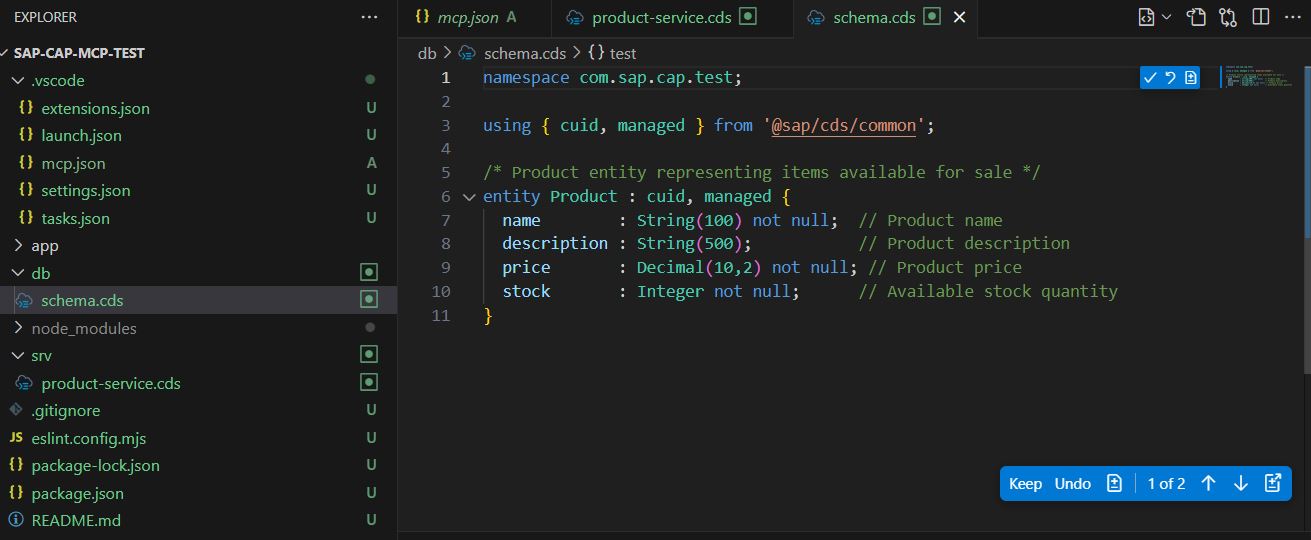
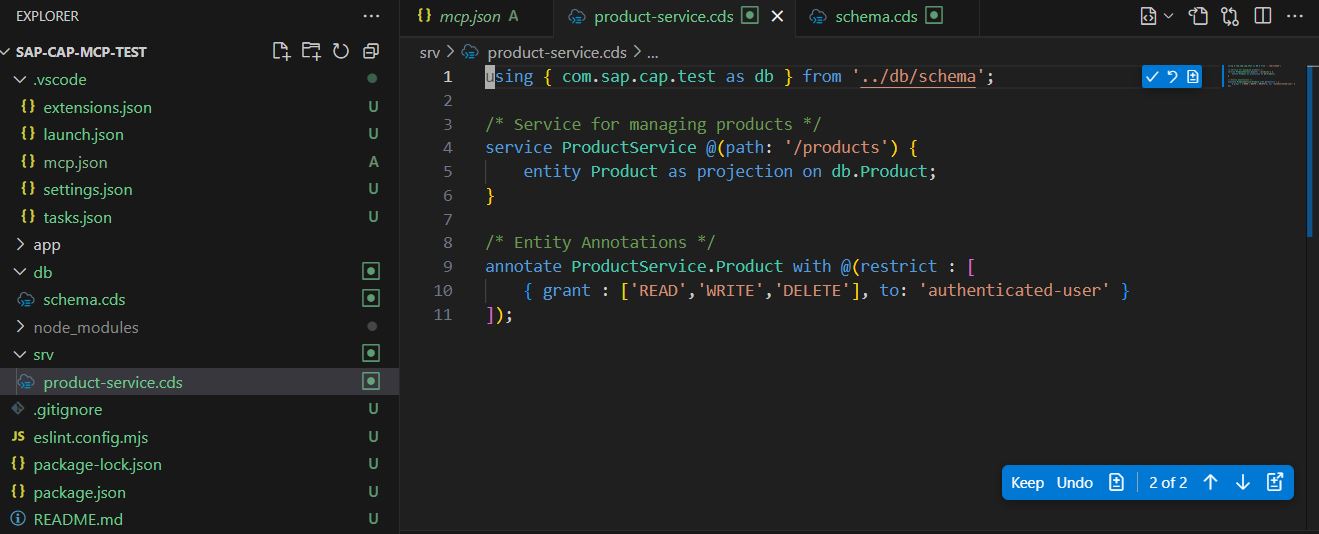
instruction for sap cap developmentinit sap cap structurecreate 1 entity Product and expose it in cds service using toolsstart sap cap cds development
Add MCP Tool Server code
Run sap-cap-mcp.exe
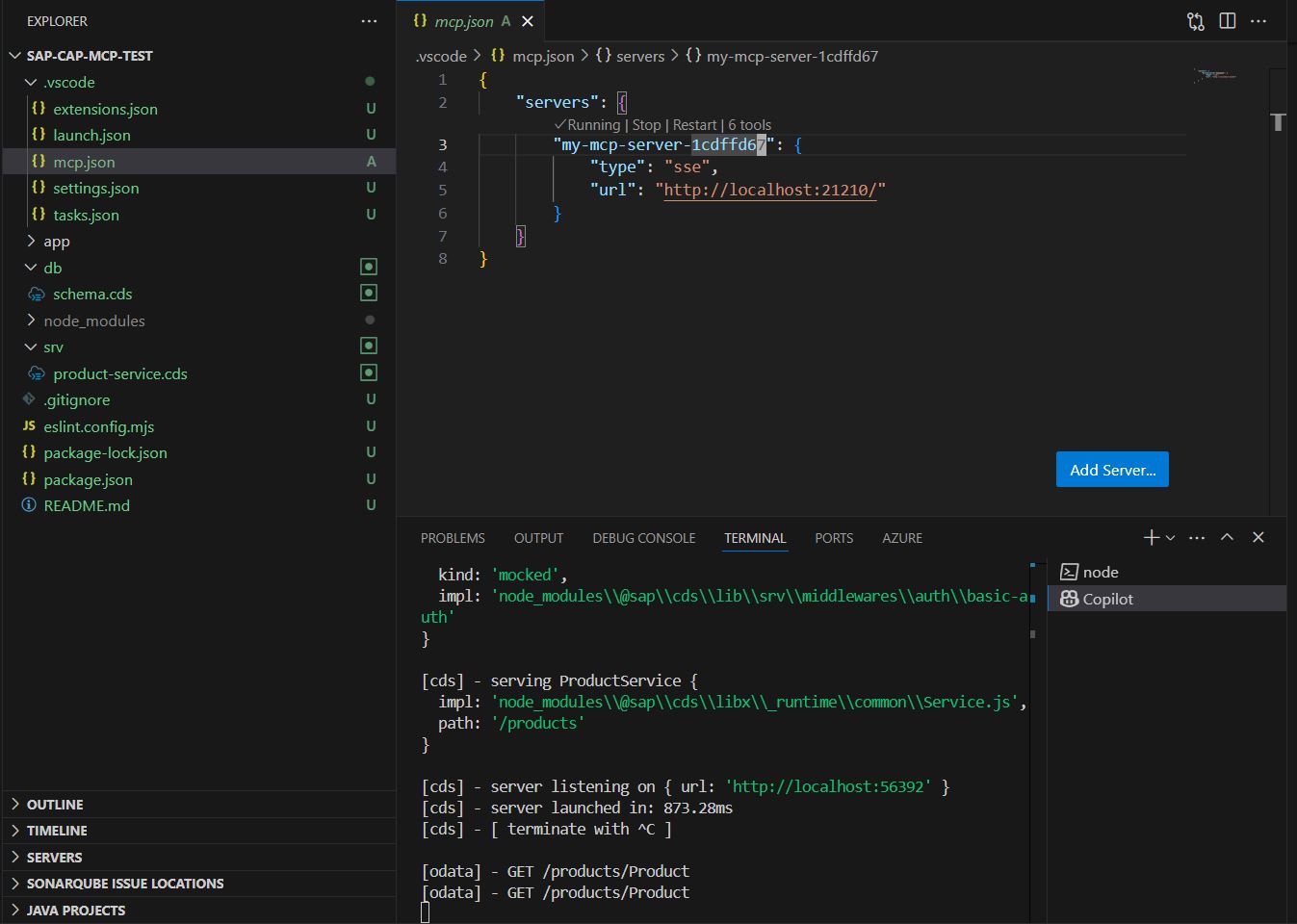
In .vscode/mcp.json file put and check all tools from the server
{
    "servers": {
        "my-mcp-server-1cdffd67": {
            "type": "sse",
            "url": "http://localhost:21210/"
        }
    }
}
Media pictures and video
Screenshots
Here are some screenshots of the SAP CAP MCP Server in action:
Demo
Watch our demo to see how to use the SAP CAP MCP Server:
Docker build, tag, upload
docker tag sap-cap-mcp-tools radu103/sap-cap-mcp-tools:latest
docker tag sap-cap-mcp-tools radu103/sap-cap-mcp-tools:0.0.1
docker push radu103/sap-cap-mcp-tools:latest
docker push radu103/sap-cap-mcp-tools:0.0.1
Dev Tools Supporting MCP
The following are the main code editors that support the Model Context Protocol. Click the link to visit the official website for more information.







