
Seekchat
What is Seekchat
SeekChat is a sleek and powerful AI desktop assistant that integrates with MCP, allowing users to automate various tasks on their computers using AI capabilities.
Use cases
Use cases include automating repetitive tasks, enhancing coding efficiency, managing files, and conducting data analysis, thereby improving overall productivity.
How to use
Users can download the pre-compiled version or build from source. Once installed, they can interact with the AI assistant to perform tasks like file management, data analysis, and code development.
Key features
Key features include support for multiple AI providers, MCP tool integration, local storage for chat history, multi-language support, and a modern, intuitive user interface.
Where to use
SeekChat can be used in various fields such as software development, data analysis, and personal productivity, making it suitable for both professional and personal use.
Clients Supporting MCP
The following are the main client software that supports the Model Context Protocol. Click the link to visit the official website for more information.





Overview
What is Seekchat
SeekChat is a sleek and powerful AI desktop assistant that integrates with MCP, allowing users to automate various tasks on their computers using AI capabilities.
Use cases
Use cases include automating repetitive tasks, enhancing coding efficiency, managing files, and conducting data analysis, thereby improving overall productivity.
How to use
Users can download the pre-compiled version or build from source. Once installed, they can interact with the AI assistant to perform tasks like file management, data analysis, and code development.
Key features
Key features include support for multiple AI providers, MCP tool integration, local storage for chat history, multi-language support, and a modern, intuitive user interface.
Where to use
SeekChat can be used in various fields such as software development, data analysis, and personal productivity, making it suitable for both professional and personal use.
Clients Supporting MCP
The following are the main client software that supports the Model Context Protocol. Click the link to visit the official website for more information.
Content
SeekChat



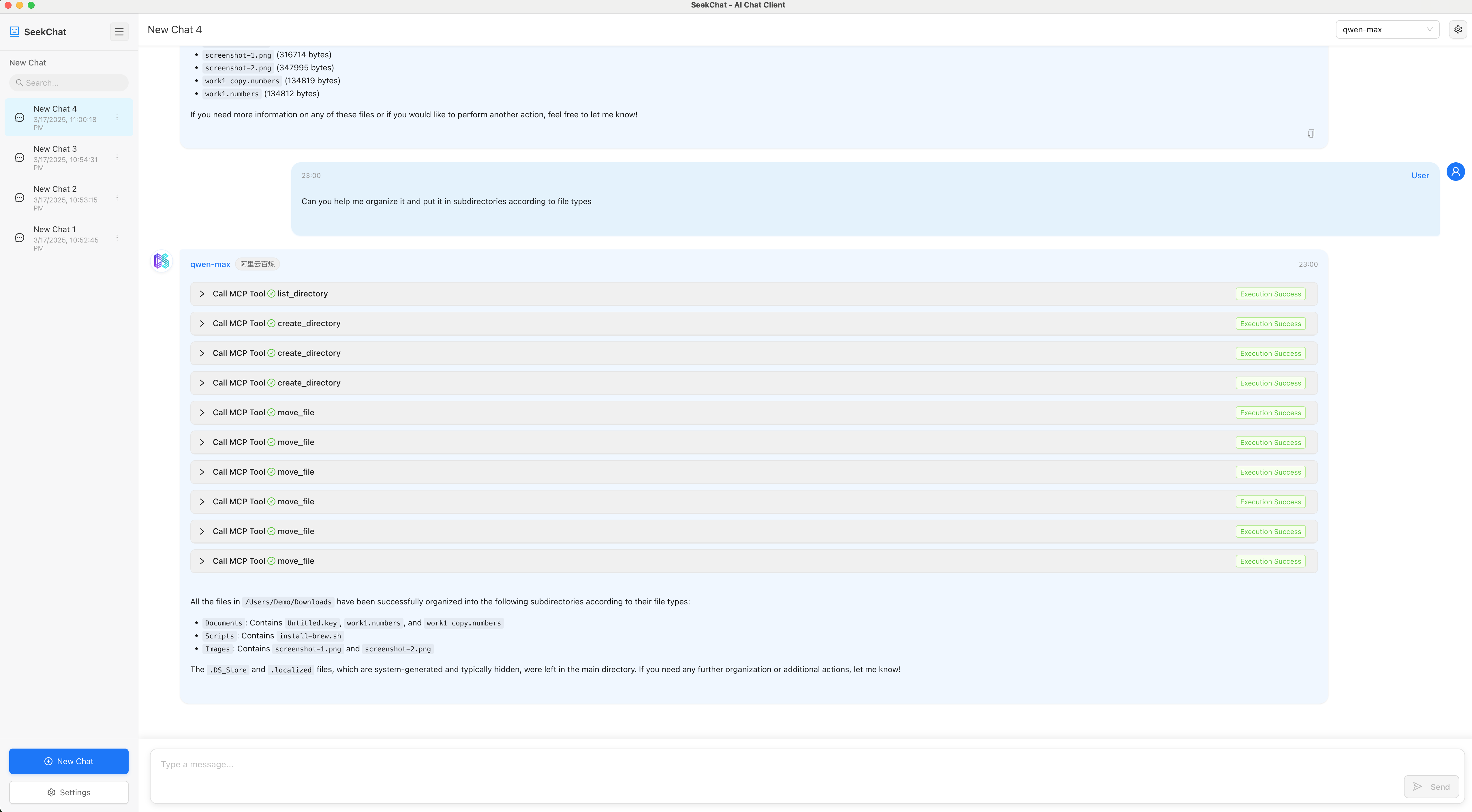
SeekChat supports MCP tool execution, enabling AI to directly control your computer and perform various tasks. Easily automate file management, data analysis, code development, and more, turning AI into a truly intelligent assistant.
✨ Key Features
- Multiple AI Providers: Support for various AI service providers
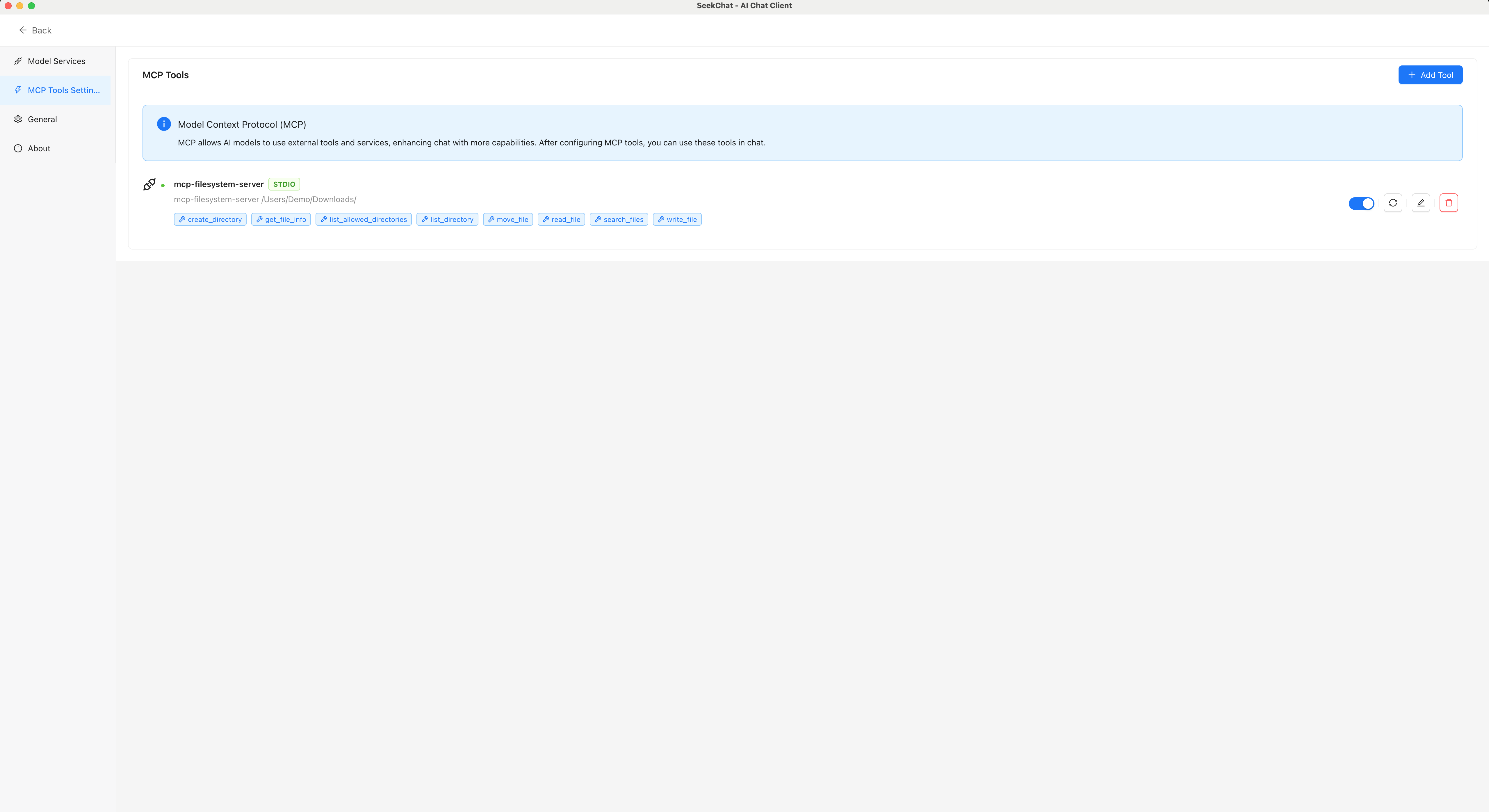
- MCP Tool Integration: Support for Model Context Protocol tools that enhance AI capabilities
- Local Storage: Chat history is stored locally to protect your privacy
- Multi-language Support: Available in English and Chinese
- Modern UI: Simple and intuitive user interface
🌠 Screenshots
Chat Interface
MCP Tool Settings
📦 Installation
Download Pre-compiled Version
Visit the Releases page to download the latest pre-compiled version.
Build from Source
# Clone the repository
git clone https://github.com/seekrays/seekchat.git
cd seekchat

# Install dependencies
npm install

# Run in development mode
npm run dev

# Build for production
# For macOS
npm run electron:build:mac

# For Windows
npm run electron:build:win

# For Linux
npm run electron:build:linux
Community
Discord Community
Join our Discord community to get the latest updates and participate in product discussions.
WeChat Community

After following our WeChat Official Account, send the message “加群” to join our WeChat community group and discuss with other users.
🤝 Contributing
Pull Requests and Issues are welcome! If you have any suggestions or find a bug, please let us know.
🙏 Acknowledgements
- Thanks to all open-source project contributors
- Thanks to the Electron and React communities
- Special thanks to all users for their support and feedback
Dev Tools Supporting MCP
The following are the main code editors that support the Model Context Protocol. Click the link to visit the official website for more information.







