
Shortcut Mcp Server
What is Shortcut Mcp Server
shortcut-mcp-server is a Model Context Protocol server designed for integration with the Shortcut platform. It is part of a monorepo that includes various MCP servers for different use cases.
Use cases
Use cases for shortcut-mcp-server include automating project management tasks, integrating Shortcut with other applications, and facilitating communication between different software tools.
How to use
To use shortcut-mcp-server, you can install it via the TUI provided in the monorepo. After installation, you can run the server and connect it with compatible clients like Claude Desktop, Cursor, and Windsurf.
Key features
Key features include a terminal user interface (TUI) for easy installation, compatibility with multiple clients, and the ability to publish your own MCP server to NPM or other JavaScript package managers.
Where to use
shortcut-mcp-server is primarily used in software development environments where integration with the Shortcut platform is required, especially in project management and task tracking applications.
Clients Supporting MCP
The following are the main client software that supports the Model Context Protocol. Click the link to visit the official website for more information.





Overview
What is Shortcut Mcp Server
shortcut-mcp-server is a Model Context Protocol server designed for integration with the Shortcut platform. It is part of a monorepo that includes various MCP servers for different use cases.
Use cases
Use cases for shortcut-mcp-server include automating project management tasks, integrating Shortcut with other applications, and facilitating communication between different software tools.
How to use
To use shortcut-mcp-server, you can install it via the TUI provided in the monorepo. After installation, you can run the server and connect it with compatible clients like Claude Desktop, Cursor, and Windsurf.
Key features
Key features include a terminal user interface (TUI) for easy installation, compatibility with multiple clients, and the ability to publish your own MCP server to NPM or other JavaScript package managers.
Where to use
shortcut-mcp-server is primarily used in software development environments where integration with the Shortcut platform is required, especially in project management and task tracking applications.
Clients Supporting MCP
The following are the main client software that supports the Model Context Protocol. Click the link to visit the official website for more information.
Content
@madisonbullard/mcp-servers
A monorepo containing a TUI (@madisonbullard/mcp-server-tui) to aid in the installation of Model Context Protocol servers. Bring your own MCP server and publish it to NPM or your JS package manager of choice in minutes.
Here is an example the TUI in action, used to install @madisonbullard/shortcut-mcp-server:
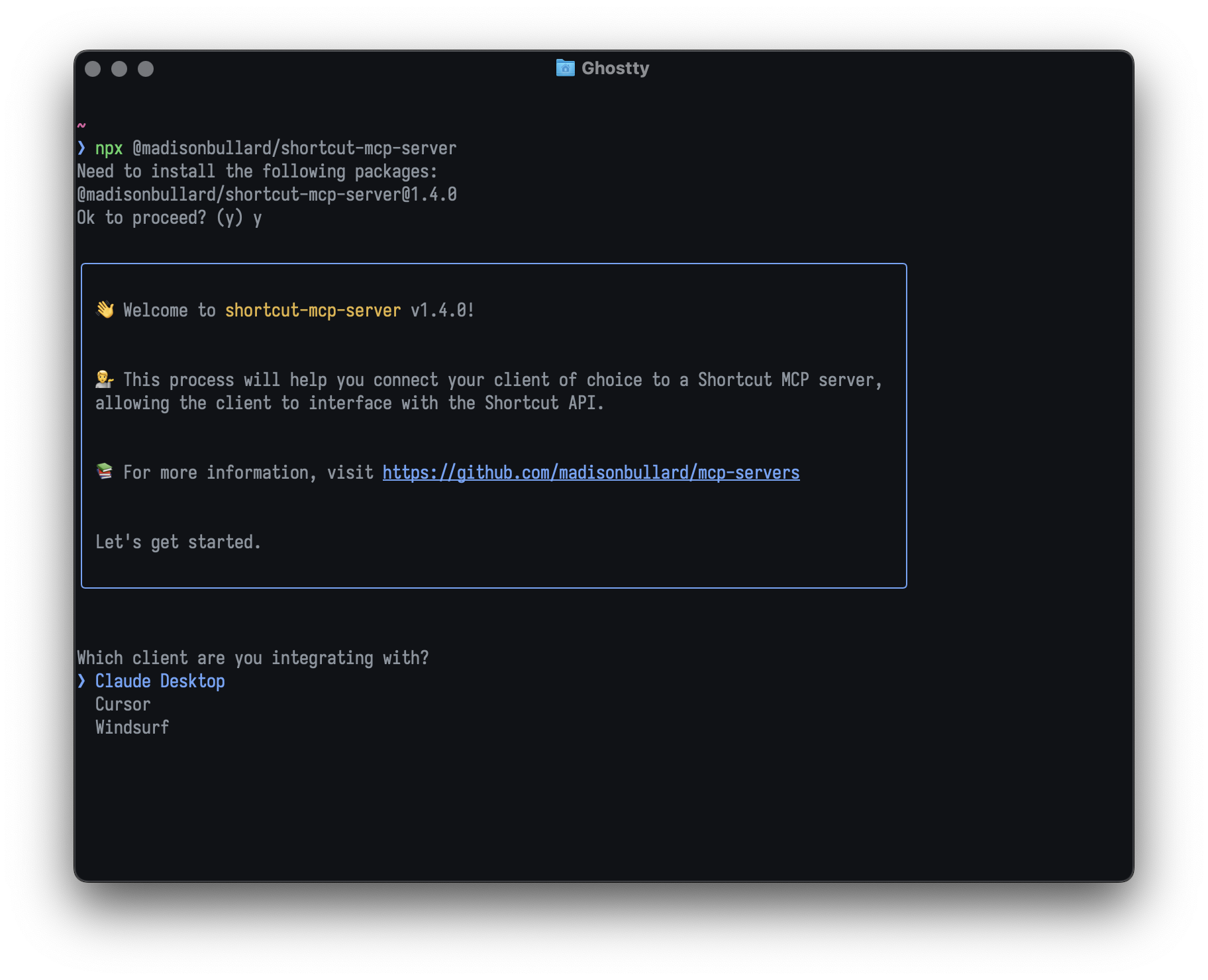
It also contains MCP servers for various use cases, all installed via the TUI.
Packages
@madisonbullard/mcp-server-tui: A TUI for installing MCP servers for various clients (Claude Desktop, Cursor, Windsurf, etc.)@madisonbullard/shortcut-mcp-server: An MCP server for Shortcut@madisonbullard/shortcut-mcp-server-installer: A CLI for installing the Shortcut MCP server@madisonbullard/shortcut-api-client: A client for the Shortcut API@madisonbullard/notion-mcp-server: An MCP server for Notion@madisonbullard/notion-mcp-server-installer: A CLI for installing the Notion MCP server@madisonbullard/notion-api-client: A client for the Notion API@madisonbullard/coderabbit-mcp-server: An MCP server for Coderabbit@madisonbullard/coderabbit-api-client: A client for the Coderabbit API
Development
- Install dependencies:
bun install
- Build the MCP server and CLI of the server you want to develop (this command builds every package in the monorepo):
bun run build
-
This will create a
distfolder in each package folder required for the server you want to develop. -
Run the CLI
bun run packages/shortcut-mcp-server-installer/dist/index.js # or the path to the dist folder of the CLI you want to run
- Run the MCP server
bun run packages/shortcut-mcp-server/dist/index.js
- The client (e.g. Claude Desktop, Cursor, Windsurf, etc.) will run and connect to the MCP server without the above command, so you usually don’t need to run it unless you want to manually make requests to the MCP server.
Coding style
Ensure bun typecheck and bun check pass. You can run bun fix to format the code.
To use the git hooks in the repo’s .githooks folder, which will save you from waiting for CI to tell you that you forgot to these commands, run this:
git config core.hookspath .githooks
Dev Tools Supporting MCP
The following are the main code editors that support the Model Context Protocol. Click the link to visit the official website for more information.







