
Shortcuts Mcp Server
What is Shortcuts Mcp Server
shortcuts-mcp-server is a Model Context Protocol (MCP) server that provides access to Apple Shortcuts functionality, allowing AI assistants to list, view, and execute shortcuts through the MCP interface.
Use cases
Use cases include integrating Apple Shortcuts into AI workflows, automating tasks through voice commands, and enhancing productivity tools by providing easy access to user-defined shortcuts.
How to use
To use shortcuts-mcp-server, clone the repository from GitHub, build it using Swift, and configure it in your MCP-enabled application like Cursor or Claude Desktop by updating the respective configuration files with the server’s executable path.
Key features
Key features include compatibility with multiple MCP-enabled applications, the ability to list and run Apple Shortcuts, and a straightforward installation and configuration process.
Where to use
shortcuts-mcp-server can be used in various applications that support the Model Context Protocol, particularly in AI assistants and automation tools that leverage Apple Shortcuts.
Clients Supporting MCP
The following are the main client software that supports the Model Context Protocol. Click the link to visit the official website for more information.





Overview
What is Shortcuts Mcp Server
shortcuts-mcp-server is a Model Context Protocol (MCP) server that provides access to Apple Shortcuts functionality, allowing AI assistants to list, view, and execute shortcuts through the MCP interface.
Use cases
Use cases include integrating Apple Shortcuts into AI workflows, automating tasks through voice commands, and enhancing productivity tools by providing easy access to user-defined shortcuts.
How to use
To use shortcuts-mcp-server, clone the repository from GitHub, build it using Swift, and configure it in your MCP-enabled application like Cursor or Claude Desktop by updating the respective configuration files with the server’s executable path.
Key features
Key features include compatibility with multiple MCP-enabled applications, the ability to list and run Apple Shortcuts, and a straightforward installation and configuration process.
Where to use
shortcuts-mcp-server can be used in various applications that support the Model Context Protocol, particularly in AI assistants and automation tools that leverage Apple Shortcuts.
Clients Supporting MCP
The following are the main client software that supports the Model Context Protocol. Click the link to visit the official website for more information.
Content
shortcuts-mcp-server


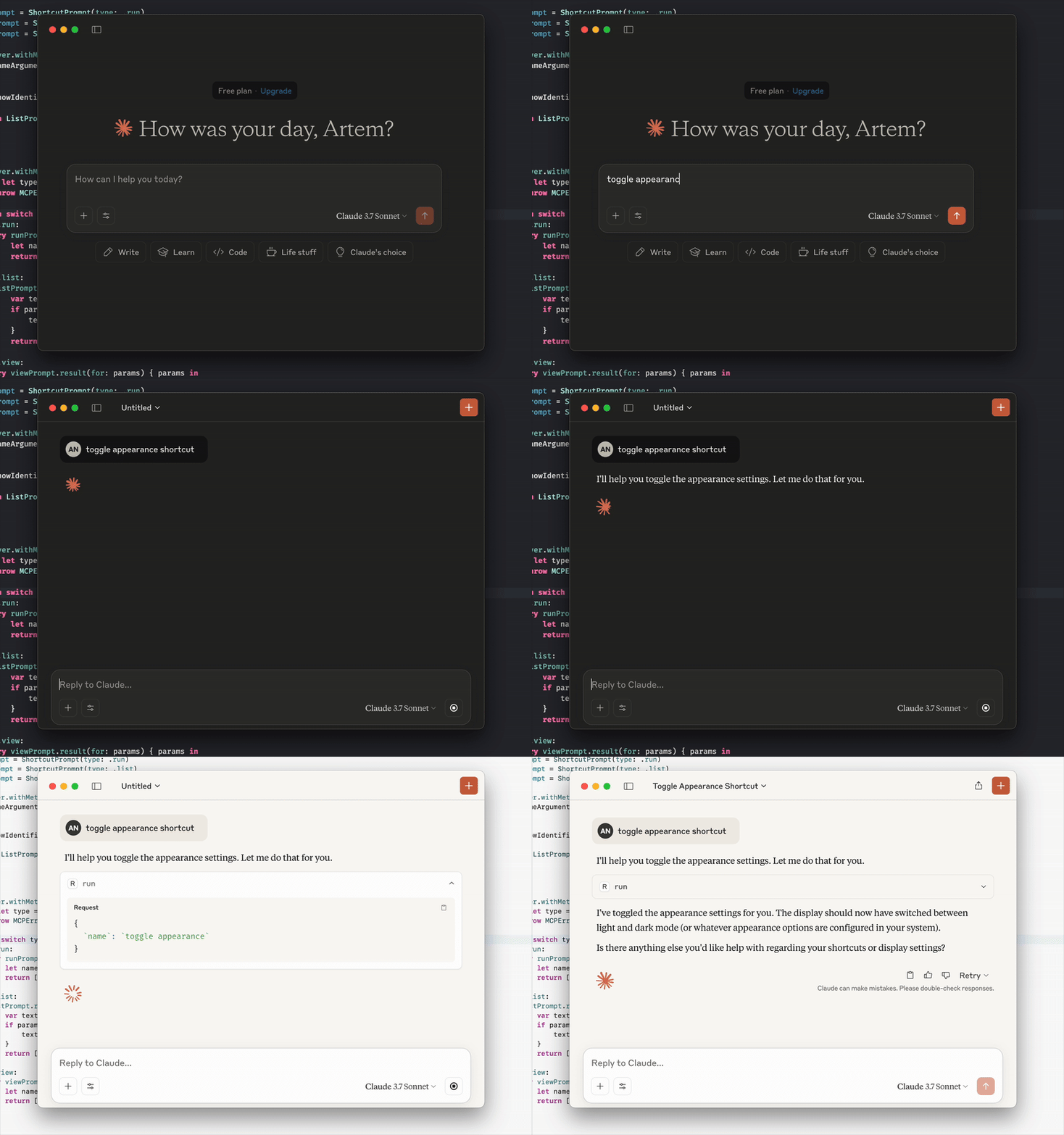
A Model Context Protocol (MCP) server that provides access to Apple Shortcuts functionality. This server allows AI assistants to list, view, and run your shortcuts through the MCP interface.
Compatible with Cursor, Claude Desktop, and other MCP-enabled applications.
Getting started
Prerequisites
- macOS 14.5 or later
- Xcode 16.x or later
- mise
Setup with mise
To install mise:
brew install mise
For more information about mise, visit the official documentation.
Quick install


Manual installation
Update your MCP configuration with the following server:
{
  "mcpServers": {
    "shortcuts-mcp-server": {
      "command": "mise",
      "args": [
        "x",
        "ubi:artemnovichkov/shortcuts-mcp-server@latest",
        "--",
        "shortcuts-mcp-server"
      ]
    }
  }
}
Usage
Just ask LLM to run a shortcut, show a list of added shortcuts or view a shortcut in Shortcuts app.
If your MCP client supports Prompts and Resources you may check it as well:
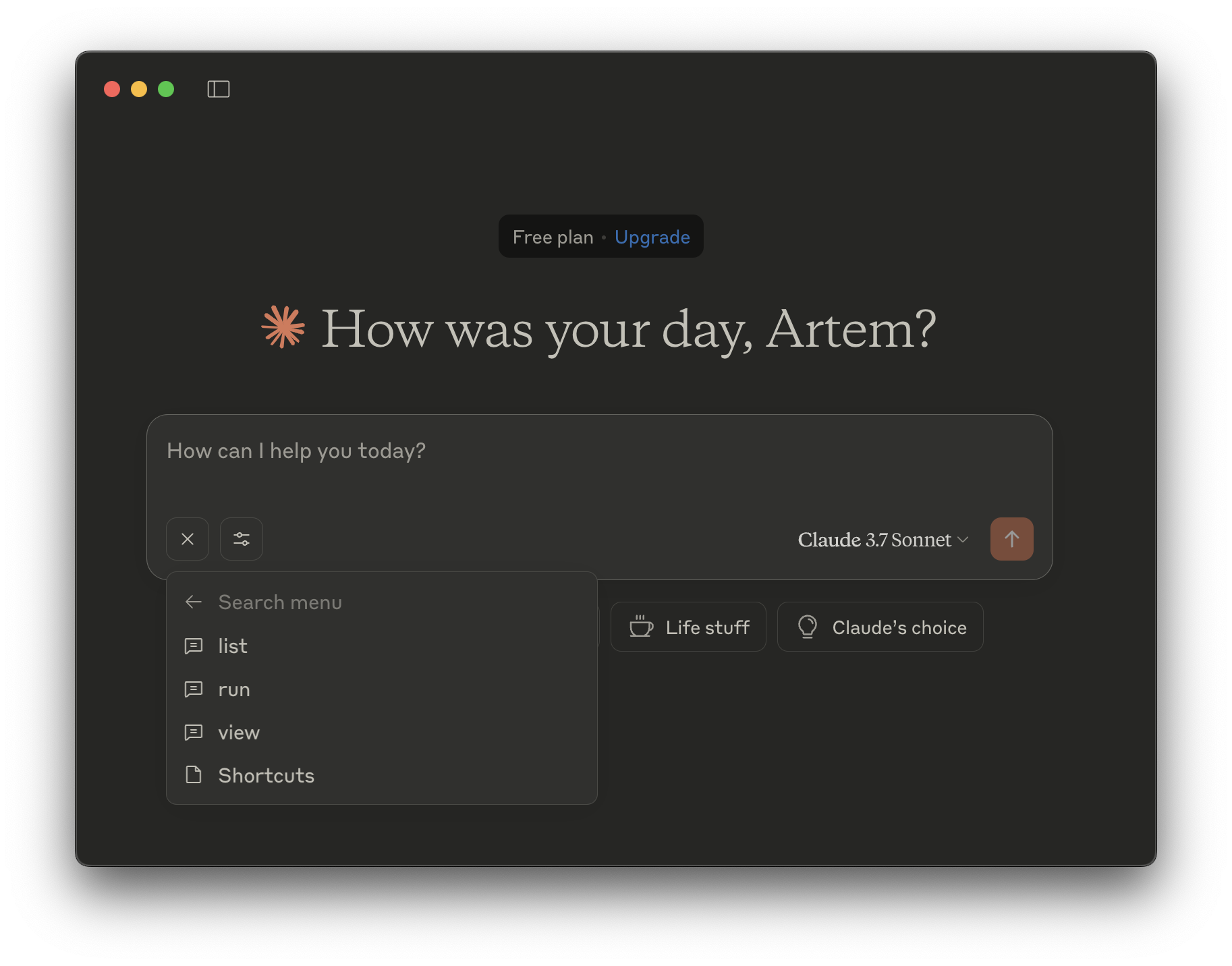
Tools
- run - Run a shortcut.
name- The name of the shortcut to run (string, required)
- list - List your shortcuts.
show-identifiers- Whether to show the identifiers of the shortcuts. (boolean, optional)
- view - View a shortcut in Shortcuts app.
name- Name of the shortcut to view (string, required)
Resources
- list - List your shortcuts.
Prompts
- run - Run a shortcut.
name- Name of the shortcut to run (string, required)
- list - List your shortcuts.
show-identifiers- Whether to show the identifiers of the shortcuts. (boolean, optional)
- view - View a shortcut in Shortcuts app.
name- Name of the shortcut to view (string, required)
References
Dev Tools Supporting MCP
The following are the main code editors that support the Model Context Protocol. Click the link to visit the official website for more information.







