
Sms Mcp Server
What is Sms Mcp Server
sms-mcp-server is a Model Context Protocol (MCP) server that allows AI assistants like Claude to send SMS and MMS messages using Twilio.
Use cases
Use cases include sending reminders, creative messages, and notifications through SMS, making it suitable for personal and business communication.
How to use
To use sms-mcp-server, configure it with your Twilio credentials in the Claude Desktop configuration file, then interact with Claude to send messages.
Key features
Key features include sending SMS messages, pre-built prompts for common messaging scenarios, and secure handling of Twilio credentials.
Where to use
undefined
Clients Supporting MCP
The following are the main client software that supports the Model Context Protocol. Click the link to visit the official website for more information.





Overview
What is Sms Mcp Server
sms-mcp-server is a Model Context Protocol (MCP) server that allows AI assistants like Claude to send SMS and MMS messages using Twilio.
Use cases
Use cases include sending reminders, creative messages, and notifications through SMS, making it suitable for personal and business communication.
How to use
To use sms-mcp-server, configure it with your Twilio credentials in the Claude Desktop configuration file, then interact with Claude to send messages.
Key features
Key features include sending SMS messages, pre-built prompts for common messaging scenarios, and secure handling of Twilio credentials.
Where to use
undefined
Clients Supporting MCP
The following are the main client software that supports the Model Context Protocol. Click the link to visit the official website for more information.
Content
Twilio MCP Server
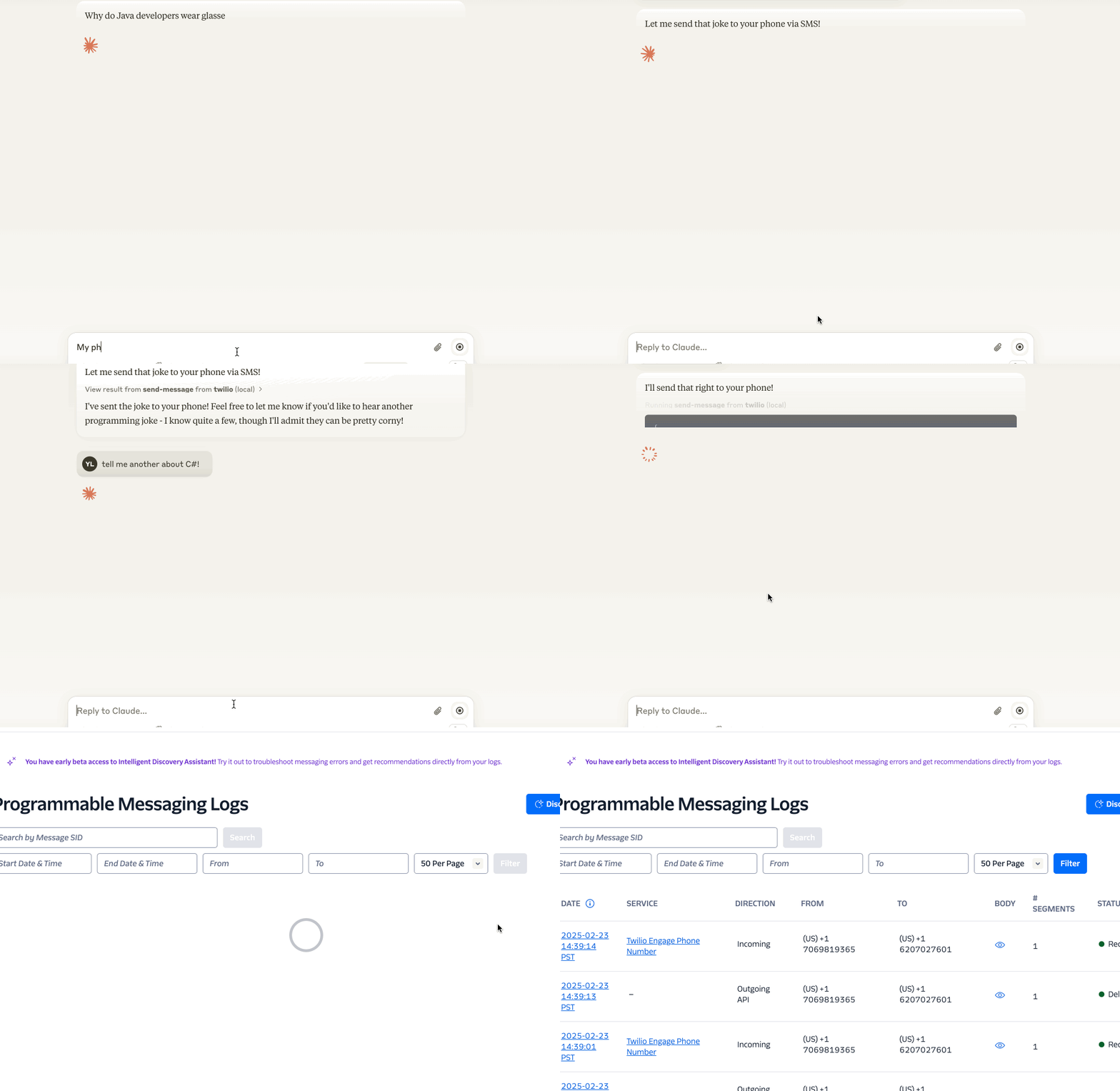
A Model Context Protocol (MCP) server that enables Claude and other AI assistants to send SMS and MMS messages using Twilio.
Demo
Features
- Send SMS messages 📱
- Pre-built prompts for common messaging scenarios 📝
- Secure handling of Twilio credentials 🔒
Requirements
- Node.js >= 18
- If you need to update Node.js, we recommend using
nvm(Node Version Manager):nvm install 18.14.2 nvm alias default 18.14.2 - If you encounter any errors in Claude Desktop, try running the following command in your terminal to verify the installation:
npx -y @yiyang.1i/sms-mcp-server
- If you need to update Node.js, we recommend using
Configuration
The server requires three environment variables:
ACCOUNT_SID: Your Twilio account SIDAUTH_TOKEN: Your Twilio auth tokenFROM_NUMBER: Your Twilio phone number (in E.164 format, e.g., +11234567890)
Claude Desktop Configuration
To use this server with Claude Desktop, add the following to your configuration file:
macOS: ~/Library/Application Support/Claude/claude_desktop_config.json
Windows: %APPDATA%\Claude\claude_desktop_config.json
{
  "mcpServers": {
    "twilio": {
      "command": "npx",
      "args": [
        "-y",
        "@yiyang.1i/sms-mcp-server"
      ],
      "env": {
        "ACCOUNT_SID": "your_account_sid",
        "AUTH_TOKEN": "your_auth_token",
        "FROM_NUMBER": "your_twilio_number"
      }
    }
  }
}
After that, restart Claude Desktop to reload the configuration.
If connected, you should see Twilio under the 🔨 menu.
Example Interactions with Claude
Here are some natural ways to interact with the server through Claude:
- Simple SMS:
Send a text message to the number +11234567890 saying "Don't forget about dinner tonight!"
- Creative SMS:
Write a haiku about autumn and send it to my number +11234567890
Important Notes
- Phone Number Format: All phone numbers must be in E.164 format (e.g., +11234567890)
- Rate Limits: Be aware of your Twilio account’s rate limits and pricing
- Security: Keep your Twilio credentials secure and never commit them to version control
Troubleshooting
Common error messages and solutions:
-
“Phone number must be in E.164 format”
- Make sure the phone number starts with “+” and the country code
-
“Invalid credentials”
- Double-check your ACCOUNT_SID and AUTH_TOKEN. You can copy them from the Twilio Console
Contributing
Contributions are welcome! Please read our contributing guidelines before submitting pull requests.
License
This project is licensed under the MIT License - see the LICENSE file for details.
Security
Please do not include any sensitive information (like phone numbers or Twilio credentials) in GitHub issues or pull requests.
Dev Tools Supporting MCP
The following are the main code editors that support the Model Context Protocol. Click the link to visit the official website for more information.







