
Spb Demo
What is Spb Demo
spb-demo is a project that implements Sparkplug B (SPB) for industrial IoT monitoring and control, utilizing a chat-based interface to interact with device data through natural language.
Use cases
Use cases include monitoring machine performance, analyzing historical trends in industrial processes, and providing insights into device status through conversational interactions.
How to use
To use spb-demo, clone the repository, install necessary dependencies, configure the environment, and run the Sparkplug MCP server along with the main application. Users can then interact with the system via a web interface.
Key features
Key features include real-time monitoring of device metrics, historical data analysis, and a user-friendly chat interface that allows natural language queries.
Where to use
spb-demo is suitable for industrial automation, IoT applications, and any scenario requiring real-time data monitoring and analysis.
Clients Supporting MCP
The following are the main client software that supports the Model Context Protocol. Click the link to visit the official website for more information.





Overview
What is Spb Demo
spb-demo is a project that implements Sparkplug B (SPB) for industrial IoT monitoring and control, utilizing a chat-based interface to interact with device data through natural language.
Use cases
Use cases include monitoring machine performance, analyzing historical trends in industrial processes, and providing insights into device status through conversational interactions.
How to use
To use spb-demo, clone the repository, install necessary dependencies, configure the environment, and run the Sparkplug MCP server along with the main application. Users can then interact with the system via a web interface.
Key features
Key features include real-time monitoring of device metrics, historical data analysis, and a user-friendly chat interface that allows natural language queries.
Where to use
spb-demo is suitable for industrial automation, IoT applications, and any scenario requiring real-time data monitoring and analysis.
Clients Supporting MCP
The following are the main client software that supports the Model Context Protocol. Click the link to visit the official website for more information.
Content
Overview
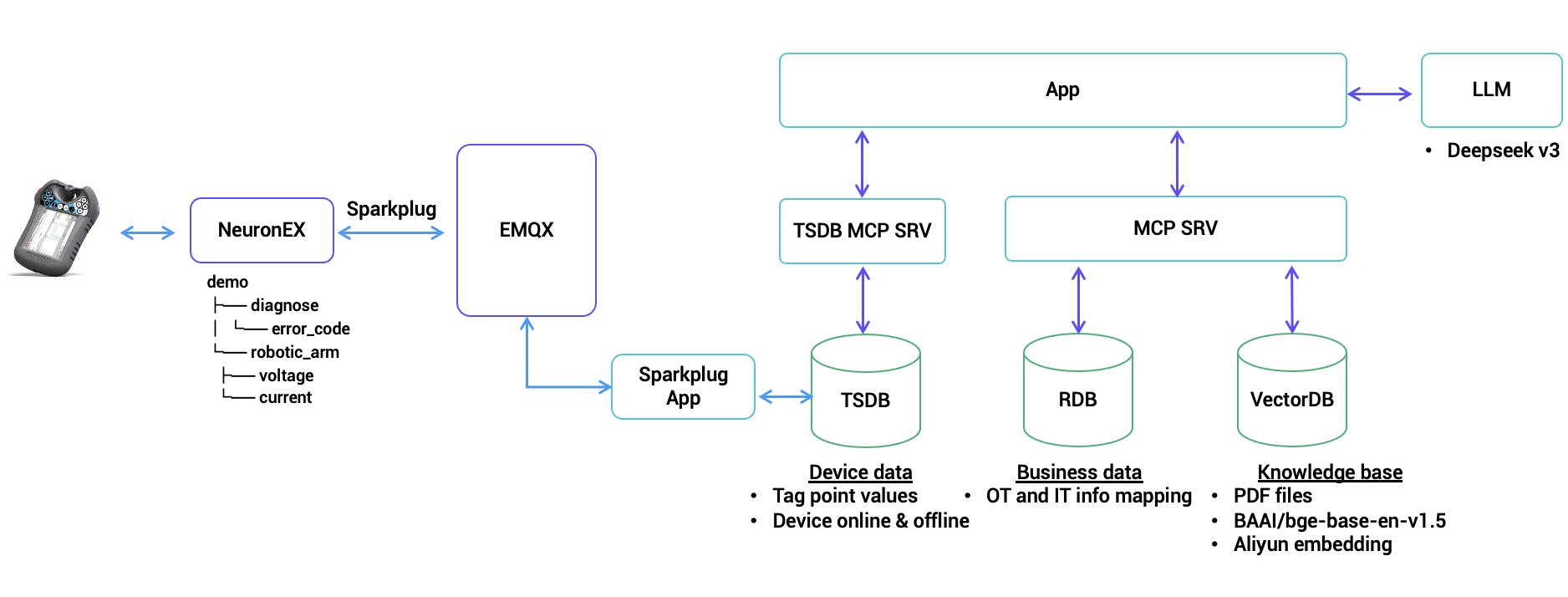
This project demonstrates a Sparkplug B (SPB) implementation featuring a chat-based interface for industrial IoT monitoring and control. It combines a Sparkplug MCP server with a web application that allows users to query device data, analyze historical metrics, and monitor device status through natural language interactions. The system supports both real-time monitoring and historical analysis of device metrics, making it ideal for industrial automation and IoT applications.
Architect diagram
Setup workspace
Follow the steps below to set up and run the application:
- Clone the Repository
git clone https://github.com/emqx/uns-demo/
cd uns-demo
-
The project use
uvto manage libs and project, please install uv before getting start. -
Some dependencies need to be compiled through cmake, please install cmake before getting start.
-
Install Dependencies and Activate Virtual Environment
uv sync
uv venv
Pre-conditions
Install software and configurations
Please refer to software preparation.
Run the application
Steps
- Copy
.env.exampleto.envand modify the values accordingly. - Run sparkplug mcp server
uv run spb_server.py
- Run biz mcp server
uv run biz_app.py
- Run main application
uv run main.py
- Open http://localhost:8000/ in browser.
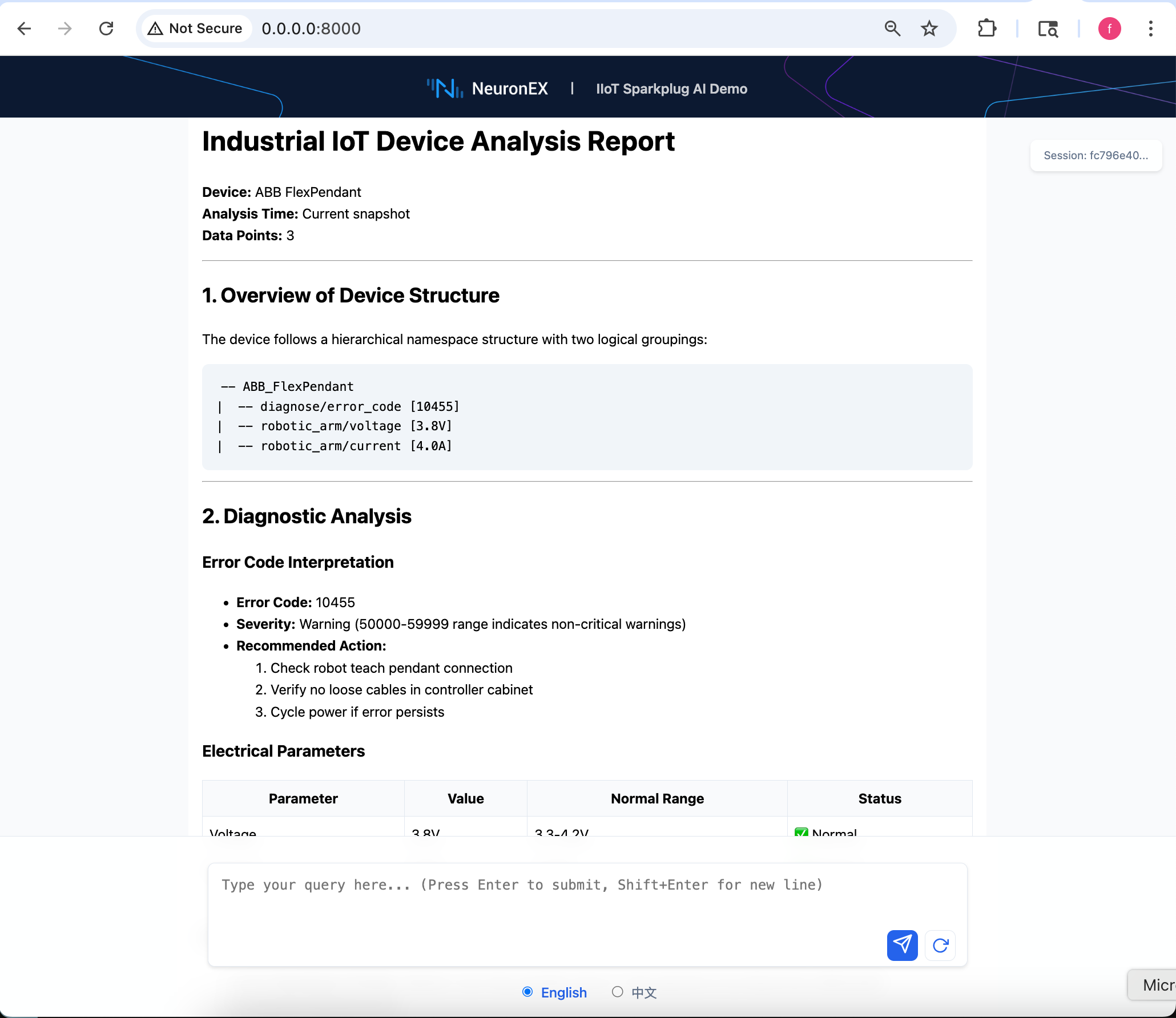
- Type questions in the chatbox.
Demos
Refer to doc for detailed demo scenarios.
Dev Tools Supporting MCP
The following are the main code editors that support the Model Context Protocol. Click the link to visit the official website for more information.







