
Spring Ai Chrome Mcp Server
What is Spring Ai Chrome Mcp Server
spring-ai-chrome-mcp-server is a server designed for interacting with the Chrome browser, allowing users to automate various browser tasks through a set of commands.
Use cases
Use cases include automating web searches, summarizing blog content, retrieving exchange rates, and managing browser sessions for testing or data collection purposes.
How to use
To use spring-ai-chrome-mcp-server, you need to run the server with the specified Java command and arguments. Once running, you can send commands to open browsers, navigate to URLs, perform searches, and manage tabs.
Key features
Key features include the ability to open and close browsers, manage multiple tabs, perform Google searches, extract page text, take screenshots, and retrieve cookies, all managed by browser IDs and tab indices.
Where to use
spring-ai-chrome-mcp-server can be used in web automation, testing environments, and scenarios where automated browser interactions are required, such as data scraping or automated reporting.
Clients Supporting MCP
The following are the main client software that supports the Model Context Protocol. Click the link to visit the official website for more information.





Overview
What is Spring Ai Chrome Mcp Server
spring-ai-chrome-mcp-server is a server designed for interacting with the Chrome browser, allowing users to automate various browser tasks through a set of commands.
Use cases
Use cases include automating web searches, summarizing blog content, retrieving exchange rates, and managing browser sessions for testing or data collection purposes.
How to use
To use spring-ai-chrome-mcp-server, you need to run the server with the specified Java command and arguments. Once running, you can send commands to open browsers, navigate to URLs, perform searches, and manage tabs.
Key features
Key features include the ability to open and close browsers, manage multiple tabs, perform Google searches, extract page text, take screenshots, and retrieve cookies, all managed by browser IDs and tab indices.
Where to use
spring-ai-chrome-mcp-server can be used in web automation, testing environments, and scenarios where automated browser interactions are required, such as data scraping or automated reporting.
Clients Supporting MCP
The following are the main client software that supports the Model Context Protocol. Click the link to visit the official website for more information.
Content
Spring AI Chrome MCP Server
크롬 브라우저와 상호작용 할 수 있는 MCP 서버입니다.
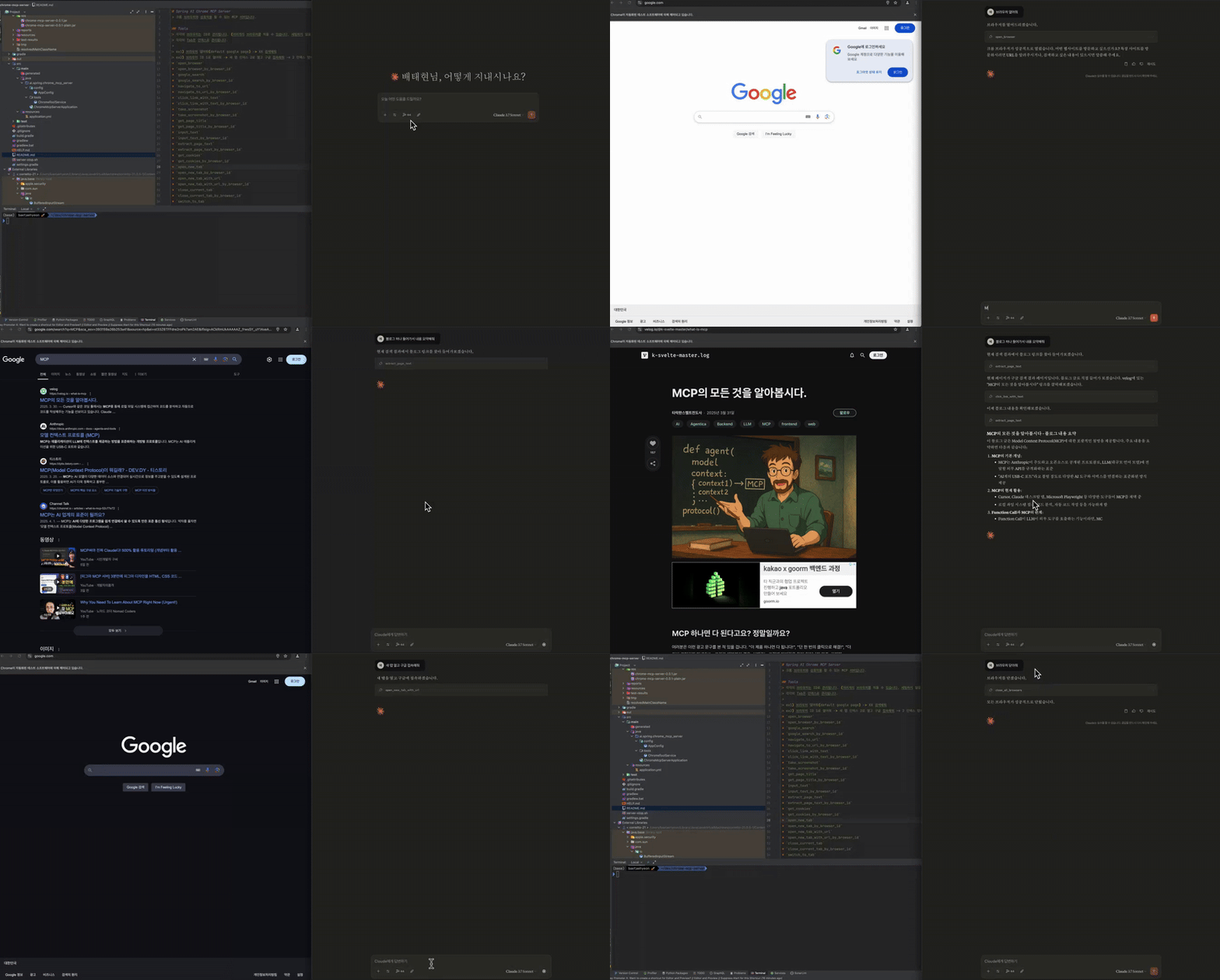
Running Example
- 브라우저 열어줘
- MCP 검색해줘
- 블로그 하나 들어가서 내용 요약해줘
- 새 탭 열고, 구글 접속해줘
- 오늘의 환율 검색해줘
- 브라우저 닫아줘
Tools
각각의 브라우저는 ID로 관리됩니다. (여러개의 브라우저를 띄울 수 있습니다, 세팅하지 않을 시 default)
각각의 Tab은 인덱스로 관리됩니다.ex1) 브라우저 열어줘(default google page) -> XX 검색해줘
ex2) 브라우저 ID 1로 열어줘 -> 새 탭 인덱스 2로 열고 구글 접속해줘 -> 2 인덱스 탭에서 XX 검색해줘
open_browseropen_browser_by_browser_idgoogle_searchgoogle_search_by_browser_idnavigate_to_urlnavigate_to_url_by_browser_idclick_link_with_textclick_link_with_text_by_browser_idtake_screenshottake_screenshot_by_browser_idget_page_titleget_page_title_by_browser_idinput_textinput_text_by_browser_idextract_page_textextract_page_text_by_browser_idget_cookiesget_cookies_by_browser_idopen_new_tabopen_new_tab_by_browser_idopen_new_tab_with_urlopen_new_tab_with_url_by_browser_idclose_current_tabclose_current_tab_by_browser_idswitch_to_tabswitch_to_tab_by_browser_idget_tab_listget_tab_list_by_browser_idclose_all_tabs_except_currentclose_all_tabs_except_current_by_browser_idclose_browserclose_browser_by_browser_idclose_all_browsers
claude_desktop_config
template
{
  "mcpServers": {
    "spring-ai-chrome-mcp-server": {
      "command": "{JAVA_PATH}",
      "args": [
        "-Dspring.ai.mcp.server.stdio=true",
        "-jar",
        "{JAR_PATH}"
      ]
    }
  }
}
example
{
  "mcpServers": {
    "spring-ai-chrome-mcp-server": {
      "command": "/Users/baetaehyeon/Library/Java/JavaVirtualMachines/corretto-21.0.5-1/Contents/Home/bin/java",
      "args": [
        "-Dspring.ai.mcp.server.stdio=true",
        "-jar",
        "/Users/baetaehyeon/dev/chrome-mcp-server/build/libs/chrome-mcp-server-0.0.1.jar"
      ]
    }
  }
}
Dev Tools Supporting MCP
The following are the main code editors that support the Model Context Protocol. Click the link to visit the official website for more information.







