
Sqlassistant
What is Sqlassistant
SQL-Assistant is an MCP server built on the MCP protocol, designed to automate SQL problem-solving by exposing various methods to AI, allowing users to issue commands to drive the automation process.
Use cases
Use cases for SQL-Assistant include automating the completion of SQL assignments, facilitating practice for students preparing for exams, and providing a tool for educators to enhance learning experiences in database management courses.
How to use
To use SQL-Assistant, first ensure you have Go 1.24.2, VSCode with the Cline plugin, and Chrome installed. Download SQL-Assistant using the command ‘go install github.com/crazyfrankie/sqlassistant’. Configure it in VSCode by setting up the MCP server details and your AI model API key. Finally, interact with the assistant by sending prompts to automate SQL tasks.
Key features
Key features of SQL-Assistant include automation of SQL problem-solving, integration with AI for command-driven operations, and a user-friendly setup process that simplifies the configuration and usage for students.
Where to use
SQL-Assistant is primarily used in educational settings, particularly for university students dealing with SQL assignments, helping them to streamline their learning process and focus on practical skills.
Clients Supporting MCP
The following are the main client software that supports the Model Context Protocol. Click the link to visit the official website for more information.





Overview
What is Sqlassistant
SQL-Assistant is an MCP server built on the MCP protocol, designed to automate SQL problem-solving by exposing various methods to AI, allowing users to issue commands to drive the automation process.
Use cases
Use cases for SQL-Assistant include automating the completion of SQL assignments, facilitating practice for students preparing for exams, and providing a tool for educators to enhance learning experiences in database management courses.
How to use
To use SQL-Assistant, first ensure you have Go 1.24.2, VSCode with the Cline plugin, and Chrome installed. Download SQL-Assistant using the command ‘go install github.com/crazyfrankie/sqlassistant’. Configure it in VSCode by setting up the MCP server details and your AI model API key. Finally, interact with the assistant by sending prompts to automate SQL tasks.
Key features
Key features of SQL-Assistant include automation of SQL problem-solving, integration with AI for command-driven operations, and a user-friendly setup process that simplifies the configuration and usage for students.
Where to use
SQL-Assistant is primarily used in educational settings, particularly for university students dealing with SQL assignments, helping them to streamline their learning process and focus on practical skills.
Clients Supporting MCP
The following are the main client software that supports the Model Context Protocol. Click the link to visit the official website for more information.
Content
SQL-Assistant
SQL-Assistant 是一个基于 MCP协议 构建的 MCP 服务.
通过将做 SQL 题目的一系列方法暴露给 AI, 再由用户对AI发出指令进行驱动,达到自动化做题的效果。
旨在简化大学生的操作, 让大学生从繁忙且无用的大学计算机教育中脱身, 花更少的时间完成任务,把时间留着学习真正的实用的技术。
对应的网站: 希冀, 且必须是其中的 SQL 作业.
下载方式
前置条件
- go 1.24.2
- vscode + cline 插件 (或其他可接入 MCP 服务的平台, 如 Claude Desktop、Gemini)
- Chrome
下载
go install github.com/crazyfrankie/sqlassistant
等待下载,下载成功后进行下一步配置.
配置
请确认已经准备好 vscode + cline 插件.
来到 Cline 的界面, 选择右上角, 会看到如下界面.
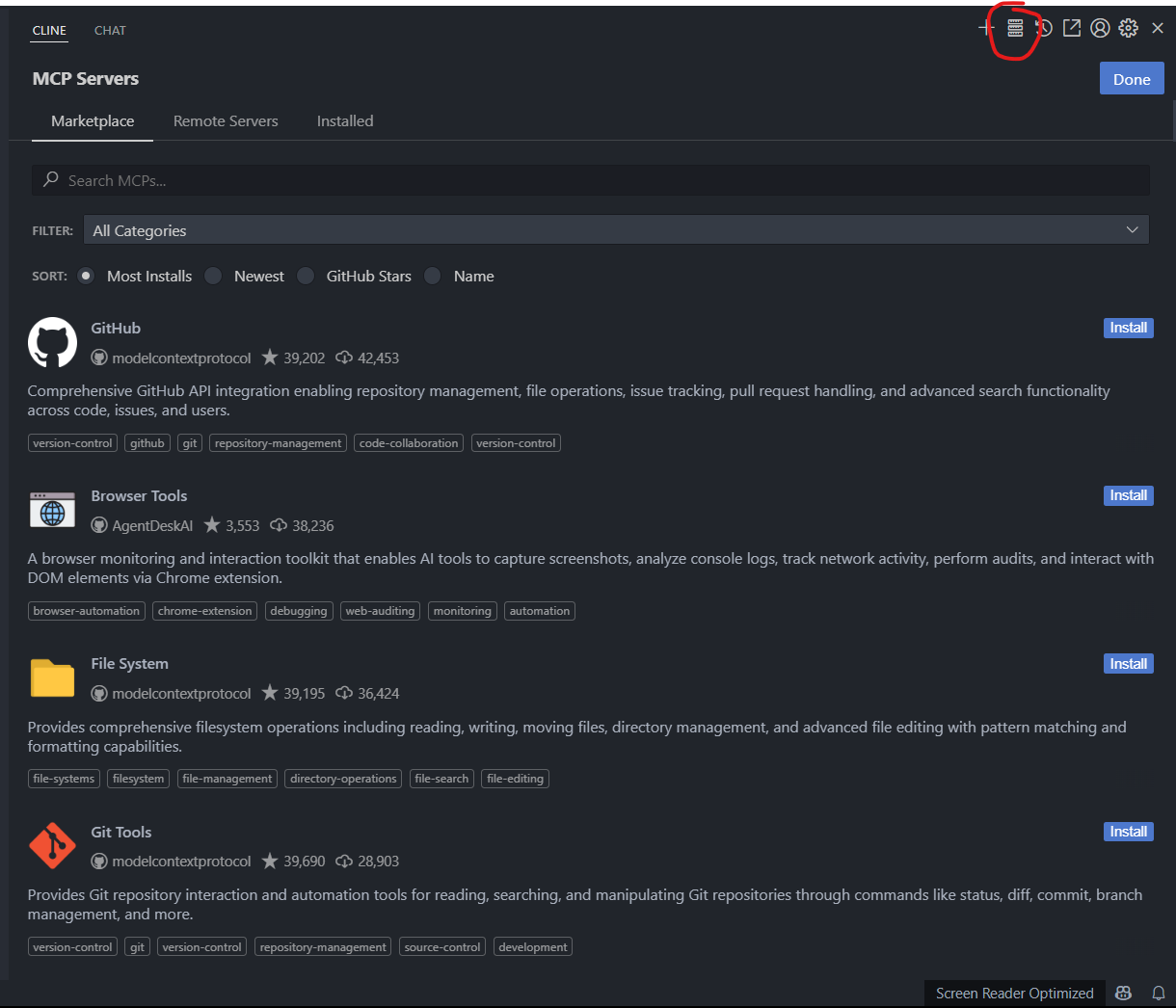
然后选择下方 Installed
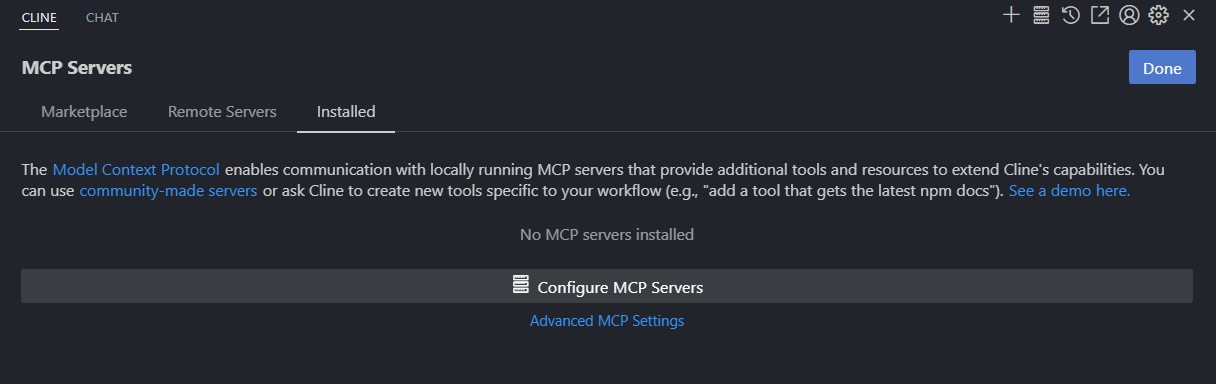
再选择 Configure MCP Servers, 填写配置, 对于本项目, 一个基础的配置可采用如下方式:
{
  "mcpServers": {
    "sqlassistant": {
      "command": "sqlassistant.exe",
      "autoApprove": [
        "GetQuestion",
        "SetCode",
        "StartNum",
        "SubmitCode"
      ]
    }
  }
}
如不是 Windows 平台, 去掉 "command": "sqlassistant.exe" 中的exe后缀
配置完毕后, ctrl + s 保存该文件即可生效.
下一步, 配置 AI 模型. 来到设置界面:
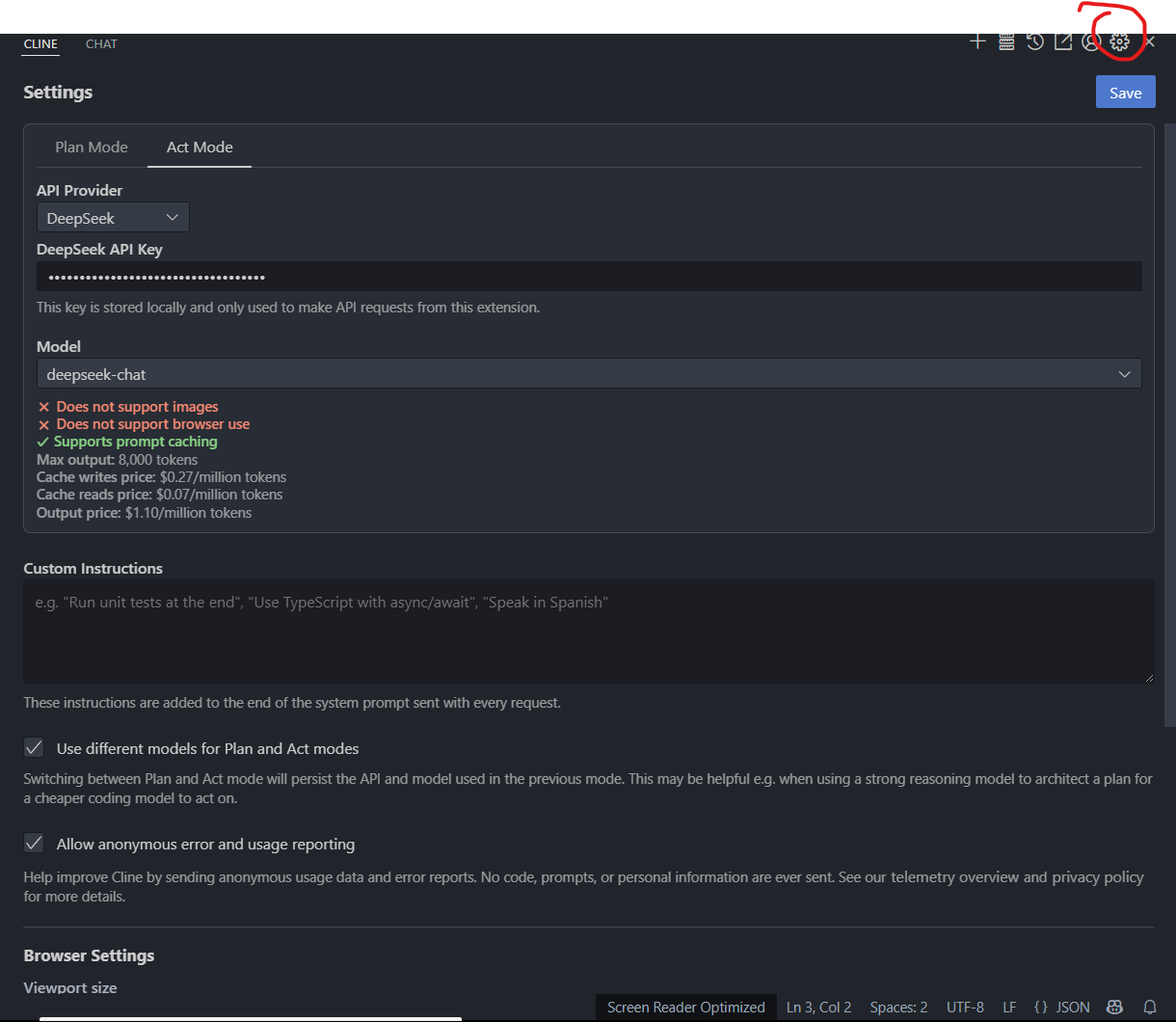
选择想要使用的大模型, 并填入个人的 API Key
仍然是该界面, 滑到最下方
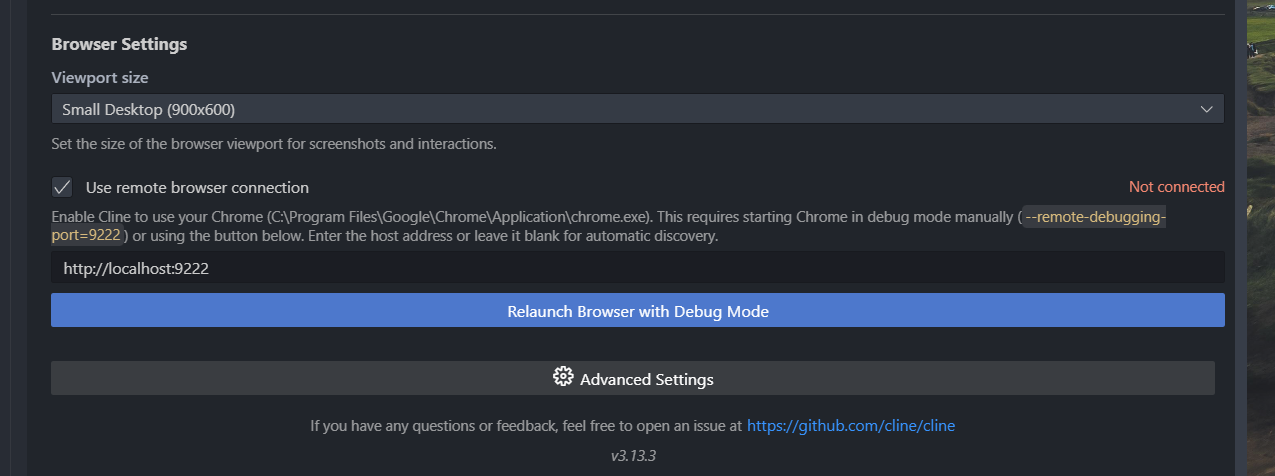
点击 Relauch Browser with Debug Mode, 并将上方 Use Remote browser connection 勾选.
此时会打开一个新的 Chrome 界面, 在该界面上打开数据库做题网站, 并登录, 登录成功后即可, 后续过程中不能关闭该界面。
使用
上述配置完成之后,来到聊天界面,
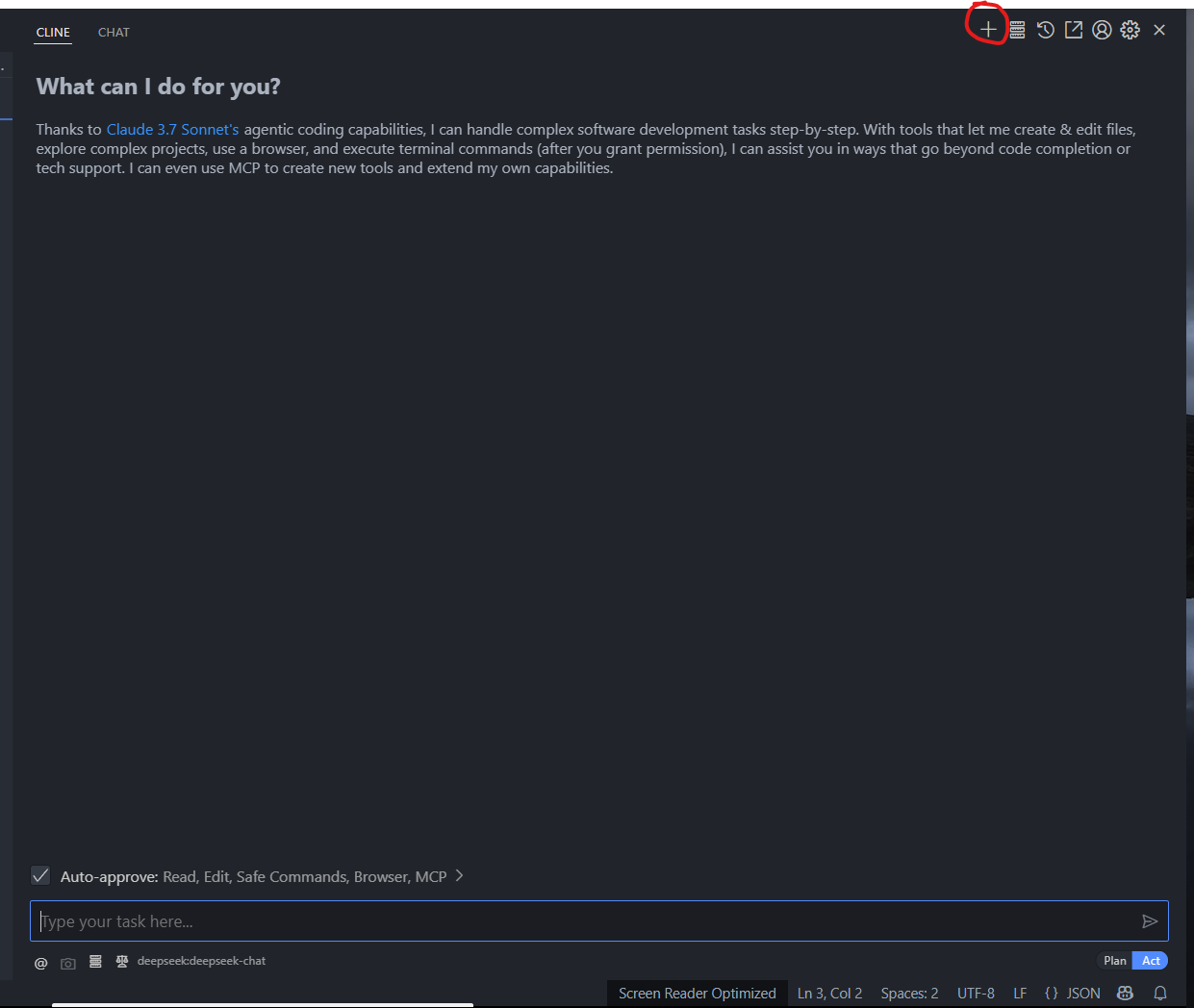
发送 prompt, 如下(仅参考):
“我需要使用sqlassistant进行做题, 先输入起止题号,再循环执行 GetProblem、SetCode、SubmitCode,直到收到结束信息为止,其他失败原因都进行重试。”
Dev Tools Supporting MCP
The following are the main code editors that support the Model Context Protocol. Click the link to visit the official website for more information.







