
Svgmaker Mcp
What is Svgmaker Mcp
svgmaker-mcp is a Model Context Protocol server that enables the programmatic generation, editing, and conversion of SVG images using the SVGMaker API, allowing seamless integration of SVG creation into AI workflows.
Use cases
Use cases include generating custom SVG graphics for websites, creating illustrations based on user input, and automating the design process in applications that require SVG output.
How to use
To use svgmaker-mcp, clone the repository, install dependencies with ‘npm install’, configure your environment variables in the .env file, and then run the server using ‘npm start’. You can generate SVG images by calling the ‘svgmaker_generate’ tool with the required parameters.
Key features
Key features include SVG generation from text prompts, secure file operations with built-in path validation, configurable API rate limiting, and full TypeScript support for type safety.
Where to use
svgmaker-mcp can be used in various fields such as web development, graphic design, and any application that requires dynamic SVG image generation and editing.
Clients Supporting MCP
The following are the main client software that supports the Model Context Protocol. Click the link to visit the official website for more information.





Overview
What is Svgmaker Mcp
svgmaker-mcp is a Model Context Protocol server that enables the programmatic generation, editing, and conversion of SVG images using the SVGMaker API, allowing seamless integration of SVG creation into AI workflows.
Use cases
Use cases include generating custom SVG graphics for websites, creating illustrations based on user input, and automating the design process in applications that require SVG output.
How to use
To use svgmaker-mcp, clone the repository, install dependencies with ‘npm install’, configure your environment variables in the .env file, and then run the server using ‘npm start’. You can generate SVG images by calling the ‘svgmaker_generate’ tool with the required parameters.
Key features
Key features include SVG generation from text prompts, secure file operations with built-in path validation, configurable API rate limiting, and full TypeScript support for type safety.
Where to use
svgmaker-mcp can be used in various fields such as web development, graphic design, and any application that requires dynamic SVG image generation and editing.
Clients Supporting MCP
The following are the main client software that supports the Model Context Protocol. Click the link to visit the official website for more information.
Content
SVGMaker MCP Server
A powerful MCP server for generating, editing, and converting SVG images using SVGMaker API.





🎨 MCP Server in Action
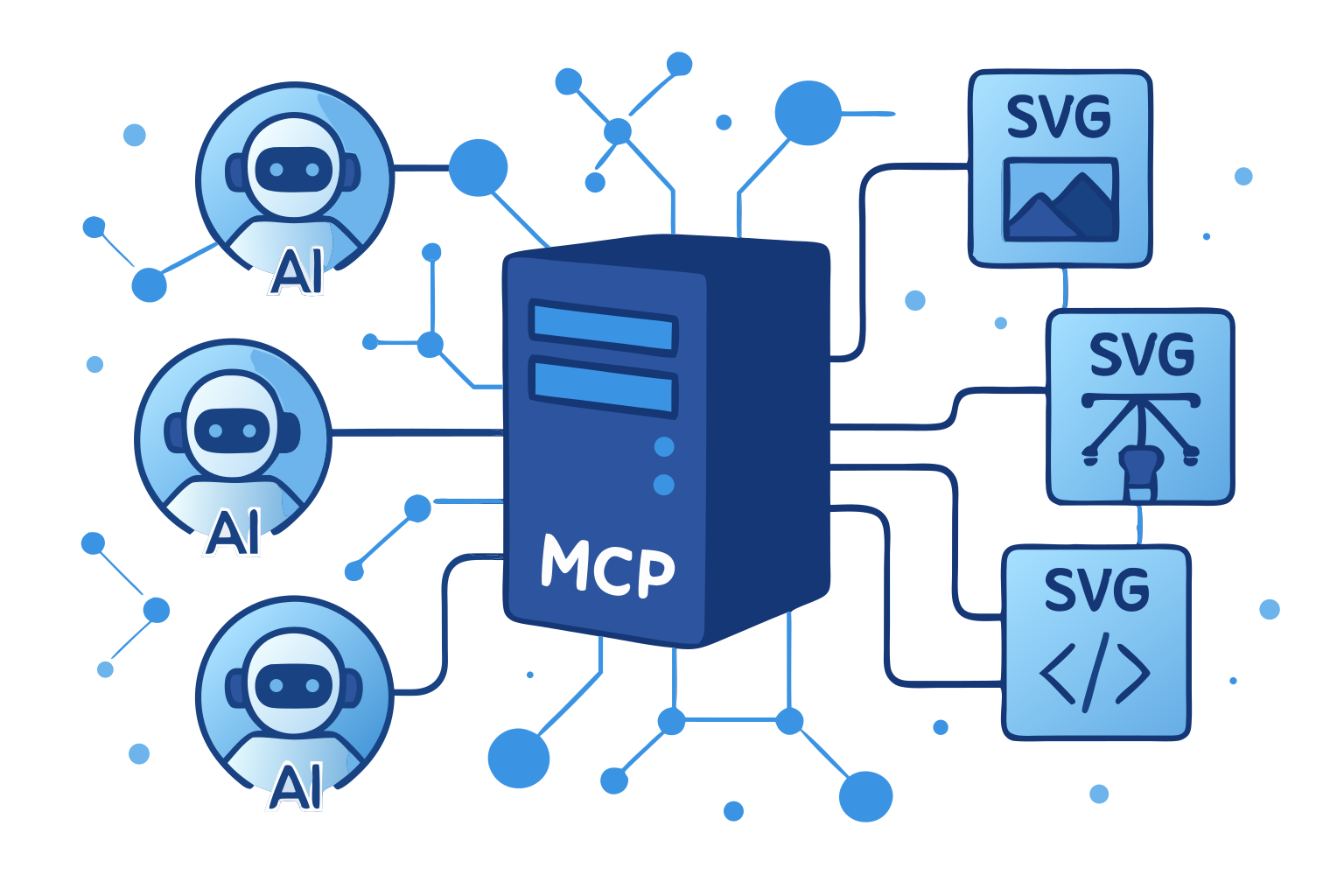
This very illustration came to life through our own SVGMaker MCP server—a living example of AI assistants and vector graphics working in perfect harmony via the Model Context Protocol.
🌟 Highlights
- 🎨 AI-Powered SVG Generation: Create SVGs from text descriptions
- ✏️ Smart SVG Editing: Edit existing SVGs with natural language
- 🔄 Image-to-SVG Conversion: Convert any image to scalable SVG
- 🔒 Secure File Operations: Built-in path validation and security
- ⚡ Real-Time Progress: Live updates during operations
- 📝 Type Safety: Full TypeScript support with type definitions
📋 Table of Contents
- Requirements
- Installation
- Quick Start
- LLM Integrations
- Available Tools
- Configuration
- Development
- Contributing
💻 Requirements
- Node.js: Minimum version 18.0.0
node --version # Should be >= v18.0.0 - npm: Minimum version 7.0.0
npm --version # Should be >= 7.0.0 - Operating Systems:
- Linux (Ubuntu 20.04+, CentOS 8+)
- macOS (10.15+)
- Windows (10+)
- SVGMaker API key (Get one here)
📦 Package Structure
@genwave/svgmaker-mcp/
├── build/             # Compiled JavaScript files
├── docs/              # Documentation
│   └── api/           # API documentation
├── src/               # Source TypeScript files
│   ├── tools/         # MCP tool implementations
│   ├── services/      # API integration
│   └── utils/         # Utility functions
└── types/             # TypeScript declarations
🚀 Installation
# Using npm
npm install @genwave/svgmaker-mcp

# Using yarn
yarn add @genwave/svgmaker-mcp
Basic Setup
- Create .env file:
SVGMAKER_API_KEY="your_api_key_here"
- Start the server:
npx svgmaker-mcp
🔌 LLM Integrations
🔌 Claude Desktop
- Add to claude_desktop_config.json:
{
  "mcpServers": {
    "svgmaker": {
      "command": "npx",
      "args": [
        "@genwave/svgmaker-mcp"
      ],
      "transport": "stdio",
      "env": {
        "SVGMAKER_API_KEY": "your_api_key_here"
      }
    }
  }
}- Example Claude prompt:
Generate an SVG of a minimalist mountain landscape:
<mcp>
{
  "server": "svgmaker",
  "tool": "svgmaker_generate",
  "arguments": {
    "prompt": "Minimalist mountain landscape with sun",
    "output_path": "./landscape.svg",
    "quality": "high",
    "aspectRatio": "landscape"
  }
}
</mcp>
🔌 Cursor

Or configure manually:
- Configure in cursor settings:
{
  "mcpServers": {
    "svgmaker": {
      "type": "local",
      "command": "npx",
      "args": [
        "@genwave/svgmaker-mcp"
      ],
      "transport": "stdio",
      "env": {
        "SVGMAKER_API_KEY": "your_api_key_here"
      }
    }
  }
}- Example usage in Cursor:
Use svgmaker to edit the logo.svg file and make it more modern:
<mcp>
{
  "server": "svgmaker",
  "tool": "svgmaker_edit",
  "arguments": {
    "input_path": "./logo.svg",
    "prompt": "Make it more modern and minimalist",
    "output_path": "./modern_logo.svg",
    "quality": "high"
  }
}
</mcp>
🔌 Visual Studio Code

Or configure manually:
- Configure in settings.json:
{
  "servers": {
    "svgmaker": {
      "type": "stdio",
      "command": "npx",
      "args": [
        "-y",
        "@genwave/svgmaker-mcp"
      ],
      "env": {
        "SVGMAKER_API_KEY": "<your_api_key>"
      }
    }
  }
}- Example usage in VS Code:
Generate a new icon for my app:
<mcp>
{
  "server": "svgmaker",
  "tool": "svgmaker_generate",
  "arguments": {
    "prompt": "Modern app icon with abstract geometric shapes",
    "output_path": "./assets/icon.svg",
    "quality": "high",
    "aspectRatio": "square"
  }
}
</mcp>
🔌 WindSurf
- Configure in settings:
{
  "mcpServers": {
    "svgmaker": {
      "command": "npx",
      "args": [
        "-y",
        "@genwave/svgmaker-mcp"
      ],
      "env": {
        "SVGMAKER_API_KEY": "<your_api_key>"
      }
    }
  }
}- Example usage in WindSurf:
Convert the company logo to SVG:
<mcp>
{
  "server": "svgmaker",
  "tool": "svgmaker_convert",
  "arguments": {
    "input_path": "./branding/logo.png",
    "output_path": "./branding/vector_logo.svg"
  }
}
</mcp>
🔌 Zed
- Configure in settings:
{
  "context_servers": {
    "svgmaker": {
      "command": {
        "path": "npx",
        "args": [
          "-y",
          "@genwave/svgmaker-mcp"
        ],
        "env": {
          "SVGMAKER_API_KEY": "<your_api_key>"
        }
      },
      "settings": {}
    }
  }
}- Example usage in Zed:
Edit an existing SVG file:
<mcp>
{
  "server": "svgmaker",
  "tool": "svgmaker_edit",
  "arguments": {
    "input_path": "./diagrams/flowchart.svg",
    "prompt": "Add rounded corners and smooth gradients",
    "output_path": "./diagrams/enhanced_flowchart.svg",
    "quality": "high"
  }
}
</mcp>
🛠️ Available Tools
svgmaker_generate
Transform your ideas into stunning SVG artwork using AI-powered creativity.
How we created the header illustration:
{
  "prompt": "Modern tech illustration showing an MCP server connecting multiple AI assistants to SVG generation capabilities. Show interconnected nodes, data flow, and SVG icons. Use a clean, professional design with blue and purple gradients, geometric shapes, and modern typography elements.",
  "output_path": "./docs/mcp-capabilities-demo.svg",
  "quality": "medium",
  "aspectRatio": "landscape",
  "background": "transparent"
}
svgmaker_edit
Edit existing SVGs or images with natural language.
{
  "input_path": "/path/to/input.svg",
  "prompt": "Add a gradient background and make it more vibrant",
  "output_path": "./enhanced.svg",
  "quality": "high",
  "background": "opaque"
}
svgmaker_convert
Convert images to SVG format.
{
  "input_path": "/path/to/image.png",
  "output_path": "./vector.svg"
}
⚙️ Configuration
Environment Variables
| Variable | Description | Required | Default |
|---|---|---|---|
SVGMAKER_API_KEY |
Your SVGMaker API key | ✅ Yes | - |
SVGMMAKER_RATE_LIMIT_RPM |
API rate limit (requests per minute) | ❌ No | 2 |
SVGMAKER_BASE_URL |
Custom SVGMaker API base URL | ❌ No | https://svgmaker.io/api |
SVGMAKER_DEBUG |
Enable debug logging | ❌ No | false |
Debug Logging
The server includes comprehensive logging for debugging and monitoring:
Enable Logging:
# Enable debug logging
SVGMAKER_DEBUG=true npx @genwave/svgmaker-mcp

# Or set NODE_ENV to development
NODE_ENV=development npx @genwave/svgmaker-mcp
Log Files Location:
- macOS/Linux:
~/.cache/svgmaker-mcp/logs/ - Windows:
%LOCALAPPDATA%/svgmaker-mcp/logs/ - Fallback:
./logs/(in project directory)
Log File Format:
mcp-debug-2025-06-04T10-30-45-123Z.log
🔍 Development
Local Setup
- Clone and install dependencies:
npm install
- Create .env file with your API key
SVGMAKER_API_KEY="your_api_key_here"
- Run in development mode:
npm run dev
Testing
Use the MCP Inspector for testing:
npx @modelcontextprotocol/inspector node build/index.js
CI/CD Workflow
This project uses GitHub Actions for continuous integration and deployment:
-
Continuous Integration
- Runs on every push to main branch and pull requests
- Performs linting, type checking, and building
- Ensures code quality and consistency
-
Releasing a New Version
- To release a patch version (bug fixes):
npm run release:patch - To release a minor version (new features):
npm run release:minor - To release a major version (breaking changes):
npm run release:major
- To release a patch version (bug fixes):
-
Publishing
- Automatically publishes to npm when a new version tag is pushed
🔐 Security
- ✅ Path validation prevents directory traversal
- ✅ Input sanitization for all parameters
- ✅ Secure file operation handling
- ✅ Environment variable protection
- ✅ Rate limiting support
🤝 Contributing
We welcome contributions! Please see our Contributing Guide for details.
⭐ Features
Input Format Support
- SVG files (.svg)
- PNG images (.png)
- JPEG images (.jpg, .jpeg)
- Other common image formats
Output Capabilities
- Clean, optimized SVG output
- Multiple aspect ratio options
- Background control (transparent/opaque)
- High-quality vectorization
📝 License
MIT © Genwave AI - see the LICENSE file for details.
Dev Tools Supporting MCP
The following are the main code editors that support the Model Context Protocol. Click the link to visit the official website for more information.







