
Svm
What is Svm
SVM is an open-source automated video creation tool designed to generate short-form video content for platforms like TikTok, Instagram Reels, and YouTube Shorts using the Model Context Protocol (MCP) and a REST API.
Use cases
Use cases for SVM include creating promotional videos, educational content, social media posts, and engaging video summaries from text, catering to various industries and audiences.
How to use
To use SVM, you can run the project via NPX with GPU support or through Docker. The recommended command is ‘LOG_LEVEL=debug PEXELS_API_KEY= npx short-video-maker’. Ensure you meet the hardware and software requirements.
Key features
Key features of SVM include text-to-speech functionality, automatic caption generation, background video integration, and music addition, allowing users to create engaging videos from simple text inputs.
Where to use
SVM is ideal for content creators and marketers looking to produce short videos for social media platforms such as TikTok, Instagram, and YouTube, enhancing their digital marketing strategies.
Clients Supporting MCP
The following are the main client software that supports the Model Context Protocol. Click the link to visit the official website for more information.





Overview
What is Svm
SVM is an open-source automated video creation tool designed to generate short-form video content for platforms like TikTok, Instagram Reels, and YouTube Shorts using the Model Context Protocol (MCP) and a REST API.
Use cases
Use cases for SVM include creating promotional videos, educational content, social media posts, and engaging video summaries from text, catering to various industries and audiences.
How to use
To use SVM, you can run the project via NPX with GPU support or through Docker. The recommended command is ‘LOG_LEVEL=debug PEXELS_API_KEY= npx short-video-maker’. Ensure you meet the hardware and software requirements.
Key features
Key features of SVM include text-to-speech functionality, automatic caption generation, background video integration, and music addition, allowing users to create engaging videos from simple text inputs.
Where to use
SVM is ideal for content creators and marketers looking to produce short videos for social media platforms such as TikTok, Instagram, and YouTube, enhancing their digital marketing strategies.
Clients Supporting MCP
The following are the main client software that supports the Model Context Protocol. Click the link to visit the official website for more information.
Content
Short Video Maker
An open source automated video creation tool for generating short-form video content. Short Video Maker combines text-to-speech, automatic captions, background videos, and music to create engaging short videos from simple text inputs.
This repository was open-sourced by the AI Agents A-Z Youtube Channel. We encourage you to check out the channel for more AI-related content and tutorials.
Hardware requirements
- CPU: at least 2 cores are recommended
- RAM: at least 2 GB is required, but 4 GB is recommended. when using docker, you can limit the memory usage with the
CONCURRENCYenvironment variable (see below) - GPU: optional, makes the caption generation a lot faster (whisper.cpp) and the video rendering somewhat faster
Software requirements
When running with npx
- ffmpeg
- build-essential, git, cmake, wget to build Whisper.cpp
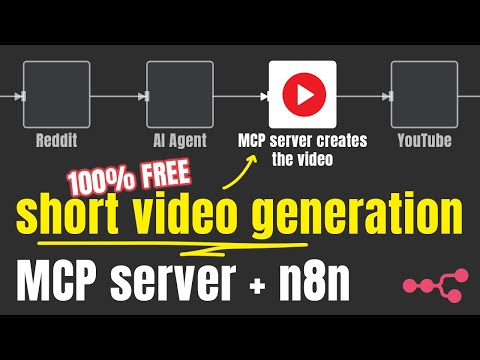
Watch the official video on how to generate videos with n8n
Running the Project
Using NPX (recommended)
The easiest way to run the project with GPU support out of the box:
LOG_LEVEL=debug PEXELS_API_KEY= npx short-video-maker
Using Docker
[!IMPORTANT]
To avoid memory issues, I had to limit the number of concurrent Chrome tabs used for rendering to 1 for both images. If you have more RAM, feel free to experiment with the sweet spot for your machine/VPS.
CPU image
To increase the performance, I’ve set the Whisper model to base.en for both Docker images. This model is smaller and faster than the medium.en model, however it is somewhat less accurate.
With 2 vCPUs it takes ~7 seconds for Kokoro to generate 10 seconds of audio, and ~2 seconds for Whisper to generate the captions for a scene.
docker run -it --rm --name short-video-maker -p 3123:3123 \
  -e PEXELS_API_KEY= \
  gyoridavid/short-video-maker:latest
NVIDIA GPUs
docker run -it --rm --name shorts-video-maker -p 3123:3123 \
  -e PEXELS_API_KEY= --gpus=all \
  gyoridavid/short-video-maker:latest-cuda
Find help
Join our Discord community for support and discussions.
Environment Variables
| Variable | Description |
|---|---|
| PEXELS_API_KEY | Your Pexels API key for background video sourcing |
| PORT | Port for the API/MCP server (default: 3123) |
| LOG_LEVEL | Log level for the server (default: info, options: trace, debug, info, warn, error) |
| WHISPER_VERBOSE | Verbose mode for Whisper (default: false) |
| CONCURRENCY | Number of Chrome tabs to use to render the video. Used to limit the memory usage in the Docker containers (default: undefined) |
| VIDEO_CACHE_SIZE_IN_BYTES | cache for |
Example
|
Features
- Generate complete short videos from text prompts
- Text-to-speech conversion
- Automatic caption generation and styling
- Background video search and selection via Pexels
- Background music with genre/mood selection
- Serve as both REST API and Model Context Protocol (MCP) server
How It Works
Shorts Creator takes simple text inputs and search terms, then:
- Converts text to speech using Kokoro TTS
- Generates accurate captions via Whisper
- Finds relevant background videos from Pexels
- Composes all elements with Remotion
- Renders a professional-looking short video with perfectly timed captions
Dependencies for the video generation
| Dependency | Version | License | Purpose |
|---|---|---|---|
| Remotion | ^4.0.286 | Remotion License | Video composition and rendering |
| Whisper CPP | v1.5.5 | MIT | Speech-to-text for captions |
| FFmpeg | ^2.1.3 | LGPL/GPL | Audio/video manipulation |
| Kokoro.js | ^1.2.0 | MIT | Text-to-speech generation |
| Pexels API | N/A | Pexels Terms | Background videos |
How to contribute?
PRs are welcome.
See the CONTRIBUTING.md file for instructions on setting up a local development environment.
API Usage
REST API
The following REST endpoints are available:
GET /api/short-video/:id- Get a video by ID and also can be downloaded like this :
curl -o output.mp4 http://localhost:3123/api/short-video/<videoId>
POST /api/short-video- Create a new video{ "scenes": [ { "text": "This is the text to be spoken in the video", "searchTerms": [ "nature sunset" ] } ], "config": { "paddingBack": 3000, "music": "chill" } }DELETE /api/short-video/:id- Delete a video by IDGET /api/music-tags- Get available music tags
Model Context Protocol (MCP)
The service also implements the Model Context Protocol:
GET /mcp/sse- Server-sent events for MCPPOST /mcp/messages- Send messages to MCP server
Available MCP tools:
create-short-video- Create a video from a list of scenesget-video-status- Check video creation status
License
This project is licensed under the MIT License.
Acknowledgments
Dev Tools Supporting MCP
The following are the main code editors that support the Model Context Protocol. Click the link to visit the official website for more information.







