
Systems Mcp
What is Systems Mcp
systems-mcp is an MCP server designed for interacting with the lethain:systems Python library, facilitating systems modeling.
Use cases
Use cases include generating specifications for complex systems, modeling social networks, and enhancing the context for systems modeling through documentation.
How to use
To use systems-mcp, you can run the ‘run_systems_model’ tool with a specification and an optional number of rounds. Additionally, ‘load_systems_documentation’ can be used to load helpful documentation into the context window.
Key features
Key features include the ability to run systems models with customizable parameters and load documentation/examples to enhance model generation.
Where to use
systems-mcp can be used in fields such as systems engineering, software development, and any domain requiring systems modeling.
Clients Supporting MCP
The following are the main client software that supports the Model Context Protocol. Click the link to visit the official website for more information.





Overview
What is Systems Mcp
systems-mcp is an MCP server designed for interacting with the lethain:systems Python library, facilitating systems modeling.
Use cases
Use cases include generating specifications for complex systems, modeling social networks, and enhancing the context for systems modeling through documentation.
How to use
To use systems-mcp, you can run the ‘run_systems_model’ tool with a specification and an optional number of rounds. Additionally, ‘load_systems_documentation’ can be used to load helpful documentation into the context window.
Key features
Key features include the ability to run systems models with customizable parameters and load documentation/examples to enhance model generation.
Where to use
systems-mcp can be used in fields such as systems engineering, software development, and any domain requiring systems modeling.
Clients Supporting MCP
The following are the main client software that supports the Model Context Protocol. Click the link to visit the official website for more information.
Content
systems-mcp
systems-mcp is an MCP server for interacting with
the lethain:systems library for systems modeling.
It provides two tools:
run_systems_modelruns thesystemsspecification of a systems model.
Takes two parameters, the specification and, optionally, the number of
rounds to run the model (defaulting to 100).load_systems_documentationloads documentation and examples into the context window.
This is useful for priming models to be more helpful at writing systems models.
It is intended for running locally in conjunction with Claude Desktop or a similar tool.
Usage
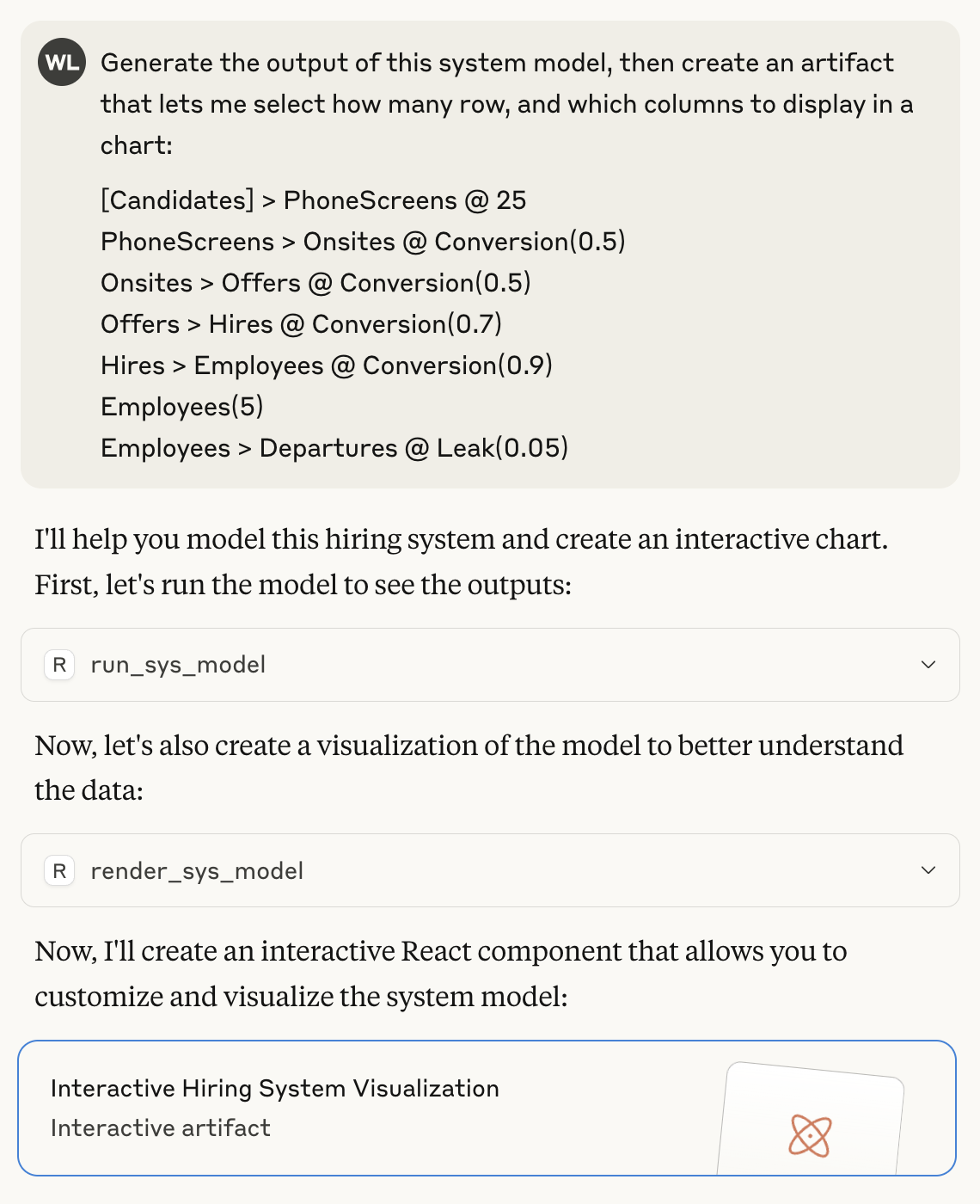
Here’s an example of using systems-mcp to run and render a model.
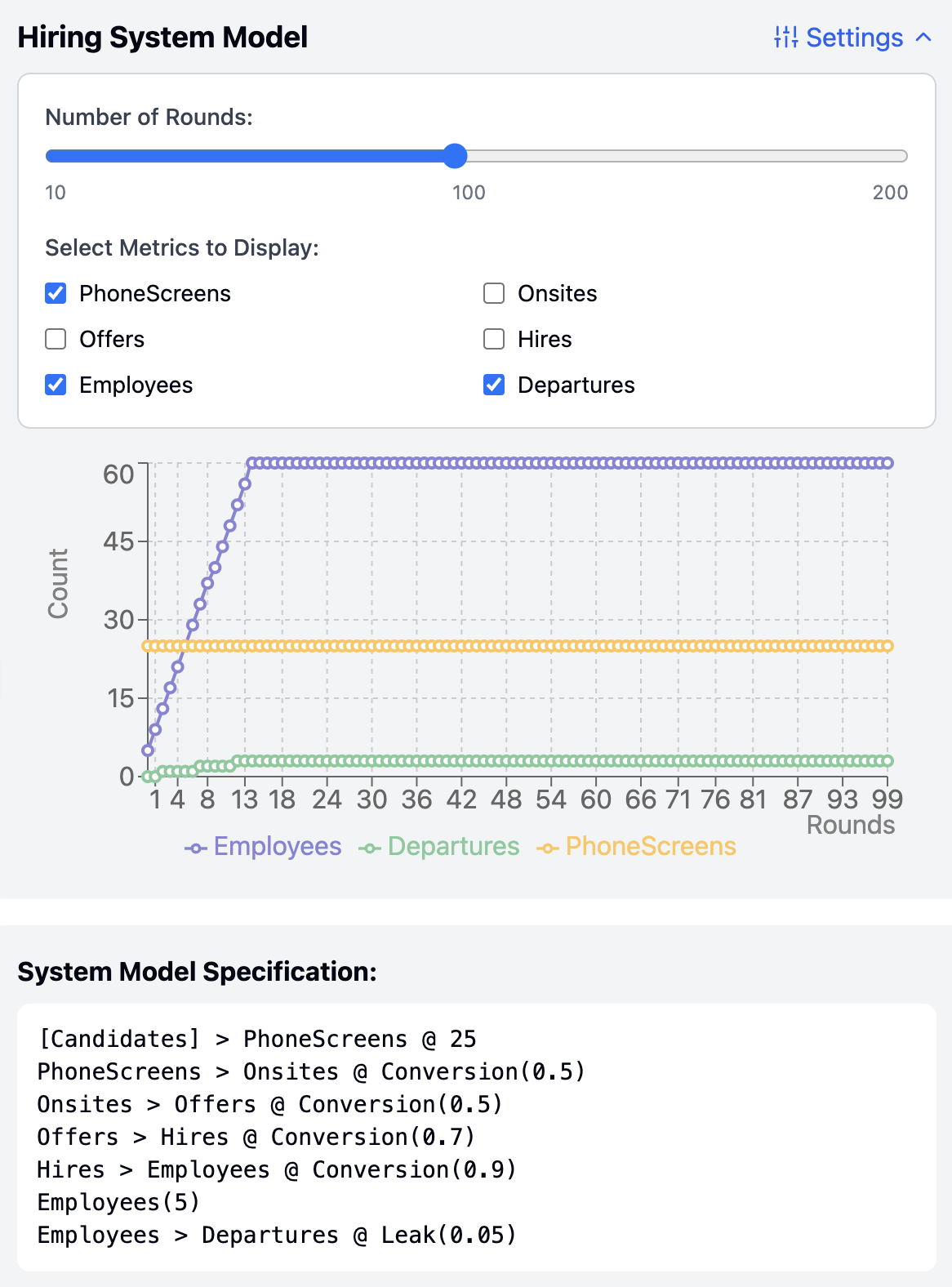
Here is the artifact generated from that prompt, including the output from
running the systems model.
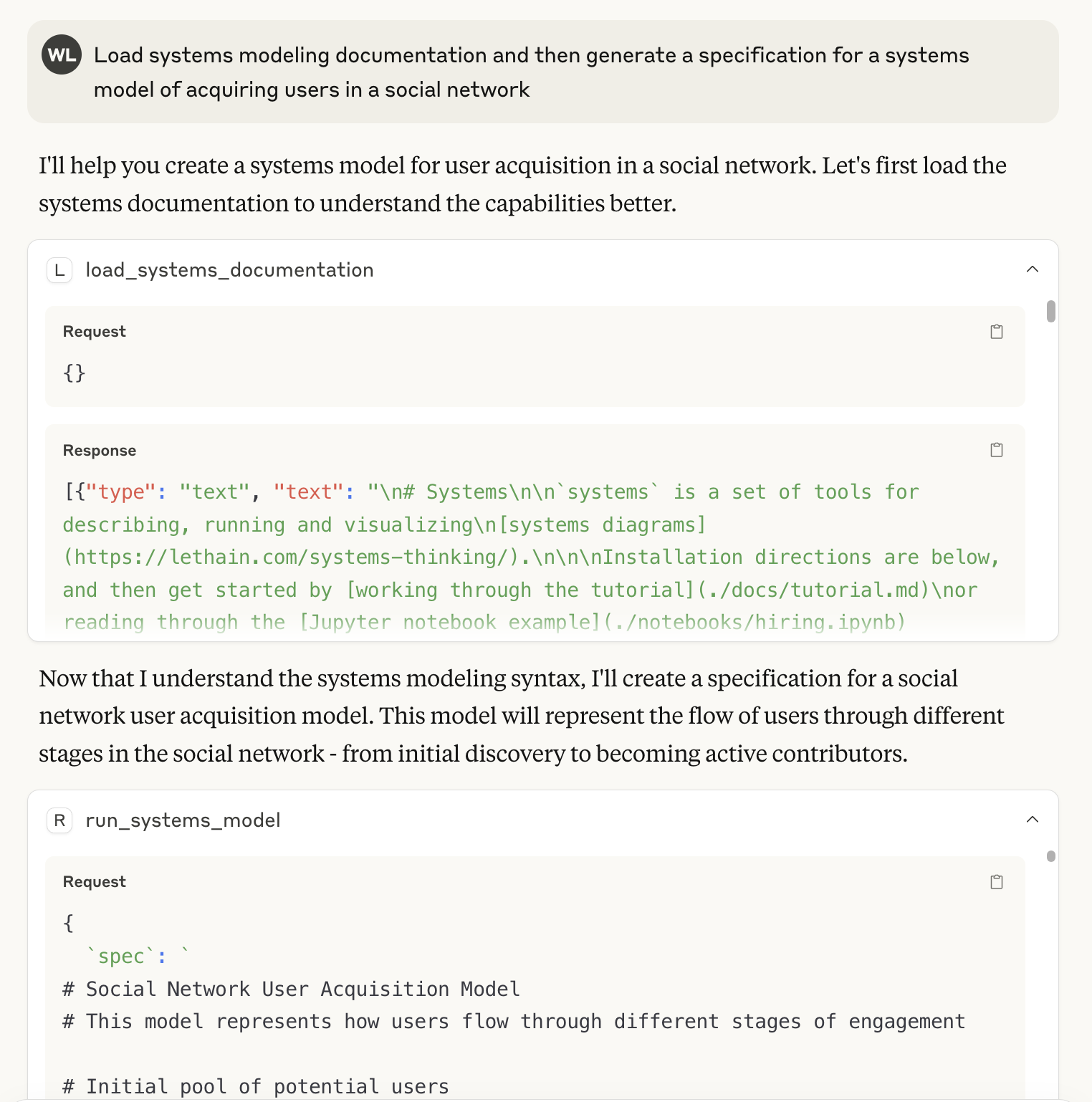
Finally, here is an example of using the load_systems_documentation tool to prime
the context window and using it to help generate a systems specification.
This is loosely equivalent to including lethain:systems/README.md in the context window,
but also includes a handful of additional examples
(see the included files in ./docs/.
Then you can render the model as before.
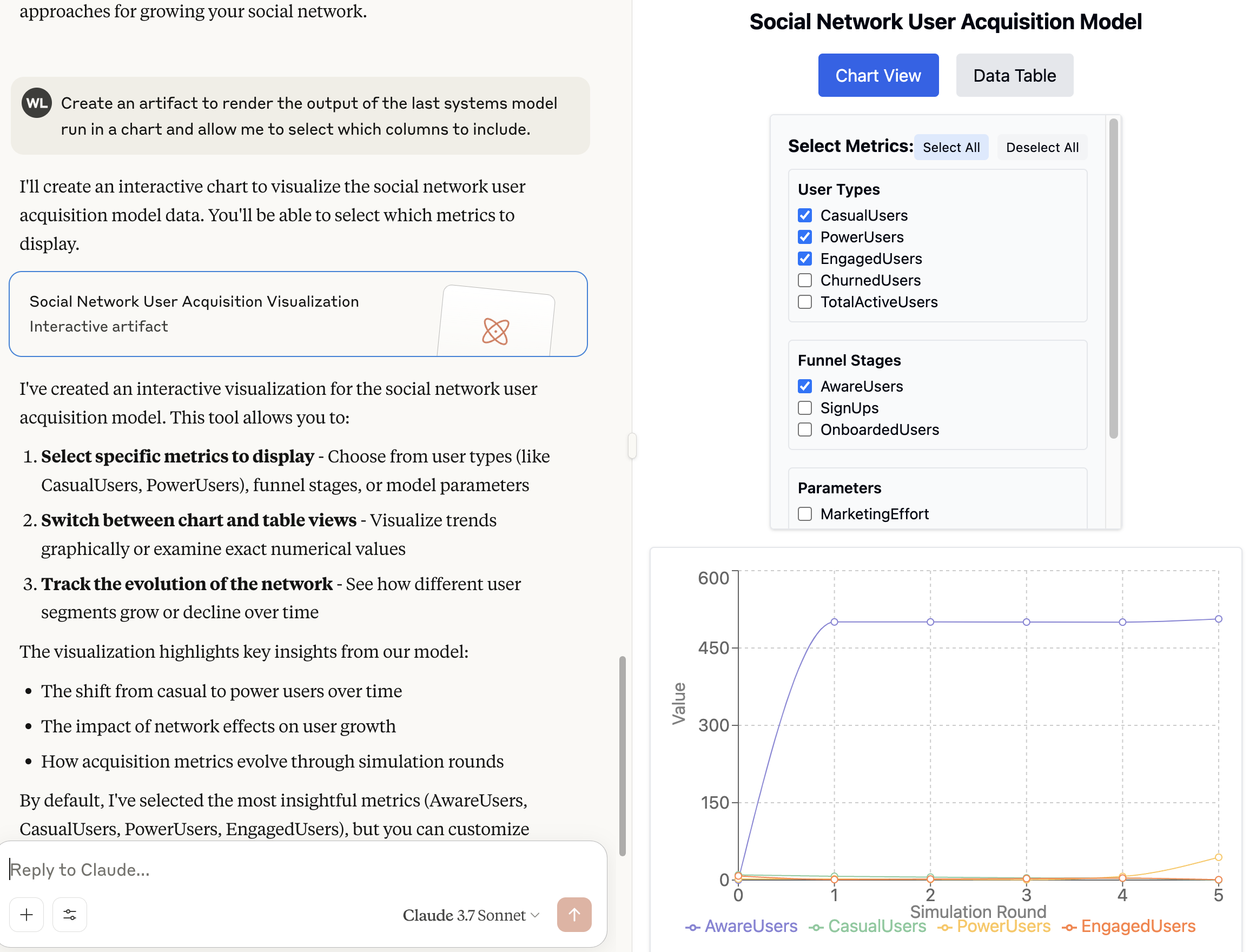
The most interesting piece here is that I’ve never personally used systems to model a social network,
but the LLM was able to do a remarkably decent job at generating a specification despite that.
Installation
These instructions describe installation for Claude Desktop on OS X.
It should work similarly on other platforms.
-
Install Claude Desktop.
-
Clone systems-mcp into
a convenient location, I’m assuming/Users/will/systems-mcp -
Make sure you have
uvinstalled, you can follow these instructions -
Go to Cladue Desktop, Setting, Developer, and have it create your MCP config file.
Then you want to update yourclaude_desktop_config.json.
(Note that you should replacewillwith your user, e.g. the output ofwhoami.cd /Users/will/Library/Application Support/Claude vi claude_desktop_config.jsonThen add this section:
{ "mcpServers": { "systems": { "command": "uv", "args": [ "--directory", "/Users/will/systems-mcp", "run", "main.py" ] } } } -
Close Claude and reopen it.
-
It should work…
Dev Tools Supporting MCP
The following are the main code editors that support the Model Context Protocol. Click the link to visit the official website for more information.







