
Task Tracker
What is Task Tracker
Task Tracker is an MCP server designed for task management that integrates Linear for task organization and TrackingTime for time tracking.
Use cases
Use cases include automating task creation and updates using natural language, tracking time spent on tasks, and managing team workflows effectively.
How to use
To use Task Tracker, set up the environment as per the provided .env.example file, run the setup script, and configure it in the Claude Desktop with the specified command and arguments.
Key features
Key features include integration with Linear API for task management (creating tasks, updating statuses, viewing tasks by status) and TrackingTime for time tracking (starting/stopping tracking, viewing active tasks, adding notes).
Where to use
Task Tracker can be used in project management, software development, and any field requiring efficient task and time management.
Clients Supporting MCP
The following are the main client software that supports the Model Context Protocol. Click the link to visit the official website for more information.





Overview
What is Task Tracker
Task Tracker is an MCP server designed for task management that integrates Linear for task organization and TrackingTime for time tracking.
Use cases
Use cases include automating task creation and updates using natural language, tracking time spent on tasks, and managing team workflows effectively.
How to use
To use Task Tracker, set up the environment as per the provided .env.example file, run the setup script, and configure it in the Claude Desktop with the specified command and arguments.
Key features
Key features include integration with Linear API for task management (creating tasks, updating statuses, viewing tasks by status) and TrackingTime for time tracking (starting/stopping tracking, viewing active tasks, adding notes).
Where to use
Task Tracker can be used in project management, software development, and any field requiring efficient task and time management.
Clients Supporting MCP
The following are the main client software that supports the Model Context Protocol. Click the link to visit the official website for more information.
Content
Task Tracker

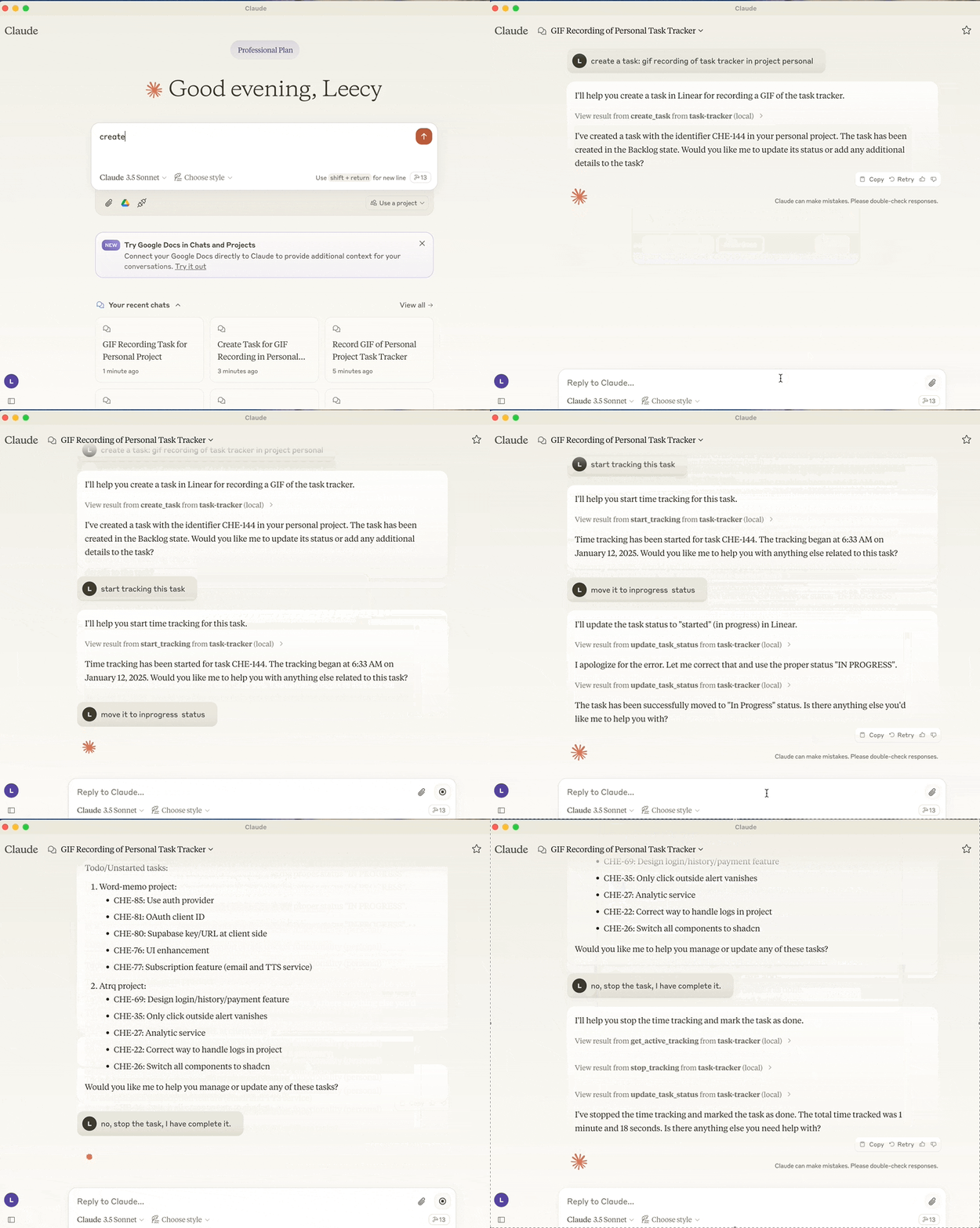
A Model Context Protocol server that integrates Linear task management and TrackingTime time tracking.
Motivation
I’ve been using Linear for task management and TrackingTime for time tracking for a long time. I found it could be very helpful to use LLM to automate my workflows and tasks.
With the benifits of large language models, I can use natural language to create tasks, update task statuses, start and stop time tracking, and more.
If I develop more MCP servers tailored to my own needs, I can make the Claude client an all-in-one workspace for me.
Features
- Integration with Linear API for task management
- Create new task with optional project, description and state assignments
- Set current working team
- Get projects
- View tasks by status (backlog, unstarted, started, done, canceled)
- Search tasks by title
- Update task status
- Integration with TrackingTime for task time tracking
- Start time tracking for tasks
- Stop active time tracking
- View currently active tracked task
- Add notes to tracking task
Setup
- setup the environment, refer to the .env.example file.
sh scripts/setup.shto build the package or run below uv commands directly.
uv build
uv run task-tracker
- setup it in the Claude Desktop:
{
  "mcpServers": {
    "task-tracker": {
      "command": "uv",
      "args": [
        "--directory",
        "/path/to/task-tracker",
        "run",
        "task-tracker"
      ]
    }
  }
}
Dev Tools Supporting MCP
The following are the main code editors that support the Model Context Protocol. Click the link to visit the official website for more information.







