
Teamwork Ai
What is Teamwork Ai
Teamwork-ai is an unofficial extension for Teamwork.com that integrates AI capabilities, allowing users to enhance their project management tasks with artificial intelligence.
Use cases
Use cases include creating a project for building a new house, automatically assigning tasks to team members based on their skills, and managing project workflows efficiently through AI.
How to use
To use teamwork-ai, you can run it in local mode as a server, allowing AI clients to connect directly. You can also use it to create projects, assign tasks, and manage workflows through AI interactions.
Key features
Key features include the ability to create projects and tasks automatically, assign tasks based on user skills, and interact with Teamwork.com through AI agents.
Where to use
Teamwork-ai can be used in project management, team collaboration, and any domain where task organization and assignment are needed, particularly in software development and business operations.
Clients Supporting MCP
The following are the main client software that supports the Model Context Protocol. Click the link to visit the official website for more information.





Overview
What is Teamwork Ai
Teamwork-ai is an unofficial extension for Teamwork.com that integrates AI capabilities, allowing users to enhance their project management tasks with artificial intelligence.
Use cases
Use cases include creating a project for building a new house, automatically assigning tasks to team members based on their skills, and managing project workflows efficiently through AI.
How to use
To use teamwork-ai, you can run it in local mode as a server, allowing AI clients to connect directly. You can also use it to create projects, assign tasks, and manage workflows through AI interactions.
Key features
Key features include the ability to create projects and tasks automatically, assign tasks based on user skills, and interact with Teamwork.com through AI agents.
Where to use
Teamwork-ai can be used in project management, team collaboration, and any domain where task organization and assignment are needed, particularly in software development and business operations.
Clients Supporting MCP
The following are the main client software that supports the Model Context Protocol. Click the link to visit the official website for more information.
Content
Teamwork.com AI



Unofficial extension for Teamwork.com to integrate
AI capabilities.
[!WARNING]
When interacting with LLMs, be aware that the data you provide may be used to
train and improve AI models. This may include sharing your data with
third-party providers, which could lead to potential privacy and security
risks. Always review the terms of service and privacy policies of the AI
providers you use to understand how your data will be handled.
MCP server
Implements the Model Context Protocol (MCP) to allow AI agents to interact with
Teamwork.com. This server acts as a bridge between AI clients and Teamwork.com,
adding tools to create tasks, projects, and more.
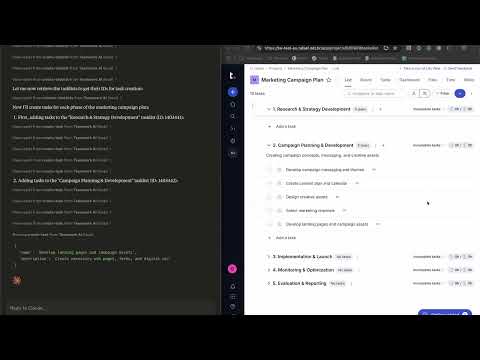
Some interesting things you can do with this server:
> Could you please create a projects with the steps to create a new house?

The AI client will create a project named "New House" with tasklist and tasks
with the specific steps to create a new house.
> Could you assign the tasks from the "New House" project to users that have
> the available skills to fulfill them? Leave the tasks unassigned if no
> user has the required skills.

The AI client will automatically query the projects, project's members,
tasklists, tasks and skills to correctly assign the tasks. It analyzes the
tasklist name, the task title and description to find the best match for the
users' skills.
For more information check our documentation.
Assigner
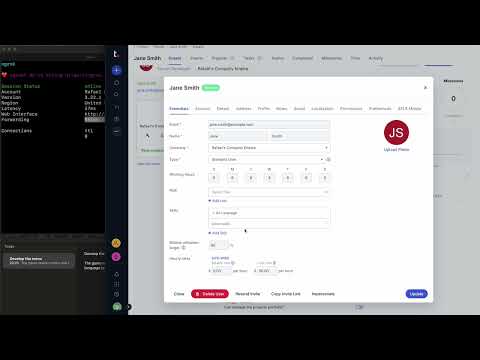
The assigner is a webservice that integrates with Teamwork.com webhooks,
handling task creation and updates. It behave as an Agentic AI, extracting
skills and job roles from the task and assigning the best user to fulfill it.
For more information check our documentation.
Dev Tools Supporting MCP
The following are the main code editors that support the Model Context Protocol. Click the link to visit the official website for more information.







