
Temporal Invoice Mcp
What is Temporal Invoice Mcp
temporal-invoice-mcp is a demonstration project that integrates Temporal workflows with an MCP (Microservices Communication Protocol) for processing invoices.
Use cases
Use cases include processing mock invoices, managing invoice approval workflows, and monitoring invoice statuses through a web interface.
How to use
To use temporal-invoice-mcp, clone the repository, install the required dependencies, launch the Temporal server locally, and start the worker. You can then trigger invoice processing using a sample invoice file.
Key features
Key features include integration with Temporal for workflow management, support for invoice processing, and the ability to trigger, approve, reject, and check the status of invoices through an MCP client.
Where to use
temporal-invoice-mcp can be used in industries that require automated invoice processing, such as finance, accounting, and e-commerce.
Clients Supporting MCP
The following are the main client software that supports the Model Context Protocol. Click the link to visit the official website for more information.





Overview
What is Temporal Invoice Mcp
temporal-invoice-mcp is a demonstration project that integrates Temporal workflows with an MCP (Microservices Communication Protocol) for processing invoices.
Use cases
Use cases include processing mock invoices, managing invoice approval workflows, and monitoring invoice statuses through a web interface.
How to use
To use temporal-invoice-mcp, clone the repository, install the required dependencies, launch the Temporal server locally, and start the worker. You can then trigger invoice processing using a sample invoice file.
Key features
Key features include integration with Temporal for workflow management, support for invoice processing, and the ability to trigger, approve, reject, and check the status of invoices through an MCP client.
Where to use
temporal-invoice-mcp can be used in industries that require automated invoice processing, such as finance, accounting, and e-commerce.
Clients Supporting MCP
The following are the main client software that supports the Model Context Protocol. Click the link to visit the official website for more information.
Content
Invoice Demo with Temporal + MCP
Prerequisites:
- Python3+
uv(curl -LsSf https://astral.sh/uv/install.sh | sh)- Temporal Local Setup Guide
- Claude for Desktop
1. Clone & install
 git clone https://github.com/your-org/temporal-mcp-invoice-demo.git
 cd temporal-mcp-invoice-demo
 uv venv
 source .venv/bin/activate
 uv pip install temporalio fastmcp
2. Launch Temporal locally
temporal server start-dev
3. Start the worker
python worker.py [--fail-validate] [--fail-payment]
Quick demo boot
Instead of starting the server and worker manually you can launch them in a
tmux session using the boot-demo.sh helper script:
./boot-demo.sh
Claude for Desktop Instructions (Sonnet 4)
1. Follow steps 1-3 above
2. Edit your Claude Config (Claude > Settings > Developer > Edit Config)
{
  "mcpServers": {
    "invoice_processor": {
      "command": "/Path/To/Your/Install/Of/uv",
      "args": [
        "--directory",
        "/Path/To/temporal-invoice-mcp",
        "run",
        "server.py"
      ]
    }
  }
}
3. Restart Claude for Desktop after editing your config
- If successful you’ll see
invoice_processorunder ‘Search & Tools’
4. To kick off processing the mock invoice, run:
trigger <paste: samples/invoice_acme.json>
Use your MCP client (e.g., Claude Desktop) to call the trigger, approve,
reject, and status tools. The trigger tool now returns both the
workflow_id and run_id of the started workflow. Pass these values to the
approve, reject, and status tools. The sample invoice lives at
samples/invoice_acme.json. Inspect Temporal Web at http://localhost:8233.
Kill and restart the worker at any time to observe deterministic replay.
5. Results
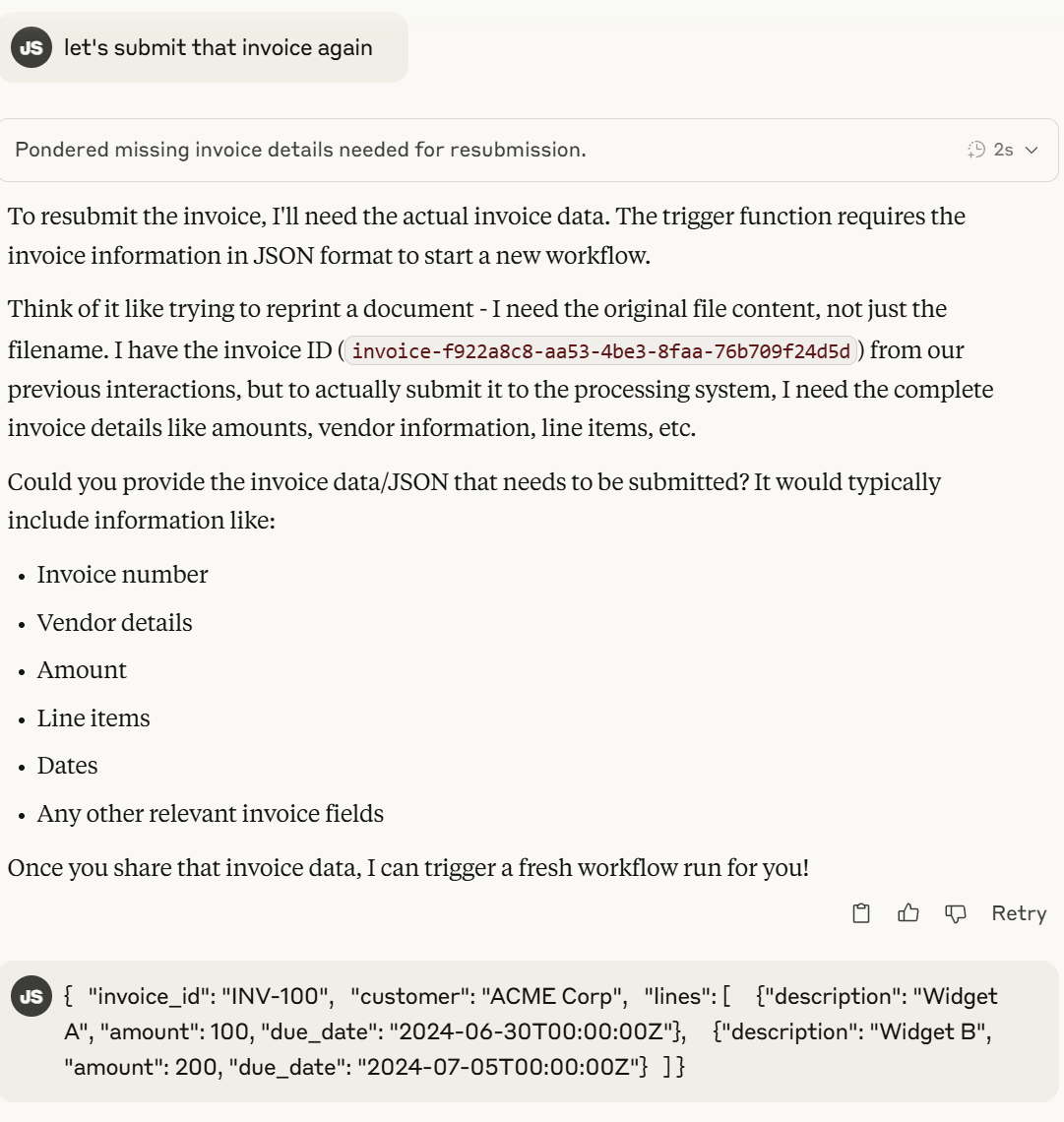
Claude submits the invoice workflow:
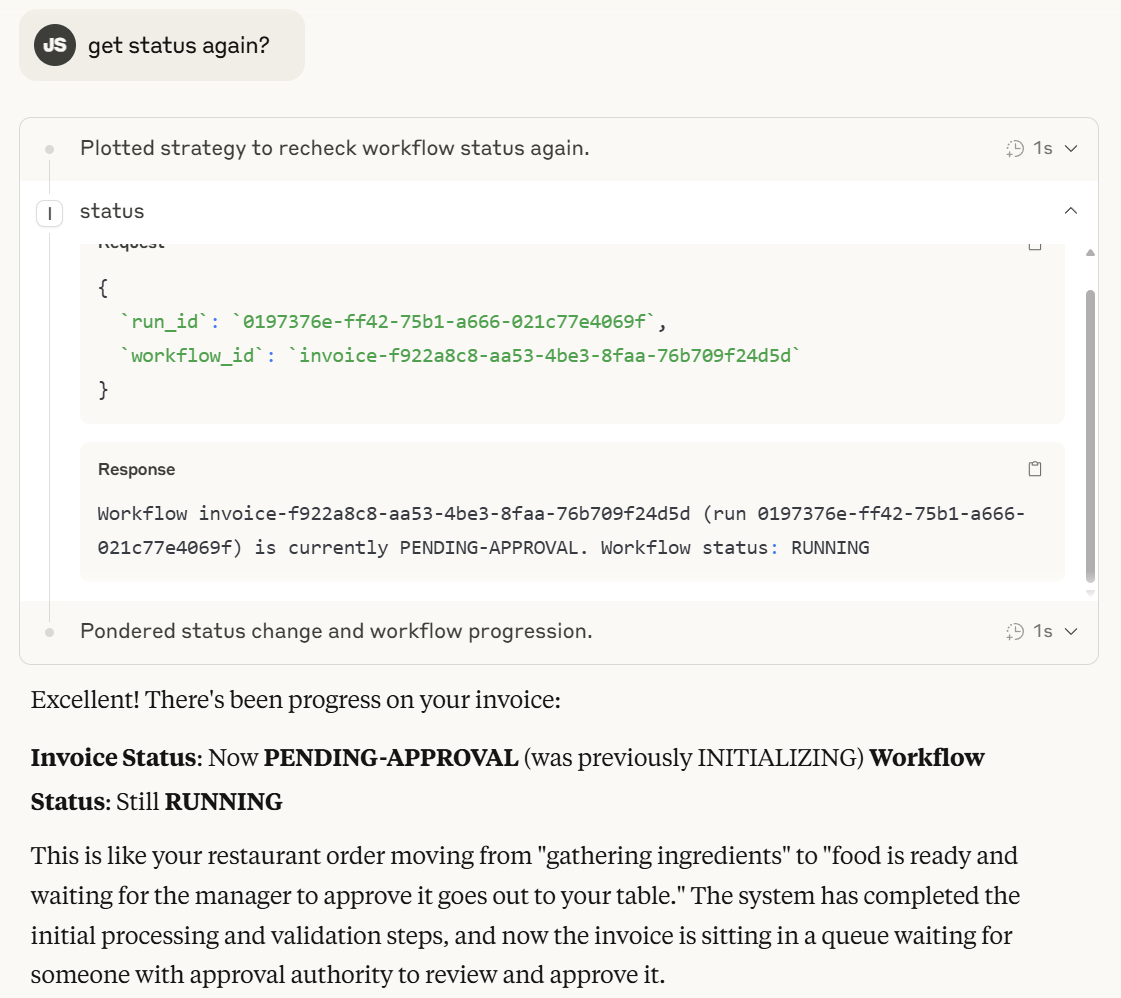
It can get status:
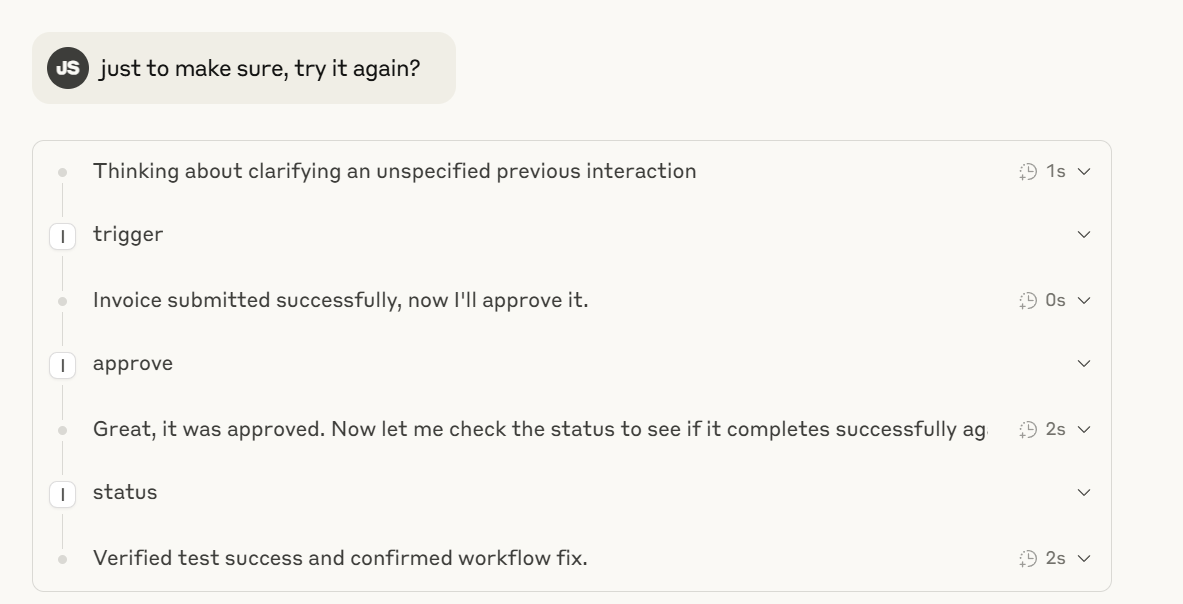
Claude + MCP can send inputs and updates to the process workflow such as approvals, or even do a combination of actions - all agentically, explaining in human analogies what’s going on if you ask it to:
What’s Cool About This:
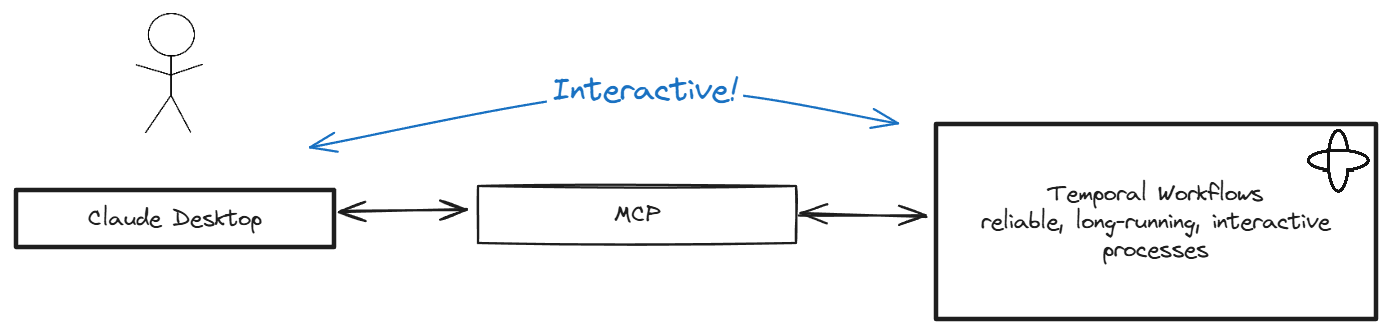
- Agents and applications connected by MCP can provide a powerful way for humans to interact with processes and applications
- (as long as the applications have an API to interact with)
- MCP tools don’t have to be just one API call - you can get process status and even send it more information as it proceeds
- Temporal makes modeling a long-running, durable, interactive transaction simple to integrate with MCP
Dev Tools Supporting MCP
The following are the main code editors that support the Model Context Protocol. Click the link to visit the official website for more information.







