
Tiny Chat
What is Tiny Chat
Tiny Chat is an LLM application that integrates chat functionality with Retrieval-Augmented Generation (RAG), a database, and MCP server capabilities. It is specifically designed for Japanese users.
Use cases
Use cases for Tiny Chat include providing instant answers to user queries, facilitating language learning through interactive conversations, and enhancing user engagement in online platforms.
How to use
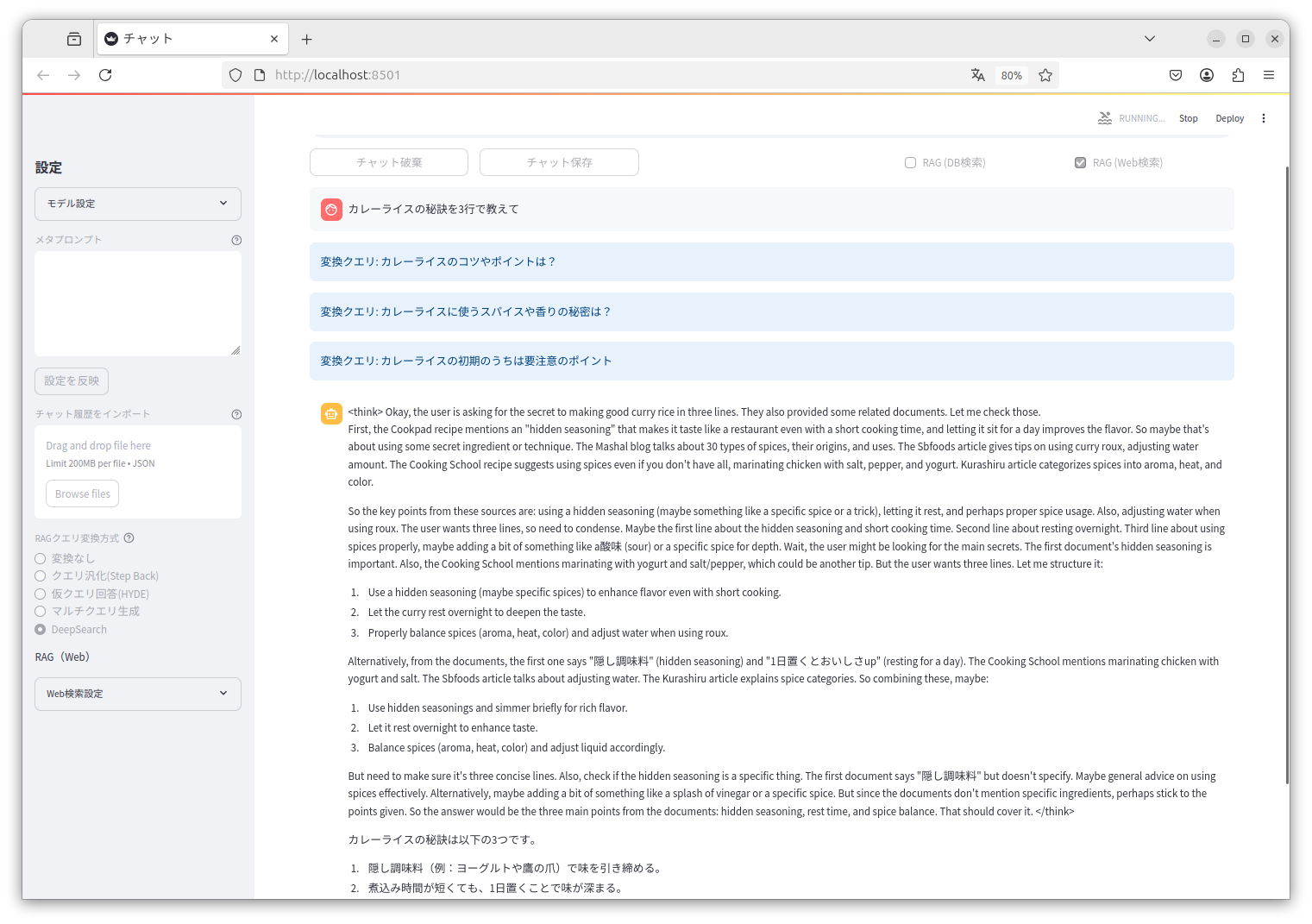
To use Tiny Chat, you can run it from the source using Streamlit or install the package directly. For development, run ‘streamlit run tiny_chat/main.py --server.address=127.0.0.1’. For installed packages, simply execute ‘tiny-chat’ in the terminal.
Key features
Key features of Tiny Chat include chat functionality powered by RAG, a user-friendly interface tailored for Japanese users, and seamless integration with MCP server capabilities for enhanced performance.
Where to use
Tiny Chat can be used in various fields such as customer support, educational tools, and any application requiring interactive chat functionalities, particularly in Japanese-speaking environments.
Clients Supporting MCP
The following are the main client software that supports the Model Context Protocol. Click the link to visit the official website for more information.





Overview
What is Tiny Chat
Tiny Chat is an LLM application that integrates chat functionality with Retrieval-Augmented Generation (RAG), a database, and MCP server capabilities. It is specifically designed for Japanese users.
Use cases
Use cases for Tiny Chat include providing instant answers to user queries, facilitating language learning through interactive conversations, and enhancing user engagement in online platforms.
How to use
To use Tiny Chat, you can run it from the source using Streamlit or install the package directly. For development, run ‘streamlit run tiny_chat/main.py --server.address=127.0.0.1’. For installed packages, simply execute ‘tiny-chat’ in the terminal.
Key features
Key features of Tiny Chat include chat functionality powered by RAG, a user-friendly interface tailored for Japanese users, and seamless integration with MCP server capabilities for enhanced performance.
Where to use
Tiny Chat can be used in various fields such as customer support, educational tools, and any application requiring interactive chat functionalities, particularly in Japanese-speaking environments.
Clients Supporting MCP
The following are the main client software that supports the Model Context Protocol. Click the link to visit the official website for more information.
Content
Tiny Chat

Installation
Tested with Python 3.10 or later
Development Installation
pip install -r requirements.txt
Package Installation
# Build the package
pip install build
python -m build

# Install the built package
pip install dist/*.whl
Web Interface Usage
Running from source (development)
streamlit run tiny_chat/main.py --server.address=127.0.0.1
only database (development)
streamlit run tiny_chat/main.py --server.address=127.0.0.1 -- --database
Running installed package
tiny-chat
only database
tiny-chat --database
MCP Usage
Claude Desktop example.
{
  "mcpServers": {
    "tiny-chat": {
      "command": "/path/to/tiny_chat/.venv/bin/tiny-chat-mcp",
      "env": {
        "DB_CONFIG": "/path/to/tiny_chat/database_config.json"
      }
    }
  }
}
OpenAI Chat API RAG Server Usage
tiny-chat-api
model: target search qdrant collection name (model change in conversation).
curl http://localhost:8080/v1/chat/completions -H "Content-Type: application/json" -d '{"model": "qdrant-collection-name", "messages": [{"role": "user", "content": "カレーライスの材料は?"}]}'
Dev Tools Supporting MCP
The following are the main code editors that support the Model Context Protocol. Click the link to visit the official website for more information.







