
Trellis Blender
What is Trellis Blender
Trellis_blender is a Blender plugin that integrates the TRELLIS 3D generation capabilities, allowing users to create 3D models from text and images using state-of-the-art AI-generated content (AIGC) technology.
Use cases
Use cases include creating 3D assets for video games, generating detailed 3D models for animations, producing virtual environments for simulations, and enhancing creative workflows in digital art.
How to use
To use trellis_blender, install the plugin in Blender by downloading the files, enabling the addon in preferences, and accessing the TRELLIS panel in the 3D viewport. Users can input text or images, adjust parameters, and generate 3D models that can be imported into their scenes.
Key features
Key features include Text-to-3D generation, Image-to-3D generation, Text-conditioned and Image-conditioned Detail Variation, and MCP integration for enhanced communication with other tools.
Where to use
Trellis_blender can be used in various fields such as game development, animation, virtual reality, and any area that requires 3D modeling and content creation.
Clients Supporting MCP
The following are the main client software that supports the Model Context Protocol. Click the link to visit the official website for more information.





Overview
What is Trellis Blender
Trellis_blender is a Blender plugin that integrates the TRELLIS 3D generation capabilities, allowing users to create 3D models from text and images using state-of-the-art AI-generated content (AIGC) technology.
Use cases
Use cases include creating 3D assets for video games, generating detailed 3D models for animations, producing virtual environments for simulations, and enhancing creative workflows in digital art.
How to use
To use trellis_blender, install the plugin in Blender by downloading the files, enabling the addon in preferences, and accessing the TRELLIS panel in the 3D viewport. Users can input text or images, adjust parameters, and generate 3D models that can be imported into their scenes.
Key features
Key features include Text-to-3D generation, Image-to-3D generation, Text-conditioned and Image-conditioned Detail Variation, and MCP integration for enhanced communication with other tools.
Where to use
Trellis_blender can be used in various fields such as game development, animation, virtual reality, and any area that requires 3D modeling and content creation.
Clients Supporting MCP
The following are the main client software that supports the Model Context Protocol. Click the link to visit the official website for more information.
Content
TRELLIS Blender Plugin
Update: support text-to-3d and add mcp integration
A Blender addon that integrates TRELLIS’s 3D generation capabilities into blender. TRELLIS is SOTA text-to-3d and image-to-3d AIGC model.
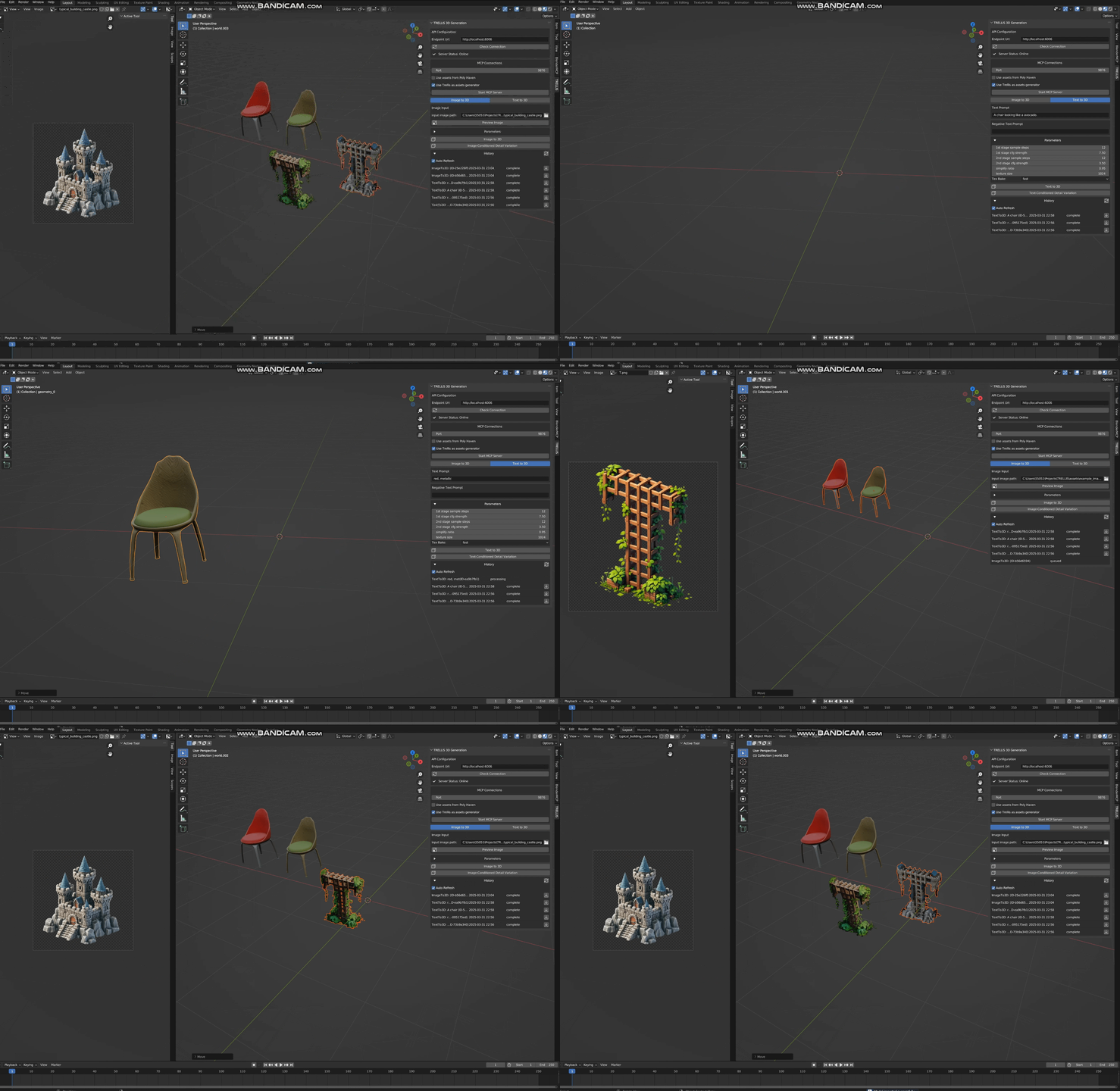
Core Features
- Text-to-3D: text -> textured 3D mesh
- Image-to-3D: image -> textured 3D mesh
- Text-conditioned Detail Variation: text + 3D mesh -> textured 3D mesh
- Image-conditioned Detail Variation: image + 3D mesh -> textured 3D mesh
- MCP integration: Integrates with MCP and can communicate with Cursor/Windsurf.
Refer to Trellis MCP
Installation
Requirements
- Blender 3.6.0 or higher
- Running TRELLIS API server (Refer to my TreLLIS fork)
Enable the plugin
- Download the plugin files (clone this repo)
- In Blender, go to Edit > Preferences > Add-ons
- Click “Install” and select the
trellis_for_blender.pyfile - Enable the addon by checking the box next to “3D View: TRELLIS”
Native Workflow
- Access the panel (open 3d viewport and press n to open sidebar), find TRELLIS.
- (Optionally) Select an object in the scene, select an image as conditional input.
- Adjust generation parameters (empirically can use fewer steps)
- The plugin will upload both the object(if selected) and the image/text to the API backend.
- When finished, the model can be downloaded and imported into the scene.
You can see the historical requests in the main panel
MCP Workflow
- Access the panel (open 3d viewport and press n to open sidebar), find TRELLIS, click
Start MCP Server - Open Claude/Cursor/Windsurf, paste following configuration:
"mcpServers": {
        "trellis": {
            "command": "uvx",
            "args": [
                "trellis-mcp"
            ]
        }
    }
Generation Parameters
- Sparse Structure Settings
- Sample Steps (sampling steps for structure diffusion, by default 12)
- CFG Strength (classifier-free-guidance, by default 7.5, higher value will better align the input image)
- Structured Latent Settings
- Sample Steps (sampling steps for SLAT diffusion, by default 12)
- CFG Strength (classifier-free-guidance, by default 7.5, higher value will better align the input image)
- Postprocessing Mesh Options
- Simplify Ratio (# of triangles to remove, by default 0.95)
- Texture Size (by default 1024, can set to 2048 for higher quality, but slower)
- Texture Bake Mode (‘fast’ or ‘opt’, ‘opt’ can be slow but has higher quality)
Features
- Asynchronous request processing
- Real-time status updates
- Error handing
- “No selected file”: Select an input image
- “API connection error”: Check if the API server is running
- “Processing error”: Check the API server logs for details
Any issue/discussion/contribution is welcomed!
Dev Tools Supporting MCP
The following are the main code editors that support the Model Context Protocol. Click the link to visit the official website for more information.







