
Umi Mcp
What is Umi Mcp
umi-mcp is a collection of tools and utilities designed for the umi framework, facilitating the development of modern web applications.
Use cases
Use cases for umi-mcp include setting up new projects, managing dependencies, and enhancing the development workflow for umi-based applications.
How to use
To use umi-mcp, simply run the command npx -y umi-mcp in your terminal.
Key features
Key features of umi-mcp include integration with the umi framework, ease of use, and support for various development scenarios.
Where to use
umi-mcp can be used in web development projects, particularly those utilizing the umi framework for building single-page applications.
Clients Supporting MCP
The following are the main client software that supports the Model Context Protocol. Click the link to visit the official website for more information.





Overview
What is Umi Mcp
umi-mcp is a collection of tools and utilities designed for the umi framework, facilitating the development of modern web applications.
Use cases
Use cases for umi-mcp include setting up new projects, managing dependencies, and enhancing the development workflow for umi-based applications.
How to use
To use umi-mcp, simply run the command npx -y umi-mcp in your terminal.
Key features
Key features of umi-mcp include integration with the umi framework, ease of use, and support for various development scenarios.
Where to use
umi-mcp can be used in web development projects, particularly those utilizing the umi framework for building single-page applications.
Clients Supporting MCP
The following are the main client software that supports the Model Context Protocol. Click the link to visit the official website for more information.
Content
umi-mcp

MCP collection for the umi framework.
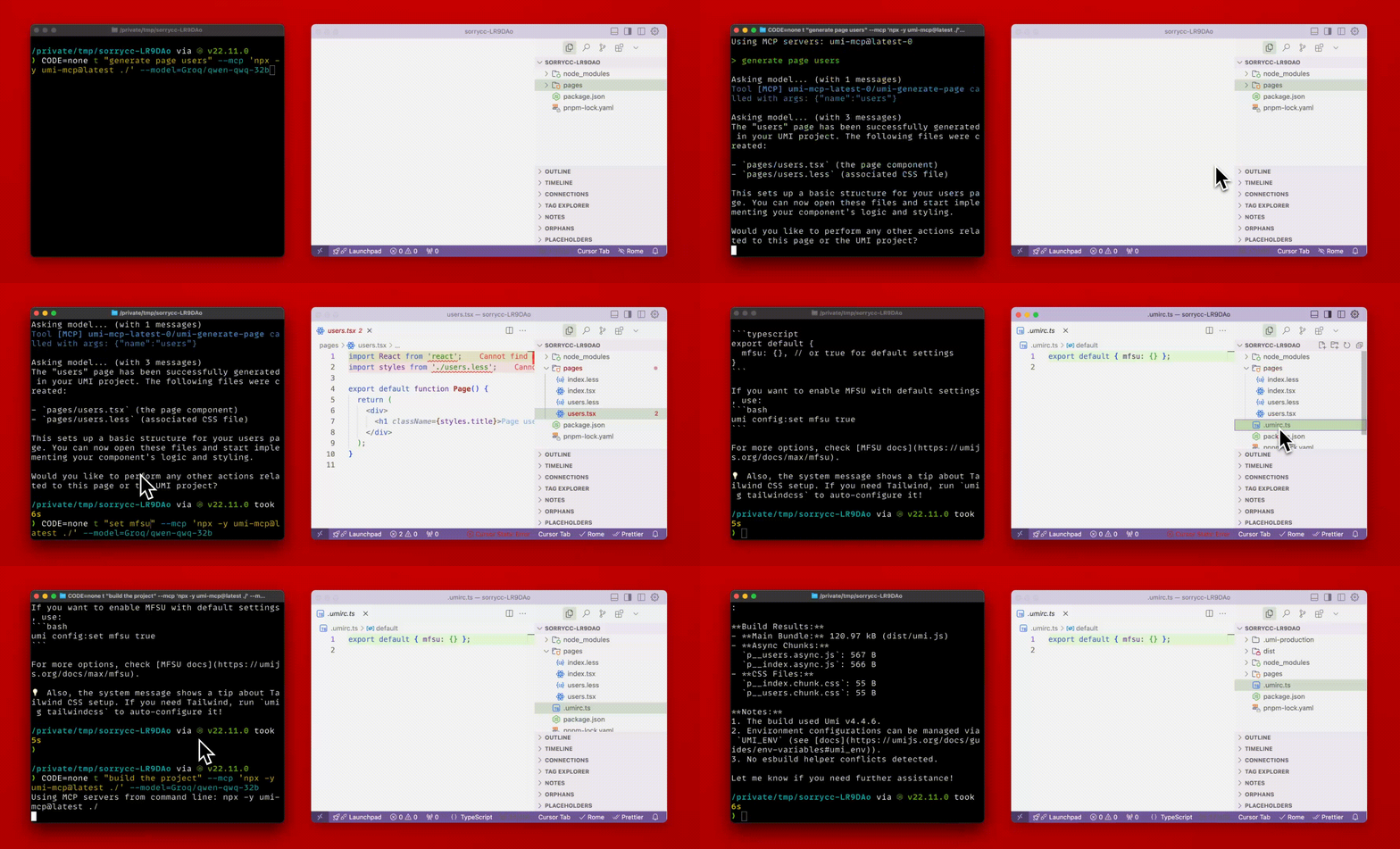
Features
- Support umi, @umijs/max and the Bigfish framework.
Tools
umi-help: Get help description for umi.umi-config-list: List all config of the umi project.umi-config-get: Get the value of a config of the umi project.umi-config-set: Set the value of a config of the umi project.umi-config-remove: Remove a config of the umi project.umi-build: Build the umi project. (Run build and return the output, bundle size, etc.)umi-generate-page: Generate a page of the umi project.umi-generate-xxx, More generate tools…umi-lint, Run the linting of the umi project.umi-plugin-list, List all plugins of the umi project.umi-setup, Setup the umi project and generate the tmp files in the.umidirectory.umi-deadcode, Find the dead code of the umi project.umi-version, Show the version of the umi project.umi-route-list, List all routes of the umi project. (Based on the appData under.umidirectory)umi-appdata-list, List detailed app data of the umi project. (Based on the appData under.umidirectory)
Usage
$ npx -y umi-mcp <root>
Usage with Cursor
add the following to your <root>/.cursor/mcp.json:
NPX
{
  "mcpServers": {
    "umi-mcp": {
      "command": "npx",
      "args": [
        "-y",
        "umi-mcp",
        "<root>"
      ]
    }
  }
}
CONTRIBUTING
See CONTRIBUTING.md.
LICENSE
Dev Tools Supporting MCP
The following are the main code editors that support the Model Context Protocol. Click the link to visit the official website for more information.







